1. Introduction
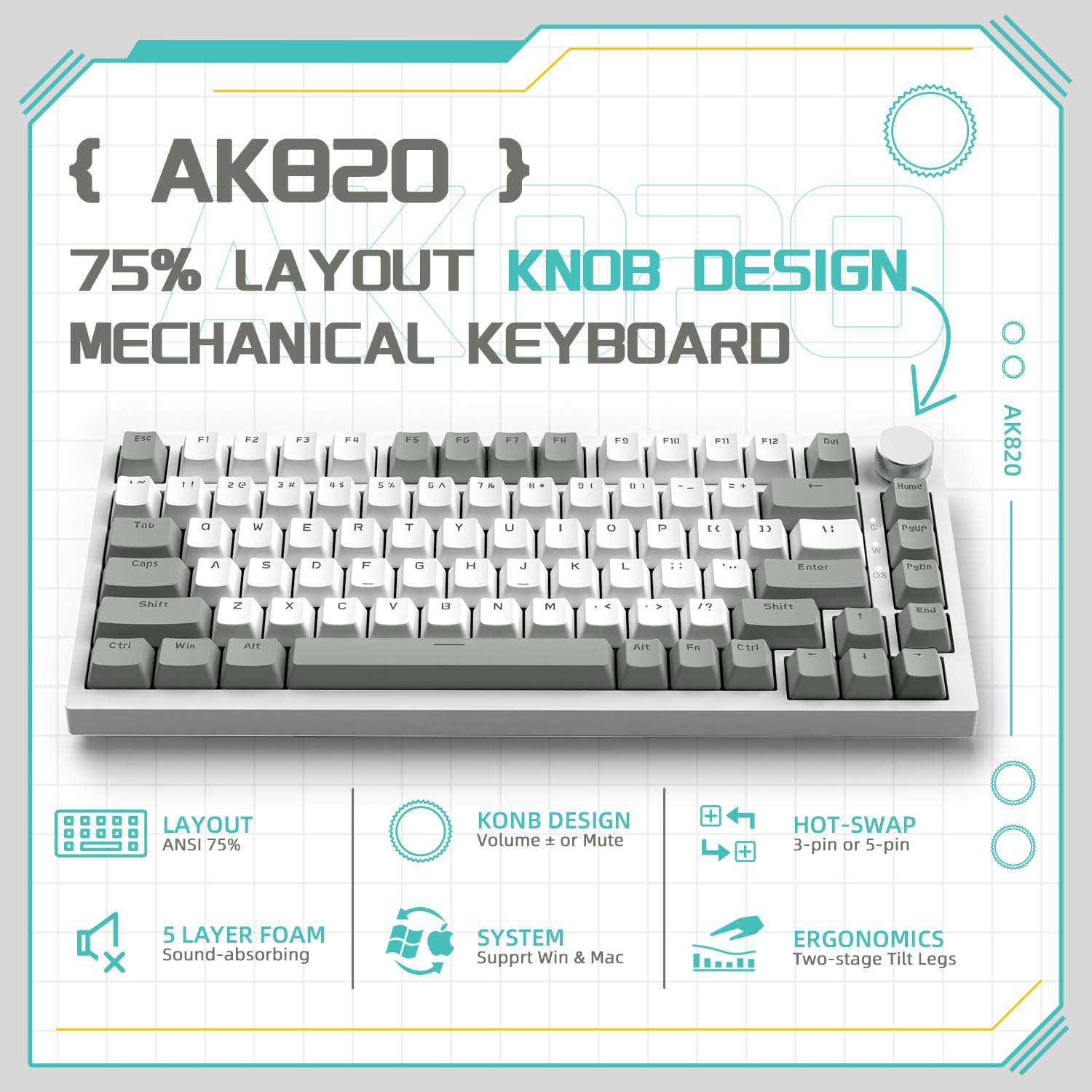
The YINDIAO AK820 is a 75% ANSI layout mechanical keyboard designed for both gaming and productivity. It features an 82-key layout, gasket mount structure, hot-swappable switches, and a versatile CNC knob for enhanced control. This manual provides detailed instructions for setup, operation, maintenance, and troubleshooting to ensure optimal performance of your keyboard.
2. Package Contents
Please verify that all items listed below are included in your package:
- AK820 Keyboard
- USB-C Cable
- 2-in-1 Keycap Puller
- Plastic Dust Cover
- User Manual

3. Product Overview
3.1. Keyboard Layout and Design
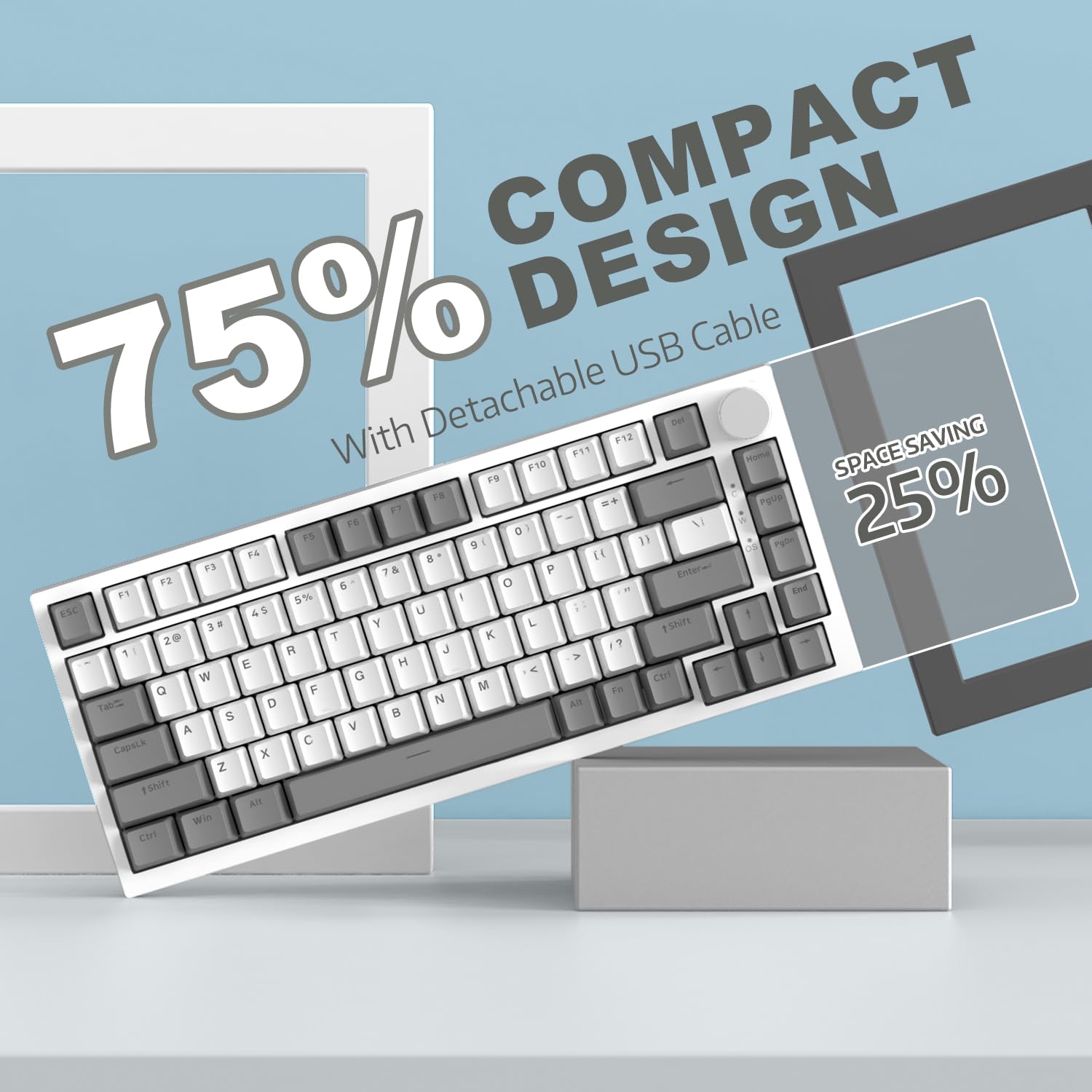
The AK820 features a compact 75% ANSI layout with 82 keys, providing essential functionality while saving desk space. Its design incorporates a gasket mount structure for a unique typing feel and sound.
3.2. CNC Knob Control
The integrated CNC aluminum knob provides convenient control over multimedia functions and lighting. It can be rotated to adjust volume and pressed to control playback or lighting.
- Rotate Right: Increase Volume
- Rotate Left: Decrease Volume
- Press Knob: Play/Pause (for media) or Turn On/Off Light

3.3. Ergonomic Design
The keyboard features two-level adjustable feet, allowing you to set a comfortable typing angle to reduce strain during extended use.

3.4. Detachable USB-C Cable
The keyboard connects via a detachable USB-C cable, offering plug-and-play convenience and broad compatibility with various operating systems.
4. Setup
- Connect the USB-C Cable: Insert the USB-C end of the provided cable into the port on the back of the keyboard.
- Connect to Device: Plug the USB-A end of the cable into an available USB port on your computer (PC or Mac).
- System Recognition: The keyboard is plug-and-play and should be automatically recognized by your operating system (Windows 7/8/10/2000/XP, Vista, Mac OS). No drivers are typically required.
- Console Compatibility: For use with PS4, PS5, or XBOX devices, a gaming converter (not included) is required.
5. Operating Instructions
5.1. Backlight Modes
The AK820 features a single ice white backlight with multiple professional lighting effects. To cycle through different modes, press the Fn key combined with the number keys 1, 2, or 3.
- Fn + 1: FPS Mode (specific keys illuminated for First-Person Shooter games)
- Fn + 2: LOL Mode (specific keys illuminated for League of Legends or similar games)
- Fn + 3: Office Mode (general illumination for productivity)

5.2. Knob Functions
As detailed in the Product Overview, the CNC knob controls volume and can toggle the backlight or media playback. Specific customization options for the knob may be available through software (if provided by the manufacturer).
6. Hot-Swappable Switches
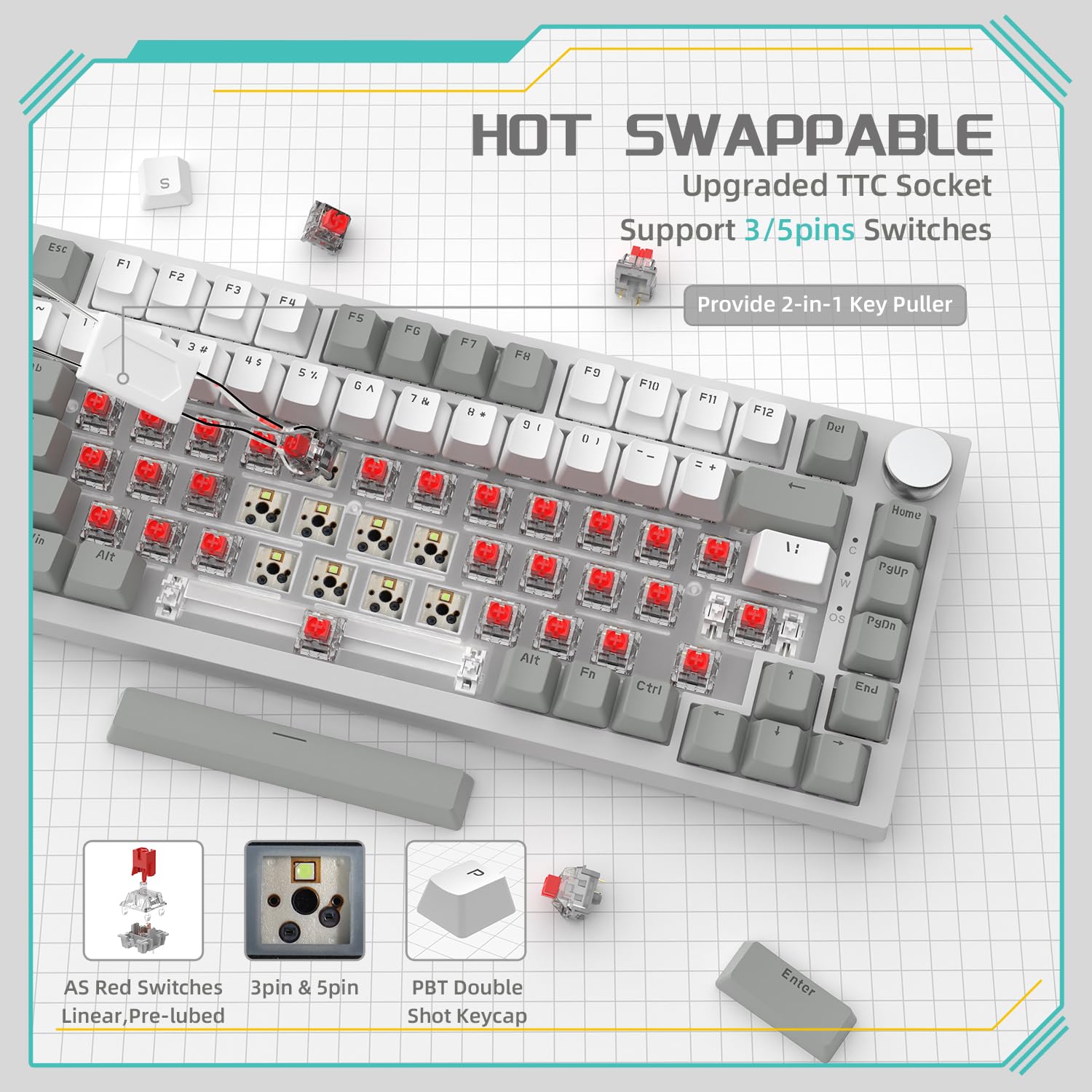
The AK820 features hot-swappable switch sockets, allowing you to easily change switches without soldering. This supports both 3-pin and 5-pin mechanical switches, enabling customization of your typing experience.
- Switch Compatibility: Supports 3-pin and 5-pin switches.
- Included Tool: Use the provided 2-in-1 keycap puller to safely remove keycaps and switches.
7. Sound Absorbing Layers
The AK820 is engineered with five layers of sound-absorbing materials to minimize noise and enhance the typing sound and feel. These layers are strategically placed between the top panel, switches, PCB, and bottom case.
- PORON Sandwich Cotton
- IXPE Switch Pad
- PET Sound Absorbing Foam
- Sponge Case Foam
- Bottom Silicone Pad

8. Maintenance
- Cleaning: Use a soft, dry cloth to wipe the keyboard surface. For deeper cleaning, remove keycaps using the provided puller and use compressed air to clear debris from between switches.
- Keycap and Switch Replacement: Refer to Section 6 for instructions on safely removing and replacing keycaps and switches.
- Dust Cover: Use the included plastic dust cover when the keyboard is not in use to prevent dust accumulation.
9. Troubleshooting
- Keyboard Not Responding:
- Ensure the USB-C cable is securely connected to both the keyboard and your computer.
- Try connecting the keyboard to a different USB port on your computer.
- Test the keyboard on another computer to rule out system-specific issues.
- Backlight Not Working:
- Press the knob to ensure the light is not turned off.
- Cycle through backlight modes using Fn + 1/2/3 to see if it reactivates.
- Keys Not Registering:
- If a specific key is not working, carefully remove its keycap and switch (refer to Section 6).
- Inspect the switch for any visible damage or debris.
- If you have spare switches, try replacing the faulty one.
10. Specifications
| Feature | Detail |
|---|---|
| Brand | Yindiao |
| Model | AK820 |
| Layout | 75% ANSI, 82 Keys |
| Mounting Type | Gasket Mount |
| Connectivity | USB-C Wired (Detachable Cable) |
| Switches | Hot-swappable (3-pin/5-pin compatible, AS Red Switch variant) |
| Keycaps | Double-shot PBT |
| Backlight | White Backlit (Multiple modes) |
| Special Features | CNC Knob Control, 5 Sound Absorbing Layers, Ergonomic Adjustable Feet |
| Compatible Devices | PC, Mac (PS4, PS5, XBOX with converter) |
| Operating System | Windows 7/8/10/2000/XP, Vista, Mac OS |
| Product Dimensions | 32.7 x 13.6 x 4 cm |
| Item Weight | 760 g |
11. Warranty and Support
For warranty information and technical support, please refer to the documentation provided with your purchase or contact the retailer/manufacturer directly. Keep your proof of purchase for warranty claims.