
Sennheiser ACCENTUM Plus Wireless
Sennheiser ACCENTUM Plus Wireless Headphones User Manual
Model: ACCENTUM Plus Wireless (Black)
1. Introduction
Welcome to the Sennheiser ACCENTUM Plus Wireless Headphones user manual. This guide provides essential information for setting up, operating, maintaining, and troubleshooting your new headphones. Designed for travelers, remote workers, and audio enthusiasts, these headphones offer a premium listening experience with advanced features.

Image: Sennheiser ACCENTUM Plus Wireless Headphones (Black)
The ACCENTUM Plus Wireless headphones combine comfort, durability, and high-fidelity audio. Featuring soft, luxurious ear pads and an adjustable stainless steel headband, they ensure a secure and comfortable fit for extended use. With up to 50 hours of battery life and rapid charging, your music experience remains uninterrupted. The headphones also include adaptive hybrid active noise cancellation and a transparency mode for a customized listening environment.
2. Setup
2.1. Unboxing and Initial Charge
- Carefully remove the headphones, USB-C charging cable, 3.5mm audio cable, and protective case from the packaging.
- Before first use, fully charge the headphones using the provided USB-C cable. Connect the USB-C end to the headphone's charging port and the other end to a USB power source (e.g., computer, wall adapter). The LED indicator will show charging status.
2.2. Powering On/Off
- To Power On: Press and hold the power button for approximately 2 seconds until the LED indicator lights up.
- To Power Off: Press and hold the power button for approximately 3 seconds until the LED indicator turns off.
2.3. Bluetooth Pairing
- Ensure the headphones are powered off.
- Press and hold the power button for 4 seconds until the LED flashes blue and red, indicating pairing mode.
- On your device (smartphone, tablet, laptop), enable Bluetooth and search for available devices.
- Select "Sennheiser ACCENTUM Plus" from the list.
- Once paired, the LED will flash blue.

Image: Close-up of headphone earcup, illustrating potential control locations.
2.4. Wired Connection
For a wired connection, use the included 3.5mm audio cable. Connect one end to the headphone's audio jack and the other end to your audio source. The headphones can be used passively in wired mode even if the battery is depleted.
3. Operating the Headphones
3.1. Touch Controls
The ACCENTUM Plus Wireless headphones feature intuitive touch controls on the right earcup. Specific gestures allow for media playback, call management, and mode switching.
- Play/Pause: Single tap on the earcup.
- Next Track: Swipe forward.
- Previous Track: Swipe backward.
- Volume Up: Swipe up.
- Volume Down: Swipe down.
- Answer/End Call: Single tap.
- Reject Call: Press and hold for 2 seconds.
3.2. Active Noise Cancellation (ANC) and Transparency Mode
The headphones offer adaptive hybrid active noise cancellation to block out ambient sounds and a transparency mode to let in surrounding audio.
- Toggle ANC/Transparency: Double tap on the earcup.
- Adjust ANC Level: Use the Sennheiser Smart Control app for fine-tuning the noise cancellation level.
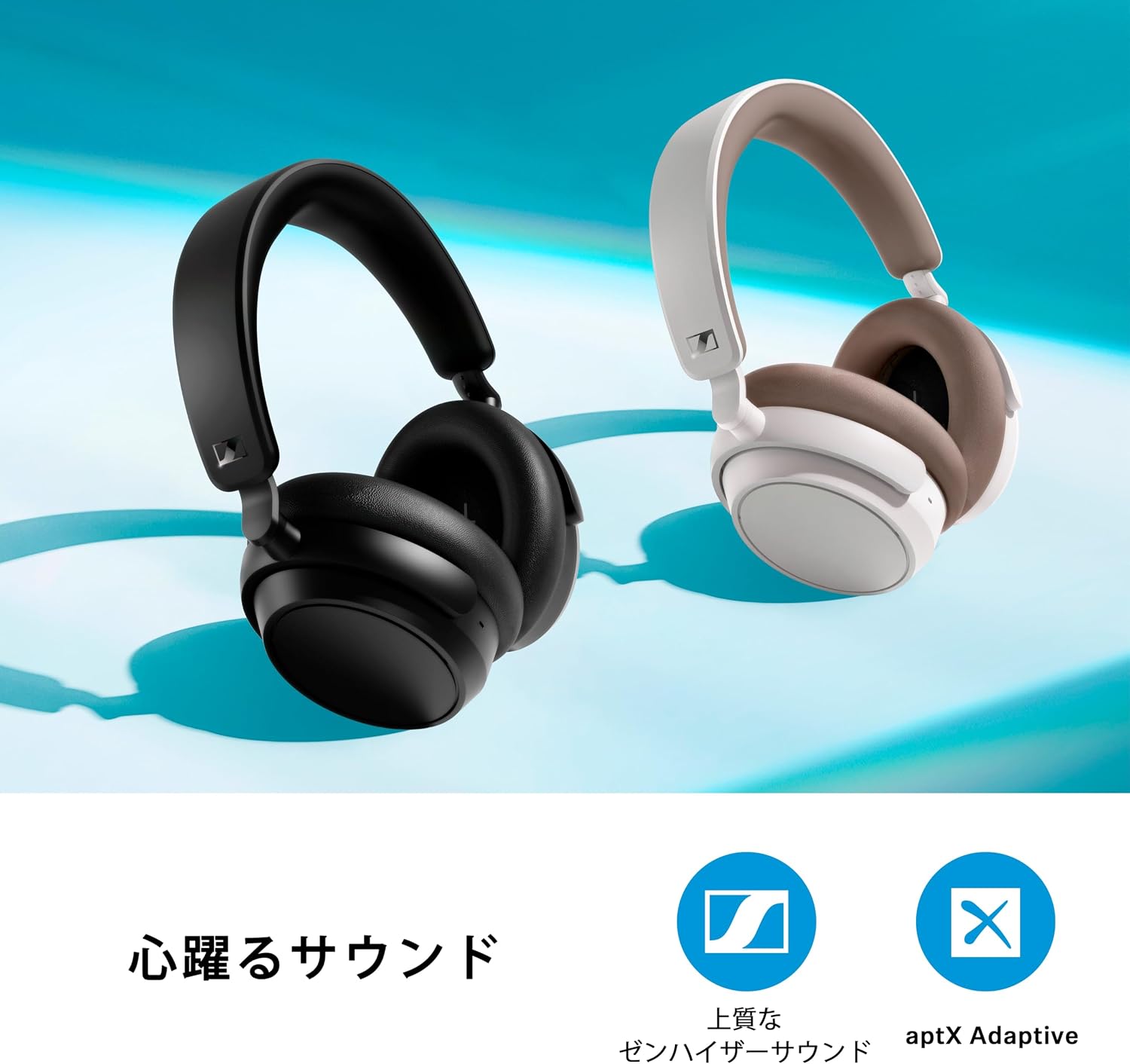
Image: A person wearing the headphones, demonstrating comfort and use in a relaxed outdoor setting.
3.3. Sennheiser Smart Control App
Download the Sennheiser Smart Control app from your device's app store (Google Play Store or Apple App Store) to unlock additional features and customization options, including:
- 5-band equalizer for personalized sound.
- Customizable sound modes.
- Adjustable ANC and Transparency Mode levels.
- Firmware updates.
4. Maintenance
4.1. Cleaning
- Use a soft, dry cloth to clean the headphones.
- Do not use liquid cleaners or solvents.
- The ear pads can be gently wiped with a slightly damp cloth if necessary, then allowed to air dry completely.
4.2. Storage
- When not in use, store the headphones in the provided protective case to prevent damage.
- Avoid storing in extreme temperatures or high humidity.

Image: Headphones folded flat for storage in their protective case.
5. Troubleshooting
| Problem | Possible Cause | Solution |
|---|---|---|
| Headphones do not turn on. | Battery is depleted. | Charge the headphones fully. |
| Cannot pair via Bluetooth. | Headphones not in pairing mode; device Bluetooth off. | Ensure headphones are in pairing mode (flashing blue/red LED). Check device Bluetooth settings. |
| No sound or low volume. | Volume too low; incorrect audio source selected; headphones not connected. | Increase volume on headphones and device. Check Bluetooth connection or wired cable. |
| Noise cancellation not effective. | ANC not activated; improper fit. | Double tap to activate ANC. Adjust headphones for a snug fit over your ears. |
| Touch controls unresponsive. | Temporary software glitch; dirty earcup surface. | Restart headphones. Clean the earcup surface. Ensure firmware is updated via the Smart Control app. |
If problems persist, please refer to the official Sennheiser support website or contact customer service.
6. Specifications

Image: Comparison table of Sennheiser headphone models.
| Feature | Detail |
|---|---|
| Brand | Sennheiser |
| Model Name | ACCENTUM Plus Wireless |
| Model Number | 700176 |
| Color | Black |
| Ear Placement | Over-Ear |
| Headphone Style | Over-Ear |
| Impedance | 95 Ohms |
| Weight | 227 grams |
| Noise Control | Active Noise Cancellation (Adaptive Hybrid) |
| Frequency Response | Up to 22 KHz |
| Sensitivity | 106 dB |
| Audio Driver Type | Dynamic Driver |
| Audio Driver Size | 37 mm |
| Outer Material | Plastic |
| Connectivity | Wireless (Bluetooth) |
| Wireless Type | Bluetooth |
| Bluetooth Range | 10 meters |
| Bluetooth Version | 5.0 |
| Control Method | Touch, App-based |
| Charging Time | 3.5 hours |
| Battery Life (Average) | 50 hours |
| Included Components | USB-C Charging Cable, 3.5mm Audio Cable, Protective Case, Instruction Manual |
| GTIN | 810091270592 |
7. Warranty and Support
7.1. Warranty Information
The Sennheiser ACCENTUM Plus Wireless Headphones come with a 1-year manufacturer's warranty for domestic genuine products. Please retain your proof of purchase for warranty claims.
7.2. Customer Support
For further assistance, technical support, or warranty inquiries, please visit the official Sennheiser website or contact their customer service department. Contact details can typically be found on the Sennheiser website or in the product packaging.
Online Resources:
- Sennheiser Official Website: www.sennheiser.com
- Sennheiser Smart Control App: Available on Google Play Store and Apple App Store
Related documentsACCENTUM Plus Wireless


Ask a question about this manual
Ask about setup, troubleshooting, compatibility, parts, safety, or missing instructions. Manuals+ will review the question and use this page’s manual context to help answer it.