
Introduction
Thank you for choosing the ADIMO Fireproof Safe Box, Model 51. This heavy-duty steel safe is designed to protect your valuables, documents, and other important items from fire and theft. It features a dual locking mechanism with both a digital keypad and a physical key, along with an intelligent alarm system for enhanced security. This manual provides essential information for the proper setup, operation, and maintenance of your safe.
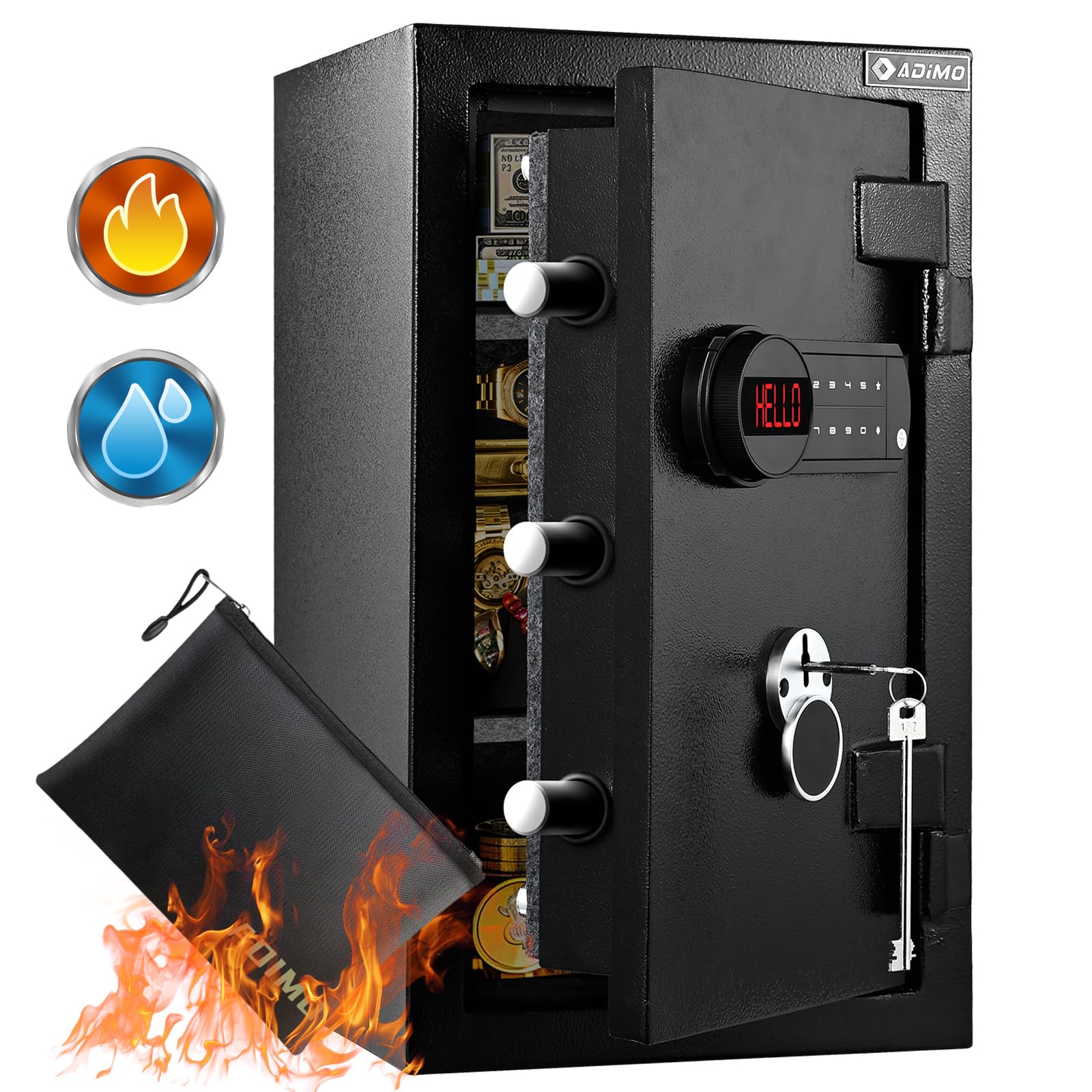
Image: The ADIMO Fireproof Safe Box, Model 51, showcasing its robust design and included fireproof bag.
Setup
Unpacking and Initial Inspection
Carefully remove the safe from its packaging. Inspect the safe for any signs of damage. Ensure all included components are present: 1 safe box, 2 master keys, 4 expansion screws, 4 floor mats, and a battery box.
Battery Installation
Locate the battery compartment, typically on the inside of the safe door. Insert the required batteries (not included) into the battery box, ensuring correct polarity. Close the compartment securely.
Mounting the Safe
The ADIMO safe can be wall-mounted or freestanding. It comes with four pre-drilled holes on the back and two expansion screws for secure installation. Choose a suitable location, mark the drilling points, and secure the safe to a wall, floor, or shelf using the provided expansion screws.

Image: Product dimensions of the safe, indicating its depth, width, and height for placement consideration.
Operating Instructions
Opening with Master Key
Insert one of the provided master keys into the keyhole and turn it to unlock the safe. This method can be used at any time, especially if you forget your digital password or if the batteries are depleted.
Setting the Digital Password
To set your personal digital password:
- Short press the SET button located inside the safe.
- Enter a 4-6 digit password using the digital keypad.
- Press the "*" key, then re-enter your chosen password.
- Press the "#" key to confirm. The display will show "SUCCESS" if the password is set correctly.

Video: A demonstration of how to set the digital password for the ADIMO safe box.
Opening with Digital Keypad
Enter your 4-6 digit password on the digital keypad, then press the "#" key. The safe will unlock, allowing you to turn the handle and open the door.
Alarm System
The safe is equipped with dual safety alarms. The alarm will activate under the following conditions:
- Incorrect Password Entry: If the password is entered incorrectly three consecutive times.
- Severe Collision: If the safe experiences a significant impact or vibration.
The alarm will sound to alert you of potential tampering or unauthorized access.
Internal Storage
The safe includes a removable shelf, allowing you to customize the internal space for various items such as documents, laptops, cash, jewelry, and medicine. An anti-scratch blanket mat is also provided to protect your valuables.

Image: The interior of the ADIMO safe, demonstrating the removable shelf for flexible storage of items like jewelry and cash.
Maintenance
To ensure the longevity and proper functioning of your ADIMO safe, follow these maintenance guidelines:
- Cleaning: Wipe the exterior of the safe with a soft, damp cloth. Avoid abrasive cleaners or solvents that could damage the finish.
- Battery Replacement: Replace batteries promptly when the low battery indicator appears or if the keypad becomes unresponsive. Always use new batteries of the recommended type.
- Key Storage: Store your master keys in a secure location away from the safe. Do not store them inside the safe.
- Door Mechanism: Periodically check the door hinges and locking bolts for any obstructions or signs of wear. Ensure smooth operation.
Troubleshooting
If you encounter issues with your ADIMO safe, refer to the following common problems and solutions:
- Safe Does Not Open with Digital Keypad:
- Ensure batteries are correctly installed and not depleted. Replace if necessary.
- Verify you are entering the correct password. Remember the alarm will trigger after three incorrect attempts.
- Try using the master key to open the safe.
- Alarm Sounds Unexpectedly:
- Check if the safe has been subjected to any impacts or vibrations.
- Ensure no one has attempted to enter an incorrect password multiple times.
- Door Is Stiff or Difficult to Close:
- Inspect the door frame and locking bolts for any obstructions.
- Ensure the safe is placed on a level surface if not mounted.
If these steps do not resolve the issue, please contact ADIMO customer support.
Specifications
| Brand | ADIMO |
| Model Number | 51 |
| Product Dimensions (D x W x H) | 14.2"D x 12.2"W x 20.1"H |
| Capacity | 1.8 cubic feet |
| Material | Alloy Steel |
| Lock Type | Key, Digital Keypad |
| Special Features | Alarm System, Anti-Theft, Fireproof |
| Fireproof Rating | 1200°F/650°C for 30 minutes |
| Mounting Type | Wall Mount or Freestanding |
| Included Components | 1 safe box, 2 master keys, 4 expansion screws, 4 floor mats, Battery Box |

Image: The ADIMO safe demonstrating its fireproof capability, certified to withstand high temperatures.
Warranty and Support
ADIMO is committed to providing high-quality products and customer satisfaction. Your ADIMO Fireproof Safe Box, Model 51, comes with a 1-year limited warranty on after-sales service.
For any inquiries, technical support, or warranty claims, please contact our customer service team. We aim to provide quick replies within 24 hours and offer lifetime professional technical team support.
For more information, visit the ADIMO Store on Amazon.