
1. Introduction
Thank you for choosing the iGear X-Bass 60 Ultimate 60W Portable Bluetooth Party Speaker. This manual provides essential information for the safe and optimal use of your speaker. Please read it thoroughly before operating the device and retain it for future reference.

Image: The iGear X-Bass 60 Ultimate 60W Portable Bluetooth Party Speaker, showcasing its sleek black design, dual speaker grilles with RGB lighting, and control panel.
2. What's in the Box
Upon unboxing, please ensure all the following items are present:
- 1 x iGear X-Bass 60 Ultimate Party Speaker
- 1 x Rechargeable Karaoke Microphone
- 1 x Charging Cable
- 1 x User Manual
- 1 x Warranty Card
3. Product Features
- Dynamic Sound Performance: Experience top-notch audio with the 60W Party Speaker's expertly crafted sound system, delivering clear vocals and deep bass.
- Rechargeable Karaoke Mic: Sing along to your favorite songs anywhere with the included rechargeable karaoke mic, perfect for turning gatherings into karaoke parties.
- Mesmerizing RGB Light Modes: Turn any room into a vibrant dance floor with four dynamic RGB light modes that sync to your music's rhythm.
- True Wireless Stereo (TWS) Functionality: Enhance your sound by wirelessly pairing two speakers with True Wireless Stereo, creating immersive stereo sound from anywhere in the room.
- Remote Control: Relax and control the party with the included remote, managing music, volume, lights, and karaoke features effortlessly from your seat.
- Multiple Play Modes: Supports Bluetooth, AUX, USB, TF/SD Card, and FM Radio for versatile audio playback.
- Long Playtime: Enjoy up to 4 hours of continuous music playback.
- IPX4 Splashproof: Designed to withstand splashes, making it suitable for outdoor use.

Image: Close-up of the speaker's drivers with a 'BASS BOOST 60W' graphic, emphasizing powerful audio output.

Image: A person singing into the included microphone next to the iGear X-Bass 60 speaker, illustrating its karaoke capability.

Image: Four iGear X-Bass 60 speakers displaying different vibrant RGB light modes, highlighting the customizable lighting effects.
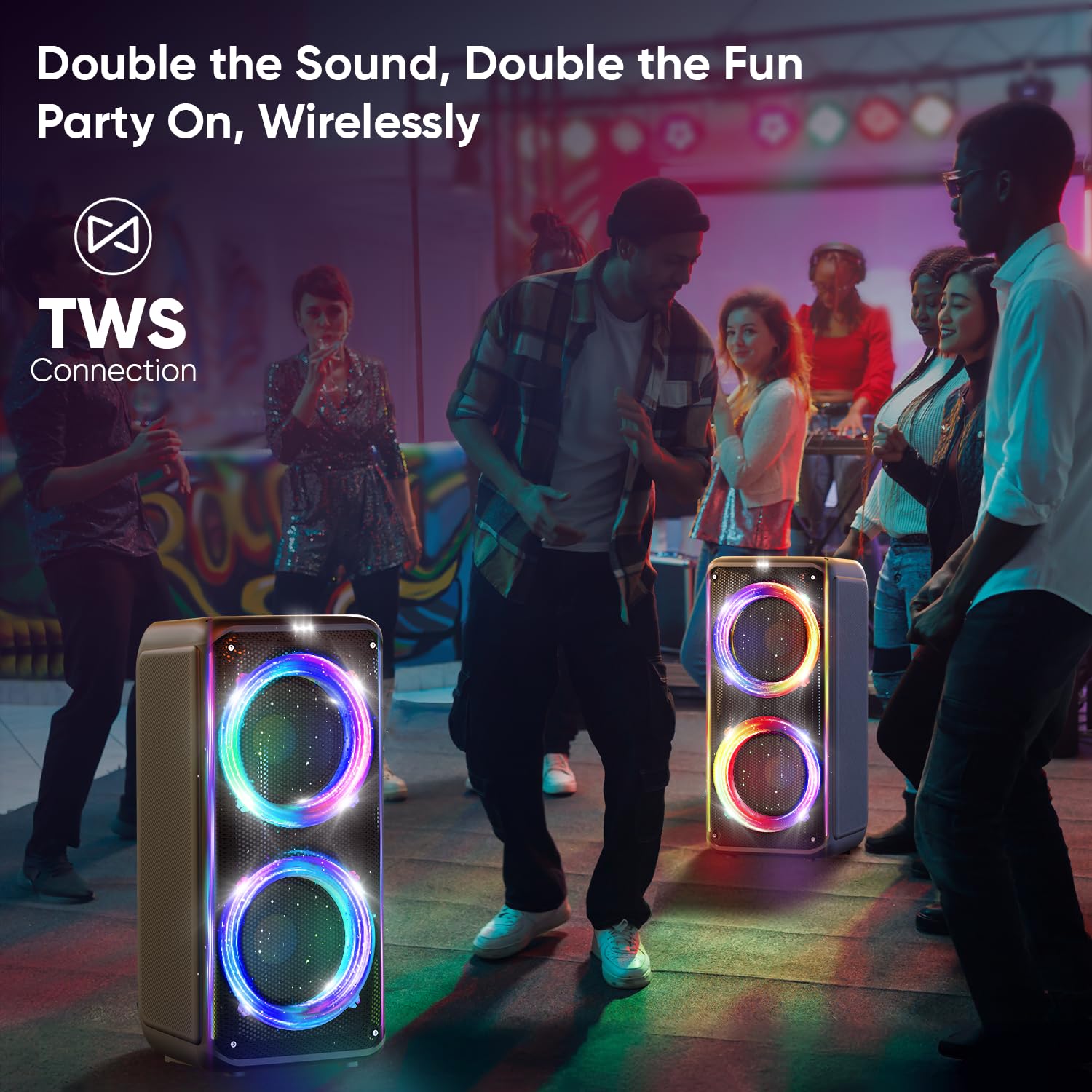
Image: Two iGear X-Bass 60 speakers wirelessly connected via TWS, with people dancing in the background, illustrating the stereo sound experience.
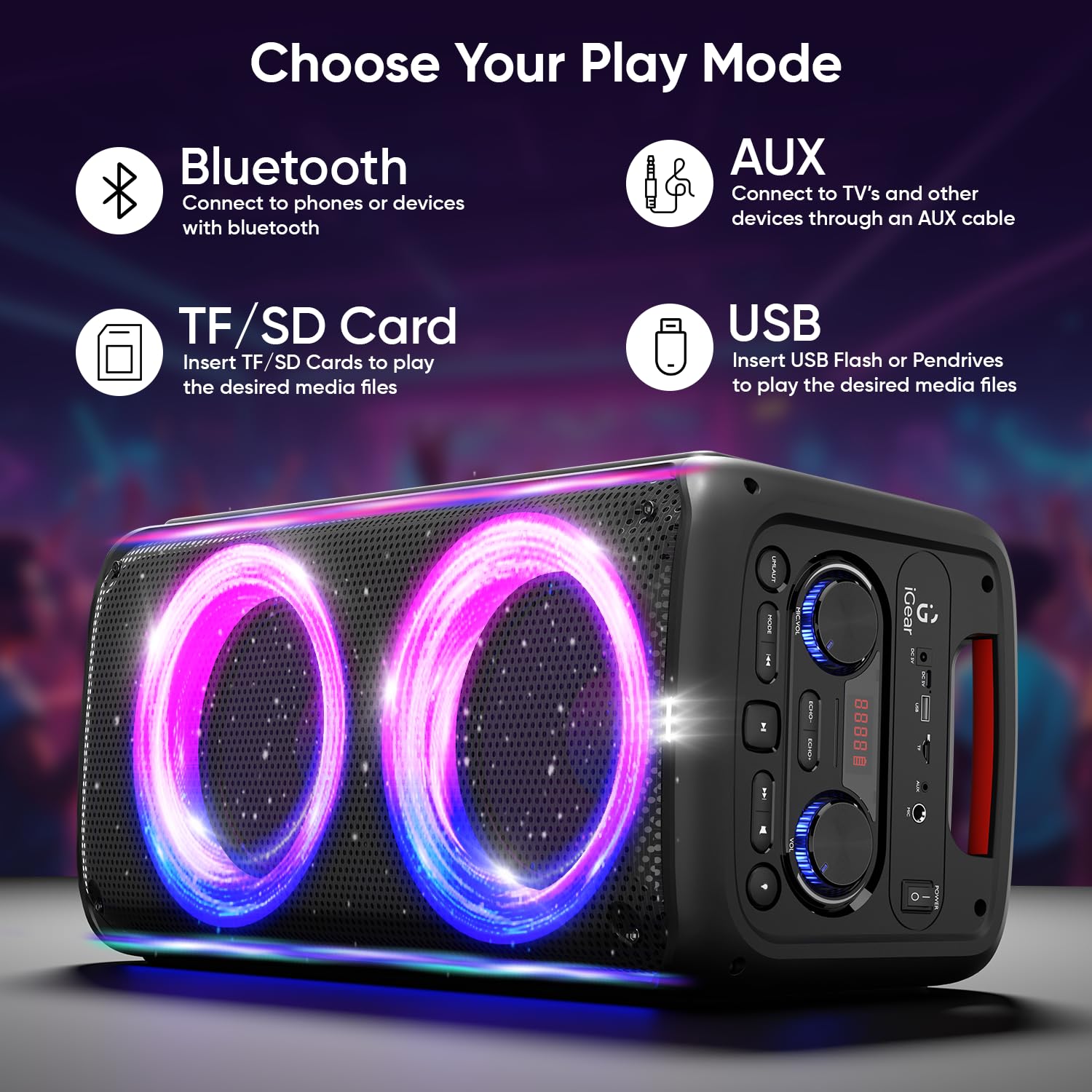
Image: An illustration showing the various input options: Bluetooth, AUX, TF/SD Card, and USB, available on the iGear X-Bass 60 speaker.

Image: The speaker with a circular graphic indicating "4 Hrs Playtime", surrounded by abstract light patterns.

Image: The speaker placed poolside with people enjoying themselves, highlighting its IPX4 splashproof rating for outdoor parties.
4. Setup Guide
4.1 Initial Charging
Before first use, fully charge the speaker for approximately 6 hours. Connect the provided charging cable to the DC 5V input port on the speaker and the other end to a suitable USB power adapter (not included).
4.2 Powering On/Off
Locate the power switch on the speaker's control panel. Toggle it to the 'ON' position to power on the speaker. Toggle it to the 'OFF' position to power off.
5. Operating Instructions
5.1 Mode Selection
Press the 'Mode' button on the control panel or remote control to cycle through available input modes: Bluetooth, FM Radio, USB, TF/SD Card, and AUX.
5.2 Volume Control
Rotate the main volume knob on the speaker or use the volume buttons on the remote control to adjust the master volume.
5.3 Playback Controls
- Play/Pause: Press the Play/Pause button to start or pause playback.
- Next Track: Press the 'Next' button to skip to the next track.
- Previous Track: Press the 'Previous' button to go back to the beginning of the current track or to the previous track.
6. Connectivity
6.1 Bluetooth Pairing
- Power on the speaker and switch to Bluetooth mode. The display will show 'BLUE' and the speaker will enter pairing mode.
- Enable Bluetooth on your mobile device (smartphone, tablet, etc.).
- Search for 'iGear X-Bass 60' in the list of available devices and select it to connect.
- Once connected, the speaker will indicate a successful pairing, and you can start playing music.

Image: A smartphone screen showing Bluetooth settings, with the iGear X-Bass 60 speaker nearby, illustrating the Bluetooth 5.3 connection process.
6.2 AUX Input
Connect an audio device (e.g., TV, computer) to the speaker's AUX input port using a 3.5mm audio cable. Switch the speaker to AUX mode to play audio from the connected device.
6.3 USB / TF/SD Card Playback
Insert a USB flash drive or a TF/SD card into the respective port on the speaker. The speaker will automatically switch to USB or TF/SD mode and begin playing compatible audio files.

Image: A detailed view of the speaker's input panel, showing the USB, TF/SD card, and AUX ports with corresponding icons and connection examples.
6.4 FM Radio
Switch the speaker to FM Radio mode. Press the Play/Pause button to auto-scan and save available FM stations. Use the 'Next' and 'Previous' buttons to navigate between saved stations.
7. Karaoke Function
The iGear X-Bass 60 comes with a rechargeable wireless microphone. To use the karaoke function:
- Ensure the microphone is charged and powered on.
- The microphone will automatically connect to the speaker.
- Adjust the microphone volume using the dedicated knob on the speaker's control panel.
- Play your desired music through any input mode and sing along.
8. RGB Lights
The speaker features dynamic RGB lighting. Use the dedicated light mode button on the control panel or remote to cycle through the four available light modes or turn the lights off.
9. True Wireless Stereo (TWS) Functionality
To achieve a true stereo sound experience, you can pair two iGear X-Bass 60 speakers together:
- Ensure both speakers are powered on and in Bluetooth mode, but not connected to any device.
- On one of the speakers (this will be the primary speaker), press and hold the TWS button (if available) or a designated pairing button until you hear a confirmation tone.
- The two speakers will automatically connect to each other. Once connected, the primary speaker will indicate TWS pairing.
- Now, connect your mobile device to the primary speaker via Bluetooth as described in section 6.1. Audio will now play in stereo through both speakers.
10. Charging
The speaker is equipped with a built-in rechargeable Lithium Ion battery. When the battery is low, the speaker will indicate it (e.g., via a low battery prompt or indicator light). Connect the charging cable to the DC 5V input port and a power source. The charging indicator will illuminate during charging and turn off when fully charged. A full charge takes approximately 6 hours.
11. Maintenance
- Cleaning: Use a soft, dry cloth to clean the speaker. Do not use abrasive cleaners or solvents.
- Storage: Store the speaker in a cool, dry place away from direct sunlight and extreme temperatures.
- Battery Care: To prolong battery life, avoid fully discharging the battery frequently. Charge the speaker regularly, even if not in use for extended periods.
- Water Resistance: While IPX4 splashproof, do not submerge the speaker in water or expose it to heavy rain.
12. Troubleshooting
| Problem | Possible Cause | Solution |
|---|---|---|
| Speaker does not power on. | Low battery; Power switch is off. | Charge the speaker; Ensure power switch is in 'ON' position. |
| No sound. | Volume too low; Incorrect input mode; Device not connected properly. | Increase volume; Select correct input mode (Bluetooth, AUX, USB, TF/SD); Reconnect device. |
| Bluetooth pairing fails. | Speaker not in pairing mode; Device too far; Interference. | Ensure speaker is in Bluetooth pairing mode; Move device closer; Turn off other Bluetooth devices. |
| Microphone not working. | Microphone battery low; Microphone not powered on; Microphone volume too low. | Charge microphone; Power on microphone; Increase microphone volume on speaker. |
| Sound distortion. | Volume too high; Audio source issue. | Reduce volume; Try a different audio source or file. |
13. Specifications
| Feature | Specification |
|---|---|
| Model | iG-1061 |
| Output Wattage | 60 Watts |
| Connectivity Technology | Bluetooth |
| Audio Input | AUX, USB, TF/SD Card |
| Power Source | Battery Powered |
| Battery Type | Lithium Ion (included) |
| Charging Time | 6 Hours |
| Item Weight | 6.4 Kilograms |
| Product Dimensions (LxWxH) | 26 x 27 x 60 cm |
| Special Features | HiFi Bass, Apt for Karaoke, RGB Lights, TWS Functionality |
| Manufacturer | iGear Tech Private Limited |
| Country of Origin | China |
14. Warranty and Support
Your iGear X-Bass 60 Ultimate Party Speaker comes with a warranty. Please refer to the included Warranty Card for detailed terms and conditions. For technical support, service, or inquiries, please contact iGear Tech Private Limited, the manufacturer, at their registered address: Goregaon East, Mumbai 400063.
You may also visit the official iGear store on Amazon for additional product information and support: iGear Store


