Hikity Wireless CarPlay Android Auto Car Stereo User Manual
Model: B0CQJZ2CSM
Introduction
Thank you for choosing the Hikity 9-inch Android Car Stereo. This advanced multimedia system is specifically designed for Nissan Qashqai models from 2006 to 2016, offering a seamless upgrade to your vehicle's infotainment. Featuring a powerful 8-core processor, 6GB RAM, and 128GB ROM, it provides a smooth and responsive user experience. Enjoy wireless Apple CarPlay and Android Auto, a high-resolution IPS touchscreen, advanced DSP audio processing, and comprehensive connectivity options including WiFi, Bluetooth 5.0, FM/RDS radio, and GPS navigation.
This manual provides detailed instructions for installation, operation, maintenance, and troubleshooting to help you get the most out of your new car stereo.
Setup and Installation
Proper installation is crucial for the optimal performance of your car stereo. It is recommended that installation be performed by a qualified professional.

Figure 1: Installation view of the Hikity car stereo in a Nissan Qashqai dashboard (2006-2016 models). The image illustrates correct and incorrect fitment examples for the radio and its connectors, ensuring compatibility with your vehicle's original setup.
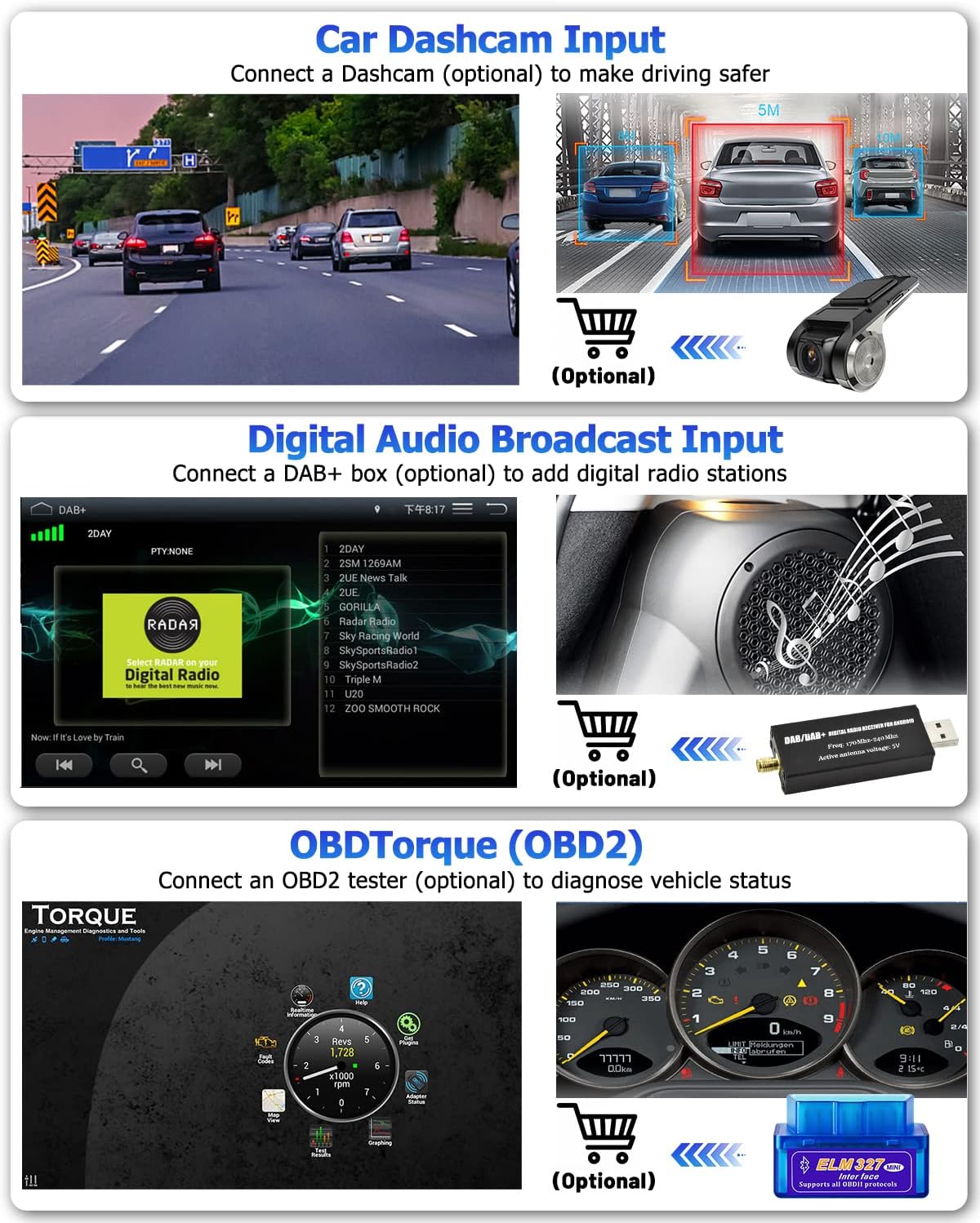
Figure 2: Detailed diagram of the car stereo's dimensions (223mm x 395mm x 232mm for the 9-inch screen) and rear connection ports. Key connections include (1) Power Cable, (2) RCA Cable, (3) USB Cable, (4) Camera Input, and (5) GPS Antenna. These ports facilitate integration with your vehicle's electrical system and peripherals.
Pre-Installation Checklist:
- Ensure your Nissan Qashqai is within the 2006-2016 model year range.
- Gather all included accessories and tools.
- Disconnect the vehicle's battery before starting installation.
Installation Steps:
- Carefully remove the original car radio from the dashboard.
- Connect the provided power cable to the car stereo and the vehicle's wiring harness.
- Connect the GPS antenna and route it to a location with clear sky view (e.g., dashboard corner).
- If installing the rear camera, connect its input cable to the stereo and route the camera cable to the rear of the vehicle.
- Connect any additional RCA or USB cables as needed for external devices.
- Carefully slide the new car stereo into the dashboard opening, ensuring all cables are clear and not pinched.
- Secure the stereo in place using the appropriate mounting brackets.
- Reconnect the vehicle's battery and test the system.
Operating Instructions
Wireless Apple CarPlay and Android Auto
Connect your smartphone wirelessly via Bluetooth/WiFi or using a USB cable to access Apple CarPlay or Android Auto. This feature allows you to use navigation, make calls, send messages, and listen to music directly from your phone, displayed on the car stereo's screen, minimizing distractions while driving.

Figure 3: Overview of Wireless CarPlay and Android Auto functionalities, including navigation, hands-free calling, online music streaming, and access to various compatible applications directly from your smartphone.

Figure 4: Illustration of voice command capabilities with Apple CarPlay (Hey Siri) and Android Auto (OK Google), enabling hands-free control for navigation, music playback, and messaging.
High-Resolution Display and Customizable UI
The 9-inch capacitive touchscreen features a 1280x720 resolution, providing clear and vivid visuals. The system offers 19 wallpaper options and 59 UI desktop themes, allowing you to personalize the interface to your preference.
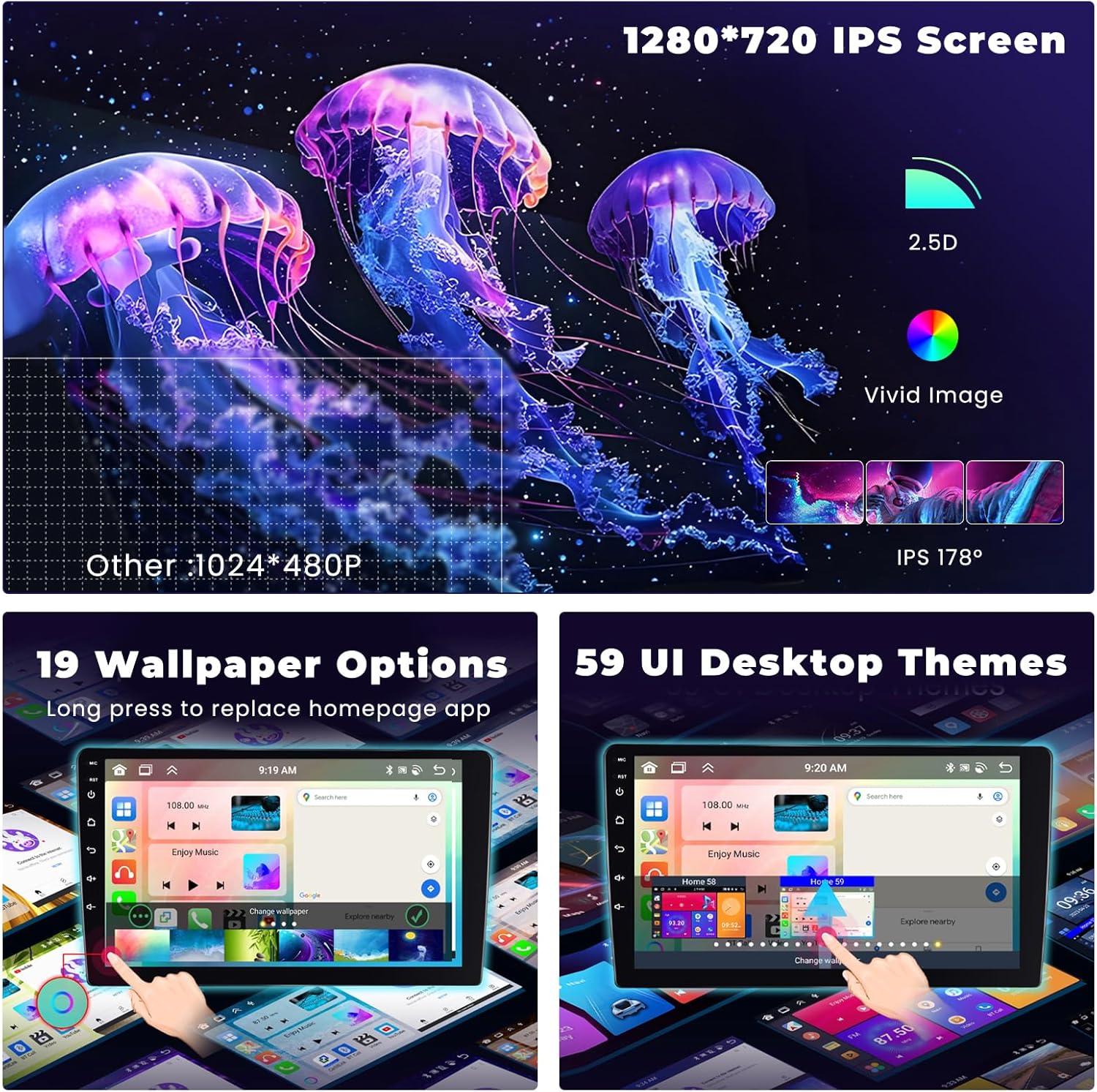
Figure 5: The 1280x720 IPS screen offers superior clarity, brightness, and contrast with a wide viewing angle. The image also displays options for customizing wallpapers and user interface themes to suit individual preferences.
Advanced Audio Processing (DSP)
Equipped with a 32-band Equalizer (EQ) and Digital Sound Processor (DSP) technology, the stereo allows for precise audio tuning. You can adjust frequencies and select from various music effects to optimize sound quality for an enhanced listening experience, resolving frequency anomalies and supporting Dolby and DTS sound effects.

Figure 6: Visual representation of the 32-band EQ DSP function, showing various audio settings and sound wave adjustments for personalized sound optimization within the vehicle.

Figure 7: Illustration of the vehicle-dedicated DSP and personalized EQ capabilities, allowing users to fine-tune audio output with various presets like Classical, Jazz, Rock, and Pop, along with custom user profiles.
Connectivity Features (Bluetooth, FM/RDS, GPS)
The system includes integrated Bluetooth 5.0 for hands-free calling, phonebook download, and music streaming. It also features FM/RDS radio reception for clear audio broadcasts. The built-in GPS navigation supports both online and offline maps, with WiFi connectivity for mobile hotspot access.

Figure 8: User interfaces for Bluetooth 5.0 connectivity, enabling hands-free calls and music playback, and the FM/RDS radio tuner, showing station presets and signal information.
Enhanced System Performance
Powered by a new generation 8257 chip with a stable Octa Core CPU up to 2.0GHz, the car stereo ensures smooth operation and a superior multimedia experience. With 6GB of RAM and 128GB of ROM, it handles multiple tasks simultaneously without lag.

Figure 9: Visual representation of the upgraded internal components, highlighting the 8-core CPU, 128GB of Read-Only Memory (ROM), and 6GB of Random Access Memory (RAM), which contribute to the system's fast and efficient performance.
Care and Maintenance
- Cleaning the Screen: Use a soft, lint-free cloth slightly dampened with water or a screen cleaner. Avoid abrasive materials or harsh chemicals.
- General Cleaning: Keep the unit free from dust and debris. Use a soft brush or compressed air for vents and crevices.
- Temperature: Avoid exposing the unit to extreme temperatures, which can affect performance and lifespan.
- Software Updates: Periodically check for software updates from Hikity to ensure optimal performance and access to new features.
Troubleshooting Guide
| Problem | Possible Cause | Solution |
|---|---|---|
| Unit does not power on. | Loose power connection, blown fuse, vehicle battery issue. | Check power cables and connections. Inspect vehicle fuses. Ensure battery is charged. |
| No sound or distorted sound. | Speaker wiring issue, incorrect audio settings, volume too low. | Verify speaker connections. Check audio settings (EQ, balance, fader). Increase volume. |
| Steering wheel controls not working. | Not programmed or incorrect wiring. | Access the steering wheel control settings in the unit's menu and program the buttons according to your vehicle's specifications. Ensure the SWC wires are correctly connected. |
| GPS navigation not working or inaccurate. | GPS antenna not connected, poor signal, maps not downloaded. | Ensure GPS antenna is securely connected and placed in an open area. Download offline maps if using without internet. |
| Rear camera not displaying. | Incorrect camera input connection, camera power issue, incompatible camera. | Check the camera input cable connection (RCA). Verify the camera is receiving power. Some factory cameras may require an additional signal adapter (converter). |
| Bluetooth connection issues. | Device not discoverable, interference, incorrect pairing. | Ensure Bluetooth is enabled on both devices. Delete previous pairings and re-pair. Move closer to the unit. |
Technical Specifications
| Feature | Specification |
|---|---|
| Brand | Hikity |
| Vehicle Service Type | Car |
| Screen Size | 9 Inches |
| Map Type | Street |
| Audio Output Mode | Stereo |
| Mounting Type | Dashboard Mount |
| Memory Storage Capacity | 128 GB |
| Touchscreen Type | Capacitive |
| Display Type | LCD |
| Processor | Octa Core CPU (up to 2.0GHz) |
| RAM | 6GB |
| Operating System | Android 13 |
| Screen Resolution | 1280x720 |
| Bluetooth Version | 5.0 |
| Audio Equalizer | 32-band EQ with DSP |
Package Contents
The following items are included in your Hikity Car Stereo package:

Figure 10: Comprehensive view of the product size and package list. Included items are the main unit, AHD Rear Camera, Power Cable, GPS Antenna, Microphone, Radio Antenna, 2 USB Cables, Camera Input Cable, RCA Cable, and an Installation Tool. Accessories for mounting are also included.
- Hikity 9-inch Android Car Stereo Unit
- Power Cable
- GPS Antenna
- Microphone
- AHD Rear Camera
- Radio Antenna
- 2 x USB Cables
- Camera Input Cable
- RCA Cable
- Installation Tool
- Mounting Accessories
Note: If you receive the package with any accessories missed or broken, please contact customer support immediately.
Optional Accessories
Enhance your driving experience with these optional accessories (sold separately):

Figure 11: Overview of optional accessories that can be connected to the car stereo. These include a Car Dashcam for enhanced driving safety, a DAB+ box for digital radio stations, and an OBD2 tester for vehicle diagnostics.
- Car Dashcam Input: Connect an optional dashcam to record your drives and enhance safety.
- Digital Audio Broadcast (DAB+) Input: Add a DAB+ box to access a wider range of digital radio stations with superior sound quality.
- OBD2 (OBDTorque) Tester: Connect an OBD2 tester to monitor your vehicle's status and diagnose potential issues.
Warranty and Support
Hikity products are designed for reliability and performance. For warranty information, please refer to the documentation included with your purchase or visit the official Hikity website. If you encounter any issues or require technical assistance, please contact Hikity customer support through the contact information provided on the product packaging or the official website. Our support team is available to assist you with troubleshooting, installation queries, and general product inquiries.


