
Introduction
Thank you for choosing the MOUMON Floating TV Console. This manual provides essential instructions for the safe assembly, installation, operation, and maintenance of your new media console. Please read this manual thoroughly before beginning assembly and retain it for future reference.
Important Safety Information
- This media console is designed for wall mounting only.
- This media console can only be fixed to a concrete wall. Do not attempt to install on drywall without proper stud support or appropriate heavy-duty anchors. Consult a professional if unsure about wall type or mounting methods.
- Assemble the item gently to avoid damage to components or injury.
- Ensure all hardware is securely fastened before use. Periodically check all connections for tightness.
- Keep small parts and packaging materials away from children.
- Do not overload the console.
Package Contents
Before assembly, carefully unpack all components and verify against the hardware/screws/boards list provided in the separate assembly instructions. Due to the construction, the item comes with a large number of panels and screws. Each part is labeled for identification.
If any parts are missing or damaged, please contact MOUMON customer support immediately.

Image: Dimensional drawing showing the various components and their measurements for the MOUMON Floating TV Console. This includes individual drawer dimensions and the overall console dimensions.
Assembly Instructions
This product requires assembly by two persons. Please follow the detailed instructions provided in the separate assembly guide step-by-step. Assemble the item gently to prevent damage.
- Preparation: Clear a spacious area for assembly. Lay out all parts on a soft, clean surface to prevent scratches. Verify all parts against the included list.
- Panel Identification: Each panel is labeled. Refer to these labels in conjunction with the assembly guide.
- Drawer Assembly: Assemble the five high-gloss drawers according to the specific instructions. Ensure all runners are correctly oriented and secured.
- Main Console Body: Construct the main body of the console, attaching side panels, top, and bottom sections.
- Light Strip Installation: Install the integrated light strips as directed. Ensure wiring is properly routed and secured.
- Final Checks: Before proceeding to installation, ensure all screws are tightened and the console structure is stable.
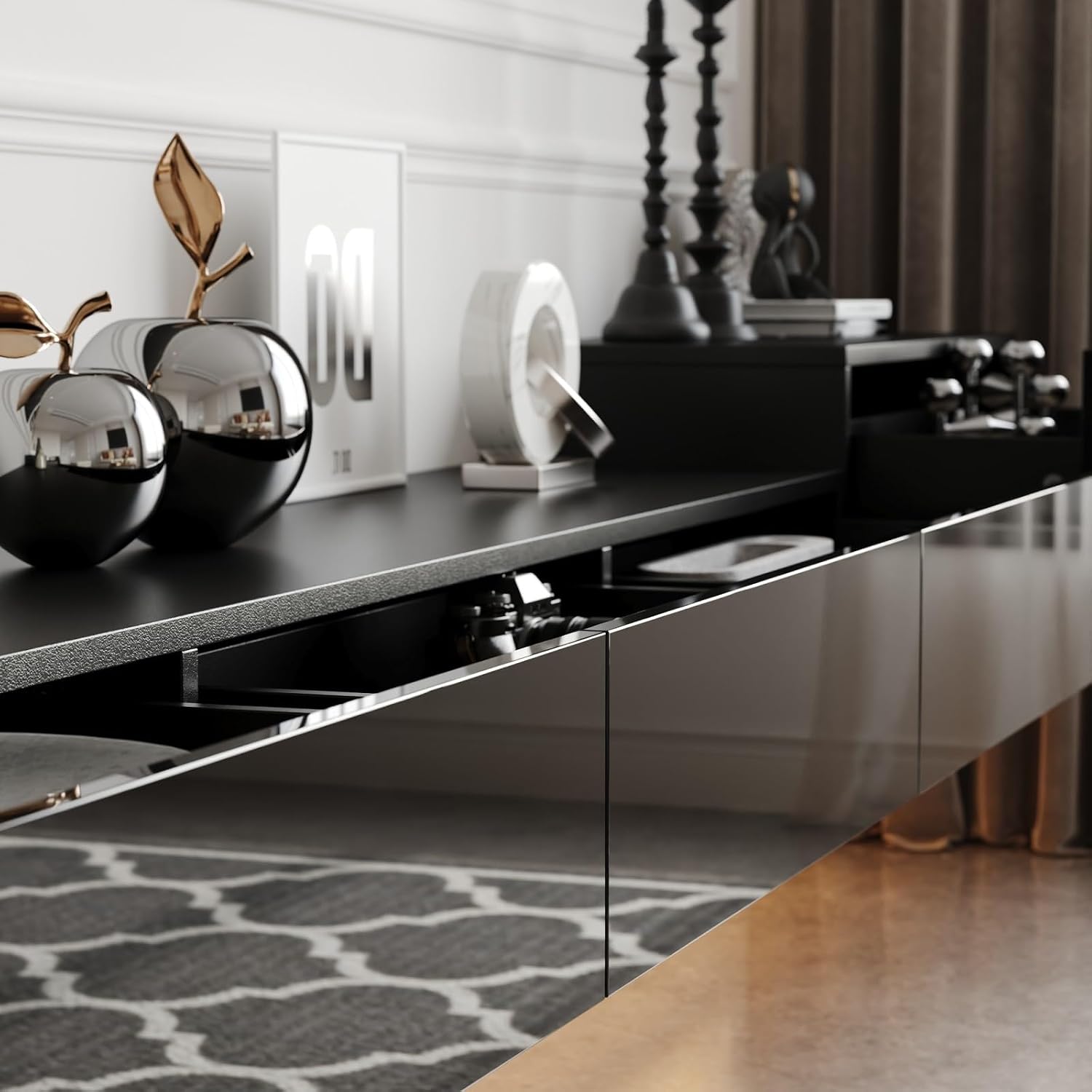
Image: A close-up view of one of the high-gloss drawers partially open, revealing internal storage space. This illustrates the drawer mechanism and finish.

Image: A side view of the console with one of the end drawers open, showing its depth and capacity for storing various items.
Installation: Wall Mounting
The MOUMON Floating TV Console is designed for wall mounting. It is crucial to ensure the wall can support the weight of the console and its contents. This media console can only be fixed to a concrete wall.
- Wall Type Verification: Confirm your wall is a concrete wall. Installation on other wall types (e.g., drywall, plaster) without proper reinforcement or professional consultation is not recommended and may lead to product failure or damage.
- Location Selection: Choose a suitable location, considering the desired height and proximity to power outlets for the lighting.
- Marking: Use a level and measuring tape to mark the precise positions for the mounting brackets on the wall.
- Drilling: Drill pilot holes at the marked locations using an appropriate drill bit for concrete.
- Bracket Installation: Securely attach the mounting brackets to the wall using the provided hardware. Ensure they are level and firmly anchored.
- Console Mounting: With the help of a second person, carefully lift the assembled console and align its pre-installed hanging mechanisms with the wall brackets. Gently lower the console onto the brackets, ensuring it locks into place.
- Stability Check: Once mounted, gently test the console's stability to ensure it is securely attached to the wall.

Image: The MOUMON Floating TV Console installed on a wall in a modern living room, positioned beneath a wall-mounted television. The integrated lighting is active, casting a soft glow.
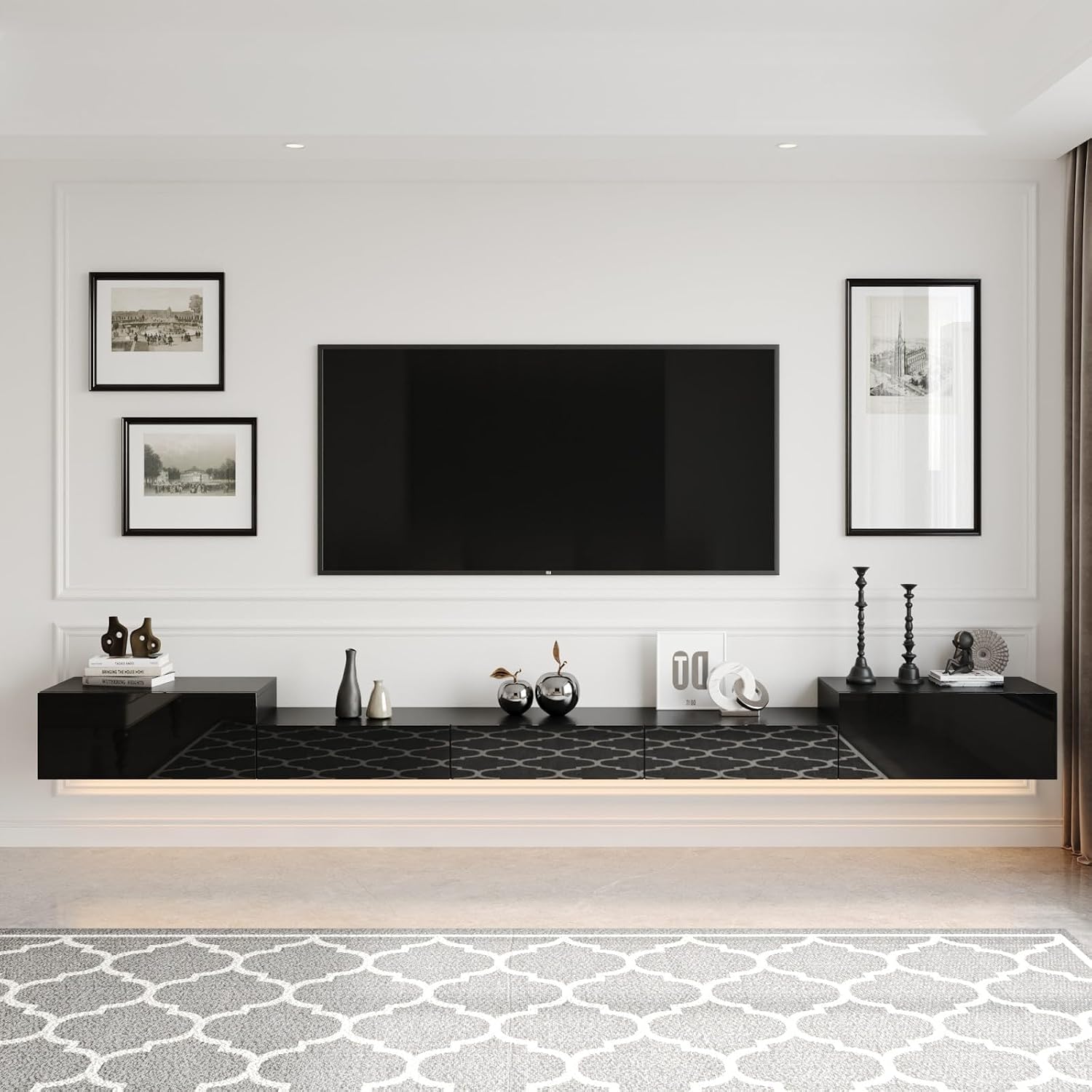
Image: The MOUMON Floating TV Console mounted on a wall in a living room, showcasing its sleek design and high-gloss finish. The console is adorned with decorative items.
Operating Instructions
Integrated Lighting System
The floating TV console features integrated light strips with three lighting options to suit your preference:
- Cold Light: A bright, cool white illumination.
- Neutral Light: A balanced white light, suitable for general ambiance.
- Warm Light: A soft, warm yellow illumination for a cozy atmosphere.
To operate the lights, locate the pull string switch, typically positioned discreetly beneath the console. Pull the string to cycle through the lighting options (Cold, Neutral, Warm, Off).

Image: An upward-facing view from beneath the console, highlighting the integrated LED light strip that provides ambient illumination.

Image: A full view of the MOUMON Floating TV Console, with a visible pull string hanging from the underside, used to control the integrated lighting.
Drawer Usage
The console features five high-gloss drawers, providing ample space for storing video games, photo albums, wires, and other media accessories. Gently pull the drawers open and push them closed. Avoid forcing them to prevent damage to the runners.
Maintenance and Care
- Cleaning: Wipe the surface with a dry, soft cloth. Avoid abrasive cleaners or harsh chemicals, which can damage the high-gloss finish.
- Spills: Immediately wipe up any spills with a dry cloth to prevent staining or damage to the material.
- Dusting: Regularly dust the console to maintain its appearance.
- Hardware Check: Periodically check all screws and connections to ensure they remain tight. Retighten if necessary.
- Avoid Direct Sunlight: Prolonged exposure to direct sunlight may cause fading or discoloration over time.
Troubleshooting
- Difficulty during Assembly: If you encounter difficulties, re-check the assembly instructions carefully. Ensure all parts are correctly oriented and that you are using the correct hardware for each step. Do not force parts together.
- Lights Not Working:
- Ensure the power cord is securely plugged into a working outlet.
- Check the pull string switch for proper operation.
- Verify that the light strips are correctly connected internally.
- Drawers Not Sliding Smoothly:
- Ensure the drawer runners are installed correctly and are free of obstructions.
- Check that the drawer box is assembled squarely.
- Console Appears Unstable After Mounting: Immediately remove any items from the console. Re-verify that the wall brackets are securely fastened to a concrete wall and that the console is properly seated on the brackets. If instability persists, consult a professional installer.
For further assistance, please contact MOUMON customer support.
Specifications
| Model Number | KF020450-01 |
| Brand | MOUMON |
| Overall Dimensions (W x D x H) | 110.2" x 11.8" x 9.4" |
| Material | MDF/PB (Medium Density Fiberboard / Particle Board) |
| Number of Drawers | 5 |
| Color | Black |
| Lighting | Integrated LED strips with 3 color options (Cold, Neutral, Warm) |
| Mounting Type | Wall Mounted (Concrete wall only) |
| Assembly Required | Yes, 2-person assembly recommended |
| Care Instructions | Wipe with Dry Cloth |
Warranty and Customer Support
MOUMON products are manufactured to high-quality standards. For information regarding warranty coverage, please refer to the documentation included with your purchase or visit the official MOUMON website.
If you have any questions, require assistance with assembly or installation, or need to report missing/damaged parts, please contact MOUMON customer support. Contact details can typically be found on the product packaging or the brand's official website.