
1. Introduction
This manual provides comprehensive instructions for the installation, operation, and maintenance of your GZLMMY P22 Digital GPS Speedometer OBD2 Universal Car HUD Head Up Display. The P22 is designed to enhance your driving experience by providing essential vehicle information directly in your line of sight, utilizing both OBD2 and GPS dual systems for broad compatibility.
2. Product Overview
The P22 HUD features a clear and intuitive display, capable of showing various vehicle parameters such as speed, RPM, water temperature, and voltage. It includes a pointer for analog RPM indication and a digital speed readout for quick reference. The device also offers fault code clearing capabilities and multiple alarm functions for enhanced safety.
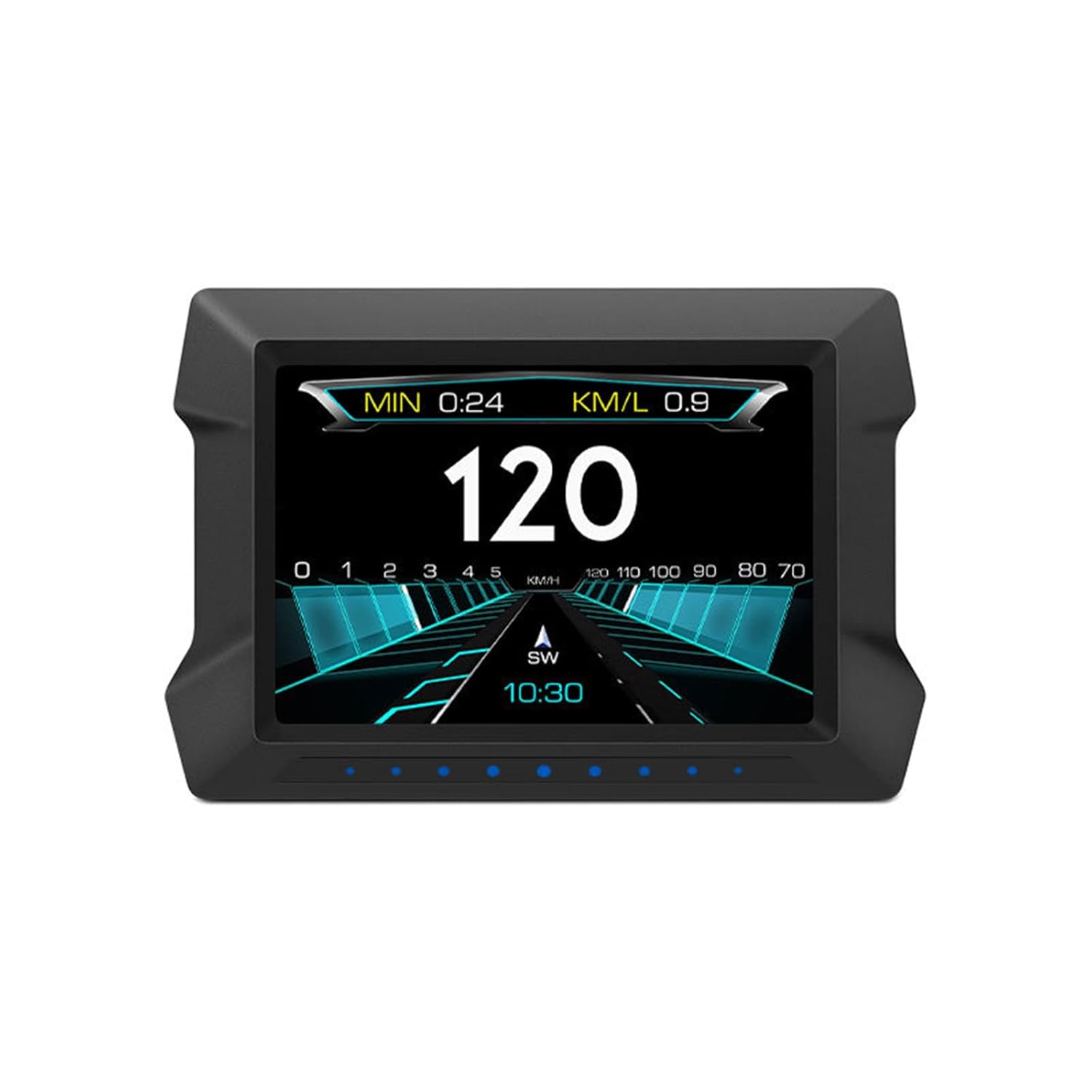
Figure 2.1: Front view of the P22 HUD display. The screen shows a large digital speed reading of "120", an analog RPM bar from 0 to 5, fuel consumption "KM/L 0.9", trip duration "MIN 0:24", and current time "10:30".
3. Package Contents
Upon unpacking, please verify that all items listed below are present:
- 1 x P22 HUD Unit
- 1 x Non-slip Mat
- 1 x OBD Cable
- 1 x English User Manual (this document)
- 1 x Fixed Bracket
4. Specifications
| Feature | Detail |
|---|---|
| Model | P22 |
| Material | ABS+PC (Plastic) |
| System | OBD+GPS Dual System |
| Product Dimensions | 5.2 x 3.6 x 4.3 inches (13.2 x 9.1 x 10.9 cm) |
| Item Weight | 0.25 Kilograms (8.82 ounces) |
| UPC | 799748218203 |
5. Setup and Installation
5.1 Placement
Place the P22 HUD unit on your dashboard in a position that does not obstruct your view of the road. Use the provided non-slip mat to secure the device. The fixed bracket can be used for more permanent installation if desired.
5.2 Connection
The P22 supports two operating modes: OBD2 and GPS. The device will automatically attempt to connect via OBD2 first.
- OBD2 Connection: Locate your vehicle's OBD2 port (typically under the dashboard on the driver's side). Connect the provided OBD cable to the port and then to the P22 HUD unit. The device will power on and attempt to establish a connection.
- GPS Connection: If your vehicle is not compatible with the OBD2 system (refer to Section 6.1 for compatibility details), the device will automatically switch to GPS mode. Ensure the device has a clear view of the sky for optimal GPS signal reception.
6. Operating Modes
6.1 OBD2 Mode Compatibility
The OBD2 mode is compatible with OBD2 gasoline vehicles produced after 2004 in the USA, and OBD2 gasoline vehicles produced after 2008 in other countries.
Incompatibility Notes:
- American Models: Not compatible with Dodge, JEEP, IMSEOER, Chrysler, and cars manufactured before 2004 in the USA.
- French and Italian Cars: Not compatible with Fiat, Maserati, Lamborghini, DS, PEUGEOT, Citroen, Renault, Simca, etc.
- Some Japanese Cars: Not compatible with Suzuki, Mazda3/6, INFINITI (QX50 Q50 Q501), Toyota AVANZA (2013), Lexus (is250, ex250, ES300H), Honda (Jazz, CRV), and cars manufactured before 2008.
- Korean Cars: Not compatible with KIA and some Hyundai models (e.g., Hyundai Sonata 2013, KIA Soul PS 2017).
- Other Vehicles: Not compatible with hybrid and diesel vehicles, pickups, RVs, cars with modified automotive computers, Volvo, Switzerland, and Chrysler Group.
- German Cars: Not compatible with German cars manufactured before 2004.
If your vehicle falls under any of the above categories, please use the GPS mode.
6.2 GPS Mode
The GPS system is compatible with all cars. In GPS mode, the device primarily displays speed, altitude, and time, relying on satellite signals for data. This mode is ideal for vehicles not supported by the OBD2 system.
7. Display Functions
The P22 HUD offers multiple display screens, allowing you to switch between various data presentations. Key information displayed includes:
- Speed: Digital readout for current vehicle speed (KM/H or MPH, configurable).
- RPM: Analog pointer display for engine revolutions per minute.
- Water Temperature: Engine coolant temperature.
- Voltage: Vehicle battery voltage.
- Altitude: Current elevation (in GPS mode).
- Fuel Consumption: Instantaneous or average fuel consumption.
- Time: Current time.
- Trip Duration: Elapsed time for the current journey.
Refer to the device's physical buttons for instructions on how to cycle through display screens and access settings.
8. Settings and Adjustments
8.1 Fault Code Clearing
The P22 HUD can read and clear engine fault codes (DTCs) when operating in OBD2 mode. This feature allows you to diagnose and reset the engine warning light without needing specialized equipment. Consult the device's on-screen menu for navigation to the fault code clearing function.
8.2 Performance Tests
The device includes acceleration and brake tests to help you monitor your vehicle's performance. These tests provide data on acceleration times and braking distances.
8.3 Multiple Fault Alarm Functions
The P22 is equipped with several alarm functions to alert you to potential issues:
- Low Battery Voltage Alarm
- High Water Temperature Alarm
- Over RPM Alarm
- Over Speed Alarm
- Engine Fault Alarm
- Excessive Tilt Angle Alarm
These alarms can be configured through the device's settings menu to suit your preferences and vehicle requirements.
9. Troubleshooting
9.1 Device Not Powering On
- Ensure the OBD cable is securely connected to both the vehicle's OBD2 port and the P22 unit.
- Verify that your vehicle's ignition is on.
- Check the vehicle's fuse for the OBD2 port if no power is detected.
9.2 No Data Displayed in OBD2 Mode
- Confirm your vehicle's compatibility with OBD2 mode (refer to Section 6.1).
- If incompatible, the device will automatically switch to GPS mode. Ensure a clear view of the sky for GPS signal.
- Restart the vehicle and the HUD unit.
9.3 Inaccurate Speed Reading (GPS Mode)
- Ensure the device has an unobstructed view of the sky to receive strong GPS signals.
- Speed accuracy can be affected by tunnels, tall buildings, or heavy tree cover.
9.4 Display Not Clear or Dim
- Adjust the brightness settings through the device's menu.
- Clean the display screen with a soft, dry cloth.
10. Maintenance
- Cleaning: Use a soft, dry, or slightly damp cloth to clean the exterior of the device. Avoid harsh chemicals or abrasive materials.
- Storage: When not in use for extended periods, store the device in a cool, dry place away from direct sunlight and extreme temperatures.
- Cable Care: Handle the OBD cable carefully to prevent damage to the connectors or wiring.
11. Warranty and Support
For warranty information or technical support, please refer to the documentation provided with your purchase or contact the seller directly. Keep your purchase receipt as proof of purchase.