1. Introduction
Thank you for choosing the NMY N100 Drone. This manual provides essential information for the safe operation, setup, and maintenance of your new drone. The NMY N100 is a lightweight, portable drone equipped with a 4K camera, EIS electronic stabilization, and GPS functionality, designed for both beginners and experienced pilots. It features brushless motors for smooth flight and offers versatile flight modes such as Follow Mode, Circling Mode, and Waypoint Mode.
2. Safety Guidelines
Always prioritize safety during drone operation. Failure to follow these guidelines may result in injury, damage to property, or legal consequences.
- Pre-Flight Check: Before each flight, ensure the drone, remote controller, and batteries are fully charged and in good working condition. Check propellers for damage.
- Flight Environment: Fly in open areas, away from people, buildings, trees, and power lines. Avoid flying in strong winds, rain, or fog. Maintain a safe distance from crowds.
- Battery Safety: Use only original NMY batteries. Do not overcharge or over-discharge batteries. Store batteries in a cool, dry place away from direct sunlight and flammable materials. Discontinue use if batteries are damaged or swollen.
- FAA Registration: The NMY N100 drone weighs under 249g, which typically does not require FAA registration for recreational use in the United States. However, always check local regulations and laws regarding drone operation in your specific area.
- Maintain Visual Line of Sight: Always keep the drone within your visual line of sight during flight.
- Respect Privacy: Be mindful of privacy when operating the drone and capturing footage.

The NMY N100 drone is designed to be lightweight, weighing under 249g, which often exempts it from FAA registration requirements.
3. Package Contents
Verify that all items are present in your package:
- NMY N100 Drone
- Remote Controller
- 2 x Lithium Ion Batteries
- 4K Camera (integrated)
- Propellers (spare set included)
- USB Charging Cables
- SD Card and SD Card Reader
- Screwdriver
- User Manual
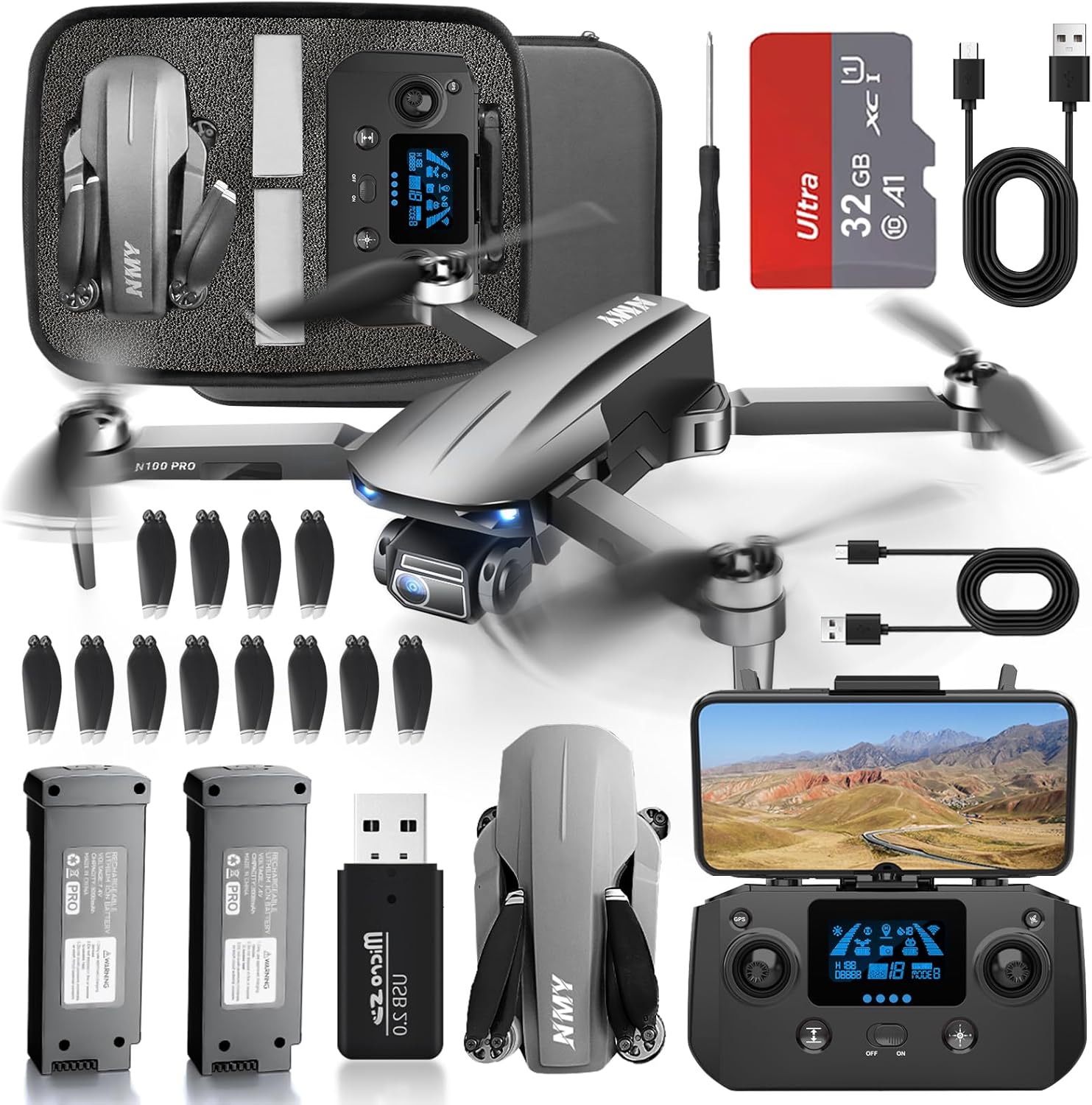
A complete overview of the NMY N100 drone package contents.
4. Setup
- Charge Batteries: Fully charge both drone batteries and the remote controller using the provided USB cables. The drone batteries provide up to 50 minutes of flight time.
- Install Drone Battery: Insert the charged battery into the drone's battery compartment until it clicks securely into place.
- Attach Propellers: If not pre-installed, attach the propellers according to the markings (A and B) on the propellers and motor arms. Ensure they are firmly secured.
- Insert SD Card: Locate the SD card slot on the drone and insert the provided SD card. This is essential for storing 4K photos and videos.
- Prepare Remote Controller: Extend the phone holder on the remote controller and securely mount your smartphone.
- Download App: Download the official NMY drone application from your smartphone's app store.

The NMY N100 comes with two batteries, providing extended flight time.

The drone supports SD card storage for 4K media, ensuring fast data saving and retrieval.
5. Operating
- Power On: Turn on the drone first, then the remote controller. Wait for the drone and controller to connect (indicated by solid lights).
- GPS Signal Acquisition: Place the drone on a flat, open surface. Wait for the drone to acquire sufficient GPS signals (indicated by a solid GPS icon on the controller/app). This enables stable flight and return-to-home functions.
- Take-off: Use the one-key take-off button or manually push both joysticks down and out to start the motors, then push the left joystick up to ascend.
- Basic Flight Controls:
- Left Joystick: Up/Down (Altitude), Left/Right (Yaw/Rotation)
- Right Joystick: Forward/Backward (Pitch), Left/Right (Roll/Sideways)
- Camera Operation: Use the dedicated buttons on the remote controller or the app interface to take photos and record 4K videos. The EIS (Electronic Image Stabilization) system helps ensure stable and clear footage.
- Advanced Flight Modes: Access these modes via the NMY app.
- Follow Mode: The drone will autonomously follow your movement.
- Circling Mode: The drone will orbit a designated point.
- Waypoint Mode: Draw a path on the map, and the drone will fly along the predefined route.
- Return-to-Home (RTH): The drone features smart RTH functionality for low battery, signal loss, or loss of control. You can also initiate RTH manually with a dedicated button. The drone will return to its take-off point.
- Landing: Use the one-key landing button or manually lower the left joystick to descend slowly and land.

User-friendly controls allow for effortless flights and real-time viewing via the connected smartphone.

Capture crystal-clear 4K video with Electronic Image Stabilization (EIS) for sharper, steadier shots.

The drone features automatic return functions, including one-click return and low battery return, guided by GPS.
6. Maintenance
- Cleaning: After each flight, gently wipe the drone body and camera lens with a soft, dry cloth to remove dust or debris.
- Propeller Inspection: Regularly inspect propellers for cracks, bends, or chips. Replace any damaged propellers immediately using the provided spare parts.
- Battery Care: Store batteries at approximately 50% charge if not used for extended periods. Avoid extreme temperatures.
- Storage: Store the drone and all accessories in a cool, dry place, preferably in its original carrying case, away from direct sunlight.
7. Troubleshooting
| Problem | Possible Cause | Solution |
|---|---|---|
| Drone does not power on | Low battery; Battery not properly inserted | Charge battery; Reinsert battery securely |
| No connection with remote controller | Controller not powered on; Pairing failed | Ensure controller is on; Re-pair drone and controller according to manual |
| Poor GPS signal | Flying indoors; Obstructions; Weak satellite signal | Fly in open outdoor areas; Wait for more satellites to connect |
| Unstable flight | Damaged propellers; Calibration needed; Strong winds | Replace damaged propellers; Perform IMU calibration; Avoid flying in strong winds |
| Camera not recording/taking photos | SD card full or not inserted; App issue | Check/replace SD card; Restart app and drone |
If you encounter issues not listed here, please refer to the full user manual or contact NMY customer support.
8. Specifications
| Brand | NMY |
| Model Name | N100 |
| Item Weight | 7 ounces (under 249g) |
| Product Dimensions | 20"L x 15"W x 5"H |
| Video Capture Resolution | 4K |
| Special Features | Integrated Camera, Integrated GPS, Long Battery Life, Long Distance Control, Speed Adjustment, EIS |
| Flight Time | Up to 50 minutes (with 2 batteries) |
| Maximum Range | 3800 Feet |
| Motor Type | Brushless Motor |
| Battery Type | Lithium Ion |
| Skill Level | Beginner |
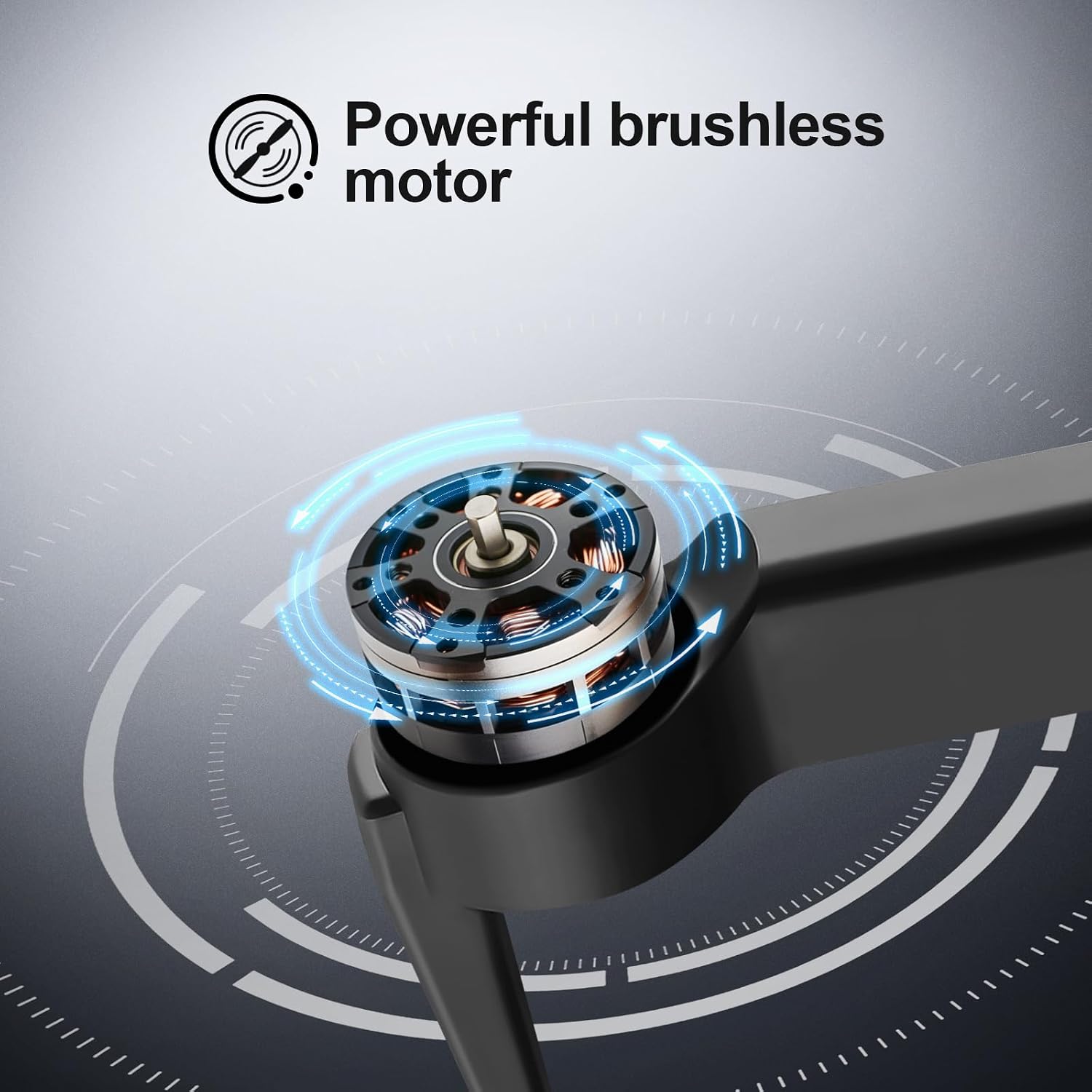
The NMY N100 drone is equipped with powerful brushless motors for efficient and reliable performance.
9. Warranty and Support
NMY stands by its products and offers professional after-sales support. Our team is dedicated to guiding you from novice to expert, ensuring you have the best possible experience. If you are not satisfied with your purchase, NMY offers a no-questions-asked return policy, prioritizing your satisfaction.
For technical assistance, troubleshooting, or warranty claims, please contact NMY customer support through the official channels provided with your product packaging or on the NMY website.


