
1. Introduction
Thank you for choosing the VRURC T17 Portable Charger. This device is designed to provide reliable and fast charging for your electronic devices on the go. Please read this manual carefully before use to ensure optimal performance and safety.
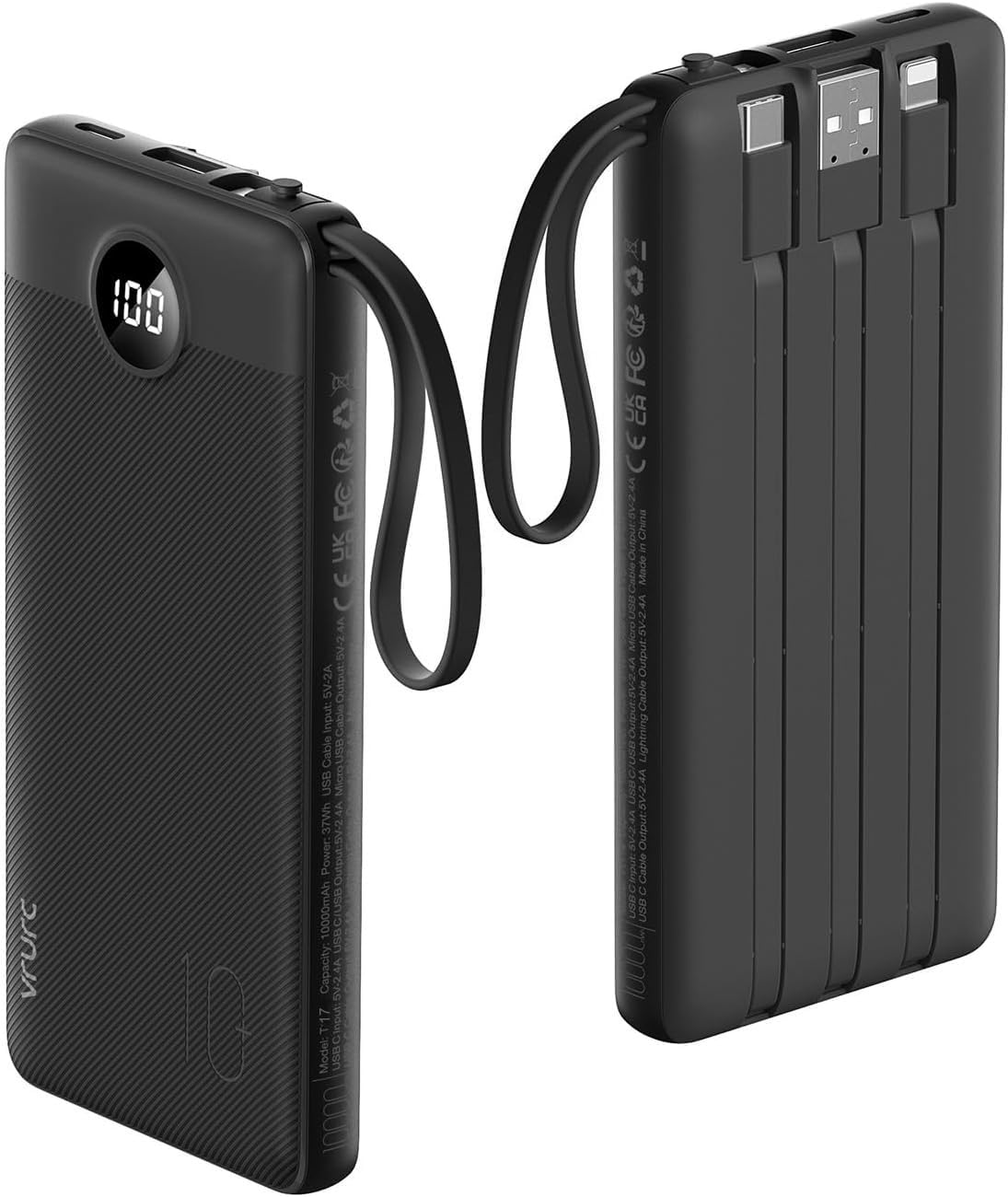
Image: VRURC T17 Portable Charger in Black, showcasing its compact design.
2. Safety Information
- Do not expose the power bank to extreme temperatures, direct sunlight, or fire.
- Do not disassemble, modify, or repair the device.
- Keep away from water and other liquids.
- Avoid dropping or subjecting the device to strong impacts.
- Store in a cool, dry place.
- Keep out of reach of children.
3. Package Contents
The VRURC T17 Portable Charger package includes:
- 1x VRURC T17 Portable Charger (10000mAh)
- 1x User Manual (this document)
- 1x Travel Pouch
4. Product Overview
The VRURC T17 Portable Charger features a compact design with multiple built-in cables for convenience.

Image: The VRURC T17 Portable Charger highlighting its integrated cables.
4.1. Ports and Cables
The power bank is equipped with the following:
- Built-in Cables: USB-C, Micro-USB, and Lightning (for iOS devices).
- USB-A Output Port: For connecting external USB-A cables.
- USB-C Input/Output Port: For recharging the power bank or charging compatible devices.

Image: Visual representation of the power bank's multiple output and input options.
4.2. LED Display
An accurate LED display shows the remaining battery percentage of the power bank.
5. Setup and Initial Use
5.1. Initial Charging of the Power Bank
Before first use, fully charge your VRURC T17 Portable Charger.
- Connect the built-in USB-C cable or USB-A cable to a compatible power adapter (not included) or a USB port on a computer.
- Alternatively, use an external USB-C cable to connect to the USB-C port for recharging.
- The LED display will show the charging progress. The power bank is fully charged when the display shows 100%.
Recharging times:
- Approximately 3 hours via Type-C port and cable (18W input).
- Approximately 6 hours via built-in USB-A cable.

Image: Illustration of the three recharging methods for the power bank.
6. Operating Instructions
6.1. Charging Your Devices
The VRURC T17 Portable Charger offers multiple ways to charge your devices:
- Using Built-in Cables: Pull out the appropriate built-in cable (USB-C, Micro-USB, or Lightning) and connect it directly to your device.
- Using USB-A Output Port: Connect your device's charging cable to the USB-A output port on the power bank.
- Using USB-C Output Port: Connect your device's USB-C charging cable to the USB-C port on the power bank.
The power bank will automatically begin charging your device. The LED display will show the remaining power.

Image: The power bank simultaneously charging multiple devices using its various outputs.
6.2. Fast Charging Capability
The power bank supports 22.5W fast charging via its USB port and 20W output via the integrated Type-C cable, allowing for rapid charging of compatible devices.

Image: The power bank's display indicating 22.5W fast charging in progress.
7. Features and Compatibility
7.1. Universal Compatibility
The VRURC T17 Portable Charger is compatible with a wide range of devices, including:
- iPhone Series: iPhone 16, 15, 15 Pro, 15 Pro Max, 12, Pro, Max, Mini, 13, 14, X, XR, 8
- Samsung Galaxy Series: S24, S23, S22, S21, S10, S9, S8, Galaxy A51, 52, 53, 54, 55, Note 20, 10
- Google Pixel Series
- Tablets: iPad, iPad mini, Galaxy S7+
- Other USB-C devices, Airpods, smartwatches, etc.

Image: The power bank demonstrating its universal compatibility with different electronic devices.
7.2. Portable Design
Its slim and lightweight design, along with a portable lanyard, makes it easy to carry in a bag, pocket, or luggage. It is also airline-friendly.

Image: The slim profile of the power bank compared to an iPhone 14.

Image: A woman using the portable charger while traveling at an airport.
8. Specifications
| Feature | Detail |
|---|---|
| Model Name | T17 |
| Battery Capacity | 10000 Milliamp Hours |
| Connector Type | Input: USB-C Cable, USB-A Cable, USB-C Port; Output: USB-C/Micro/iOS Cable, USB-A Port |
| Voltage | 9 Volts (DC) |
| Amperage | 2.4 Amps |
| Output Current | 2 Amps |
| Number of Ports | 6 (including built-in cables) |
| Rapid Charging Performance | 60% in 30 mins |
| Battery Charge Time | 3.5 Hours (via Type-C port/cable), 6 Hours (via USB-A cable) |
| Battery Cell Type | Lithium Polymer |
| Item Weight | 260 Grams |
| Item Dimensions (L x W x Thickness) | 5.7"L x 2.7"W x 0.73"Th |
9. Maintenance
- Clean the power bank with a soft, dry cloth. Do not use harsh chemicals or abrasive materials.
- Avoid storing the power bank in extremely hot or cold environments.
- If the device will not be used for an extended period, charge it to approximately 50% every three months to prolong battery life.
10. Troubleshooting
- Device not charging: Ensure the power bank is charged. Check cable connections. Try a different cable or port.
- Power bank not recharging: Verify the charging adapter and cable are functioning correctly. Ensure the connection is secure.
- Slow charging: Ensure your device and cable support fast charging. Some devices may charge slower if multiple devices are connected simultaneously.
- LED display not working: Press the power button to activate the display. If it remains unresponsive, contact customer support.
11. Warranty and Support
The VRURC T17 Portable Charger comes with a 12-month after-sales service warranty. For any issues or support needs, please contact VRURC customer service through your purchase platform or the official VRURC website.


