
1. Introduction
The Blue Tees Golf Ringer is a magnetic GPS handheld device designed to enhance your golf game. It features a touch screen display, water resistance, and comes preloaded with over 40,000 golf courses worldwide. This manual provides detailed instructions for setting up, operating, and maintaining your Ringer device to ensure optimal performance and enjoyment on the course.
2. Package Contents
Upon unboxing your Blue Tees Golf Ringer, please verify that all the following items are included:
- Blue Tees Golf Ringer GPS Handheld Device
- USB Charging Cable
- Quick Start Guide
- Lithium Ion Battery (pre-installed)
3. Device Overview
Familiarize yourself with the key components of your Ringer GPS handheld.

Figure 3.1: Blue Tees Golf Ringer GPS Handheld. The device features a sleek design with a central button and a clear display showing golf course data.

Figure 3.2: Side, Front, and Back Views of the Ringer. This diagram illustrates the device's profile, front display, and the magnetic strip on the back.
4. Setup
4.1 Initial Charging
Before first use, fully charge your Ringer device. Connect the supplied USB charging cable to the device and a compatible USB power source. The battery indicator on the screen will show charging status. A full charge typically provides over 10 hours of use.
4.2 Powering On/Off
- To power on: Press and hold the power button (usually located on the side or bottom) until the screen illuminates.
- To power off: Press and hold the power button until a power-off option appears on the screen, then confirm.
4.3 Course Updates and App Pairing
The Ringer comes preloaded with over 40,000 courses. For the latest course data and advanced features, it is recommended to pair your device with the companion Blue Tees Golf app. Follow the in-app instructions for pairing and downloading any available course updates.
5. Operating Instructions
The Ringer features an intuitive touch screen display for easy navigation and access to various golf data.
5.1 Touch Screen Navigation
Navigate through menus and features by swiping and tapping on the touch screen. Specific gestures may include swiping from the top to access settings or phone controls, as indicated on the device.
5.2 GPS Distances
The device automatically recognizes your course and provides precise yardages to the front, center, and back of the green. This information is crucial for accurate club selection.
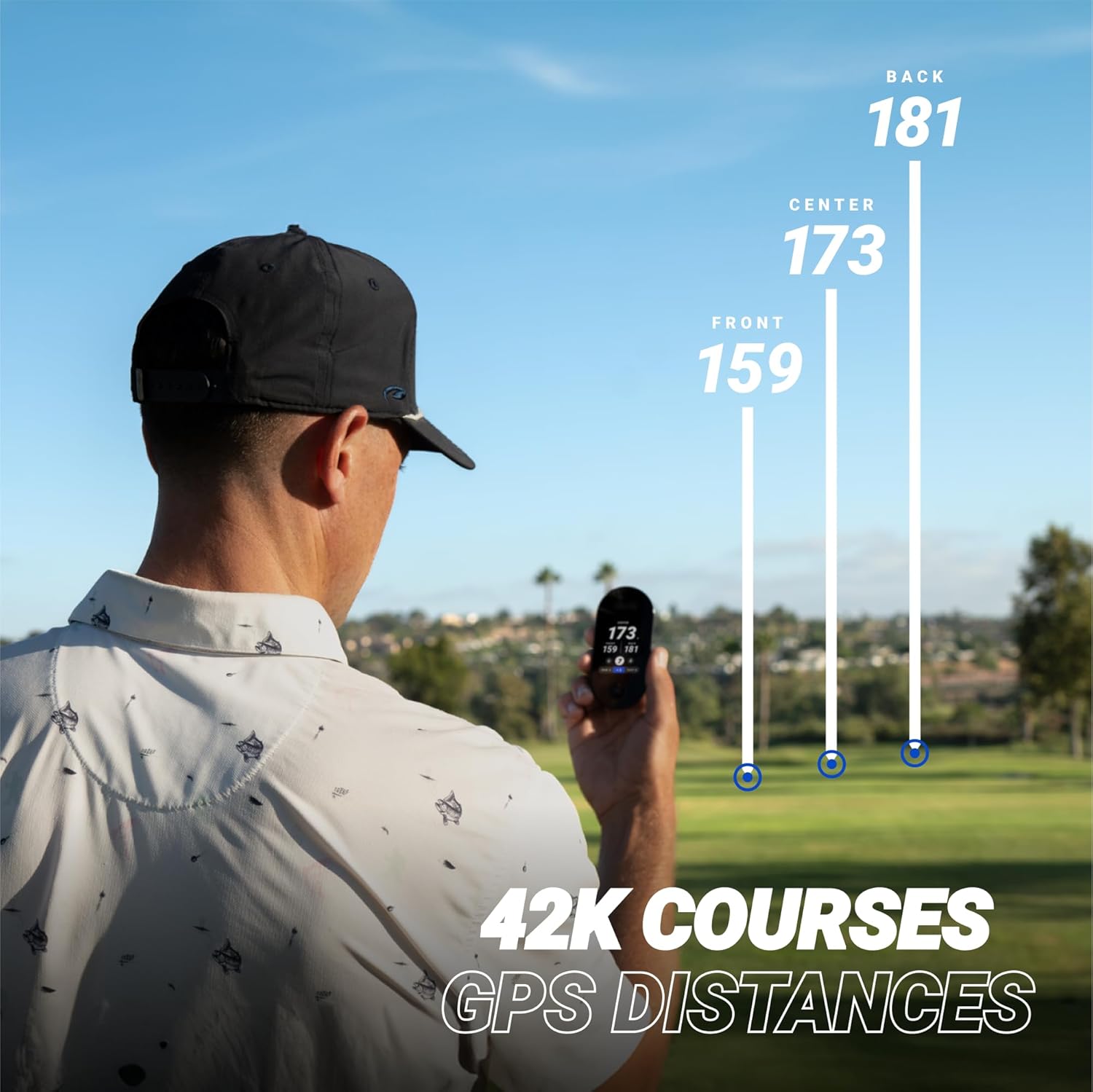
Figure 5.1: GPS Distances Display. The Ringer shows distances to the front, center, and back of the green, aiding in shot planning.
5.3 Dynamic Green View
Visualize the green layout and adjust pin placement for more accurate approach shots. The dynamic green view provides a detailed analysis of each hole.

Figure 5.2: Dynamic Green View. This feature allows for precise pin targeting and understanding of green contours.
5.4 Hazard Distances
Stay informed about distances to various hazards such as bunkers and water. This helps in strategic play and avoiding penalties.

Figure 5.3: Hazard Distances. The Ringer provides clear distances to various course hazards.
5.5 Shot Tracking and Scoring
Record every swing and track your shots for post-round analysis. The advanced scoring feature allows you to input scores, putts, and other statistics directly on the device.

Figure 5.4: Advanced Scoring Interface. Easily input your scores and putts after each hole.

Figure 5.5: Caddie Data Overview. This image shows a comprehensive view of the data available on the Ringer, including round summaries and shot tracking.
5.6 Driving Distance
Measure your driving distance to analyze your performance and improve your long game.

Figure 5.6: Driving Distance Display. Track your drives for performance analysis.
5.7 Magnetic Attachment
The Ringer features a high-powered magnet for convenient attachment to golf carts or other metallic surfaces, ensuring easy access during your round.
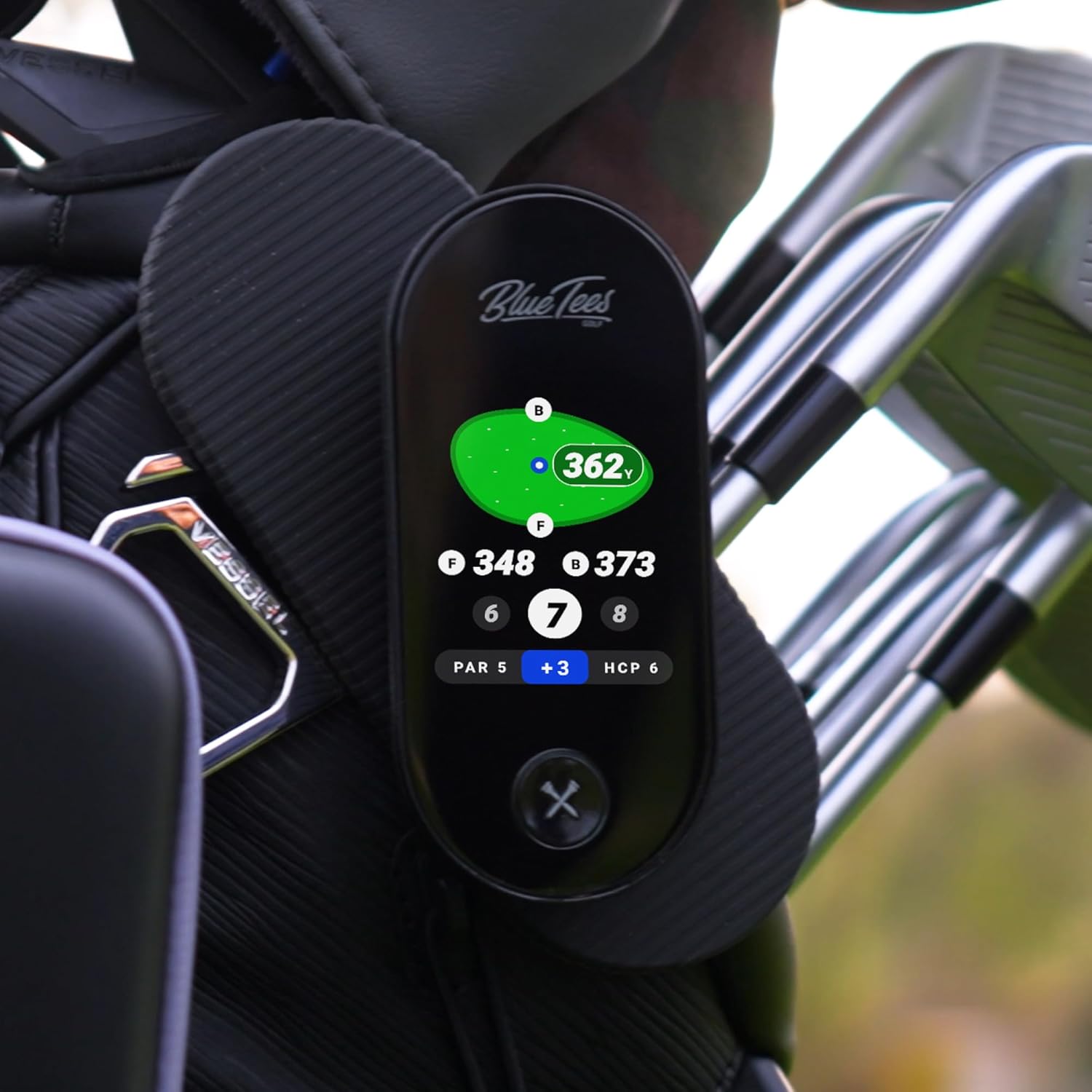
Figure 5.7: Magnetic Attachment. The Ringer securely attaches to a golf bag or cart for hands-free convenience.
5.8 Music Control
The Ringer may offer integration with your smartphone to control music playback directly from the device. Refer to the app for specific instructions on enabling and using this feature.
6. Maintenance
6.1 Cleaning
To clean your Ringer, gently wipe the screen and body with a soft, damp cloth. Avoid using abrasive cleaners or solvents that could damage the device.
6.2 Water Resistance
The Ringer is designed with IPX4 water resistance, meaning it is protected against splashing water from any direction. While it can withstand rain, it is not intended for submersion. Ensure the charging port cover is securely closed to maintain water resistance.
6.3 Battery Care
To prolong battery life, avoid fully discharging the device frequently. Store the device in a cool, dry place when not in use. If storing for an extended period, ensure the battery is charged to approximately 50%.
7. Troubleshooting
If you encounter issues with your Blue Tees Golf Ringer, refer to the following common solutions:
- Device Not Powering On: Ensure the device is fully charged. If the issue persists, try connecting it to a different USB power source.
- GPS Not Connecting/Inaccurate: Ensure you are in an open area with a clear view of the sky. Verify that course data is up-to-date via the companion app.
- Touch Screen Unresponsive: Try restarting the device. If the screen remains unresponsive, a factory reset might be necessary (see below).
- Bluetooth Pairing Issues: Ensure Bluetooth is enabled on both your Ringer and your smartphone. Try unpairing and re-pairing the devices.
- Device Reset: If the device is experiencing persistent issues, a factory reset may resolve them. Consult the device's settings menu or the companion app for the reset option. Note: A factory reset will erase all user data and settings.
For further assistance, please contact Blue Tees Golf customer support.
8. Specifications
| Feature | Specification |
|---|---|
| Item Weight | 9.9 ounces |
| Package Dimensions | 6.14 x 3.23 x 2.13 inches |
| Batteries | 1 Lithium Ion battery (included) |
| Display Size | 2.8 inches |
| Battery Life | 10+ Hours |
| Voice Command | Touchscreen |
| Water Resistance | IPX4 |
| Connectivity Technology | Bluetooth, USB |
| Map Type | Worldwide (40,000+ preloaded courses) |
| Mounting Type | Magnetic (Built-in Magnetic Strip) |
9. Warranty and Support
9.1 Warranty Information
The Blue Tees Golf Ringer GPS Handheld is covered by a 2-year limited warranty from the date of purchase, covering defects in materials and workmanship. This warranty does not cover damage caused by misuse, accidents, unauthorized modifications, or normal wear and tear. Please retain your proof of purchase for warranty claims.
9.2 Customer Support
For technical support, warranty claims, or any questions regarding your Blue Tees Golf Ringer, please visit the official Blue Tees Golf website or contact their customer service department. You can find more information and contact details at the Blue Tees Golf Store on Amazon.