
1. Introduction
Thank you for choosing the Serounder 4K Dual Lens Solar Powered Outdoor Security Camera. This manual provides essential information for the proper installation, operation, and maintenance of your security camera. Please read it thoroughly before use to ensure optimal performance and safety.
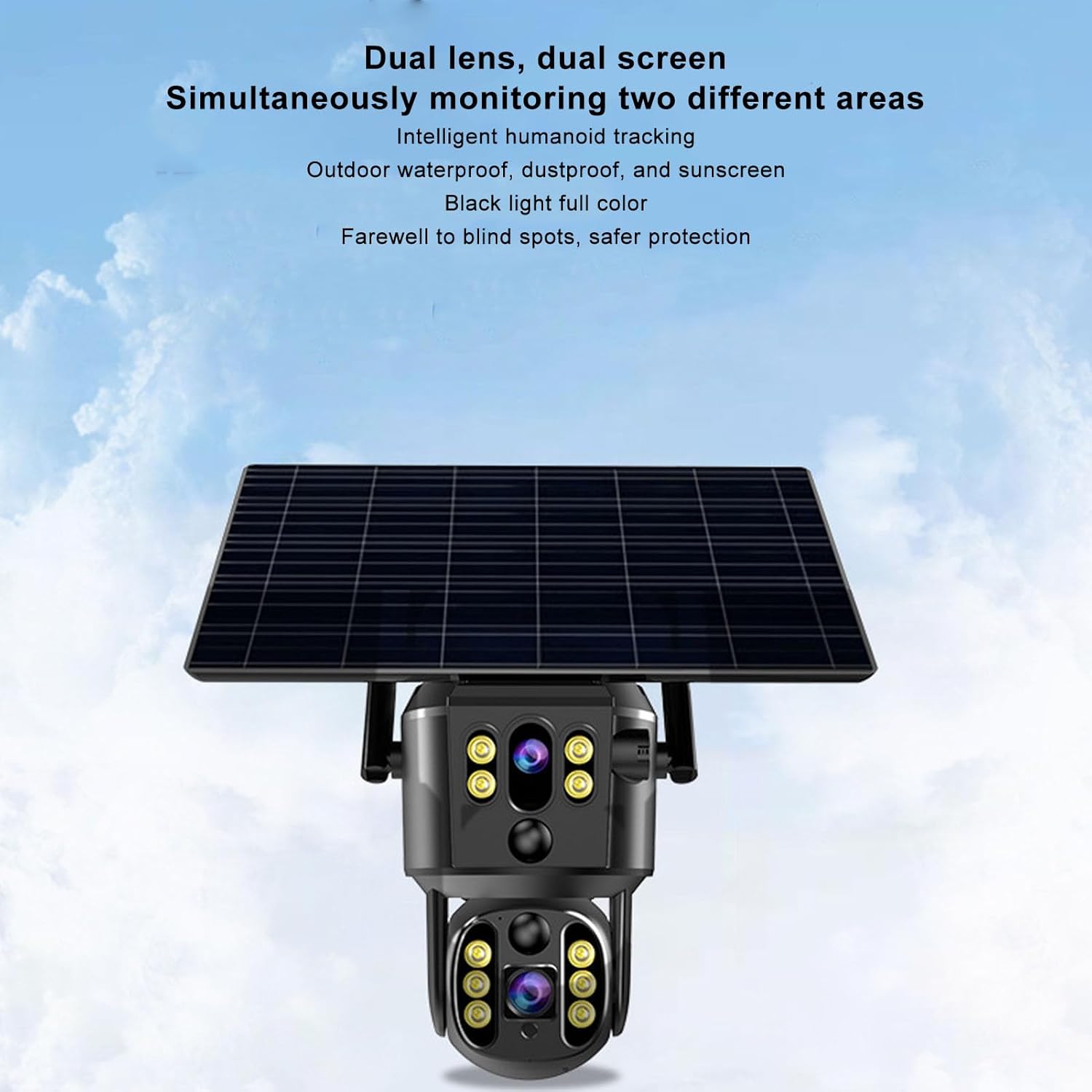
This camera features 4K 8MP ultra-clear resolution, dual lenses for comprehensive coverage, 355° pan and 90° tilt capabilities, motion detection, full-color night vision, two-way audio, and an IP55 waterproof rating. Its integrated solar panel and 20000mAh battery ensure continuous operation.
2. Safety Information
- Power Source: Ensure the solar panel is exposed to direct sunlight for optimal charging. Do not attempt to open or replace the built-in battery.
- Installation: Install the camera securely on a stable surface. Avoid installing near flammable or explosive materials.
- Water Resistance: The camera is IP55 rated for dust and water resistance. However, avoid submerging it in water or exposing it to high-pressure water jets.
- Temperature: Operate the camera within the specified temperature range (-10°C to 60°C).
- Cleaning: Use a soft, dry cloth for cleaning. Do not use harsh chemicals or abrasive cleaners.
- Disassembly: Do not attempt to disassemble or repair the camera yourself. Contact customer support for assistance.
3. Package Contents
Verify that all items are present in the package:
- 1 x Surveillance Camera
- 1 x Solar Panel
- 4 x Expansion Tubes
- 4 x Screws
- 1 x Screwdriver
- 1 x Reset Pin
- 2 x Small Screws
- 1 x User Manual (this document)

4. Product Overview
The Serounder 4K Dual Lens Solar Powered Outdoor Security Camera is designed for comprehensive outdoor surveillance. Key features include:
- Dual Lens and Dual Screen: 8MP ultra-clear pixels, 4K high-definition resolution, efficient H.265 technology. Supports horizontal rotation of 355 degrees and vertical rotation of 90 degrees. View monitoring video playback on two screens simultaneously.
- Solar Power Supply: Equipped with an 8W solar panel and a built-in 20000mAh rechargeable battery for continuous power.
- Remote Real-Time Monitoring: Access live view and recordings from anywhere via the mobile application.
- Panoramic Preset Point: Set multiple preset points for automatic scanning and monitoring.
- Intelligent AI Humanoid Tracking: The camera rotates to track human movement and sends alarm messages to the mobile app.
- Bidirectional Voice Intercom: Two-way talk functionality with built-in speakers and microphones.
- IP55 Weatherproof: Dustproof and waterproof design for stable operation in various outdoor environments.

5. Setup and Installation
5.1 App Download and Account Creation
- Scan the QR code provided in the user manual (physical copy) or on the product packaging to download the StarEye APP on your smartphone.
- Follow the on-screen instructions to create an account and log in.
5.2 Camera Connection and Power On
- Ensure the camera is fully charged or connected to the solar panel in direct sunlight.
- Power on the camera.
- Open the StarEye APP on your phone.
- Tap to add a new device and follow the in-app instructions to connect the camera to your Wi-Fi network.
5.3 Mounting the Camera
The camera is designed for wall mounting. Choose a location that provides the desired surveillance coverage and receives adequate sunlight for the solar panel.
- Mark the drilling points on the wall using the camera's mounting bracket as a template.
- Drill holes at the marked positions.
- Insert the expansion tubes into the drilled holes.
- Secure the mounting bracket to the wall using the provided screws.
- Attach the camera to the mounting bracket.
- Adjust the angle of the solar panel to maximize sun exposure.

6. Operating Instructions
6.1 Remote Monitoring
Once connected, open the StarEye APP to view live footage from your camera. You can access the camera feed from anywhere with an internet connection.
6.2 Pan and Tilt Control
In the live view interface of the app, use the on-screen controls to remotely adjust the camera's horizontal (355°) and vertical (90°) viewing angles. This allows for dynamic monitoring of your property.
6.3 Motion Detection and Alarms
The camera features intelligent AI humanoid tracking. When motion is detected in the monitored area, the camera will automatically track the movement and send an alarm notification to your mobile app. You can customize motion detection sensitivity and alarm settings within the app.


6.4 Two-Way Talk
Utilize the two-way talk feature to communicate with individuals near the camera. Tap the microphone icon in the app to speak, and listen through the camera's built-in speaker.

6.5 Recording and Storage
The camera supports local storage via a memory card (up to 256GB, not included) and cloud storage options. Configure recording settings (continuous, motion-triggered) and storage preferences within the StarEye APP.
6.6 Night Vision
The camera provides full-color night vision, ensuring clear surveillance even in low-light conditions.
6.7 Video Overview
7. Maintenance
- Cleaning: Regularly wipe the camera lens and solar panel with a soft, damp cloth to remove dust and debris. Ensure the solar panel is clean for efficient charging.
- Firmware Updates: Check the StarEye APP periodically for available firmware updates. Keeping your camera's firmware up-to-date ensures optimal performance and security.
- Battery Health: The solar panel continuously charges the built-in battery. Ensure the solar panel is not obstructed to maintain battery health.
8. Troubleshooting
| Problem | Possible Cause | Solution |
|---|---|---|
| Camera not powering on | Low battery; solar panel not charging | Ensure solar panel is in direct sunlight. Allow time for charging. |
| Cannot connect to Wi-Fi | Incorrect Wi-Fi password; camera too far from router; network issues | Verify Wi-Fi password. Move camera closer to router. Restart router. Reset camera using the reset pin. |
| Poor image quality | Dirty lens; poor network connection | Clean the camera lens. Check network stability. |
| Motion detection not working | Sensitivity settings too low; detection zone not configured | Adjust motion detection sensitivity and configure detection zones in the app. |
| Two-way audio not working | Microphone/speaker muted; app permissions | Check audio settings in the app. Ensure app has microphone permissions on your phone. |
9. Specifications
| Feature | Specification |
|---|---|
| Model Name | Serounderow4ik6cvqm |
| Pixels | 8MP |
| Video Resolution | 1920x2160P (4K) |
| Frame Rate | 15FPS |
| Horizontal Pan Range | 355 Degrees |
| Vertical Tilt Range | 90 Degrees |
| Video Encoding | H.265 |
| Network Connectivity | Wi-Fi (4G mentioned in description, but specifications list Wi-Fi) |
| Storage | Supports up to 256GB Memory Card (not included) |
| Camera Battery | 20000mAh Lithium Battery (included) |
| Solar Panel Wattage | 8 watts |
| Waterproof Rating | IP55 |
| Operating Temperature | -10°C to 60°C |
| Compatible Devices | Smartphone |
| Focus Type | Auto Focus, Manual Focus |
10. Warranty and Support
For warranty information, technical support, or service inquiries, please refer to the official Serounder website or contact their customer service directly. Keep your purchase receipt as proof of purchase.