
1. Introduction
This manual provides essential information for the installation, operation, and maintenance of your Blaupunkt 65QD7030 65-inch 4K QLED Google TV. Please read this manual thoroughly before using the product and retain it for future reference.
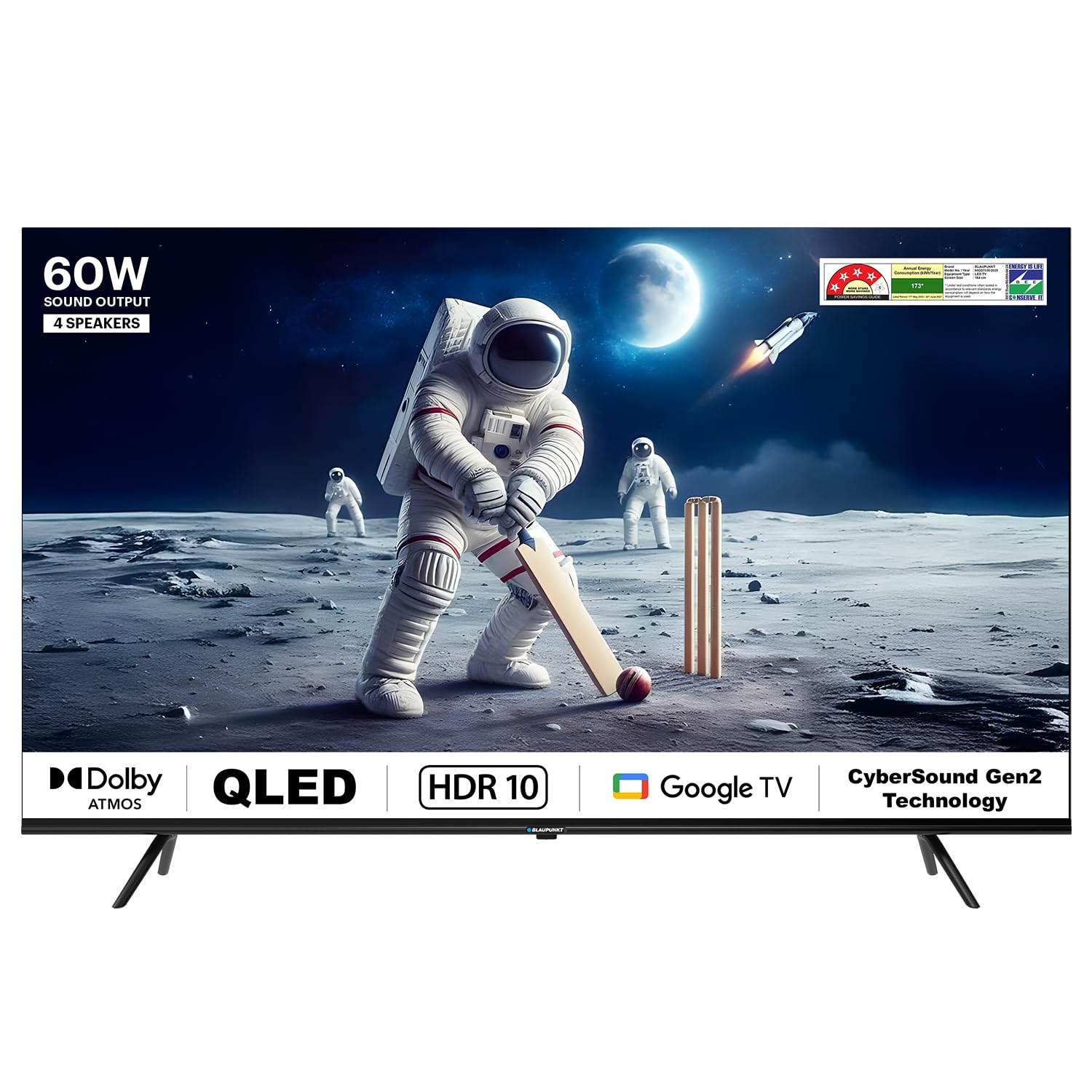
Front view of the Blaupunkt 65QD7030 65-inch 4K QLED Google TV.
2. Setup
2.1 Unpacking
Carefully remove the TV and all accessories from the packaging. Ensure all components listed below are present. Keep the original packaging for potential future transport or service needs.

Contents included in the TV packaging.
Included Components:
- 1 LED TV
- 1 Remote Control
- 1 Wall Mount
- 2 AAA Batteries
- Base Stand (if not wall-mounted)
- Stand Screws (x4)
- Power Cord
2.2 Attaching the Stand or Wall Mounting
Choose between using the included base stand or a wall mount. Ensure the TV is placed on a stable, level surface or securely mounted to a wall according to the wall mount instructions.
Stand Installation:
- Place the TV screen-down on a soft, clean surface to prevent scratches.
- Align the base stands with the screw holes on the bottom of the TV.
- Secure the stands using the provided stand screws.
Wall Mount Installation:
The TV supports VESA mount standard 200 x 200 mm. Follow the instructions provided with your wall mount bracket. Professional installation is recommended for wall mounting.
2.3 Connecting Peripherals
Connect your external devices such as set-top boxes, gaming consoles, or Blu-ray players to the TV.

Rear view of the TV showing various connection ports.
- HDMI Ports: The TV has 3 HDMI ports. Use these for high-definition devices. HDMI 1 supports eARC for enhanced audio return.
- USB Ports: Two USB ports are available for connecting hard drives or other USB devices.
- Ethernet: Connect an Ethernet cable for a stable wired internet connection.
- Power: Connect the power cord to the TV and then to a power outlet.
3. Operating Instructions
3.1 First Time Setup (Google TV OS)
Upon first power-on, the TV will guide you through the initial setup process for Google TV. This includes language selection, network connection (Wi-Fi or Ethernet), Google account sign-in, and channel scanning.
3.2 Remote Control Functions
The included remote control allows you to navigate the TV's features. Insert the 2 AAA batteries into the remote before use.

Blaupunkt 65QD7030 TV remote control.
- Power Button: Turns the TV on or off.
- Google Assistant Button: Activates voice control.
- Navigation Pad: Use to move through menus and select options.
- Volume Buttons: Adjust the sound level.
- Channel Buttons: Change TV channels.
- App Shortcut Buttons: Direct access to popular streaming services like Netflix, Prime Video, and YouTube.
3.3 Smart TV Features
Your Blaupunkt 65QD7030 TV runs on Google TV OS, offering a wide range of smart functionalities.

Voice control via Google Assistant.
- Google Assistant: Use voice commands to search for content, control smart home devices, and get information.
- Built-in Chromecast: Cast content from your compatible mobile devices or computer directly to the TV.
- Supported Apps: Access a variety of streaming services including Netflix, Prime Video, YouTube, Apple TV, Disney+Hotstar, and more.
- Screen Mirroring: Share your device's screen wirelessly to the TV.
3.4 Audio and Display Settings
Optimize your viewing and listening experience through the TV's settings menu.

Quantum Dot technology for vivid colors.
- Sound: The TV features 60 Watts output with Dolby Atmos and DTS TruSurround for immersive audio. Adjust sound modes and equalizer settings in the audio menu.
- Display: Enjoy 4K Ultra HD resolution with Quantum Dot technology, HDR 10+, and Dolby Vision for enhanced picture quality. Adjust brightness, contrast, color, and picture modes in the display settings.
4. Maintenance
4.1 Cleaning the Screen
- Turn off the TV and unplug the power cord.
- Gently wipe the screen with a soft, lint-free cloth. For stubborn marks, lightly dampen the cloth with water or a specialized screen cleaner.
- Do not use harsh chemicals, abrasive cleaners, or alcohol-based solutions, as these can damage the screen.
4.2 General Care
- Keep the TV away from direct sunlight, heat sources, and excessive dust.
- Ensure proper ventilation around the TV to prevent overheating.
- Avoid placing heavy objects on top of the TV.
- Do not expose the TV to water or high humidity. The TV is not water resistant.
5. Troubleshooting
If you encounter issues with your TV, refer to the following common problems and solutions before contacting customer support.
| Problem | Possible Cause | Solution |
|---|---|---|
| No power | Power cord disconnected; Power outlet issue | Ensure power cord is securely plugged in; Test outlet with another device. |
| No picture, but sound is present | Incorrect input source; Loose HDMI/AV cable | Press the 'Input' button on the remote to select the correct source; Check cable connections. |
| No sound, but picture is present | Volume muted or too low; External audio system issue | Unmute or increase volume; Check connections to external audio devices. |
| Remote control not working | Batteries depleted; Obstruction between remote and TV | Replace batteries; Remove any obstructions; Ensure remote is pointed at the TV's IR sensor. |
| Cannot connect to Wi-Fi | Incorrect password; Router issue; TV too far from router | Verify Wi-Fi password; Restart router; Move TV closer to router or use Ethernet. |
6. Specifications
Detailed technical specifications for the Blaupunkt 65QD7030 65-inch 4K QLED Google TV.

Dimensions of the Blaupunkt 65QD7030 TV.
| Feature | Detail |
|---|---|
| Screen Size | 65 Inches (164 cm) |
| Display Technology | QLED |
| Resolution | 4K Ultra HD (3840 x 2160) |
| Refresh Rate | 60 Hz |
| Operating System | Google TV |
| Sound Output | 60 Watts |
| Audio Features | Dolby Atmos, DTS TruSurround, Dolby Digital Plus |
| Video Features | Dolby Vision, HDR 10+, Quantum Dot Color |
| Connectivity | Dual Band Wi-Fi, Bluetooth, 3 HDMI ports (eARC), 2 USB ports, Ethernet |
| Memory Storage Capacity | 16 GB |
| Control Method | Voice Control (Google Assistant), Remote Control (IR, Bluetooth) |
| Product Dimensions (D x W x H) | 12.5D x 147W x 83H Centimeters |
| Item Weight | 18000 Grams |
| VESA Mount Standard | 200 x 200 mm |
| Power Consumption | 150 Watts |
| Model Year | 2024 |
7. Warranty Information
Your Blaupunkt 65QD7030 TV comes with the following warranty:
- Product Warranty: 1 year from the date of purchase.
- Accessories Warranty: 6 months from the date of purchase.
The warranty is provided by the manufacturer. For assistance, please contact the brand's toll-free number or email ID, providing the product's model name and seller's details from your invoice. The service center will schedule a convenient service slot.
8. Customer Support
For any queries, technical support, or warranty claims, please contact Blaupunkt customer service:
- Toll-Free Number: 1800-274-4342
- Email ID: consumercare@blaupunkttv.in
- Manufacturer/Packer Address: B-29,30,31, Phase-II, Noida, Gautam Buddha Nagar, Uttar Pradesh, 201301
When contacting support, please have your product model name (65QD7030) and purchase invoice readily available.