
YOSH JP-CH110
YOSH Magnetic Car Holder JP-CH110 User Manual
Model: JP-CH110
1. Overview
1.1 Product Description
The YOSH Magnetic Car Holder (Model JP-CH110) is a compact and robust smartphone mounting solution designed for vehicle air vents. It features reinforced N50 magnets for secure phone attachment and is constructed from military-grade silicone material to prevent damage to your car's interior. Its small size ensures it does not obstruct driving visibility.
1.2 Key Features
- Compact Size: Measures 40mm, minimizing obstruction of view.
- Strong Magnetic Hold: Equipped with 4 N50 powerful magnets for secure phone fixation, even on bumpy roads. Features N/S double poles alternating to maintain a stable magnetic environment and smooth smartphone communication.
- Durable Material: Made from high-quality 50D military-grade silicone to protect air conditioner louvers and provide strong friction for a firm grip.
- Easy Installation & Use: Simple one-hand operation for attaching to air vent and mounting the smartphone after metal plate installation.
- Wide Compatibility: Supports most smartphones, GPS, navigation devices, and radios under 6 inches.
- Space-Saving Design: Small footprint allows for versatile placement without interfering with driving.
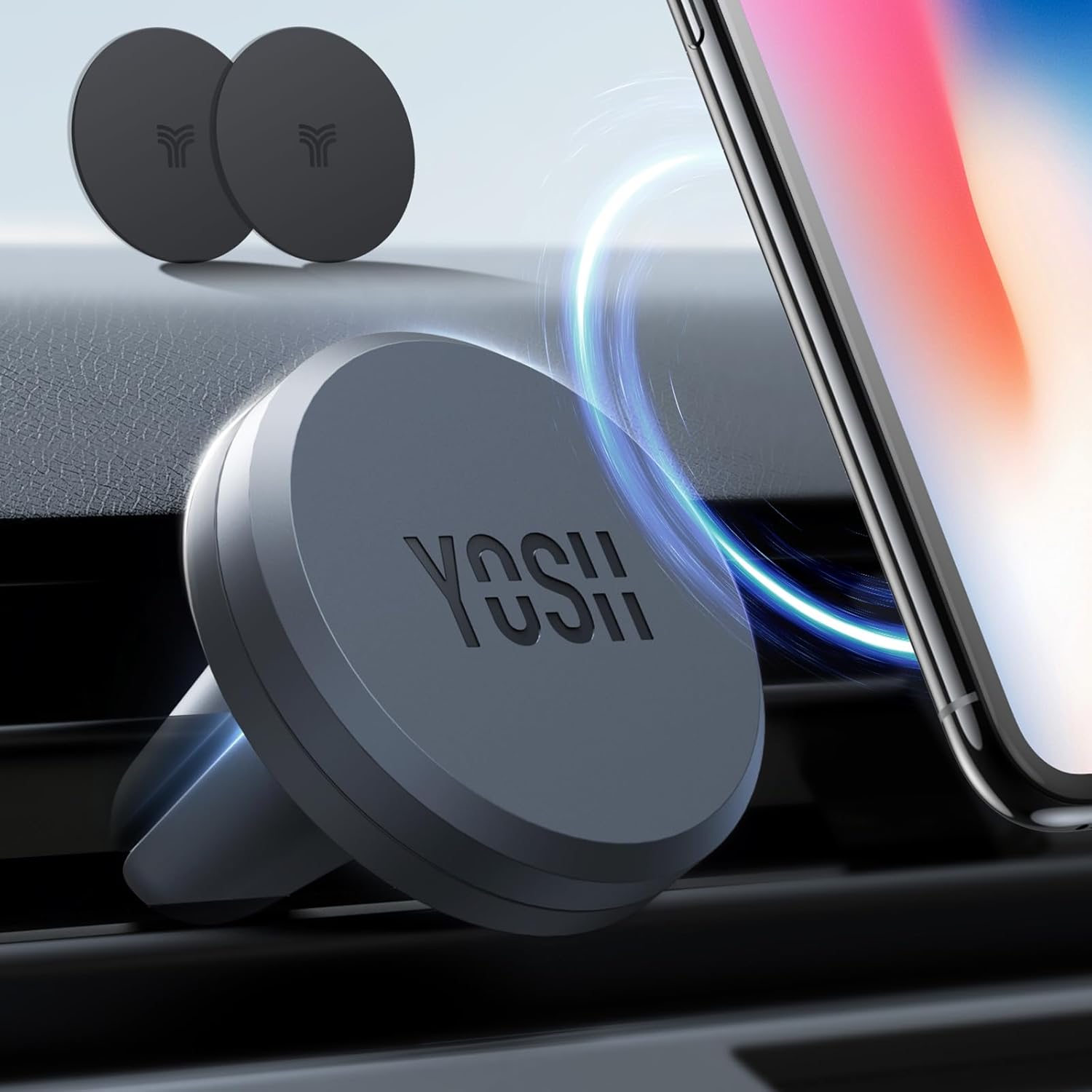
Figure 1: YOSH Magnetic Car Holder mounted on a car air vent, with two metal plates in the background.
2. Package Contents
Please verify that all items are present in the package:
- YOSH Magnetic Car Holder (JP-CH110)
- Metal Plates (for smartphone attachment)
- User Manual

Figure 2: Diagram illustrating the YOSH Magnetic Car Holder's strong magnetic attachment with a smartphone, showing the required metal plate for use.
3. Safety Information
- Do not obstruct your view of the road or vehicle controls when installing the holder.
- Ensure the holder is securely attached to the air vent before placing your device.
- Do not attempt to adjust the holder or your device while driving.
- Keep metal plates away from sensitive electronic devices or medical implants that may be affected by magnetic fields.
- This product is not compatible with MagSafe without the included metal plate. Wireless charging may be affected when the metal plate is attached directly to the phone or case.
- After attaching the metal plate, wait 24 hours for the adhesive to fully cure before use.
4. Setup Instructions
4.1 Step 1: Attaching the Metal Plate to Your Device
For optimal magnetic hold, a metal plate must be attached to your smartphone or smartphone case.
- Clean the back surface of your smartphone or case where the metal plate will be placed.
- Peel off the protective film from the adhesive side of the metal plate.
- Carefully position the metal plate on the back of your device or inside your phone case. For wireless charging compatibility, place the metal plate away from the charging coil area.
- Press firmly for 30 seconds to ensure strong adhesion.
- Important: Allow 24 hours for the adhesive to fully bond before using the holder.

Figure 3: Illustration demonstrating the application of the 3M certified adhesive metal plate to the back of a smartphone or phone case, with a note to wait 24 hours after attachment.
4.2 Step 2: Installing the Car Holder
- Identify a suitable horizontal air vent louver in your vehicle. The holder is designed for horizontal louvers with a thickness of 9mm or more, and vertical louvers of 18mm or more. It is not suitable for circular or irregularly shaped vents.
- Gently push the silicone clip of the YOSH car holder onto the chosen air vent louver until it is securely fastened. The military-grade silicone provides strong friction to prevent slipping.
- Ensure the holder is stable and does not obstruct any vehicle controls or your driving view.

Figure 4: Diagram illustrating compatible and incompatible car air vent types for the YOSH Magnetic Car Holder, highlighting horizontal vents as suitable.
5. Operating Instructions
5.1 Attaching Your Smartphone
Once the metal plate is attached to your smartphone and the holder is installed on the air vent:
- Simply bring your smartphone close to the magnetic surface of the holder.
- The powerful N50 magnets will automatically secure your phone in place.
- Adjust the angle of your phone as needed for optimal viewing.

Figure 5: Two-part image demonstrating the easy, one-hand installation of the YOSH Magnetic Car Holder onto an air vent and the subsequent attachment of a smartphone to the magnetic surface.
5.2 Removing Your Smartphone
To remove your smartphone, gently pull it away from the magnetic surface of the holder.
6. Maintenance
To ensure the longevity and optimal performance of your YOSH Magnetic Car Holder:
- Clean the holder regularly with a soft, dry cloth. Avoid using abrasive cleaners or solvents.
- Ensure the air vent louvers are free from dust and debris for a secure grip.
- Periodically check the adhesion of the metal plate on your smartphone or case.
7. Troubleshooting
- Problem: My phone is not holding securely.
- Ensure the metal plate is properly attached to your phone or case and has had 24 hours to cure.
- Verify that the metal plate is positioned correctly to align with the holder's magnets.
- Check if your phone case is too thick, which might weaken the magnetic connection.
- Confirm the holder is firmly clipped into the air vent.
- Problem: The holder is loose in the air vent.
- Ensure the air vent louvers are clean and free of obstructions.
- Verify that your air vent type is compatible with the holder (horizontal louvers are recommended).
- Re-seat the holder firmly onto the louver.
- Problem: Wireless charging is not working.
- The metal plate may interfere with wireless charging. Try repositioning the metal plate away from the wireless charging coil area on your phone, or remove the case with the metal plate for wireless charging. This product is not MagSafe compatible without the metal plate.
8. Specifications
| Feature | Detail |
|---|---|
| Model Number | JP-CH110 |
| Brand | YOSH |
| Dimensions | 40mm diameter (holder) |
| Weight | 50 g |
| Material | Military-grade Silicone (50D) |
| Magnets | 4 x N50 powerful magnets |
| Mounting Type | Air Vent Clip |
| Compatible Devices | Smartphones, GPS, Navigation, Radios (under 6 inches) |
| Vent Compatibility | Horizontal louvers (≥9mm), Vertical louvers (≥18mm) |
9. Warranty and Support
For warranty information or technical support, please contact YOSH customer service through their official website or the retailer where the product was purchased. Please have your model number (JP-CH110) and purchase details ready.
Ask a question about this manual
Ask about setup, troubleshooting, compatibility, parts, safety, or missing instructions. Manuals+ will review the question and use this page’s manual context to help answer it.