Introduction
Welcome to the eufy Security Indoor Cam C210 user manual. This guide provides detailed instructions for setting up, operating, and maintaining your new indoor security camera. The eufy Security Indoor Cam C210 offers 1080p HD resolution, 360° pan and tilt functionality, AI-powered human and motion detection, night vision, and local storage options to ensure your home is monitored effectively and privately.

Image: eufy Security Indoor Cam C210, a white spherical camera on a cylindrical base.
Important Safety Information
Please read all safety instructions before using the product. Failure to follow these instructions may result in fire, electric shock, or other injury or damage.
- Use only the power adapter provided with the camera.
- Do not expose the camera to rain or moisture.
- Do not disassemble or attempt to repair the camera yourself.
- Keep the camera away from direct sunlight, heat sources, and strong magnetic fields.
- This camera is designed for indoor use only.
Package Contents
Ensure all items are present in your package. If any item is missing or damaged, please contact eufy support.
- eufy Security Indoor Cam C210
- Power Adapter
- USB Cable
- Mounting Plate
- Mounting Screws and Wall Anchors
- Quick Start Guide
Note: A microSD card for local storage is not included and must be purchased separately.
Product Overview
Familiarize yourself with the components of your eufy Security Indoor Cam C210.
Image: Front view of the eufy Security Indoor Cam C210, showing the camera lens and status LED.
Front
- 1. Lens: Captures video footage.
- 2. Status LED: Indicates camera status (e.g., blue for connected, red for disconnected).
- 3. Microphone: Captures audio for two-way communication and sound detection.
Back/Side
- 4. Speaker: Outputs audio for two-way communication and alerts.
- 5. USB Power Port: Connects to the power adapter.
- 6. Reset Button: Resets the camera to factory settings.
- 7. MicroSD Card Slot: For optional local video storage (up to 128GB).
Setup
1. Download the eufy Security App
Search for "eufy Security" on the App Store (iOS devices) or Google Play (Android devices) and download the app.
Alternatively, scan the QR code below to download the app.

Image: A placeholder QR code representing the eufy Security app download link.
2. Power On the Camera
Connect the camera to a power outlet using the provided USB cable and power adapter. The status LED will turn solid blue after a few moments, indicating it's ready for setup.
3. Add Device to App
- Open the eufy Security app and create an account or log in.
- Tap the "+" icon on the top right corner to add a new device.
- Select "Indoor Cam C210" from the list of devices.
- Follow the on-screen instructions to connect the camera to your Wi-Fi network. Ensure your Wi-Fi network is 2.4GHz.
4. Install MicroSD Card (Optional)
For local storage of recordings, you can insert a microSD card (up to 128GB, not included) into the camera's microSD card slot.
- Gently push the camera lens upwards to reveal the microSD card slot.
- Insert the microSD card with the gold contacts facing down until it clicks into place.
- Format the microSD card via the eufy Security app settings for optimal performance.

Image: A visual representation emphasizing local storage and no monthly fees, with a large '0' symbol made of green foliage.
Description: The eufy Security Indoor Cam C210 supports local storage via a microSD card (up to 128GB, not included), eliminating the need for monthly subscription fees for notifications and recordings.
Operating Your eufy Security Indoor Cam C210
1. 360° Pan and Tilt
The camera features a 360° pan and tilt function, allowing you to remotely adjust the viewing angle through the eufy Security app. This ensures comprehensive coverage of your room, leaving no blind spots.

Image: The eufy Security Indoor Cam C210 with circular arrows indicating its 360-degree pan and tilt capability, positioned in a living room setting.
Description: The camera's ability to rotate and tilt 360 degrees provides complete surveillance of the entire room, ensuring no area is left unmonitored.
2. 1080p HD Resolution
Experience crystal-clear video quality with 1080p HD resolution. Every detail is captured with sharpness and clarity, providing a detailed view of your monitored area.

Image: A close-up of the camera lens with "Dokładność 1080p HD" (1080p HD Accuracy) text, highlighting the high-definition video capability.
Description: The camera delivers razor-sharp recordings in 1080p quality, ensuring every detail is clearly visible.
3. AI Human and Motion Detection & Tracking
The on-device AI intelligently detects and tracks human movement, ensuring that important events are captured. This feature helps reduce false alarms by focusing on relevant activity.
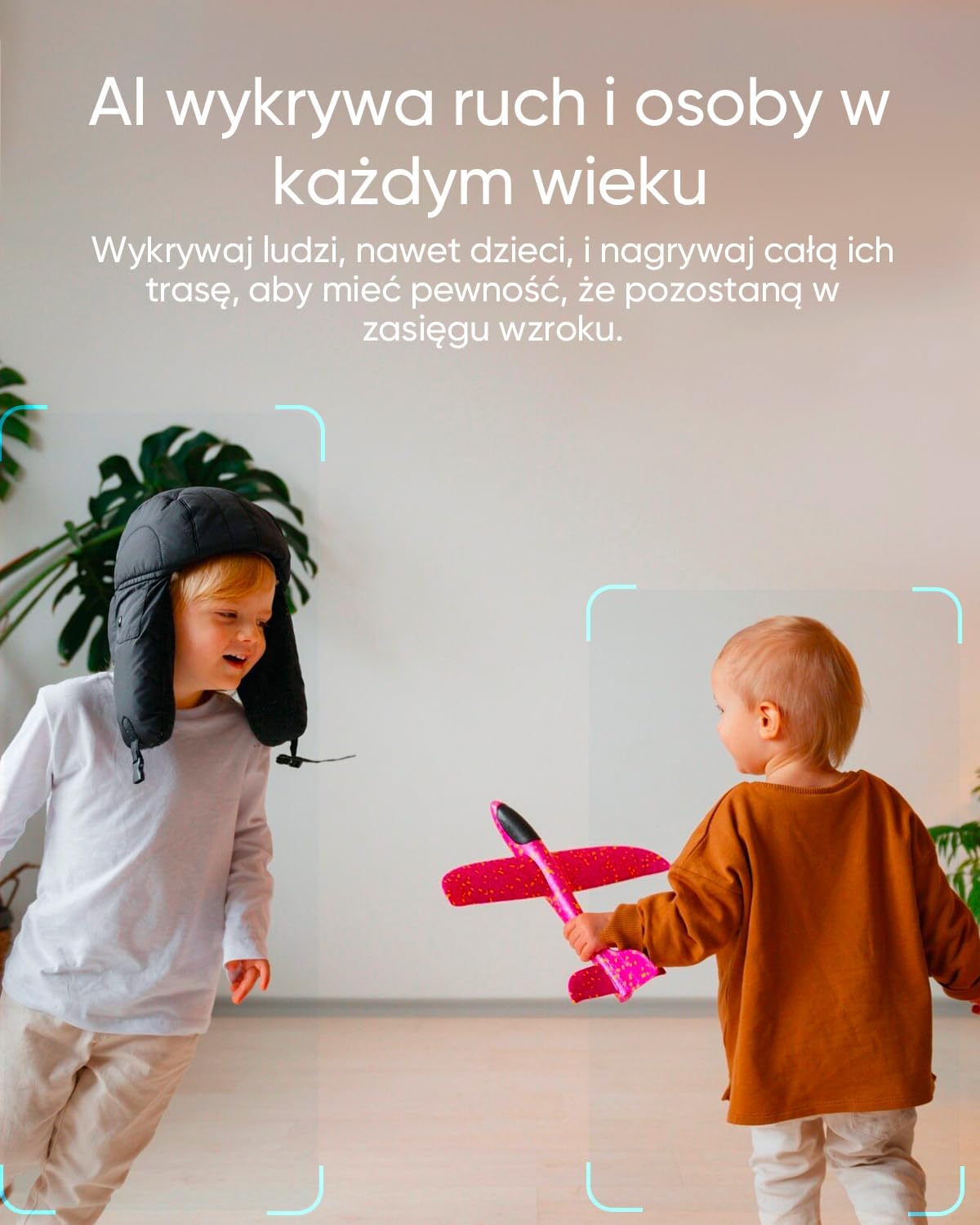
Image: Two children playing, with green boxes indicating AI detection around them, illustrating the camera's ability to detect and track people.
Description: The camera's AI detects and tracks people, including children, ensuring their entire path is recorded for comprehensive visual monitoring.
4. Privacy Mode
Activate Privacy Mode with a single tap in the app. When enabled, the camera lens will physically turn away, ensuring your privacy when you don't need monitoring.

Image: The eufy Security Indoor Cam C210 with its lens turned downwards, indicating privacy mode is active, accompanied by a privacy icon.
Description: Activating privacy mode with one click causes the camera to immediately turn away, ensuring your privacy.
5. 24/7 Recording
If you choose to enable 24/7 recording, the camera will continuously record footage day and night. This feature requires an additional memory card or connection to a HomeBase S380.

Image: A collage of small images depicting various daily life scenarios, with text "Nagrywanie 24/7" (24/7 Recording), illustrating continuous monitoring.
Description: The camera can record 24/7 to ensure no precious moment is missed, requiring an additional memory card or connection to a HomeBase S380.
6. Night Vision
The Indoor Cam C210 provides clear visibility even in total darkness, ensuring your home is monitored around the clock.

Image: A dog sleeping on a couch in a dark room, with an inset showing a clear night vision view, demonstrating the camera's low-light capabilities.
Description: The camera provides a clear image even in darkness, showing everything day and night.
7. Two-Way Audio
Communicate in real-time with anyone near the camera using the built-in microphone and speaker. This feature is accessible through the eufy Security app.

Image: A child and a dog on the floor, with text "Komunikacja w czasie rzeczywistym dzięki dwukierunkowemu audio" (Real-time communication thanks to two-way audio), demonstrating the two-way audio feature.
Description: The camera supports real-time communication through its two-way audio feature.
8. Configurable Activity Zones
Define specific areas within the camera's view where you want to detect motion. This allows you to focus monitoring on important zones and ignore irrelevant areas.

Image: A screenshot from the eufy Security app showing a customizable activity zone outlined in blue over a room scene with a pet bed.
Description: The app allows for configurable activity zones tailored to your needs, enabling focused motion detection.
9. Instant Notifications
Receive immediate alerts on your smartphone when motion or sound is detected, keeping you informed of any activity in your home.

Image: A hand holding a smartphone displaying an instant notification, with text "Błyskawiczne powiadomienia" (Instant notifications).
Description: The camera system provides instant notifications to your smartphone for detected events.
10. Smart Home Compatibility
The eufy Security Indoor Cam C210 is compatible with popular smart home platforms like Amazon Alexa and Google Home, allowing for voice control and integration into your smart home ecosystem.

Image: A smart display showing a camera feed, with text "Kompatybilny z Alexą i domem Google" (Compatible with Alexa and Google Home), indicating smart home integration.
Description: The camera is compatible with Amazon Alexa and Google Home for seamless smart home integration.
Maintenance
Cleaning the Camera
To maintain optimal performance, regularly clean the camera lens and body.
- Use a soft, dry, lint-free cloth to wipe the lens.
- For the camera body, use a slightly damp cloth and then dry thoroughly.
- Do not use harsh chemicals, cleaning solvents, or aerosol sprays.
Firmware Updates
eufy regularly releases firmware updates to improve performance and add new features. Ensure your camera's firmware is up to date through the eufy Security app.
- Open the eufy Security app.
- Navigate to the camera settings.
- Check for firmware updates and follow the prompts to install them.
Troubleshooting
| Problem | Solution |
|---|---|
| Camera offline | Check Wi-Fi connection. Ensure the camera is powered on. Restart the camera by unplugging and replugging the power cable. |
| Cannot connect to Wi-Fi | Ensure your Wi-Fi is 2.4GHz. Check Wi-Fi password. Move the camera closer to the router. Reset the camera and try setup again. |
| Poor video quality | Ensure stable Wi-Fi connection. Clean the camera lens. Check app settings for video resolution. |
| Motion detection not working | Check motion detection settings in the app. Adjust sensitivity. Ensure activity zones are correctly configured. |
| MicroSD card not recognized | Ensure the card is inserted correctly. Format the card via the app. Try a different microSD card. |
Specifications
| Feature | Detail |
|---|---|
| Model Name | C210 |
| Video Recording Resolution | 1080p |
| Pan/Tilt | 360° Pan, 75° Vertical |
| Connectivity Technology | Wireless (Wi-Fi) |
| Power Source | Wired Electric |
| Special Features | HD Resolution, AI Human/Motion Detection, Night Vision, Two-Way Audio, Privacy Mode |
| Indoor/Outdoor Usage | Indoor |
| Compatible Devices | Smartphone, Amazon Alexa, Google Home |
| Storage | MicroSD card (up to 128GB, not included) |
| Item Dimensions (L x W x H) | 7.3 x 7.1 x 10.8 cm |
| Weight | 176.9 g |
Warranty and Support
eufy provides a limited warranty for this product. For detailed warranty information, please refer to the warranty card included in your package or visit the official eufy website.
For technical support, troubleshooting, or other inquiries, please contact eufy customer service:
- Email: Refer to your product packaging or eufy website.
- Phone: Refer to your product packaging or eufy website.
- Online Support: Visit eufylife.com/support
Please have your product model (C210) and serial number ready when contacting support.


