
HEIMAN WS-725ES
HEIMAN WS-725ES WLAN Wi-Fi Carbon Monoxide Detector User Manual
Your guide to safe and smart carbon monoxide monitoring.
1. Introduction
The HEIMAN WS-725ES is a smart carbon monoxide (CO) detector designed to provide continuous monitoring of CO levels in your environment. This device features WLAN connectivity, allowing real-time alerts and monitoring via the Tuya or SmartLife mobile applications. With a 10-year lifespan and compliance with EN50291 standards, it offers reliable protection against the dangers of carbon monoxide poisoning. Its portable design makes it suitable for various applications, including homes, vehicles, and other enclosed spaces.

Image: The HEIMAN WS-725ES Carbon Monoxide Detector shown alongside a smartphone displaying its companion app interface, highlighting its smart connectivity features.

Image: Examples of diverse environments where the HEIMAN WS-725ES CO detector can be effectively utilized, such as family residences, offices, factories, supermarkets, libraries, and schools, emphasizing its versatile application.
2. Safety Information
Please read all safety instructions carefully before installing and operating the device. Failure to follow these instructions may result in property damage, injury, or death.
Important Warnings:
- This device is designed to detect carbon monoxide gas. It is not a smoke detector or a fire alarm.
- Carbon monoxide is an odorless, colorless, and tasteless gas. Exposure can be fatal.
- Do not paint the detector. Paint can clog the sensor and prevent proper operation.
- Do not block the ventilation openings of the detector.
- Test the detector regularly as instructed in this manual.
- In case of an alarm, evacuate the premises immediately and call emergency services.

Image: A chart illustrating the severe health effects of various carbon monoxide (CO) concentrations on humans over different exposure durations, emphasizing the danger of CO poisoning.
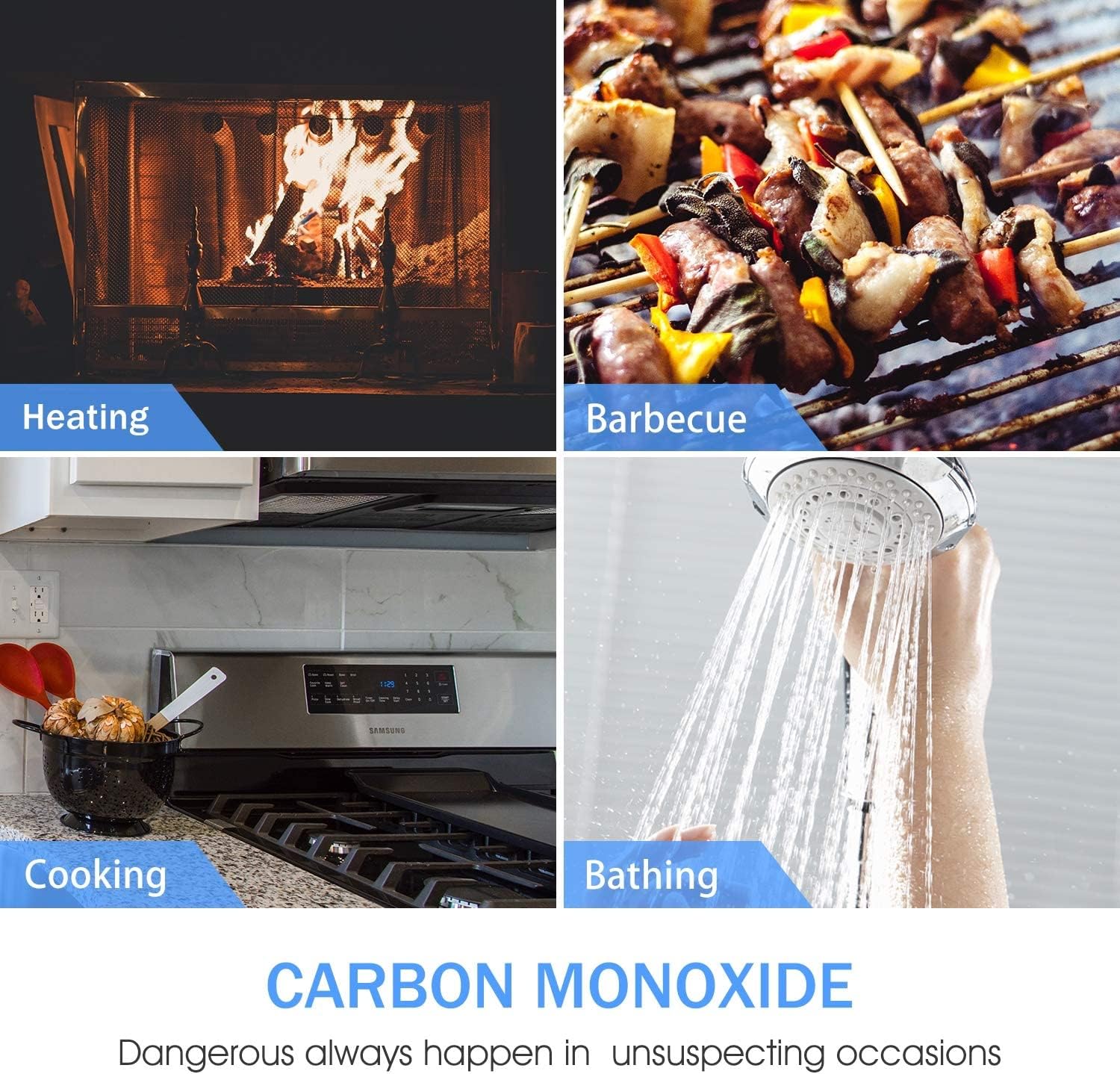
Image: Visual representation of common household activities and appliances that can produce dangerous levels of carbon monoxide, including heating systems, barbecues, cooking, and bathing.
3. Product Overview
Components:
- CO Detector Unit (WS-725ES)
- Mounting Screws and Wall Plugs
- User Manual
- 2 x C Batteries (included)

Image: The complete package contents for the HEIMAN CO detector, including the main detector unit, two C batteries for power, and the necessary screws and wall plugs for installation.
LED Indicators:
- Green LED (Power): Indicates normal operation.
- Red LED (Alarm): Indicates a CO alarm or test mode.
- Yellow LED (Fault): Indicates a fault or low battery.
Buttons:
- Test/Hush Button: Press to test the alarm or silence a false alarm.

Image: A visual summary of the HEIMAN CO detector's key features, including app control, self-test capability, remote mute function, low battery warning, extended battery life, and straightforward installation.
4. Setup
4.1 Battery Installation:
- Open the battery compartment cover on the back of the detector.
- Insert the two C batteries, ensuring correct polarity (+/-).
- Close the battery compartment cover securely. The detector will emit a short beep and the green LED will flash, indicating power-on.
4.2 Mounting and Placement:
For optimal performance and safety, follow these guidelines for placement:
- Install the detector at least 1.5 meters (5 feet) away from fuel-burning appliances to avoid false alarms.
- Mount the detector on a wall, approximately 1.5 meters (5 feet) from the floor, or at breathing level.
- Avoid placing the detector in direct sunlight, near vents, fans, or in areas with high humidity.
- Use the provided screws and wall plugs to securely mount the detector.
4.3 App Connection (Tuya & SmartLife):
The HEIMAN WS-725ES can be connected to the Tuya Smart or SmartLife app for remote monitoring and notifications.
- Download the "Tuya Smart" or "SmartLife" app from your smartphone's app store (App Store for iOS, Google Play Store for Android).
- Register or log in to your account.
- Ensure your smartphone is connected to a 2.4GHz Wi-Fi network.
- Open the app and tap "+" to add a device.
- Select "Security & Sensor" -> "CO Detector (Wi-Fi)".
- Follow the in-app instructions to put the detector into pairing mode (usually by pressing the test button three times quickly). The yellow LED may flash rapidly.
- Confirm the indicator is flashing rapidly in the app and enter your Wi-Fi password.
- The app will search for and connect to the device. Once connected, you can rename the device and access its features.
5. Operating Instructions
5.1 Self-Test:
It is recommended to test your CO detector weekly to ensure proper operation.
- Press and hold the "Test/Hush" button for approximately 3 seconds.
- The detector will emit a series of loud beeps, and the red LED will flash. This indicates the alarm and sensor are functioning correctly.
- Release the button. The detector will return to normal monitoring mode.
5.2 Understanding Alarms:
- CO Alarm: When carbon monoxide is detected at dangerous levels, the red LED will flash rapidly, and the alarm will sound continuously.
- Low Battery Warning: The yellow LED will flash periodically, and the detector will chirp every 60 seconds, indicating that the batteries need to be replaced.
- Fault Warning: The yellow LED will flash, and the detector will chirp at irregular intervals, indicating a malfunction. Refer to the troubleshooting section.
5.3 Silencing the Alarm (Hush Feature):
In case of a nuisance alarm (e.g., from temporary high CO levels due to cooking), you can temporarily silence the alarm.
- Press the "Test/Hush" button briefly.
- The alarm will silence for a short period (e.g., 5-10 minutes), allowing the air to clear. If CO levels remain high, the alarm will reactivate.
- Note: Do not use the hush feature if you suspect a real CO leak. Evacuate immediately.
5.4 App Features:
- Real-time Monitoring: View the current status of your detector, including battery level and connection status.
- Notifications: Receive instant alerts on your smartphone if a CO alarm is triggered or if the battery is low.
- Remote Test: Initiate a self-test of the detector remotely through the app.
- Alarm History: Review past alarm events and device status changes.
- Remote Mute: Silence the alarm remotely via the app (use with caution).
6. Maintenance
6.1 Regular Cleaning:
- Clean the detector regularly (at least once a month) to prevent dust buildup from affecting sensor performance.
- Use a soft, damp cloth to wipe the exterior. Do not use cleaning sprays or solvents.
- Do not paint the detector.
6.2 Battery Replacement:
When the low battery warning sounds (yellow LED flashes and chirps every 60 seconds), replace the batteries immediately.
- Open the battery compartment.
- Remove the old C batteries.
- Insert new C batteries, ensuring correct polarity.
- Close the compartment. The detector will beep and the green LED will flash, indicating normal operation.
6.3 End of Life:
The HEIMAN WS-725ES has a 10-year lifespan. After 10 years from the date of manufacture (indicated on the device), the detector will signal its end-of-life by chirping periodically with the yellow LED flashing, even with new batteries. At this point, the detector must be replaced.
7. Troubleshooting
| Problem | Possible Cause | Solution |
|---|---|---|
| Detector not powering on. | Batteries incorrectly installed or dead. | Check battery polarity. Replace batteries if necessary. |
| Yellow LED flashing and chirping. | Low battery or device fault. | Replace batteries. If issue persists, the device may be faulty or at end-of-life. |
| Alarm sounds frequently without apparent CO. | Nuisance alarm, high humidity, or dust buildup. | Press hush button. Clean the detector. Relocate if near high humidity/steam sources. |
| Cannot connect to Tuya/SmartLife app. | Incorrect Wi-Fi band (only 2.4GHz supported), wrong password, or pairing mode not activated. | Ensure 2.4GHz Wi-Fi. Re-enter password. Re-enter pairing mode (press test button 3 times). Check router settings. |
| Detector reaches end-of-life. | 10 years from manufacturing date. | Replace the detector with a new one. |
8. Specifications
| Feature | Detail |
|---|---|
| Model Number | WS-725ES |
| Power Source | 2 x C Batteries (Lithium-Ion, included) |
| Sensor Type | Electrochemical CO Sensor |
| Alarm Loudness | 85 dB at 1 meter |
| Operating Temperature | 0°C to 50°C (32°F to 122°F) |
| Operating Humidity | Up to 95% Relative Humidity (non-condensing) |
| Dimensions (L x W x H) | 8.5 x 8.5 x 2.6 cm (approx. 3.35 x 3.35 x 1.02 inches) |
| Weight | 200 grams (approx. 0.44 lbs) |
| Lifespan | 10 Years |
| Wireless Connectivity | Wi-Fi (2.4GHz) |
| App Compatibility | Tuya Smart, SmartLife |
| Certifications | EN50291 |

Image: A diagram illustrating the compact dimensions of the HEIMAN CO detector, with measurements of 84mm for both width and height, and a slim profile of 24mm in thickness.
9. Warranty and Support
HEIMAN provides a standard warranty for this product. Please refer to the warranty card included in your package or visit the official HEIMAN website for detailed warranty terms and conditions.
For technical support, troubleshooting assistance, or warranty claims, please contact HEIMAN customer service through their official channels. You can often find contact information on the product packaging or the HEIMAN brand store on Amazon.
Online Support: Visit the HEIMAN Store on Amazon
Related documentsWS-725ES


Ask a question about this manual
Ask about setup, troubleshooting, compatibility, parts, safety, or missing instructions. Manuals+ will review the question and use this page’s manual context to help answer it.