
1. Introduction
Thank you for purchasing the amazon basics 90W RMS 2.1 Channel Soundbar with Wired Subwoofer. This manual provides essential information for setting up, operating, and maintaining your new audio system. Please read it thoroughly before use and retain it for future reference.
2. Safety Information
- Do not expose the unit to rain, moisture, or extreme temperatures.
- Ensure proper ventilation around the soundbar and subwoofer.
- Do not block any ventilation openings.
- Use only the power adapter supplied with the unit.
- Do not open the casing; refer all servicing to qualified personnel.
- Keep the product away from strong magnetic fields.
- Clean only with a dry cloth.
3. Package Contents
Verify that all items are present in the package:
- amazon basics Soundbar
- Wired Subwoofer
- Remote Control
- User Manual (this document)
- Detachable Power Cable

Image: The soundbar, wired subwoofer, and remote control included in the package.
4. Product Features
- 90W RMS Power: Delivers powerful and clear audio.
- 2.1 Channel System: Soundbar with a dedicated wired subwoofer for enhanced bass.
- Multiple Connectivity Options: Bluetooth v5.3, HDMI (ARC), Optical, AUX, and USB.
- Remote Control: Full-function remote for convenient operation.
- Slim and Lightweight Design: Space-saving and easy to integrate into any setup.
- Multiple EQ Modes: Optimized sound profiles for Music, Movies, and News.

Image: Graphic highlighting the 90W RMS power for an immersive sound experience.
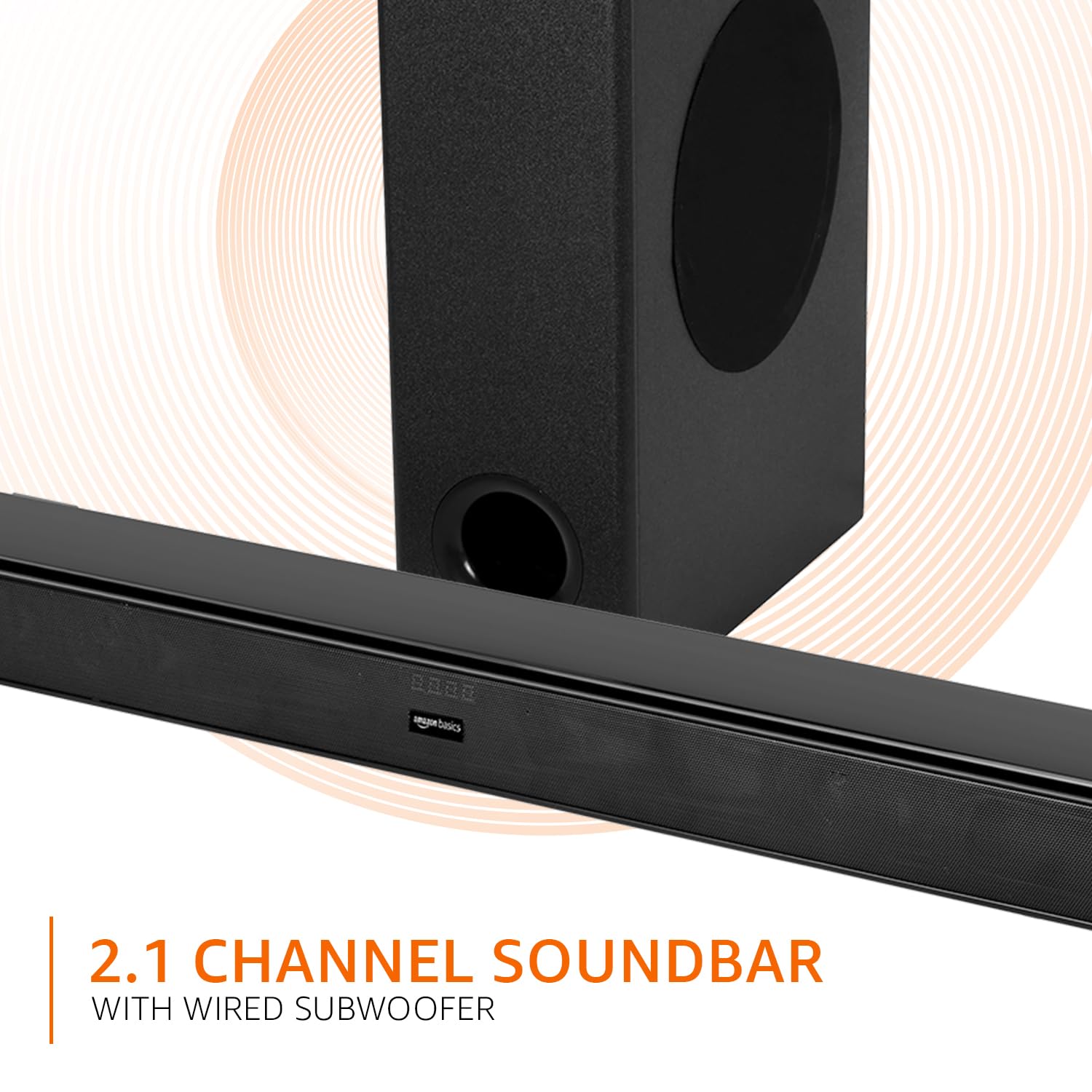
Image: Graphic illustrating the 2.1 channel soundbar system with a wired subwoofer.

Image: Close-up view of the soundbar, emphasizing its slim and space-saving design.
5. Setup Guide
5.1 Placement
- Soundbar: Place the soundbar on a stable, flat surface directly in front of your TV, or mount it on the wall below your TV. Ensure it is not obstructing the TV's remote sensor.
- Subwoofer: Position the wired subwoofer on the floor near the soundbar. For optimal bass, experiment with different locations in the room.
5.2 Connections
Before making any connections, ensure both the soundbar and your audio source (TV, PC, etc.) are powered off.
- Wired Subwoofer Connection: Connect the subwoofer cable from the subwoofer to the dedicated subwoofer output port on the soundbar.
- Audio Input: Choose one of the following methods to connect your audio source:
- HDMI (ARC): Connect an HDMI cable from the HDMI ARC port on the soundbar to the HDMI ARC port on your TV. This allows audio to be sent from the TV to the soundbar and often enables TV remote control of the soundbar volume.
- Optical: Connect an optical cable from the OPTICAL port on the soundbar to the optical output port on your TV or other audio device.
- AUX: Connect a 3.5mm audio cable from the AUX port on the soundbar to the headphone jack or audio output port on your device.
- USB: Insert a USB drive into the USB port on the soundbar for direct audio playback.
- Power Connection: Connect the detachable power cable to the soundbar's power input, then plug it into a wall outlet.

Image: An illustration showing the soundbar and subwoofer positioned in front of a television, demonstrating a typical setup.
6. Operating Instructions
6.1 Power On/Off
Press the Power button on the soundbar or the remote control to turn the unit on or off.
6.2 Input Selection
Press the Input button on the soundbar or the remote control repeatedly to cycle through available input sources: HDMI (ARC), Optical, AUX, USB, and Bluetooth.
6.3 Volume Control
Use the Volume + and Volume - buttons on the soundbar or remote control to adjust the master volume.
6.4 Equalizer (EQ) Modes
Press the NEWS, MOVIE, or MUSIC buttons on the remote control to select the desired sound mode. Each mode optimizes audio for specific content.

Image: Graphic showing the soundbar and subwoofer with text indicating 'Multiple EQ Modes: Music, Movies & News'.
6.5 Bluetooth Pairing
- Turn on the soundbar and select the Bluetooth input mode. The LED indicator will flash, indicating pairing mode.
- Enable Bluetooth on your mobile device (smartphone, tablet, etc.).
- Search for "amazon basics" in your device's Bluetooth list and select it to pair.
- Once paired, the LED indicator on the soundbar will stop flashing and remain solid.
7. Connectivity Options
The soundbar offers various ways to connect to your audio sources:
- Bluetooth v5.3: For wireless audio streaming from compatible devices within a 10-meter range.
- HDMI (ARC): Audio Return Channel for simplified connection with ARC-enabled TVs.
- Optical: Digital audio input for high-quality sound from TVs, gaming consoles, etc.
- AUX: Analog audio input for connecting devices with a 3.5mm audio output.
- USB: For playing audio files directly from a USB storage device.

Image: A detailed view of the soundbar's rear panel, highlighting the HDMI (ARC), USB, AUX, and Optical input ports.
8. Remote Control Functions
The included remote control provides full command over your soundbar. Ensure batteries are correctly inserted.

Image: A close-up of the remote control, showing all buttons and their labels.
| Button | Function |
|---|---|
| Power | Turns the soundbar on or off. |
| Mute | Mutes or unmutes the sound. |
| Input (H-ARC, OPTICAL, BT, AUX, USB) | Selects the audio input source. |
| Volume + / - | Adjusts the master volume level. |
| Previous / Next | Skips to the previous or next track (USB/Bluetooth mode). |
| Play / Pause | Plays or pauses audio playback (USB/Bluetooth mode). |
| NEWS | Activates News EQ mode. |
| MOVIE | Activates Movie EQ mode. |
| MUSIC | Activates Music EQ mode. |
9. Maintenance
- Cleaning: Wipe the surfaces of the soundbar and subwoofer with a soft, dry cloth. Do not use liquid cleaners or aerosols.
- Storage: If storing the unit for an extended period, disconnect it from the power outlet and store it in a cool, dry place.
- Ventilation: Ensure that the ventilation openings are not blocked by dust or debris.
10. Troubleshooting
| Problem | Possible Solution |
|---|---|
| No power | Check if the power cable is securely connected to the soundbar and the wall outlet. Ensure the outlet is functional. |
| No sound | Verify the correct input source is selected. Check volume levels on both the soundbar and the connected device. Ensure cables are properly connected. If using HDMI ARC, confirm ARC is enabled on your TV. |
| Remote control not working | Check and replace batteries. Ensure there are no obstructions between the remote and the soundbar's sensor. |
| Bluetooth pairing issues | Ensure the soundbar is in Bluetooth pairing mode. Disable and re-enable Bluetooth on your device. Move your device closer to the soundbar. |
| Distorted sound | Reduce the volume. Check audio source quality. Ensure cables are not damaged. |
11. Specifications
| Feature | Specification |
|---|---|
| Model Name | AB-SBW-090 |
| Speaker Type | Soundbar with Wired Subwoofer |
| Total Output Power | 90W RMS |
| Channels | 2.1 |
| Connectivity | Bluetooth v5.3, HDMI (ARC), Optical, AUX, USB |
| Bluetooth Range | 10 Metres (approx. 33 feet) |
| Subwoofer Diameter | 5.25 Inches |
| Product Dimensions (Soundbar) | 7.3D x 82W x 6.8H Centimeters |
| Item Weight | 4.9 Kilograms |
| Power Source | Corded Electric |
| Signal-to-Noise Ratio | 70 dB |
| Impedance | 4 Ohm |
| Material | Plastic |
12. Warranty and Support
This amazon basics soundbar comes with a 1-Year Limited Warranty from the date of purchase. This warranty covers manufacturing defects and workmanship under normal use. It does not cover damage caused by misuse, accidents, unauthorized modifications, or external causes.
For warranty claims, technical support, or service inquiries, please contact amazon basics customer support through your purchase platform or visit the official amazon basics website.
For more information, visit: amazon basics Store