
1. Important Safety Instructions
Read all safety warnings and instructions carefully before operating this product. Failure to follow these instructions may result in electric shock, fire, and/or serious injury.
- Personal Protective Equipment (PPE): Always wear appropriate safety gear, including safety glasses or goggles, gloves, long pants, and sturdy footwear, to protect against flying debris and cutting hazards.
- Maintain Safe Distance: Keep bystanders, children, and pets at a safe distance (at least 15 meters / 50 feet) from the operating area.
- Inspect Before Use: Before each use, inspect the trimmer for any damaged parts, loose fasteners, or worn blades. Do not operate if any damage is found.
- Battery Safety: Use only the specified battery pack and charger. Do not expose batteries to water, heat, or direct sunlight. Store batteries in a cool, dry place.
- Secure Grip: Always hold the trimmer firmly with both hands during operation.
- Clear Work Area: Ensure the work area is clear of obstacles, rocks, wires, or other debris that could be thrown or entangled in the cutting head.
- Avoid Wet Conditions: Do not operate the trimmer in wet grass or damp conditions to prevent electric shock.
- Manufacturer's Instructions: Always follow the manufacturer's instructions for safe operation, maintenance, and storage.
2. Product Overview
The Conentool 24V Cordless Grass Trimmer is designed for efficient and versatile lawn and garden maintenance. It features a powerful brushless motor, a wide cutting diameter, and long-lasting batteries for extended use.
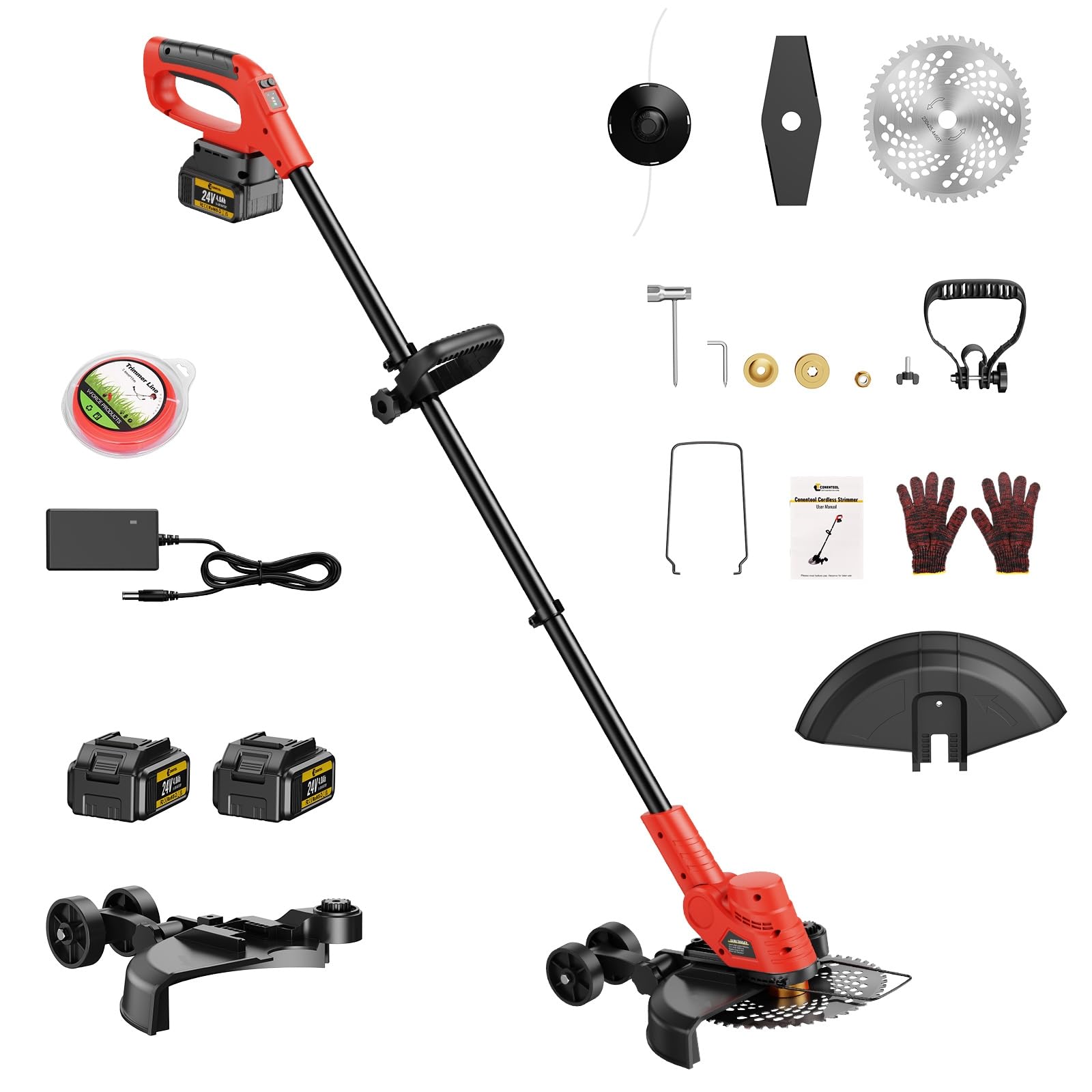
Image 2.1: Conentool 24V Cordless Grass Trimmer main unit.
Key Features:
- Cordless Operation: Provides freedom of movement without the limitations of power cords.
- Powerful Brushless Motor: 1000W motor ensures efficient and powerful cutting, extending motor life and enhancing performance.
- Extended Battery Life: Includes two 4000mAh 24V batteries, offering approximately 1 hour of runtime per battery for uninterrupted gardening sessions.
- Wide Cutting Diameter: A maximum cutting diameter of 300mm (9 inches) allows for covering more ground quickly.
- Versatile Cutting Options: Adjustable cutting heights and angles, compatible with plastic blades, metal blades, and saw discs for various tasks.

Image 2.2: Detail of the 1000W newly upgraded brushless motor for faster and quieter cutting.

Image 2.3: Illustration showing up to 60 minutes of runtime with two 4000mAh batteries.

Image 2.4: Different cutting blades: plastic blades for lawn pruning, saw disc for crop harvesting/thick brush, and metal blades for complex terrain weeds.
3. Assembly and Setup
Follow these steps to assemble your Conentool Grass Trimmer:

Image 3.1: Labeled diagram of the grass trimmer components.
- Attach Auxiliary Handle: Secure the auxiliary handle to the steel pipe at a comfortable position using the provided fasteners.
- Install Fender: Attach the fender (guard) to the motor housing to protect against debris. Ensure it is firmly in place.
- Mount Cutter Head/Blade: Select the appropriate blade (plastic, metal, or saw disc) for your task. Carefully align and secure it to the cutter head using the provided fixed pad and screw. Ensure it is tightened securely.
- Insert Battery: Slide a fully charged lithium battery into the battery slot on the handle until it clicks into place.
- Adjust Length (if applicable): The trimmer features a folding long rod. Adjust the length of the steel pipe for comfortable operation. The total length can be extended to 150cm and folded to 70cm for storage.
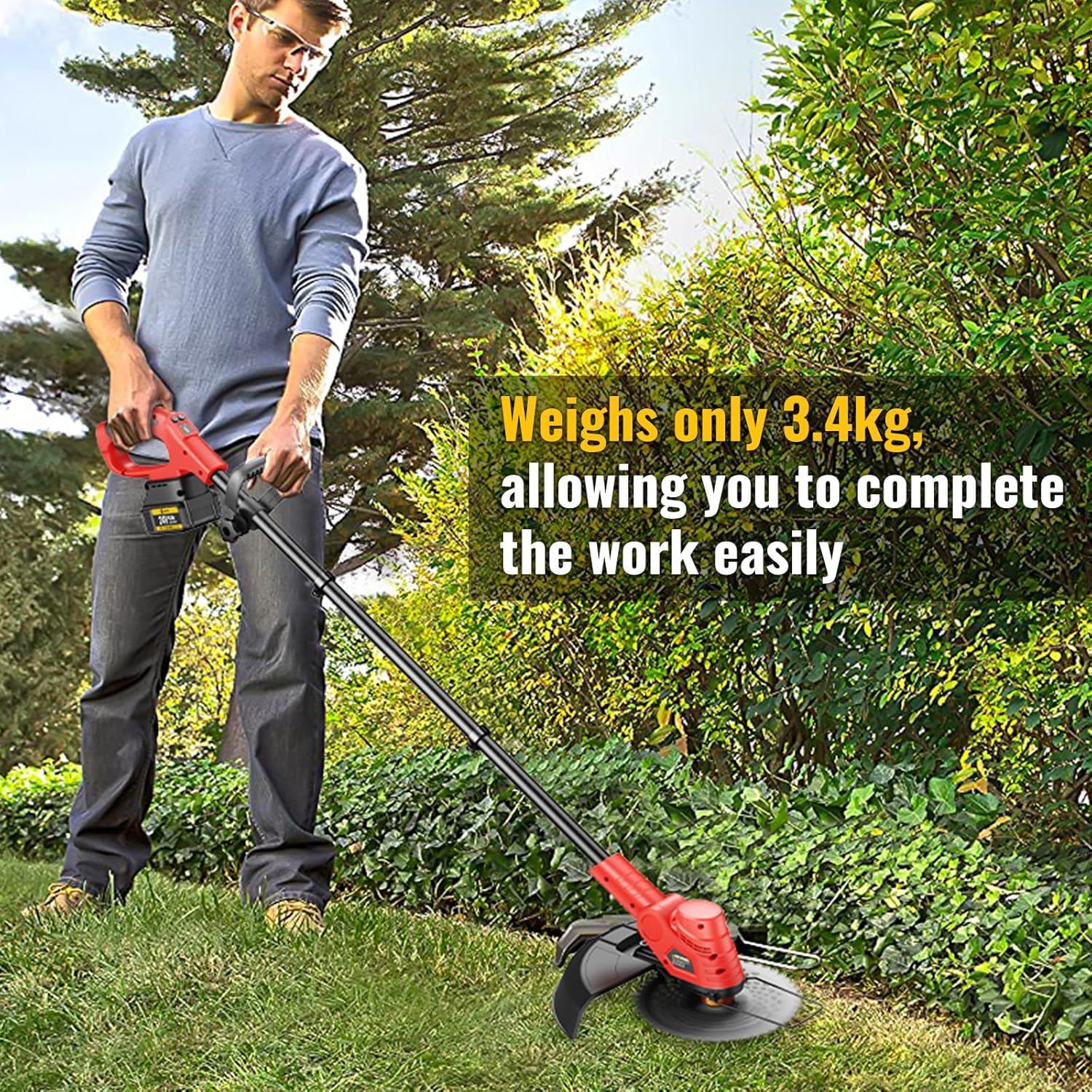
Image 3.2: Illustration of the trimmer's folding mechanism for storage and transport.
4. Operation
Familiarize yourself with the controls before starting.
Controls:
- Power Switch (On/Off): Located on the main handle. Press to start or stop the trimmer.
- Gear Button: Adjusts the cutting speed/power.
- Work Button: Engages the cutting head.
- Head Rotation Button: Allows adjustment of the cutter head angle for edging or trimming in difficult areas.
Operating Procedures:
- Pre-Operation Check: Ensure the battery is fully charged, the blade is securely attached, and all safety guards are in place.
- Start the Trimmer: Press the power switch to turn on the unit. Use the gear button to select the desired speed.
- Begin Trimming: Press the work button to engage the cutting head. Hold the trimmer firmly with both hands, maintaining balance.
- Cutting Technique: Use a sweeping motion, moving the trimmer from side to side. For grass, use plastic blades. For thicker weeds or brush, switch to metal blades or the saw disc.
- Edging: Use the head rotation button to adjust the cutting head for vertical edging along pathways or flowerbeds.
- Stopping: Release the work button and then the power switch to turn off the trimmer.
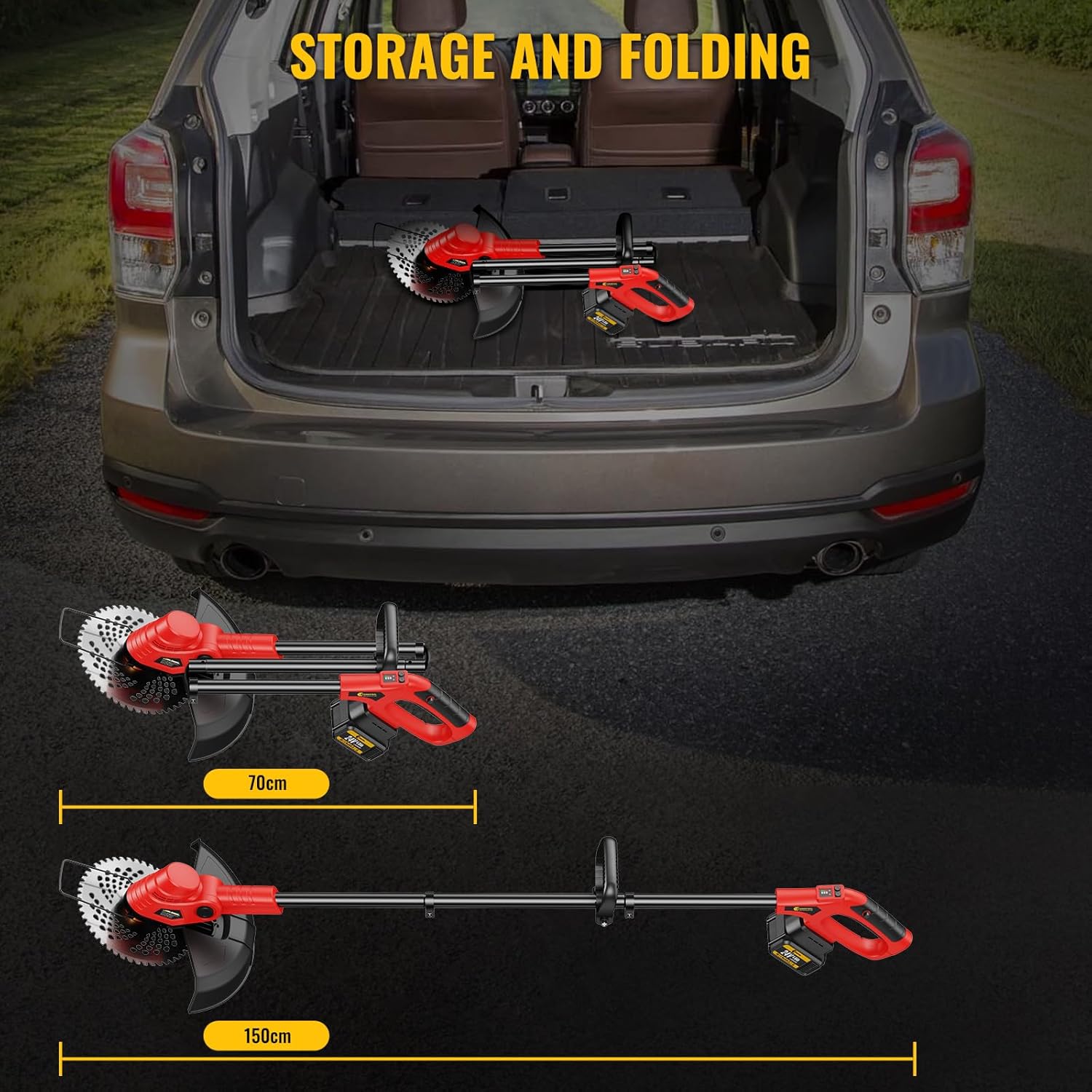
Image 4.1: User demonstrating proper operation of the cordless grass trimmer.
5. Maintenance
Regular maintenance ensures optimal performance and extends the life of your trimmer.
- Cleaning: After each use, remove the battery and clean the cutting head, guard, and motor housing with a dry cloth or soft brush. Do not use water or solvents.
- Blade Inspection: Regularly inspect blades for wear, damage, or dullness. Replace worn or damaged blades immediately to maintain cutting efficiency and safety.
- Battery Care: Store batteries in a cool, dry place away from direct sunlight. Charge batteries fully before long-term storage and recharge every 3-6 months to prevent deep discharge.
- Storage: When not in use, store the trimmer in a dry, secure location out of reach of children. The folding design allows for compact storage.
6. Troubleshooting
If you encounter issues, refer to the following common problems and solutions:
| Problem | Possible Cause | Solution |
|---|---|---|
| Trimmer does not start | Battery not inserted correctly or discharged; Power switch not engaged. | Ensure battery is fully charged and properly seated. Press the power switch firmly. |
| Poor cutting performance | Dull or damaged blade; Incorrect blade type for material; Overgrown vegetation. | Replace blade. Use appropriate blade for the task. Cut in smaller sections. |
| Trimmer stops during operation | Battery discharged; Overload protection activated. | Recharge or replace battery. Reduce load on the trimmer by cutting less material at once. |
| Excessive vibration | Damaged or unbalanced blade; Loose components. | Inspect and replace blade if damaged. Check all fasteners for tightness. |
If the problem persists, contact Conentool customer support.
7. Specifications
| Feature | Specification |
|---|---|
| Model Number | CS-003 |
| Brand | Conentool |
| Power Source | Battery |
| Motor Type | Brushless, 1000W |
| Battery Voltage | 24V |
| Battery Capacity | 2 x 4000mAh |
| Max Cutting Diameter | 300 mm (9 inches) |
| Product Dimensions | 145 x 21 x 12.7 cm (Extended) |
| Weight | 5.82 kg |
| Color | Red |
8. Warranty and Support
For warranty information, product registration, or technical support, please refer to the official Conentool website or contact their customer service department. Keep your purchase receipt as proof of purchase.
