
AlphaESS 300W
Contents
User Manual
AlphaESS 300W Portable Solar Panel
Model: 300W
1. Introduction
Thank you for choosing the AlphaESS 300W Portable Solar Panel. This manual provides essential information for the safe and efficient use of your solar panel. Please read it thoroughly before operation and retain it for future reference.
This portable solar panel is designed to provide clean, renewable energy for various applications, including charging portable power stations like the AlphaESS BlackBee 2000, and other compatible devices. Its foldable design, adjustable kickstands, and IP67 waterproof rating make it ideal for outdoor adventures, off-grid living, and emergency backup power.
2. Safety Information
- Do not attempt to disassemble, repair, or modify the solar panel. This may cause damage, fire, or injury.
- Avoid exposing the solar panel to open flames or extreme heat.
- Do not immerse the solar panel in water, despite its IP67 rating. While resistant to dust and water jets, prolonged submersion can cause damage.
- Handle the solar panel with care. Dropping or impacting the panel can damage the solar cells.
- Ensure all connections are secure and correct before use to prevent electrical hazards.
- Keep out of reach of children.
- Do not step on the solar panel.
- Always place the solar panel on a stable, flat surface to prevent it from falling over.
3. Package Contents
Verify that all items are present in your package:
- 1 x AlphaESS SP300 300W Solar Panel
- 1 x Anderson Extension Cable (78 inches / 2 meters)
- 3 x Adjustable Kickstands
- 1 x Carrying Bag
- 1 x User Manual (This document)

Image: AlphaESS 300W Portable Solar Panel, folded, with the carrying bag and Anderson extension cable.
4. Product Overview
The AlphaESS 300W Portable Solar Panel features a robust design for optimal performance and portability.

Image: Illustration highlighting the powerful monocrystalline cells and 23% cell efficiency of the solar panel.

Image: Diagram illustrating the durable ETFE protection layers, indicating higher efficiency, recyclable materials, and high light transmittance.

Image: The solar panel demonstrating its IP67 waterproof and dustproof features in different environmental conditions.
5. Setup
Follow these steps to set up your AlphaESS 300W Portable Solar Panel:
- Unfold the Solar Panel: Carefully remove the solar panel from its carrying bag. Unfold the panel completely on a flat, stable surface.
- Attach the Kickstands: The solar panel comes with three adjustable kickstands. Attach them to the designated points on the back of the panel. These kickstands allow you to angle the panel towards the sun for optimal energy capture.

Image: The solar panel with its flexible, adjustable, and removable kickstands, showing angles of 45° and 60° for easy setup and space saving.
- Position the Panel: Place the solar panel in a location with direct sunlight, free from shadows. Adjust the kickstands to angle the panel directly towards the sun. For best results, adjust the angle periodically as the sun moves across the sky.
- Connect to a Power Station: Use the provided Anderson Extension Cable to connect the solar panel to a compatible portable power station, such as the AlphaESS BlackBee 2000. Ensure the connection is firm and secure.
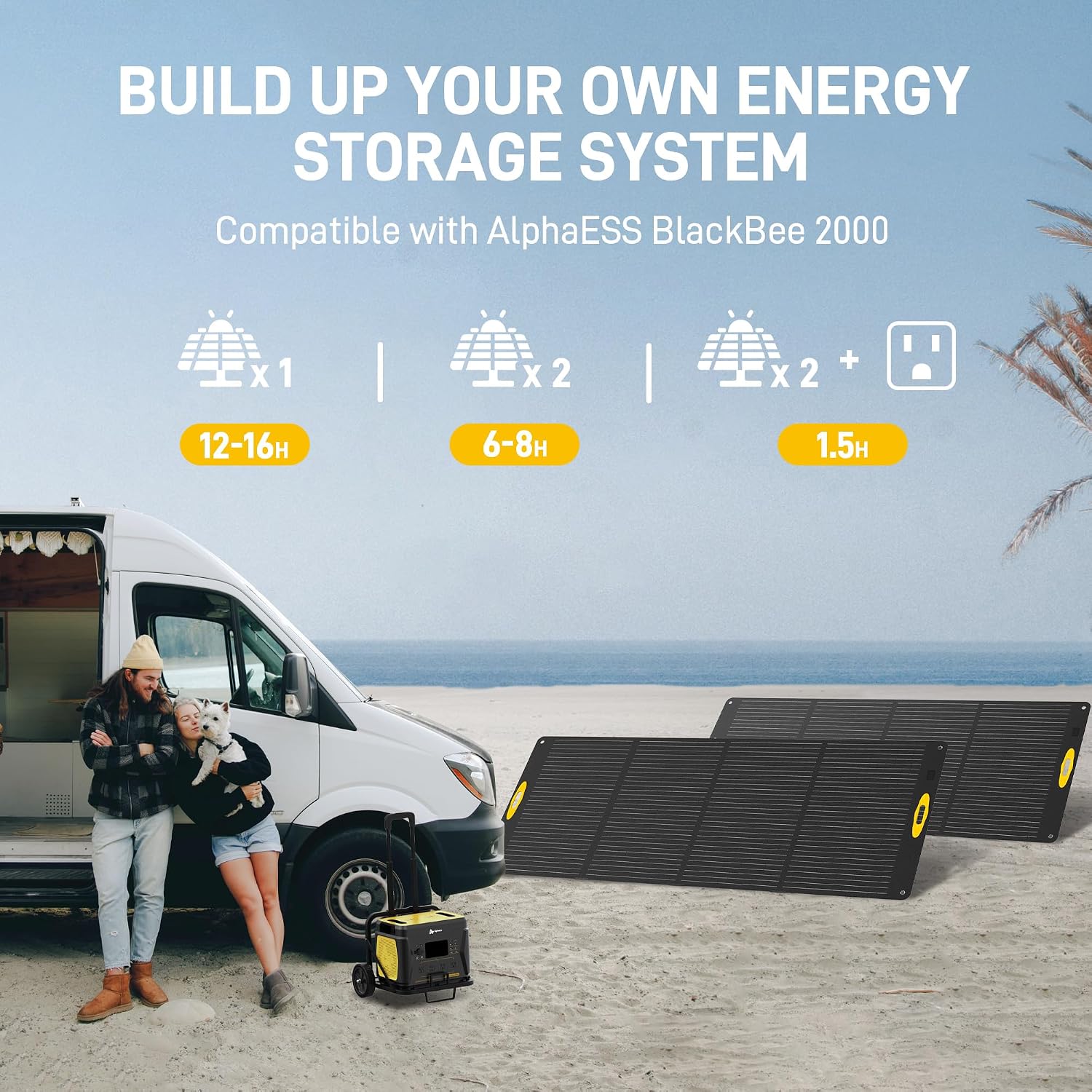
Image: A visual representation of building an energy storage system, showing the AlphaESS 300W solar panel connected to an AlphaESS BlackBee 2000 power station, with estimated charging times.
6. Operating
Once set up, the AlphaESS 300W Portable Solar Panel will begin converting sunlight into electrical energy.
- Charging Indication: Your connected power station or device should indicate that it is receiving a charge. Refer to your power station's manual for specific charging indicators.
- Optimal Performance: For maximum power output (up to 300W), ensure the panel is in full, unobstructed sunlight and angled correctly. Factors like cloud cover, time of day, and panel angle will affect charging efficiency.
- Compatibility: The panel uses an Andersen connector, which is compatible with most solar generators and power stations on the market. It is specifically optimized for use with AlphaESS BlackBee 2000 Portable Power Stations, which feature Dual-MPPT Controllers for maximized energy efficiency.

Image: Two AlphaESS solar panels deployed in a natural setting, demonstrating their ability to provide continuous solar power with dual MPPT technology for faster charging.
7. Maintenance
Proper maintenance ensures the longevity and efficiency of your solar panel:
- Cleaning: Regularly clean the surface of the solar panel with a soft, damp cloth to remove dust, dirt, or debris. Avoid abrasive cleaners or harsh chemicals. Ensure the panel is dry before folding or storing.
- Storage: When not in use, fold the solar panel and store it in its carrying bag. Store in a cool, dry place, away from direct sunlight and extreme temperatures.
- Inspection: Periodically inspect the panel and cables for any signs of damage, wear, or corrosion. If any damage is found, discontinue use and contact customer support.
8. Troubleshooting
| Problem | Possible Cause | Solution |
|---|---|---|
| No power output / Low power output |
|
|
| Panel not standing securely |
|
|
| Panel overheating |
|
|
9. Specifications
| Feature | Detail |
|---|---|
| Model | 300W |
| Brand | AlphaESS |
| Material | Monocrystalline Silicon |
| Maximum Power (Pmax) | 300 Watts |
| Power Voltage (Vmp) | 33 Volts |
| Efficiency | Up to 23% Cell Efficiency |
| Product Dimensions (Unfolded) | 93.5"L x 35.24"W x 0.59"H |
| Item Weight | 16.53 Pounds |
| Waterproof Rating | IP67 (Dustproof and Waterproof) |
| Connector Type | Andersen |
| Special Features | Foldable design, Adjustable Kickstands, ETFE material, Compatible with AlphaESS BlackBee 2000 |
10. Warranty and Support
AlphaESS products are built with quality and reliability in mind. For warranty information and customer support, please refer to the official AlphaESS website or contact their customer service directly.
- Official Website: www.alphaess.com (Please check the official website for the most up-to-date contact information and warranty details.)
- Customer Service: For technical assistance, troubleshooting, or warranty claims, please contact AlphaESS customer support. Contact details are typically available on their official website.
Documents and downloads
Ask a question about this manual
Ask about setup, troubleshooting, compatibility, parts, safety, or missing instructions. Manuals+ will review the question and use this page’s manual context to help answer it.