
FreedConn FX PRO
Contents
FreedConn FX PRO Motorcycle Helmet Bluetooth Headset User Manual
Your ultimate guide to seamless communication on the road.
1. Product Overview
The FreedConn FX PRO is an advanced motorcycle helmet Bluetooth headset designed for superior communication and audio quality during rides. Featuring an auto-join mesh network, CVC and AI noise cancellation, and IP67 waterproof rating, it ensures clear and stable communication for group rides, snowmobiling, and ATV use. It offers extended intercom range and premium Hi-Res audio reproduction.
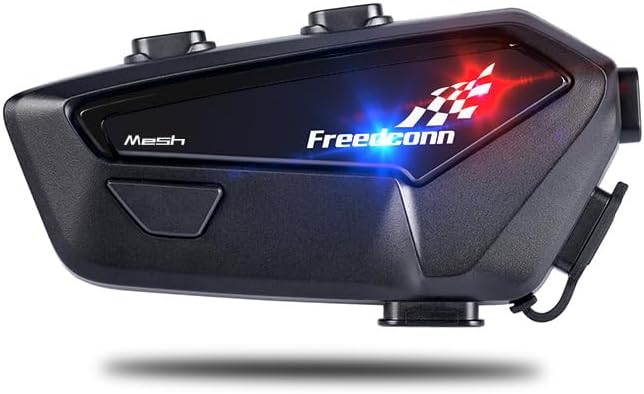
Image: The FreedConn FX PRO Bluetooth headset, a compact black device with blue and red indicator lights, designed for helmet integration.
2. What's in the Box
Your FreedConn FX PRO package includes all necessary components for installation and immediate use:
- FreedConn FX PRO Motorcycle Helmet Bluetooth Headset (Bluetooth Host) x 1
- Speaker & Microphone x 1 (with options for soft or hard cable mic)
- Instruction Manual x 1
- Type-C Charging Cable x 1
- Headphone Clips x 2 (for sticker and screwdriver installation)
- Velcro Tape Unit x 1 (for microphone and headphones)

Image: A detailed view of the FreedConn FX PRO headset's control panel and a complete list of included parts, such as the main unit, speakers, microphones, charging cable, mounting clips, and velcro pads.
Unboxing Video

Video: An unboxing video demonstrating the contents of the FreedConn FX PRO package, showing each accessory and the main unit.
3. Product Features
- Mesh Connectivity: Integrated mesh gateway for instant group connectivity, eliminating manual pairing with 99.9% accuracy through AI-enhanced voice commands.
- Adaptive Noise Control: Combines CVC and AI technology to dynamically filter wind and road noise at high speeds, balancing multiple audio inputs for crisp communication.
- Extended-Range Group Intercom: Enables 4-way communication across 500 meters via mesh network, and supports stable connectivity with nearly all Bluetooth-compatible motorcycle accessories.
- Premium Sound Architecture: Certified Hi-Res audio reproduction and 50-meter music sharing capabilities, enhanced by vibrant colorful lighting.
- Built for Endurance: Optimized with a rugged IP67-rated waterproof chassis and quick-charging battery system for full-day adventures.

Image: Depicts multiple motorcyclists riding in a group, illustrating the multi-rider long-distance intercom capability of the FreedConn FX PRO headset.
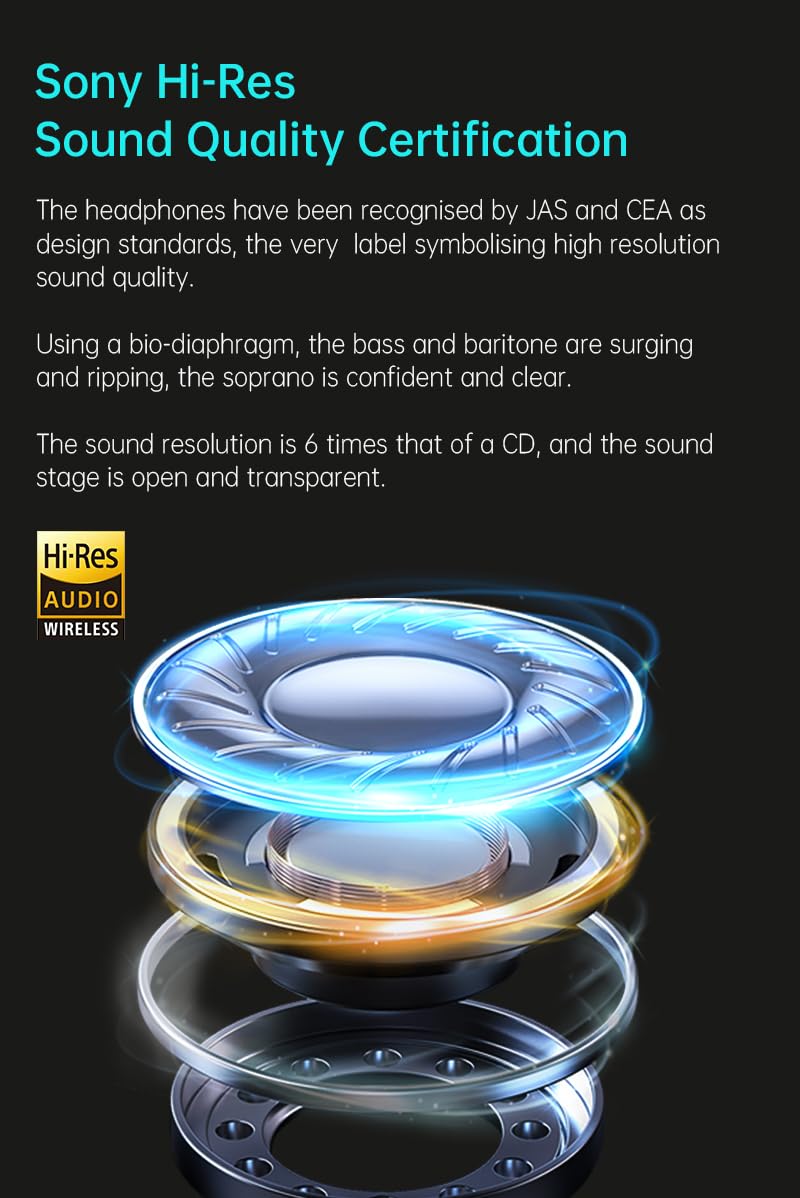
Image: An exploded view of a speaker driver, highlighting its components and indicating Sony Hi-Res Sound Quality Certification for superior audio.

Image: A stylized illustration of a helmet with sound waves, representing the AI noise reduction technology that filters out wind and road noise.

Image: A diagram showing multiple FreedConn FX PRO units connected in a mesh network, illustrating intelligent linkage without manual re-pairing.

Image: A motorcyclist wearing a helmet, surrounded by sound waves, demonstrating the multi-audio mixing feature that allows simultaneous listening to intercom, music, and navigation.

Image: The FreedConn FX PRO unit submerged in water, illustrating its IP67 waterproof rating for protection against dust and water.

Image: A graphic showing a large battery icon with 1100mAh capacity, indicating 12 hours of intercom time, 12 hours of music time, and 7 days of standby time.
4. Setup
Installation Tutorial

Video: A step-by-step tutorial demonstrating how to properly install the FreedConn FX PRO headset onto a motorcycle helmet, including speaker and microphone placement.
Charging the Device
Before first use, fully charge your FX PRO headset. Connect the provided Type-C charging cable to the charging port on the unit and to a USB power source. A full charge takes approximately 2.5 hours.
Mounting to Helmet
Choose between the sticker or screwdriver clip installation method based on your helmet type and preference. Ensure the unit is securely attached and the speakers are positioned correctly for optimal audio.
5. Operating Instructions
Power On/Off
To power on, long press the On/Off/Intercom button for 2 seconds. To power off, long press the same button until the indicator light turns off.
Mesh Pairing Operations
The FX PRO features an advanced Bluetooth Mesh System for intelligent linkage. To initiate mesh pairing, switch on both main and secondary Bluetooth units. Long press the Mesh button on both units simultaneously for 2 seconds. The devices will automatically search and pair within the allowed distance. If you need to cut off mesh network access from other intercoms, click the Mesh button on your unit. To make the Mesh network public again, click the Mesh button once more.

Video: A demonstration of the mesh pairing process for the FreedConn FX PRO, showing how units automatically connect and disconnect within range.
Bluetooth Pairing with Other Devices
The FX PRO supports stable connectivity with nearly all Bluetooth-compatible motorcycle accessories and mobile phones. Refer to the full instruction manual for detailed steps on pairing with specific third-party devices.

Video: Illustrates the process of pairing the FreedConn FX PRO with intercoms from other brands, highlighting its compatibility.
Call Management & Audio Mixing
Incoming calls during intercom communication will automatically cut off the intercom. Once you answer the call, your partner will not hear your phone conversation. The intercom will resume automatically after hanging up. The mesh intercom also features an audio mixing function, allowing you to talk on intercom and listen to music or navigation simultaneously.
AI Voice Command Operations
The FX PRO supports AI voice commands for hands-free operation. Wake-up words include "Hello hello", "Hi hi", "Answer Call", and "Reject Call". Command words include "Previous song", "Next song", "Play music", "Pause playback", "Volume up", "Volume down", "Play FM", and "Pause FM". To use command words, first activate the AI with a wake-up word.

Video: Demonstrates the AI voice command operations of the FreedConn FX PRO, showing how to activate and use various commands for music, calls, and FM radio.
6. Maintenance
To ensure the longevity and optimal performance of your FreedConn FX PRO headset, follow these maintenance guidelines:
- Cleaning: Wipe the unit with a soft, damp cloth. Avoid using harsh chemicals or abrasive cleaners.
- Water Resistance: The device is IP67 waterproof. While it can withstand rain and splashes, avoid prolonged submersion. Ensure the Type-C charging port and headphone port covers are securely closed when not in use to maintain water resistance.
- Battery Care: Charge the battery regularly, even if not in frequent use, to maintain battery health. Avoid extreme temperatures during charging and storage.
- Storage: Store the headset in a cool, dry place away from direct sunlight and extreme temperatures.
7. Troubleshooting
| Problem | Possible Cause | Solution |
|---|---|---|
| Device won't power on | Low battery; Power button not pressed long enough | Charge the device; Long press the power button for 2 seconds |
| Intercom not connecting | Out of range; Mesh pairing issue | Ensure devices are within 500m; Re-initiate mesh pairing |
| Poor audio quality / Noise | Microphone/speaker placement; High wind noise | Adjust mic/speaker position; AI noise cancellation should mitigate wind noise |
| Voice commands not responding | Incorrect wake-up word; Background noise | Ensure correct wake-up word is used; Reduce background noise |
8. Specifications
| Feature | Detail |
|---|---|
| Model Name | FX PRO |
| Noise Control | Active Noise Cancellation (CVC & AI Technology) |
| Connectivity Technology | Wireless (Bluetooth 5.1, Mesh Network) |
| Intercom Range | Up to 500 meters (4-way communication) |
| Battery Life | 12 hours Intercom/Music time, 7 days Standby time |
| Charging Time | 2.5 Hours |
| Water Resistance Level | IP67 Waterproof |
| Audio Quality | Hi-Res Audio Certified, Frequency Range up to 40,000 Hz |
| Item Weight | 11.7 ounces |
| Product Dimensions | 4.53 x 2.56 x 5.91 inches |
| Material | PVC, Thermoplastic Elastomer (TPE) |
9. Warranty and Support
For warranty information and customer support, please refer to the official FreedConn website or contact their customer service directly. Keep your purchase receipt as proof of purchase for any warranty claims.
Protection plans are available for purchase separately to extend coverage beyond the standard manufacturer's warranty. Options include 2-Year, 3-Year, and Complete Protect plans.
Documents and downloads
Ask a question about this manual
Ask about setup, troubleshooting, compatibility, parts, safety, or missing instructions. Manuals+ will review the question and use this page’s manual context to help answer it.