
1. Introduction
Thank you for purchasing the Milex 7L Digital Air Fryer. This appliance is designed to cook a variety of foods using rapid hot air circulation, offering a healthier alternative to traditional frying methods by significantly reducing the need for oil. Please read this manual thoroughly before operation to ensure safe and efficient use of your new air fryer.
2. Important Safety Instructions
When using electrical appliances, basic safety precautions should always be followed to reduce the risk of fire, electric shock, and injury to persons, including the following:
- Read all instructions before using the appliance.
- Do not touch hot surfaces. Use handles or knobs.
- To protect against electric shock, do not immerse cord, plugs, or the appliance in water or other liquid.
- Close supervision is necessary when any appliance is used by or near children.
- Unplug from outlet when not in use and before cleaning. Allow to cool before putting on or taking off parts.
- Do not operate any appliance with a damaged cord or plug or after the appliance malfunctions or has been damaged in any manner. Contact customer service for examination, repair, or adjustment.
- The use of accessory attachments not recommended by the appliance manufacturer may cause injuries.
- Do not use outdoors.
- Do not let cord hang over edge of table or counter, or touch hot surfaces.
- Do not place on or near a hot gas or electric burner, or in a heated oven.
- Extreme caution must be used when moving an appliance containing hot oil or other hot liquids.
- Always attach plug to appliance first, then plug cord into the wall outlet. To disconnect, turn any control to "off", then remove plug from wall outlet.
- Do not use appliance for other than intended use.
- This appliance has overheating protection. If the internal temperature exceeds the set limit, it will automatically shut down.
- Ensure proper ventilation around the appliance during operation.
3. Product Overview
The Milex 7L Digital Air Fryer features a sleek design with intuitive controls for easy operation. Familiarize yourself with the main components:
- Main Unit: Houses the heating element and fan.
- LED Touch Screen Display: For setting temperature, time, and selecting presets.
- Removable Non-Stick Coating Pot: The main cooking basket.
- Trivet Tray: Sits inside the pot to allow air circulation around food.
- Handle: For safely pulling out the cooking pot.
- Air Outlet Vent: Located at the rear of the unit for hot air exhaust.

Figure 3.1: Front view of the Milex 7L Digital Air Fryer with the cooking drawer extended, revealing food inside.
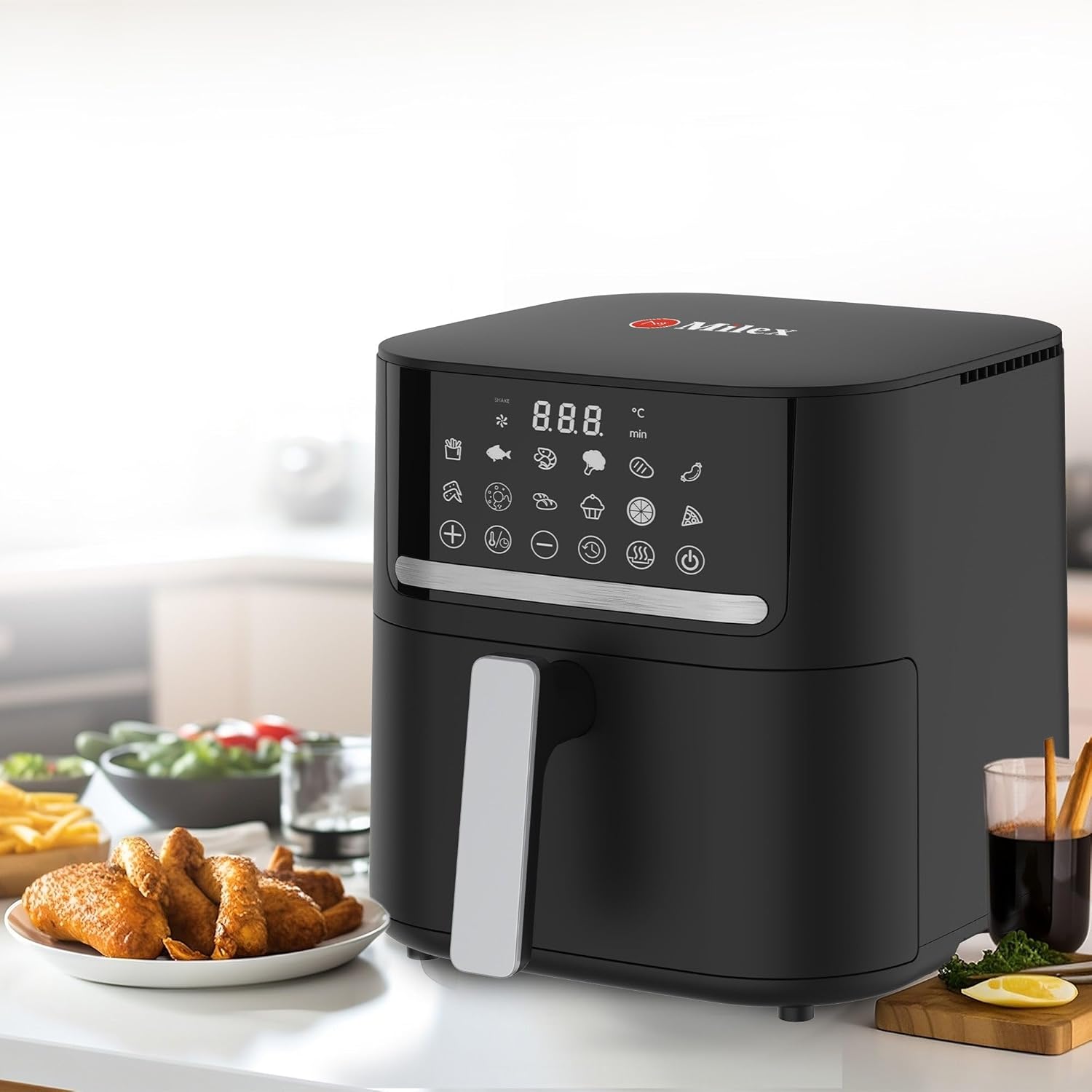
Figure 3.2: The Milex 7L Digital Air Fryer positioned on a kitchen counter, demonstrating its compact size and modern aesthetic.
4. Setup and First Use
- Unpacking: Remove all packaging materials, stickers, and labels from the appliance.
- Cleaning: Wash the removable non-stick coating pot and trivet tray with hot water, mild dish soap, and a non-abrasive sponge. Wipe the inside and outside of the appliance with a damp cloth. Do not immerse the main unit in water.
- Placement: Place the air fryer on a stable, horizontal, and heat-resistant surface. Ensure there is at least 10 cm of free space on the back and sides, and 10 cm above the appliance to allow for proper air circulation.
- First Use (Burn-in): It is recommended to run the air fryer empty for about 10-15 minutes at 180°C before first use to eliminate any manufacturing odors. A slight smell may be present, which is normal and will dissipate.
5. Operating Instructions
5.1 Basic Operation
- Plug the power cord into a grounded wall outlet. The air fryer will enter standby mode.
- Carefully pull the cooking pot out of the air fryer.
- Place the ingredients into the cooking pot, ensuring not to exceed the MAX fill line.
- Slide the cooking pot back into the air fryer. Ensure it is fully closed for the appliance to operate.
- Press the Power button on the LED touch screen to turn the appliance on.
- Manual Settings: Use the temperature and timer controls to set your desired cooking parameters. The temperature is adjustable from 80°C to 200°C, and the timer can be set up to 480 minutes.
- Preset Functions: Select one of the 12 preset functions for common dishes. The air fryer will automatically set the optimal temperature and time for that selection.
- Press the Start/Pause button to begin cooking.
- During cooking, the "Reminder to Shake" feature may activate for certain programs, prompting you to shake the basket for even cooking.
- When cooking is complete, the air fryer will beep. Carefully pull out the cooking pot and transfer the food to a serving dish.
5.2 Using Preset Functions
The Milex 7L Digital Air Fryer includes 12 preset functions for convenience. To use a preset:
- Turn on the air fryer.
- Press the Preset button (if available, or cycle through options) to browse the available presets.
- Once the desired preset icon is highlighted, press the Start/Pause button to begin cooking.
- You can typically adjust the time and temperature of a preset after selection if needed.
6. Cleaning and Maintenance
Regular cleaning of your Milex Air Fryer will ensure optimal performance and extend its lifespan.
- Before Cleaning: Always unplug the air fryer and allow it to cool down completely before cleaning.
- Removable Parts: The non-stick coating pot and trivet tray are dishwasher safe. Alternatively, they can be washed with hot water, mild dish soap, and a non-abrasive sponge. Avoid using metal utensils or abrasive cleaning materials that could damage the non-stick coating.
- Main Unit: Wipe the exterior of the air fryer with a damp cloth. Do not immerse the main unit in water or any other liquid. Clean the interior with a damp cloth and mild detergent if necessary, ensuring it is dry before next use.
- Heating Element: Use a cleaning brush to remove any food residue from the heating element.
- Storage: Ensure all parts are clean and dry before storing the appliance in a cool, dry place.
7. Troubleshooting
| Problem | Possible Cause | Solution |
|---|---|---|
| Air fryer does not turn on. | Appliance is not plugged in. The cooking pot is not fully inserted. | Ensure the power cord is securely plugged into a grounded outlet. Push the cooking pot firmly into the main unit until it clicks into place. |
| Food is not cooked evenly. | Too much food in the basket. Food not shaken or flipped during cooking. | Cook food in smaller batches. Shake or flip food halfway through cooking, especially for smaller items. |
| White smoke coming from the appliance. | Greasy ingredients. Food residue from previous use. | This is normal for fatty foods. Ensure the basket is clean. Clean the cooking pot and heating element thoroughly after each use. |
| Appliance smells during first use. | New appliance odor. | This is normal and will dissipate after a few uses. Run the air fryer empty for 10-15 minutes at 180°C. |
8. Specifications
- Brand: Milex
- Model Number: MOA002
- Colour: Black
- Capacity: 7 Liters
- Material: Stainless Steel
- Control Method: Touch
- Temperature Range: 80°C - 200°C (Adjustable)
- Timer: Up to 480 Minutes
- Special Features: Programmable, Temperature Control, Timer, Overheating Protection, 12 Preset Functions, Reminder to Shake
- Dishwasher Safe Parts: Yes (Pot and Trivet Tray)
- Product Dimensions: 35.7D x 32.7W x 35.7H centimetres
- Item Weight: 5 g
9. Warranty and Support
For information regarding warranty coverage, spare parts, or technical support for your Milex 7L Digital Air Fryer (Model MOA002), please refer to the warranty card included with your purchase or contact the retailer or manufacturer directly. Spare part availability information was not provided at the time of this manual's publication.
For further assistance, you may visit the official Milex website or contact their customer service department.