
E ECSEM HY-G106
User Manual for E ECSEM Elastic Smartwatch Bands
Compatible with HYSTORM HY-G106 Smartwatch
1. Introduction
This manual provides essential information for the proper use and care of your E ECSEM Elastic Bands, designed as replacement straps for the HYSTORM HY-G106 smartwatch. These bands offer a comfortable, stylish, and durable alternative to standard watch straps.
The elastic nylon construction ensures a snug yet comfortable fit for various wrist sizes, making them ideal for daily wear and physical activities.
2. Product Features
- Compatibility: Specifically designed for the HYSTORM HY-G106 smartwatch.
- Material: Crafted from high-quality elastic Nylon Polyester for comfort and durability.
- Design: Innovative elastic sport design with no buckles, allowing for easy on and off.
- Installation: Equipped with Quick Release Spring Bars for simple, tool-free attachment and removal.
- Fit: Stretchy solo loop wristband suitable for wrist sizes ranging from 5.1 inches to 7.5 inches.
- Comfort: Does not stick to skin like silicone bands during sweaty activities, ensuring comfort during workouts.
3. Setup and Installation
Installing your E ECSEM Elastic Band is a straightforward process thanks to the integrated quick-release pins.
- Prepare Your Smartwatch: Ensure your HYSTORM HY-G106 smartwatch is clean and free of debris where the band attaches.
- Remove Existing Band (if applicable): If you have an existing band, locate the quick-release pins on the underside of the watch lugs. Slide the pin inward to detach the band from the watch body. Repeat for both sides.
- Attach the New Band:
- Hold one end of the E ECSEM elastic band. Locate the quick-release pin on the back of the band.
- Insert one end of the pin into the corresponding hole on the watch lug.
- While holding that end in place, slide the quick-release pin lever inward.
- Align the other end of the pin with the opposite hole on the watch lug and release the lever. The pin should snap into place securely.
- Gently tug on the band to ensure it is firmly attached before wearing.
- Repeat for the Second Half: Follow the same steps to attach the second half of the elastic band to the other watch lug.
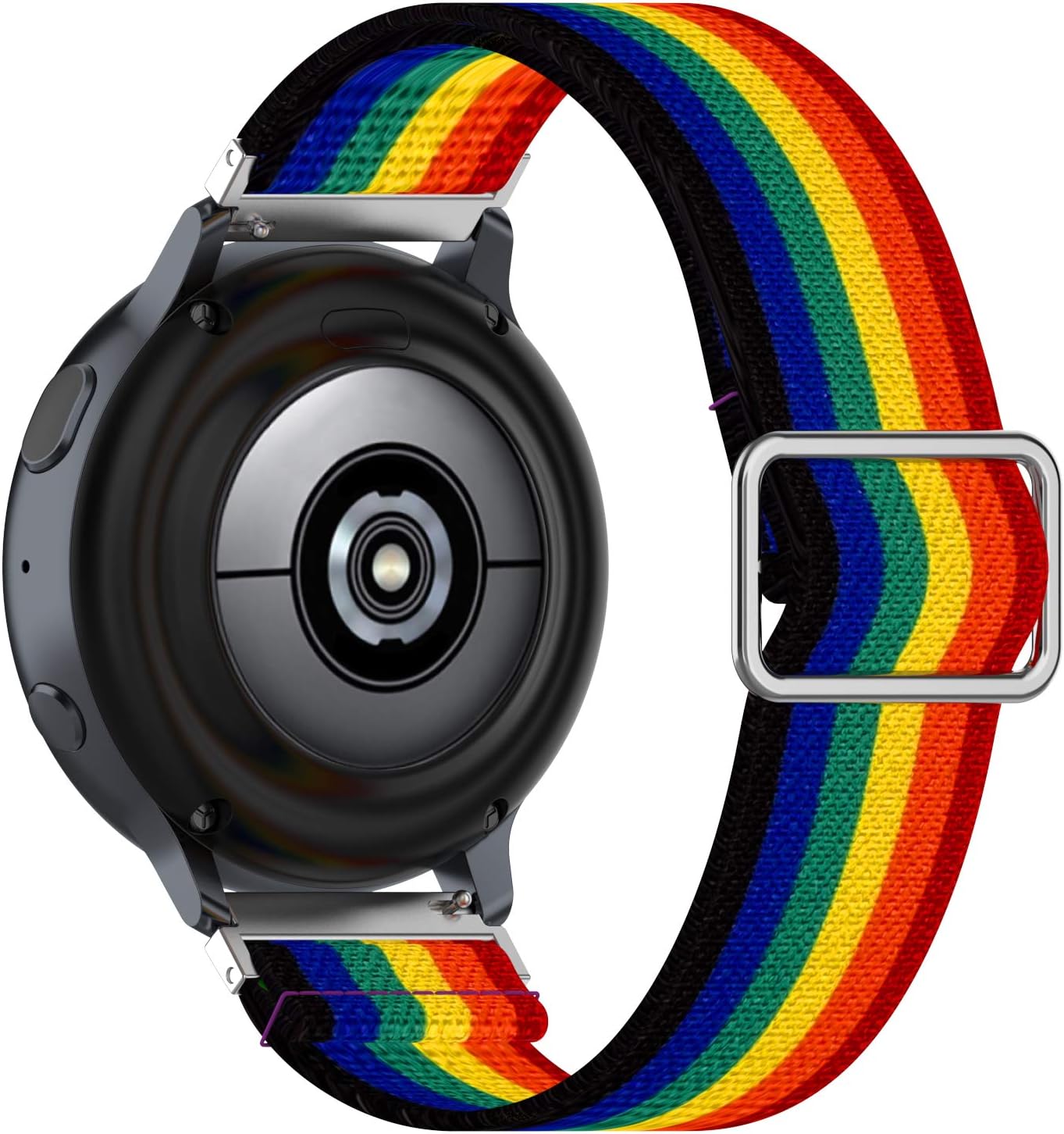
Image: Rear view of a smartwatch with an elastic band, illustrating the quick-release pin mechanism for easy installation.

Image: Detail of the elastic band showing the quick-release pins ready for attachment.
4. Usage and Adjustment
The E ECSEM Elastic Band is designed for comfortable wear and easy adjustment.
- Wearing the Band: Simply slide the elastic band over your hand and onto your wrist. The stretchy material will conform to your wrist size.
- Adjusting Fit: While the band is designed to fit snugly, it can be easily adjusted by sliding the band up or down your wrist slightly to find the most comfortable position. The elastic nature allows for minor adjustments without needing to remove the watch.
- Optimal Fit: The band is suitable for wrists between 5.1 inches and 7.5 inches in circumference. Ensure the band is not excessively tight to avoid discomfort or restrict circulation, nor too loose to ensure accurate smartwatch sensor readings.

Image: Diagram showing the compatible wrist size range for the elastic band.
5. Maintenance and Care
To ensure the longevity and appearance of your E ECSEM Elastic Band, follow these care instructions:
- Cleaning:
- Remove the band from your smartwatch before cleaning.
- Hand wash the band with mild soap and cool water.
- Gently rub to remove any dirt or sweat.
- Rinse thoroughly with clean water.
- Allow the band to air dry completely before reattaching it to your smartwatch. Avoid direct sunlight or high heat, which can damage the elastic fibers.
- Avoid Harsh Chemicals: Do not expose the band to strong detergents, bleach, or abrasive cleaners, as these can degrade the material and colors.
- Storage: When not in use, store the band in a clean, dry place away from direct sunlight and extreme temperatures.
- Regular Inspection: Periodically inspect the band for any signs of wear, fraying, or damage. While durable, continuous use may lead to natural wear over time.
6. Specifications
| Attribute | Detail |
|---|---|
| Product Name | E ECSEM Elastic Bands |
| Compatibility | HYSTORM HY-G106 Smartwatch |
| Material | High-quality Elastic Nylon Polyester |
| Wrist Size Range | 5.1 inches - 7.5 inches (13 cm - 19 cm) |
| Attachment Type | Quick Release Spring Bars |
| Metal Type | No Metal Type (as per specifications) |
7. Troubleshooting
While E ECSEM Elastic Bands are designed for reliability, here are some common issues and their solutions:
- Band feels too tight or too loose:
- Ensure your wrist circumference falls within the 5.1" - 7.5" range.
- The elastic nature allows for slight repositioning on your wrist. Try adjusting its exact placement.
- Over time, elastic materials may stretch slightly. If the band becomes consistently too loose, it may indicate natural wear and tear, and replacement might be considered.
- Band detaches from smartwatch:
- Verify that the quick-release pins are fully engaged in the watch lugs. You should hear a click or feel it snap into place.
- Gently tug on the band after installation to confirm it is securely fastened.
- Inspect the quick-release pins for any damage or bending. If damaged, the band may need replacement.
- Skin irritation:
- Ensure the band is clean and dry. Accumulated sweat or dirt can cause irritation. Refer to the "Maintenance and Care" section for cleaning instructions.
- Avoid wearing the band too tightly, which can restrict airflow and cause discomfort.
- If irritation persists, discontinue use and consult a healthcare professional.
8. Warranty and Support
E ECSEM is committed to providing high-quality products and customer satisfaction. Your E ECSEM Elastic Band comes with a 12-month warranty from the date of purchase.
This warranty covers manufacturing defects and issues arising from normal use. It does not cover damage caused by misuse, accidents, unauthorized modifications, or normal wear and tear.
For warranty claims, technical support, or any questions regarding your product, please do not hesitate to contact E ECSEM customer service. Please have your purchase details ready when contacting support.
You can typically find contact information on the product packaging or through the retailer where you purchased the item. For Amazon purchases, you can contact the seller "Best_Express(E ECSEM Authorized Store)" via your order history.
Related Documents - HY-G106
 |
Octo HY Pump Instruction Manual - Features, Specifications, and Troubleshooting Comprehensive instruction manual for Octo HY series pumps by HONYA CO., LTD. Covers overview, safety tips, assembly, package contents, detailed specifications, performance curves, maintenance, and troubleshooting for aquarium pumps. |
 |
Wisualarm Fire Safety and Smart Home IoT Products Catalog Explore the comprehensive range of Wisualarm fire safety and smart home IoT products, including smoke alarms, carbon monoxide detectors, heat alarms, and environmental sensors, designed for enhanced safety and convenience. |
 |
HY-5510/5511/5512 Multiple Function RGB Light Bluetooth Speaker User Manual User manual for the HY-5510, 5510M, 5511, 5511M, 5512, and 5512M Multiple Function RGB Light Bluetooth Speakers. Includes setup, functions, specifications, and FCC compliance information. |
 |
Innova Cellular USB-C Cable (CAB/1P) - Specifications, Warranty, and Safety Information Comprehensive guide to the Innova Cellular USB-C cable (CAB/1P), featuring its specifications, 3-year warranty terms, declaration of conformity, customer service contact details, and essential safety warnings. This pink USB-A to USB-C cable supports data transfer and a maximum current of 1.5A. |
 |
G106 HF Transceiver Operation Manual Operation manual for the G106 HF Transceiver, detailing its features, operation, connections, and specifications. Covers basic functions, menu operations, CW and FM modes, channel management, and computer connectivity. |
 |
Quntis LED Eye Protection Desk Lamps - Touch & Remote Control Models Explore Quntis' range of LED desk lamps designed for eye protection, featuring touch controls, remote operation, adjustable lighting, and modern designs. Available in various colors and models including LI-HY-2212-GY-QU-TB and LI-HY-0210 series. |
Ask a question about this manual
Ask about setup, troubleshooting, compatibility, parts, safety, or missing instructions. Manuals+ will review the question and use this page’s manual context to help answer it.