Introduction
This user manual provides comprehensive instructions for the Irfora 9953W Bluetooth WiFi Digital Water Quality Tester. This 5-in-1 multi-function device accurately measures PH, EC, SALT, SG, and Temperature, offering convenient remote monitoring via a dedicated mobile application. Designed for various applications including drinking water, aquariums, hydroponics, swimming pools, ponds, and laboratories, this tester ensures precise and stable readings for effective water quality management.
Product Overview
The Irfora 9953W is a compact and efficient water quality analyzer equipped with a digital display and backlight for enhanced readability. It features two probes for comprehensive measurement and supports automatic data storage for up to 30 days within the companion application. Its robust design includes suction cups for easy mounting in various environments.

Image: The Irfora 9953W water quality tester, showing the main display unit connected to two measurement probes. The display shows current EC and temperature readings.
Key Features
- 5-in-1 Multifunction: Measures PH, EC, SALT, SG, and Temperature.
- Bluetooth & WiFi Connectivity: Enables APP remote control and real-time data monitoring.
- APP Remote Monitoring: View data and set alarm values anytime, anywhere via the mobile application.
- Automatic Data Storage: Stores data for up to 30 days in the APP for historical analysis.
- Backlit Digital Screen: Improves readability of measurements.
- Wide Measurement Range: Covers extensive ranges for all parameters (e.g., PH 0.00-14.00, EC 0-19900 µs/cm).
- Versatile Applications: Suitable for drinking water, aquariums, hydroponics, swimming pools, ponds, and laboratories.
- Easy Installation: Comes with 2 suction cups for convenient mounting.
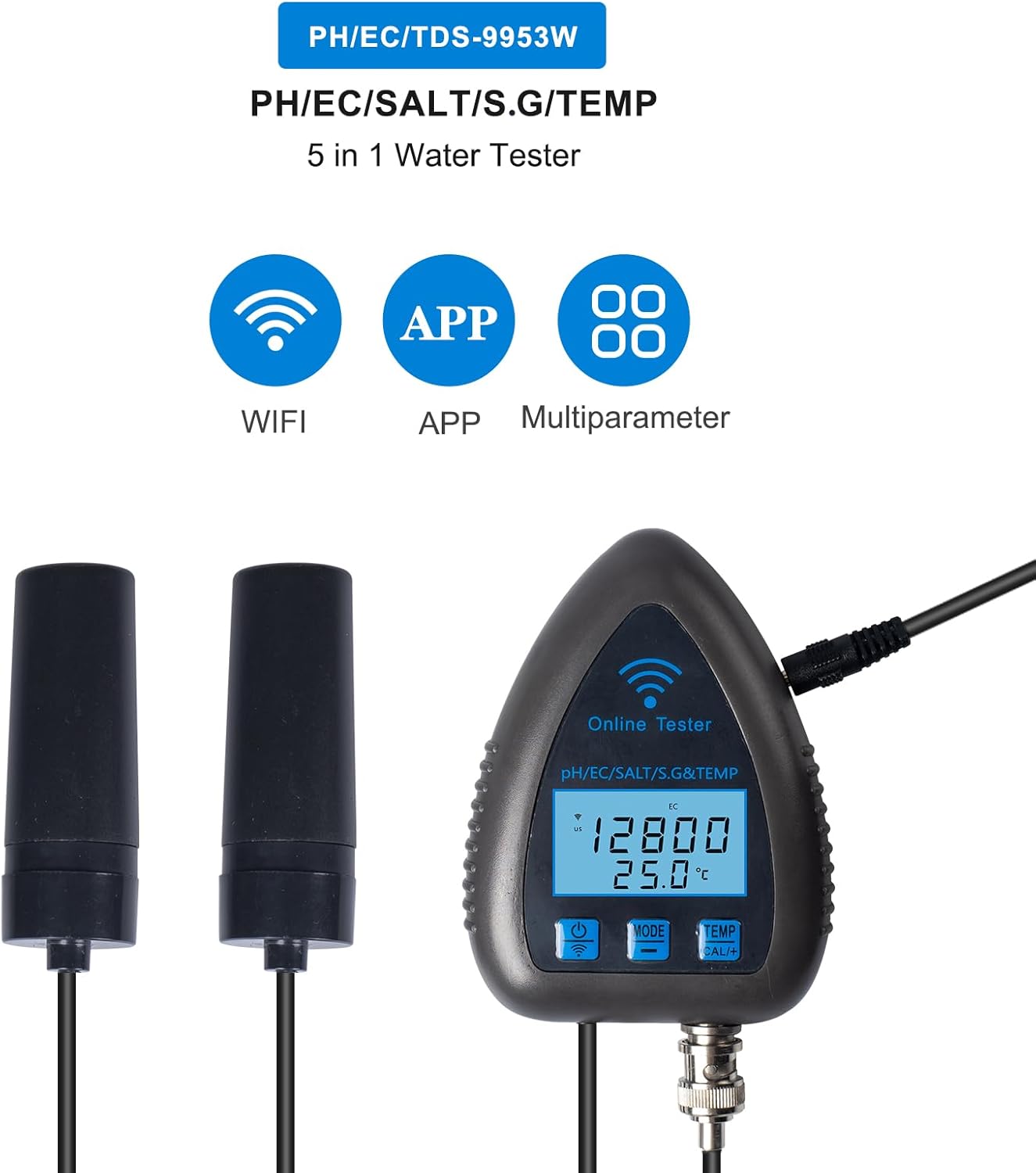
Image: Visual representation of the Irfora 9953W's key features, highlighting WiFi connectivity, APP control, and multi-parameter measurement capabilities.
Package Contents
Please check the package carefully to ensure all items are present and in good condition.
- 1 x Irfora 9953W Water Quality Analyzer
- 1 x Electrode (pre-attached or separate, depending on model)
- 1 x Pack of Accessories (e.g., suction cups, calibration powders)
- 1 x Charger (EU Plug)
- 1 x User Manual (English)
Setup
- Unpack the Device: Carefully remove all components from the packaging.
- Connect Electrodes: Ensure the measurement probes (electrodes) are securely connected to the main unit.
- Power Connection: Connect the charger to the device and a suitable power outlet (EU Plug).
- Mounting: Use the provided suction cups to mount the main unit and probes in the desired location. Ensure the probes are fully submerged in the water to be tested.
- Initial Cleaning: Before first use, and before each measurement, clean the electrodes with distilled water and dry them thoroughly. This ensures accurate readings.
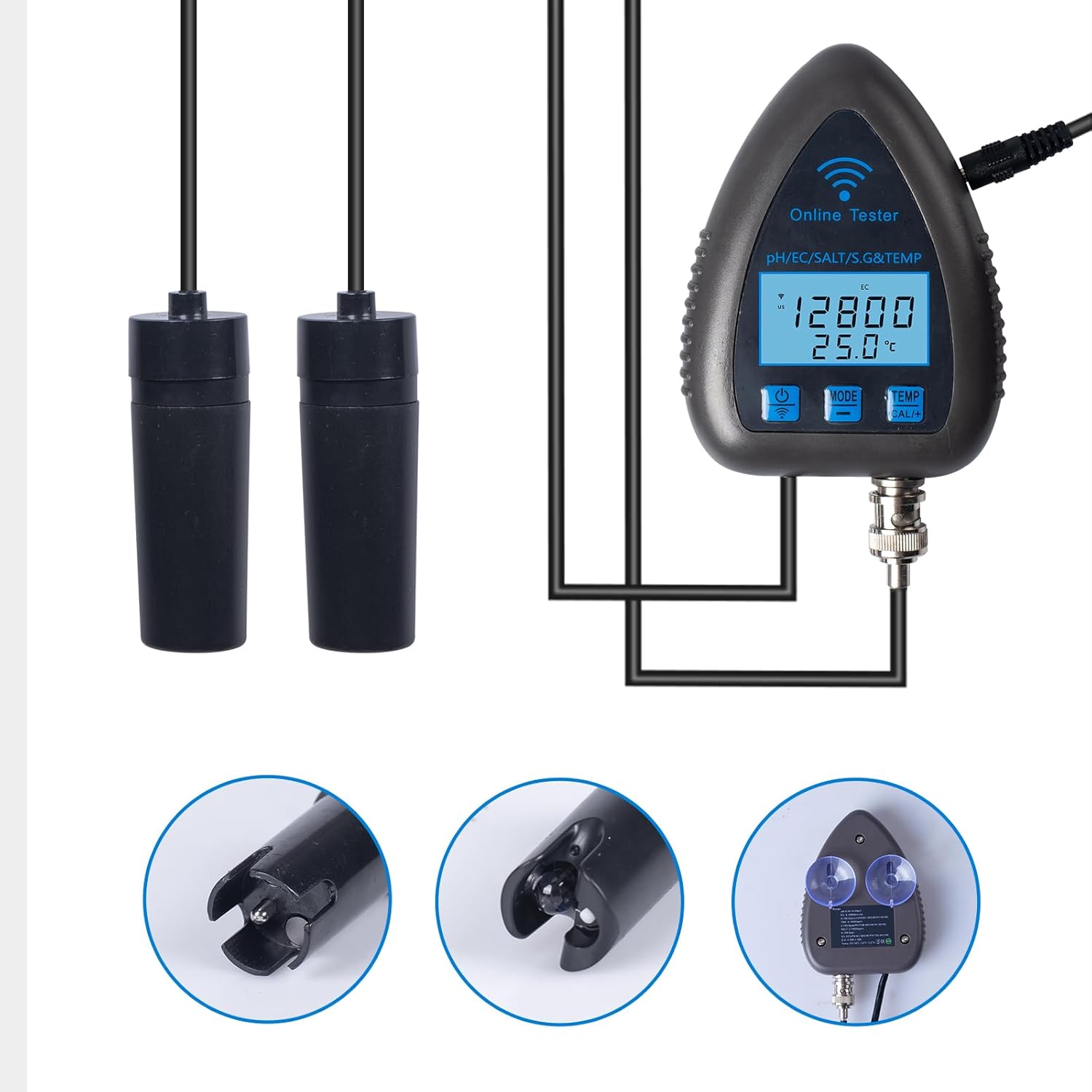
Image: Detailed view of the measurement electrodes and the suction cup attachment points on the main unit, illustrating how the device can be mounted.
Operating Instructions
1. APP Installation and Connection
- Download APP: Search for the official Irfora water quality tester APP in your device's app store (compatible with iOS and Android systems).
- Register/Login: Follow the on-screen instructions to create an account or log in.
- Connect Device: Turn on the Irfora 9953W tester. Open the APP and follow the pairing instructions to connect via Bluetooth or WiFi. Ensure your phone's Bluetooth and WiFi are enabled.
- Language Setting: The APP will automatically convert words based on your phone's language and region settings.

Image: A smartphone displaying the Irfora app, demonstrating real-time data transfer and WiFi connectivity for remote monitoring of water parameters.
2. Monitoring Data
- Once connected, the APP will display real-time readings for PH, EC, SALT, SG, and Temperature.
- The device's digital screen also shows current EC and temperature readings directly.
- Temperature units can be switched between Celsius (℃) and Fahrenheit (℉) within the device settings or APP.

Image: The Irfora 9953W device positioned in an aquarium, with a smartphone in the foreground demonstrating the remote monitoring capabilities of the app.
3. Setting Alarm Values
- Within the APP, navigate to the alarm settings section.
- You can set high and low alarm thresholds for each parameter (PH, EC, SALT, SG, Temperature).
- If a measurement falls outside the set range, the APP will send an alarm notification.

Image: Multiple screenshots of the Irfora app interface, illustrating the display of different water quality parameters and options for setting high and low alarm thresholds.
4. Data Storage and Export
- The device automatically stores data for up to 30 days within the APP.
- You can view historical data by hour, day, week, or month.
- Data can be exported to an Excel sheet and sent to your email for further analysis or record-keeping.
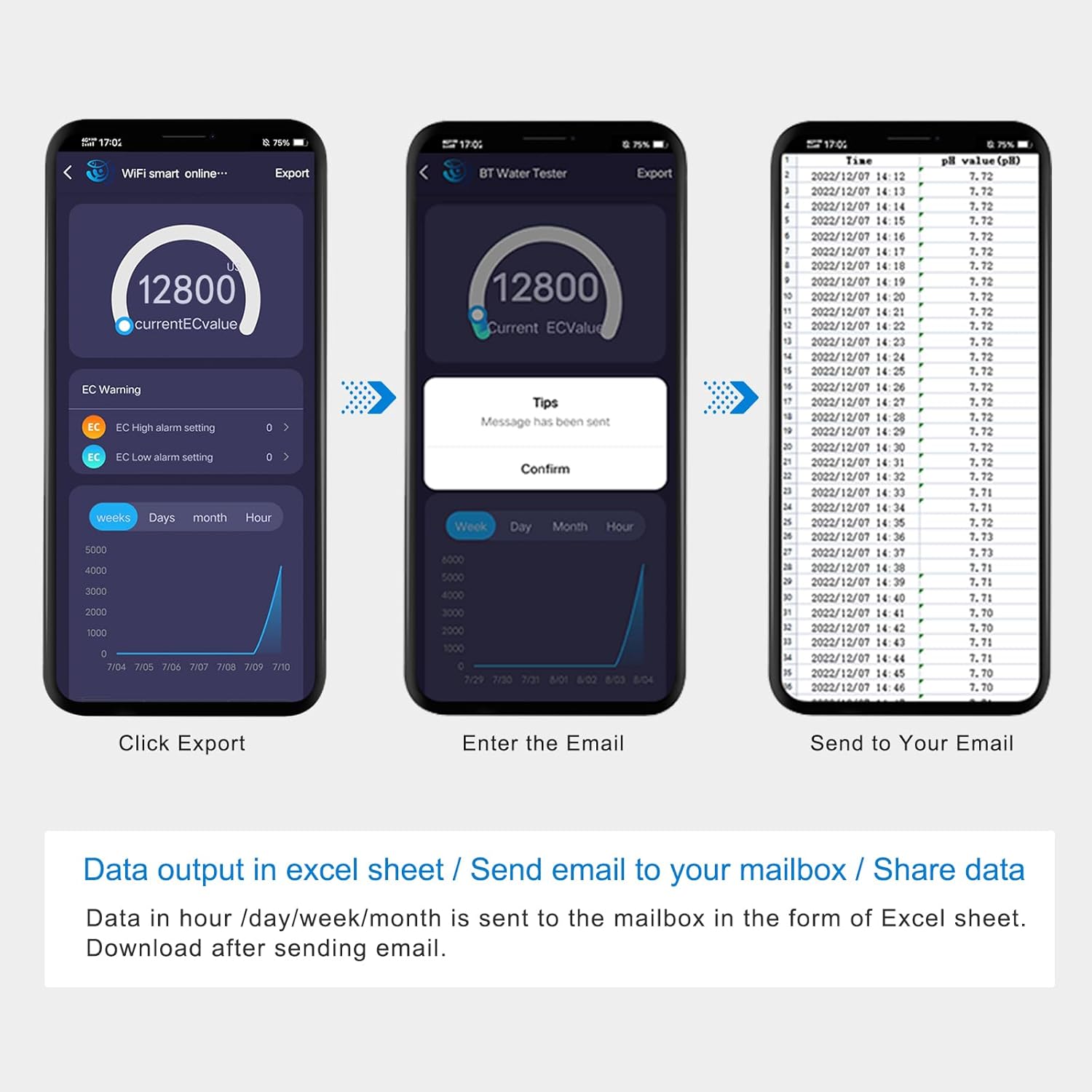
Image: A visual guide demonstrating the process of exporting data from the Irfora app to an Excel sheet, which can then be sent to a user's email address.
Maintenance
- Electrode Cleaning: Always clean the electrodes with distilled water before and after each use. Gently dry them with a soft cloth. Do not wipe vigorously, as this may damage the sensitive sensor.
- Storage: When not in use for extended periods, store the device in a cool, dry place. Ensure the electrode protective cap is in place to prevent drying out.
- Calibration: Regular calibration of the electrodes is recommended to maintain accuracy. Refer to the APP or specific calibration instructions for your model.
Troubleshooting
If you encounter issues with your Irfora 9953W tester, please refer to the following common solutions:
- Inaccurate Readings: Ensure electrodes are clean and properly submerged. Perform calibration if readings remain inconsistent.
- APP Connection Issues: Check if Bluetooth/WiFi is enabled on your phone and the device is powered on. Restart both the device and the APP. Ensure the APP is updated to the latest version.
- No Display: Check power connection and ensure the device is turned on.
- Data Not Storing: Verify APP permissions for storage on your phone. Ensure a stable connection to the device.
For further assistance, please contact Irfora customer support.
Specifications
| Parameter | Range | Resolution | Accuracy |
|---|---|---|---|
| PH | 0.00–14.00 pH | 0.01 pH | ±0.03 |
| EC | 0-19900 µs/cm, 0-199.0 ms/cm | 1µs/cm (<1999µs/cm), 10µs/cm (>1999µs/cm), 0.1ms/cm | ±2 %FS |
| SALT | 0-199.0 ppt | 1 ppm (<1999 ppm), 10 ppm (>1999 ppm), 0.1 ppt | ±2 %FS |
| SG | 0.990-1.400 | 0.001 | N/A |
| Temperature | 0℃-50℃ (32℉-122℉) | 0.1℃ (0.2℉) | ±1.0℃ |
- Material: ABS
- Item Size: 100 x 75 x 22 mm (3.94 x 2.95 x 0.87 inches)
- Item Weight: 121 g
- Package Size: 23.2 x 15.5 x 6.5 cm (9.13 x 6.1 x 2.56 inches)
- Package Weight: 488 g
Applications
The Irfora 9953W water quality analyzer is a versatile tool suitable for a wide range of water testing needs:
- Drinking Water: Ensure the quality and safety of your potable water.
- Aquariums: Maintain optimal water parameters for healthy aquatic life.
- Hydroponics: Monitor nutrient solutions for plant growth.
- Swimming Pools & Ponds: Check water balance for recreational use.
- Laboratories: Conduct precise measurements for scientific and research purposes.
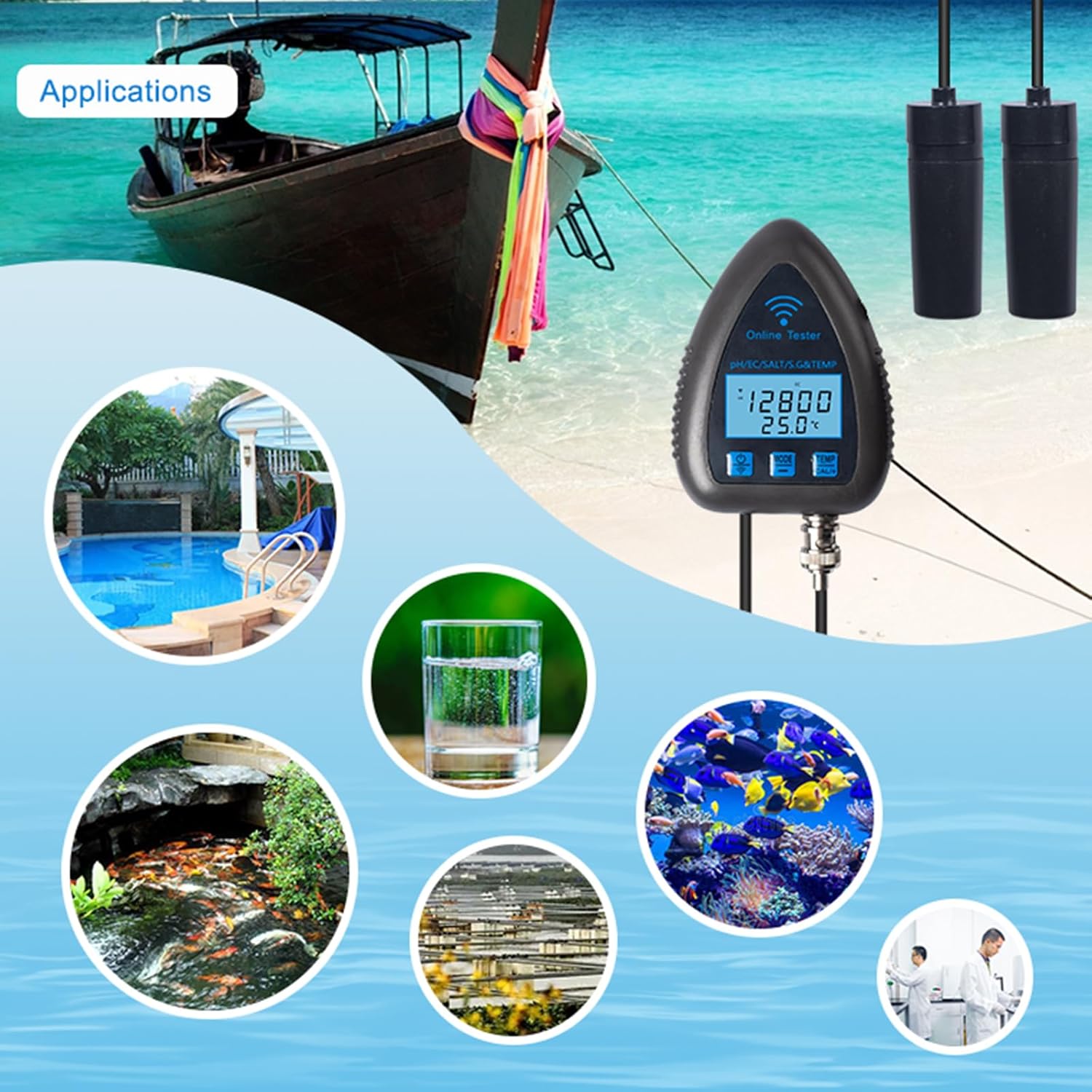
Image: A visual collage showcasing the diverse applications of the Irfora 9953W water quality tester, from home use in aquariums and drinking water to professional settings like laboratories and hydroponic farms.
Warranty and Support
Information regarding product warranty and customer support is typically provided with your purchase documentation or can be found on the official Irfora website. Please retain your proof of purchase for any warranty claims. For technical assistance or inquiries, refer to the contact information provided by the manufacturer.
