
1. Introduction
This manual provides essential information for the safe and effective use of your Philips Hue 40W B39 Candle-Shaped LED Bulb. This smart bulb offers adjustable warm-to-cool white light, designed for indoor use with an E12 base. It can be controlled via Bluetooth or by integrating with a Philips Hue Bridge for extended functionality.
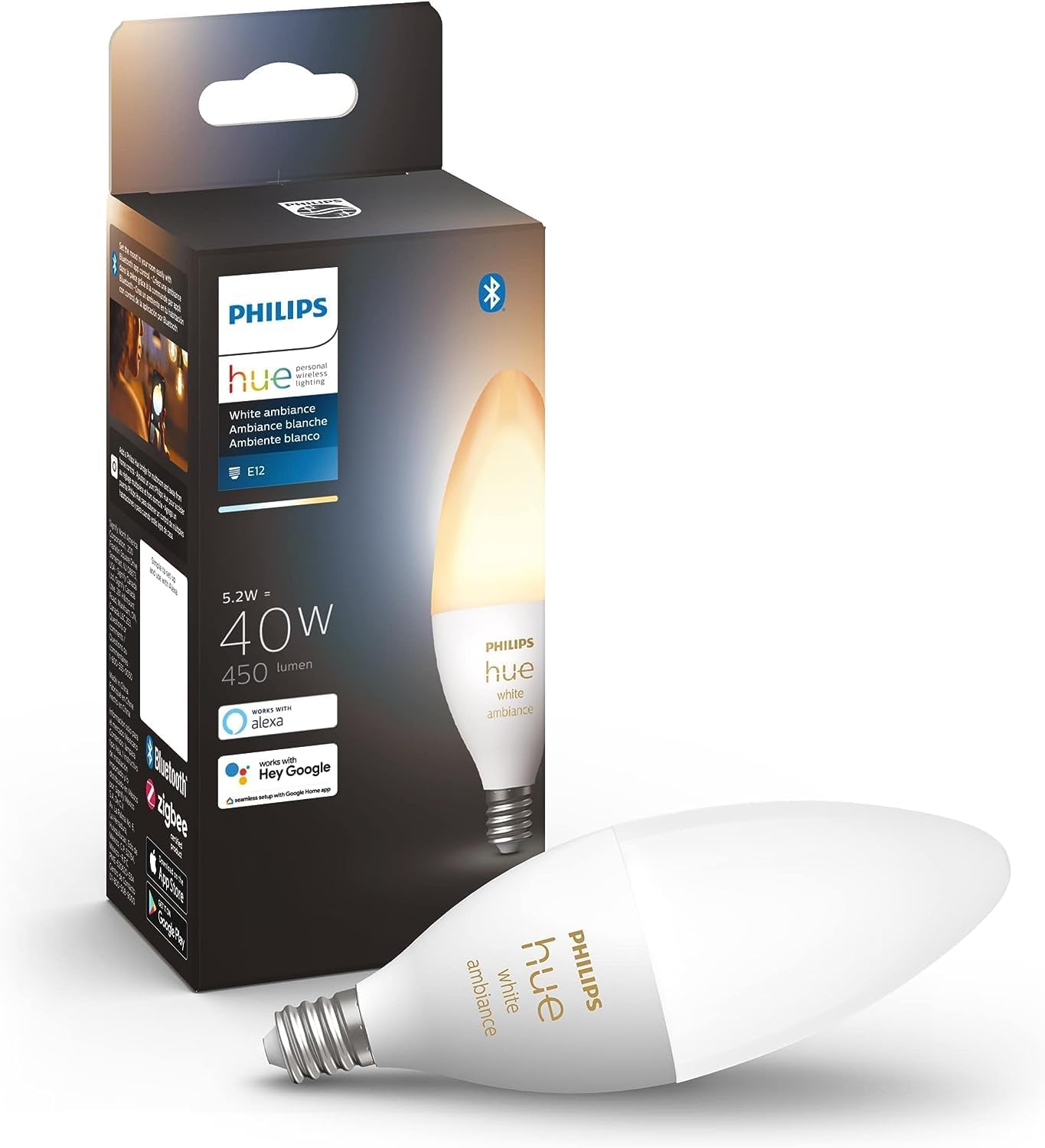
Image 1.1: Philips Hue B39 Candle-Shaped LED Bulb and its retail packaging.
2. Safety Information
Please read and understand all safety instructions before installing or using this product. Failure to follow these instructions may result in electric shock, fire, or other hazards.
- Indoor Use Only: This bulb is designed for indoor environments. Do not use in wet locations or outdoors.
- Proper Installation: Ensure the power is off before installing or removing the bulb. Screw the bulb firmly into a compatible E12 socket.
- Dimmer Compatibility: Do not use with standard dimmer switches. This smart bulb is dimmable via the Philips Hue app or a Philips Hue Bridge.
- Ventilation: Ensure adequate ventilation around the bulb. Do not enclose in fixtures that restrict airflow, as this may lead to overheating.
- Temperature: Operate within the specified temperature range.
- Disposal: Dispose of the bulb according to local regulations for electronic waste.
3. Setup
There are two primary methods to set up your Philips Hue B39 bulb: direct Bluetooth control or integration with a Philips Hue Bridge.
3.1. Initial Installation
- Power Off: Turn off the power to the light fixture before installation.
- Insert Bulb: Screw the Philips Hue B39 bulb into a standard E12 candelabra socket.
- Power On: Restore power to the light fixture. The bulb should illuminate.
3.2. Connecting via Bluetooth (Single Room Control)
For basic control in a single room, you can connect the bulb directly to your smartphone or tablet via Bluetooth.
- Download App: Download the Philips Hue Bluetooth app from your device's app store.
- Open App: Launch the Philips Hue Bluetooth app and follow the on-screen instructions to discover and pair your new bulb.
- Control: Once paired, you can control the bulb's brightness and white ambiance settings directly from the app.
3.3. Connecting via Philips Hue Bridge (Full Home Control)
For advanced features, multi-room control, and integration with smart home systems, a Philips Hue Bridge (sold separately) is required.
- Install Bridge: Connect your Philips Hue Bridge to your Wi-Fi router and power it on.
- Download App: Download the main Philips Hue app (not the Bluetooth version) from your device's app store.
- Discover Lights: Open the Philips Hue app, navigate to 'Settings' > 'Light setup' > 'Add light', and follow the instructions to discover your new bulb.
- Assign Rooms/Zones: Organize your lights into rooms or zones within the app for easy control.

Image 3.1: Feature comparison between Bluetooth-only control and Hue Bridge integration.

Image 3.2: The Philips Hue Bridge enables full home control and advanced features.

Image 3.3: Visual representation of the two primary setup methods for Philips Hue bulbs.

Image 3.4: A step-by-step guide illustrating the initial setup process for Philips Hue lighting.
4. Operating Instructions
Control your Philips Hue B39 bulb using the Hue app or voice commands.
4.1. Using the Philips Hue App
The Philips Hue app provides comprehensive control over your lighting.
- On/Off: Toggle the light on or off.
- Dimming: Adjust the brightness level from 1% to 100%.
- White Ambiance: Change the color temperature from warm white (e.g., 2200K) to cool daylight (e.g., 6500K) to suit your mood or activity.
- Scenes: Apply pre-set or custom scenes like 'Energize', 'Concentrate', 'Read', or 'Relax' for instant ambiance.
- Routines (with Bridge): Create schedules, timers, and automations for your lights.

Image 4.1: Philips Hue White Ambiance bulbs can provide various white light settings for different activities, such as cooking.

Image 4.2: The Philips Hue app allows users to easily set the mood with various lighting scenes.
4.2. Voice Control
Integrate your Philips Hue system with voice assistants like Amazon Alexa or Google Assistant for hands-free control. A Philips Hue Bridge is required for Apple HomeKit integration.
- Setup: Enable the Philips Hue skill or service in your voice assistant's app.
- Commands: Use commands such as:
- "Alexa, turn on the living room lights."
- "Hey Google, dim the bedroom light to 50%."
- "Alexa, set the kitchen light to warm white."

Image 4.3: Voice control allows for convenient operation of Philips Hue lights.
5. Features and Control Options
The Philips Hue B39 bulb offers a range of features for personalized lighting.
- White Ambiance: Adjust the white light from a warm glow (2200K) to a cool, energizing daylight (6500K).
- Dimmable: Smooth dimming capabilities without flickering or buzzing.
- Smart Control: Control via the Philips Hue app, voice assistants, or Hue accessories (e.g., dimmer switch, motion sensor).
- Bluetooth Connectivity: Instant control for a single room without a Hue Bridge.
- Hue Bridge Benefits: Unlocks full smart lighting experience including:
- Control from anywhere in the world.
- Automations, schedules, and timers.
- Integration with smart home platforms (Apple HomeKit, Samsung SmartThings, Matter).
- Ability to add smart switches and motion sensors.
- Sync lights with movies, games, and music (requires Hue Sync Box or PC app).

Image 5.1: A detailed comparison of features available when using Philips Hue lights with or without a Hue Bridge.

Image 5.2: Philips Hue offers optimal control through various methods for an effortless user experience.
6. Maintenance
The Philips Hue B39 LED bulb requires minimal maintenance.
- Cleaning: Ensure the bulb is off and cool before cleaning. Wipe with a soft, dry cloth. Do not use liquid or abrasive cleaners.
- Replacement: When the bulb reaches the end of its lifespan (approximately 25,000 hours), replace it with another compatible Philips Hue E12 bulb.
- Firmware Updates: Regularly check the Philips Hue app for firmware updates to ensure optimal performance and security.
7. Troubleshooting
If you encounter issues with your Philips Hue B39 bulb, refer to the following common solutions:
| Issue | Possible Cause | Solution |
|---|---|---|
| Bulb does not turn on | No power, loose connection, faulty bulb/fixture | Check power switch. Ensure bulb is screwed in tightly. Test bulb in another fixture or replace. |
| Cannot connect via Bluetooth | Bluetooth off, out of range, app issue | Ensure Bluetooth is enabled on your device. Move closer to the bulb. Restart the Hue Bluetooth app. |
| Cannot connect via Hue Bridge | Bridge not connected, bulb out of range, network issue | Verify Hue Bridge is powered on and connected to your router. Ensure bulb is within Bridge range. Restart Bridge and router. |
| Light flickers or dims unexpectedly | Incompatible dimmer, unstable power, faulty bulb | Remove any standard dimmer switches. Check power supply stability. If issue persists, bulb may be faulty. |
| Voice control not working | Voice assistant not linked, incorrect commands | Ensure Hue is linked in your Alexa/Google Home app. Use correct voice commands. Check internet connection. |
For further assistance, refer to the Philips Hue support website or contact customer service.
8. Specifications
Detailed technical specifications for the Philips Hue 40W B39 Candle-Shaped LED Bulb (Model: 556976).
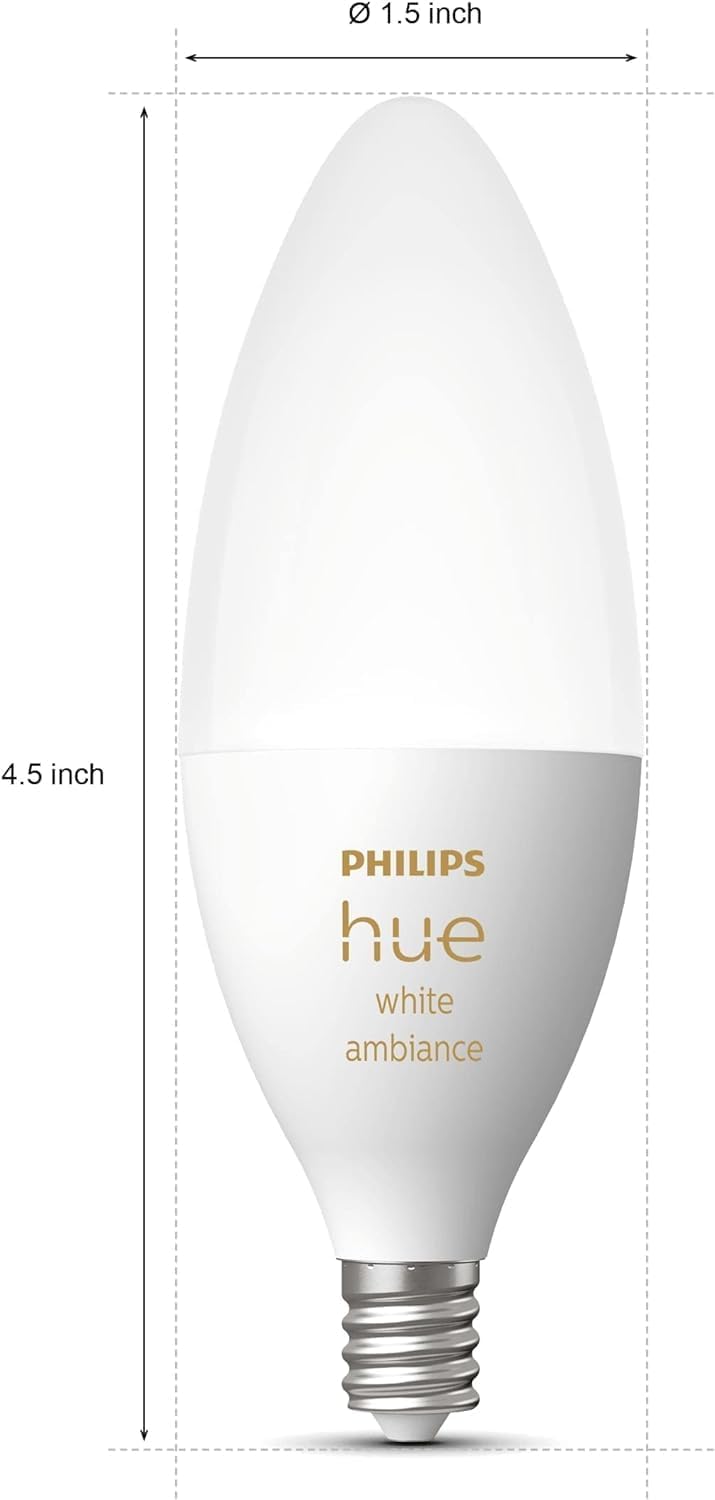
Image 8.1: Physical dimensions of the Philips Hue B39 Candle-Shaped LED Bulb.
| Feature | Detail |
|---|---|
| Brand | Philips Hue |
| Model Number | 556976 |
| Light Type | LED |
| Bulb Shape Size | B39 (Candle) |
| Bulb Base | E12 Candelabra |
| Incandescent Equivalent Wattage | 40 Watts |
| Actual Power Consumption | 10 Watts (5.2 Watts for White Ambiance) |
| Brightness | 450 Lumens (at 2700K) |
| Color Temperature | Warm-to-Cool White (2200K - 6500K) |
| Voltage | 120 Volts (60 Hz) |
| Average Life | 25,000 Hours |
| Control Method | App (Bluetooth/Hue Bridge), Voice (Alexa, Google Assistant, Apple HomeKit with Bridge) |
| Indoor/Outdoor Usage | Indoor |
| Product Dimensions (W x H) | 1.5" x 4.5" |
| Item Weight | 1.6 ounces |
| UPC | 046677556976 |
9. Warranty and Support
This Philips Hue B39 Candle-Shaped LED Bulb is covered by a 2-year limited warranty from the date of purchase.
For warranty claims, technical support, or further inquiries, please visit the official Philips Hue support website or contact their customer service department. Keep your proof of purchase for warranty validation.
Manufacturer Contact Information:
MARKHAM, ON, L6C 2S3 CA
10. Official Product Videos
No official product videos from the seller were available in the provided data to embed in this manual.