1. Introduction
Thank you for choosing the Yunseity Wireless Earbuds. This manual provides essential information for the safe and efficient use of your new device. Please read it thoroughly before operation and retain it for future reference.
These earbuds feature IPX4 waterproofing, CVC intelligent noise reduction for clear calls, a lightweight design for comfortable wear, and a long-lasting battery. They are designed for various activities including work and driving.
Safety Precautions:
- Do not expose the earbuds or charging case to extreme temperatures or direct sunlight for extended periods.
- Avoid dropping or subjecting the device to strong impacts.
- Do not attempt to disassemble or modify the earbuds or charging case. This will void the warranty.
- Keep out of reach of children and pets.
- Use only the provided charging cable or a certified equivalent.
2. Package Contents
Verify that all items listed below are present in your package:
- 2 x Wireless Earbuds
- 1 x Charging Compartment (Case)
- 1 x USB Charging Cable
- 4 x Earbud Caps (2 pairs of different sizes)
- 1 x English Instruction Manual

Figure 2.1: Package Contents. Includes two earbuds, a charging case, a USB cable, and multiple ear tip sizes.
3. Product Overview
Familiarize yourself with the components of your Yunseity Wireless Earbuds.

Figure 3.1: Digital Power LED Display. The charging case features a digital display indicating the battery levels of the left earbud, right earbud, and the charging compartment itself.
The charging case features a digital LED display to show the battery status of both earbuds and the case itself. This allows for easy monitoring of power levels.

Figure 3.2: IPX4 Waterproof Feature. The earbuds are designed with IPX4 water resistance, protecting them from sweat and light rain.
4. Setup
4.1 Charging the Earbuds and Case
- Place the earbuds into the charging case. Ensure they are correctly seated.
- Connect the USB charging cable to the charging port on the case and to a power source (e.g., USB wall adapter, computer USB port).
- The LED display on the charging case will indicate the charging status. A full charge is indicated when the display shows 100% for the case and the earbud indicators are full.
4.2 Pairing with a Device
- Open the lid of the charging case. The earbuds will automatically power on and enter pairing mode.
- On your device (smartphone, tablet, etc.), enable Bluetooth.
- Search for available Bluetooth devices and select "Yunseity Earbuds" (or similar name) from the list.
- Once connected, a voice prompt will confirm successful pairing. The earbuds will automatically connect to the last paired device when removed from the case.
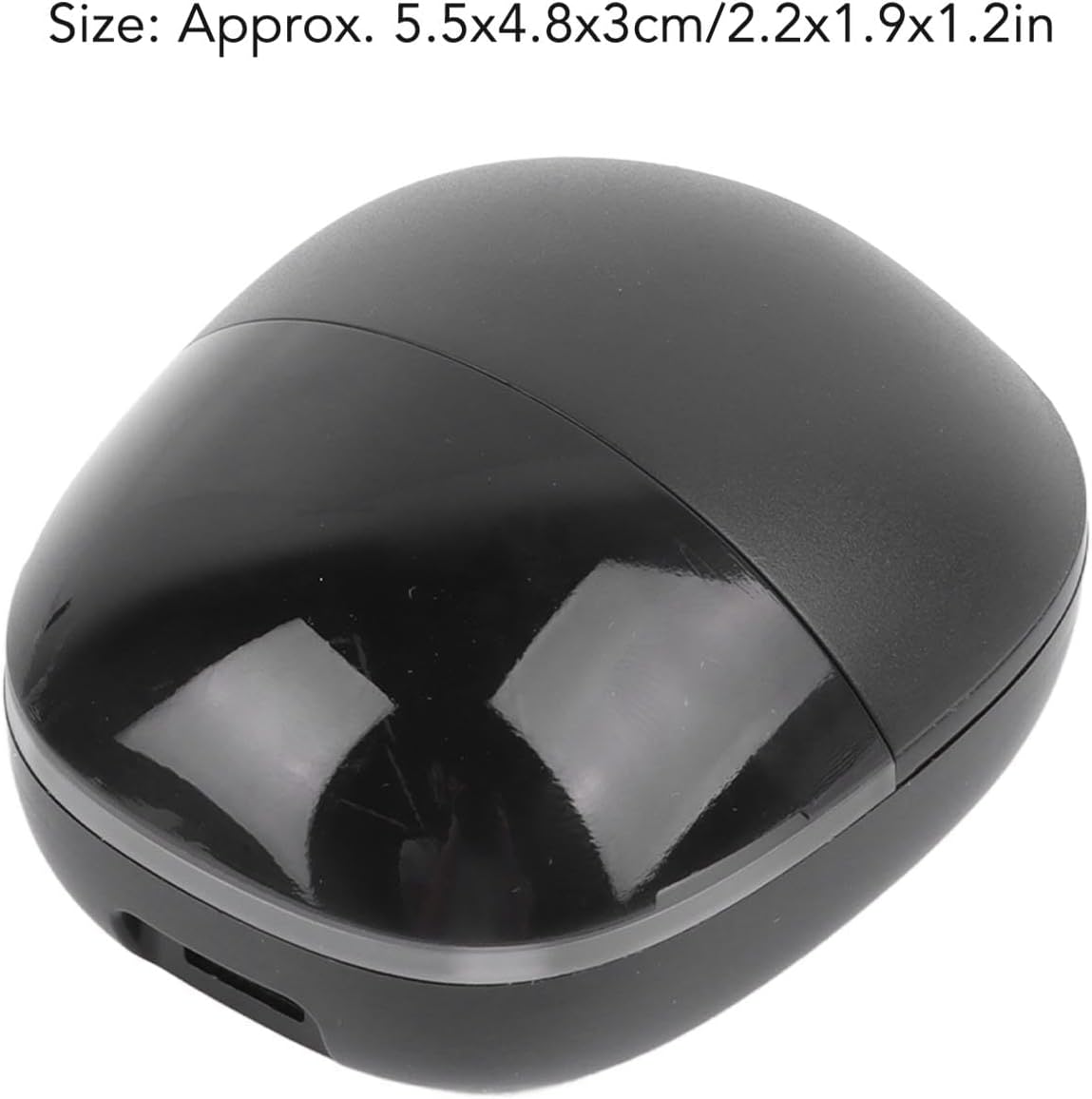
Figure 4.1: Automatic Wireless Connection. Simply open the charging case lid, and the earbuds are ready to connect to your device automatically after initial pairing.
4.3 Wearing the Earbuds
Choose the ear tips that provide the most comfortable and secure fit. Gently insert the earbuds into your ears and rotate them slightly until they feel snug and stable.
5. Operating Instructions
The earbuds feature touch controls for various functions:

Figure 5.1: Earbud Touch Controls. This diagram shows the various touch gestures for controlling music playback, calls, and voice assistant functions.
5.1 Music Playback
- Play/Pause: Tap either earbud once.
- Next Song: Press and hold either earbud for two seconds.
- Previous Song: (Information not explicitly provided, typically a double tap or triple tap on left/right earbud.)
5.2 Call Management
- Answer/Hang Up: Tap either earbud once.
- Reject Call: (Information not explicitly provided, typically press and hold.)
- Callback: Tap the left earbud three times.
5.3 Voice Assistant
- Activate Voice Assistant: Tap the right earbud three times.
6. Maintenance
6.1 Cleaning
- Regularly clean the earbuds and charging case with a soft, dry, lint-free cloth.
- Do not use abrasive cleaners, alcohol, or chemical solvents.
- Gently remove any earwax or debris from the ear tips and speaker mesh using a small, soft brush or cotton swab.
6.2 Storage
- When not in use, store the earbuds in their charging case to protect them and keep them charged.
- Store the device in a cool, dry place, away from direct sunlight and extreme temperatures.
7. Troubleshooting
If you encounter any issues with your earbuds, refer to the following common problems and solutions:
| Problem | Solution |
|---|---|
| Earbuds do not power on. | Ensure the earbuds and charging case are fully charged. Place earbuds back in the case and close the lid, then open again. |
| Earbuds do not pair with device. |
|
| Only one earbud is working. |
|
| Poor sound quality during calls. |
|
8. Specifications
- Item Type: Bluetooth Headset
- Material: Plastic
- Size (Charging Case): Approx. 5.5 x 4.8 x 3 cm / 2.2 x 1.9 x 1.2 inches
- Battery Type: Polymer Lithium-Ion Battery (Built-in)
- Charging Compartment Capacity: 200 mAh
- Headset Battery Capacity: 38 mAh (each earbud)
- Waterproof Rating: IPX4
- Noise Reduction: CVC Intelligent Noise Reduction

Figure 8.1: Product Dimensions. The approximate size of the charging case is 5.5 x 4.8 x 3 cm.
9. Warranty and Support
For warranty information or technical support, please refer to the seller's policy on the purchase platform or contact Yunseity customer service directly. Please have your model number (Yunseityd7gekm0syv) and purchase details ready when contacting support.
Online Support: Visit the Yunseity Store on Amazon for more product information and support options.