Introduction
This manual provides detailed instructions for the installation, use, and maintenance of your Transparent Shockproof Tempered Glass Screen Protector. Designed specifically for the Redmi Y1 Lite, this protector offers enhanced durability and clarity for your device's screen.
Installation Guide
Follow these steps carefully for a bubble-free and precise installation of your screen protector.
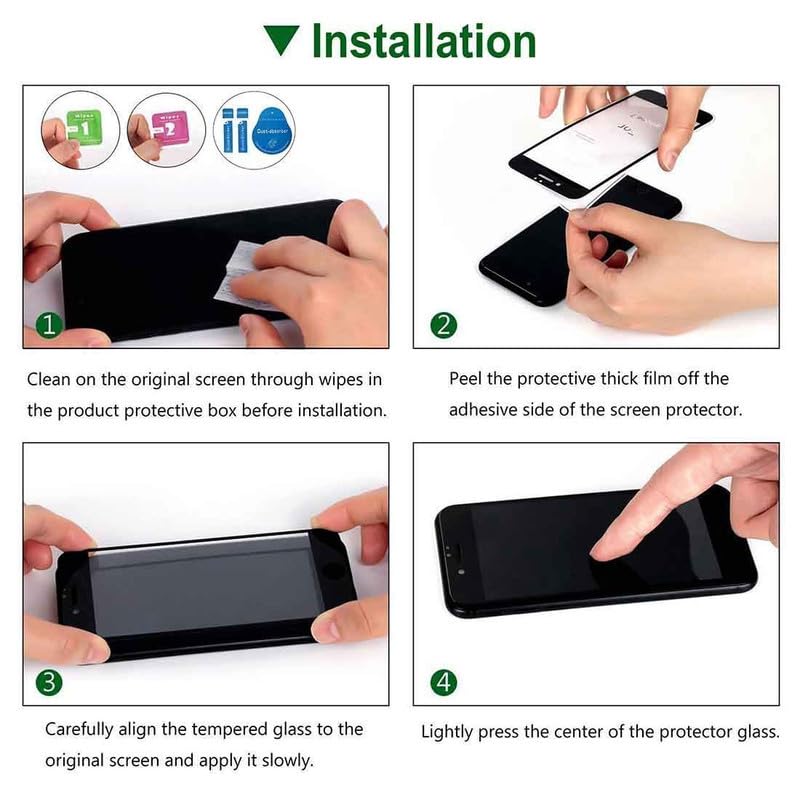
Image: Visual guide demonstrating the four steps for screen protector installation.
- Step 1: Clean the Screen
Thoroughly clean the original screen of your Redmi Y1 Lite using the provided wipes (wet and dry) to remove all dust, smudges, and fingerprints. Ensure the screen is completely dry before proceeding. - Step 2: Peel the Protective Film
Carefully peel off the protective thick film from the adhesive side of the tempered glass screen protector. Avoid touching the adhesive surface to prevent dust or fingerprints. - Step 3: Align and Apply
Align the tempered glass precisely with your device's screen, ensuring that all cutouts (for camera, speaker, etc.) match perfectly. Once aligned, gently lower the protector onto the screen. - Step 4: Press to Adhere
Lightly press the center of the protector glass. The adhesive will begin to spread outwards. If any small bubbles remain, gently push them towards the edges with a soft cloth.
Operating and Features
Once installed, your screen protector provides continuous protection and maintains the original functionality of your device.
- Ultra-Transparency: Enjoy the original clarity and vibrant colors of your device's display without compromise.
- Sensitive Touch: The protector ensures that touch sensitivity remains unaffected, providing a smooth and responsive user experience.
- Shockproof Protection: Engineered to absorb and disperse impact, reducing the risk of screen damage from accidental drops.
- Scratch Resistance: A durable surface guards against scratches from everyday items like keys, pens, and cables.

Image: Demonstrates the screen protector's resistance to scratches from common objects.
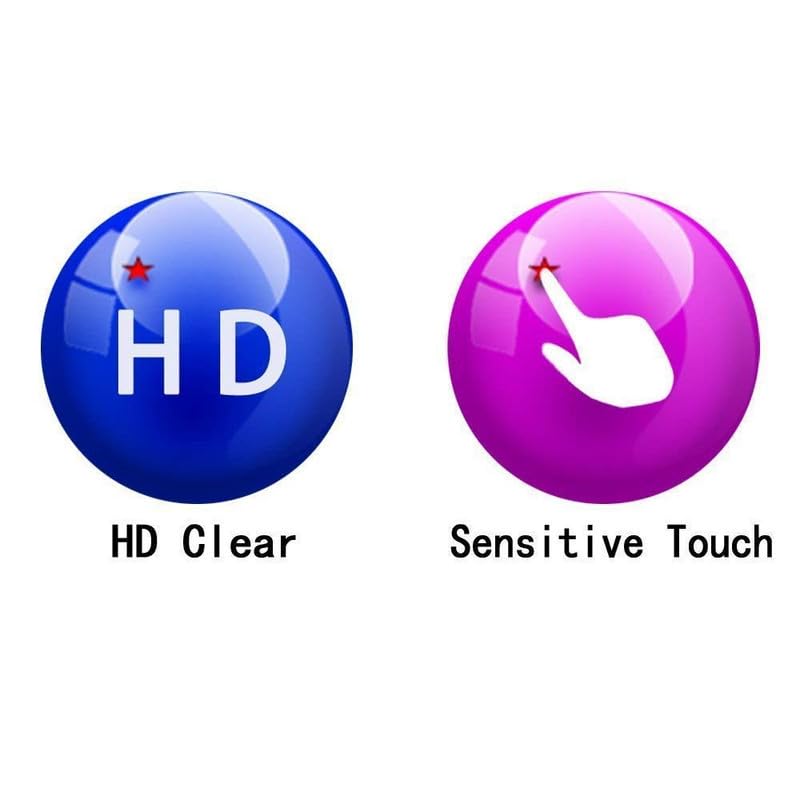
Image: Highlights the HD clarity and sensitive touch response of the screen protector.
Maintenance
To ensure the longevity and clarity of your screen protector, follow these simple maintenance tips:
- Cleaning: Use a soft, lint-free cloth to gently wipe the screen protector. For stubborn smudges, slightly dampen the cloth with water or a screen cleaner designed for electronics. Avoid harsh chemicals or abrasive materials.
- Avoid Sharp Objects: While the protector is scratch-resistant, extreme pressure or very sharp objects can still cause damage.
- Regular Inspection: Periodically check the edges of the protector for any signs of lifting or damage. If the protector is significantly damaged, consider replacing it to maintain optimal protection.
Troubleshooting
Here are solutions to common issues you might encounter:
- Bubbles After Installation: Small bubbles often disappear within 24-48 hours. For larger bubbles, gently lift the nearest edge of the protector and re-apply, pushing the bubble out with a soft cloth. Ensure no dust particles are trapped underneath.
- Dust Underneath: If dust particles are trapped, carefully lift the protector from the nearest corner using a piece of tape. Use another piece of tape to dab the dust off the adhesive side of the protector and the device screen, then re-apply.
- Misalignment: If the protector is significantly misaligned, it may be necessary to carefully remove it and re-apply, ensuring proper alignment during Step 3 of the installation process.
- Edges Not Sticking: Ensure the screen is perfectly clean and dry, especially around the edges. Apply gentle pressure to the edges for a few seconds to help them adhere.
Specifications
| Feature | Detail |
|---|---|
| Model Number | YR-2312 |
| Compatible Devices | Redmi Y1 Lite, Cellphone |
| Material | Tempered Glass |
| Special Feature | Shockproof |
| Finish Type | Matte |
| Color | Transparent |
| Product Dimensions | 8L x 4W Centimeters |
| Manufacturer | YASH RAJ Company |
Warranty Information
Specific warranty details for this product are not provided in the available information. Please refer to the product packaging or contact the retailer for any warranty-related inquiries.
Customer Support
For further assistance or questions regarding your screen protector, please contact the retailer or manufacturer directly. Contact information may be available on the product packaging or purchase receipt.


