
1. Introduction
The steelmate TP-S12I is an advanced Tire Pressure Monitoring System (TPMS) designed to enhance driving safety by providing real-time monitoring of your vehicle's tire pressure and temperature. This system utilizes internal sensors for higher accuracy and security compared to external sensor types. The display unit is solar-powered, ensuring convenient and continuous operation.
This manual provides detailed instructions for the installation, operation, and maintenance of your TP-S12I TPMS. Please read it thoroughly before use to ensure proper functionality and safety.
2. Product Overview
2.1 Package Contents
- Display Unit (1)
- Internal Sensors (4)
- Mounting Tape (1 set)
- Instruction Manual (Japanese)
- Warranty Card
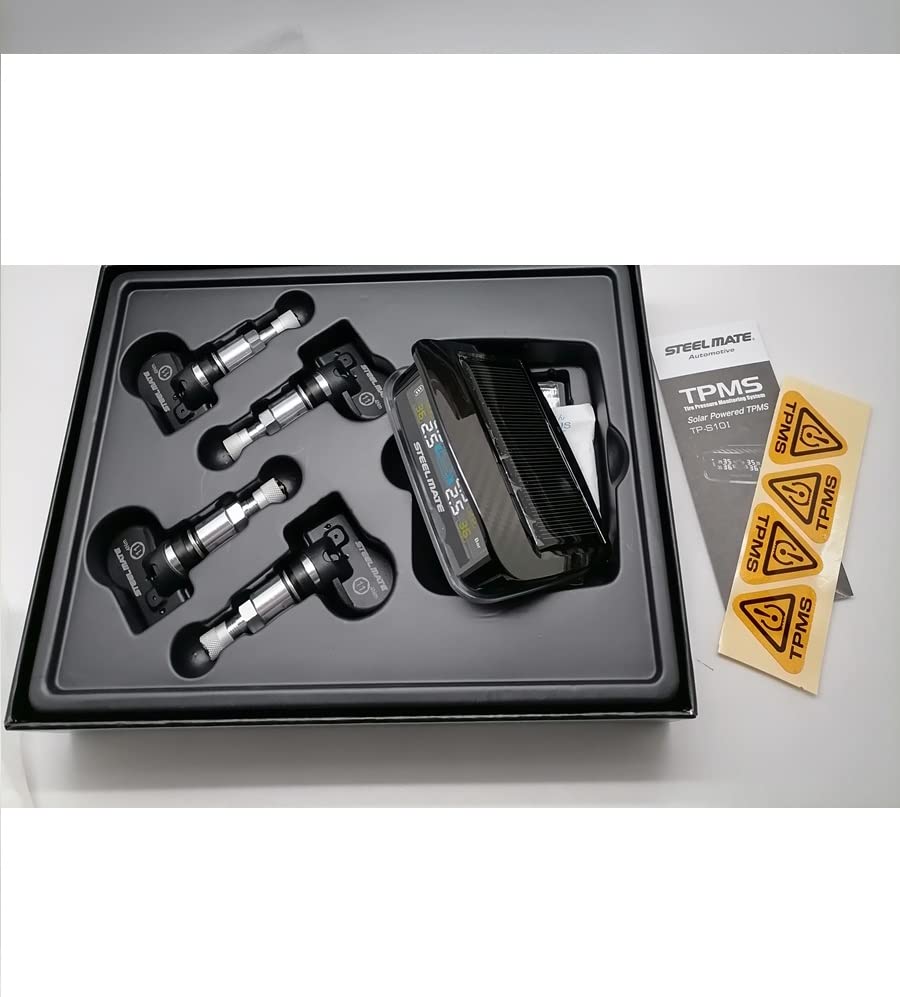
Image: Contents of the steelmate TP-S12I TPMS package, showing the display unit, four internal sensors, and documentation.
2.2 Display Unit Features
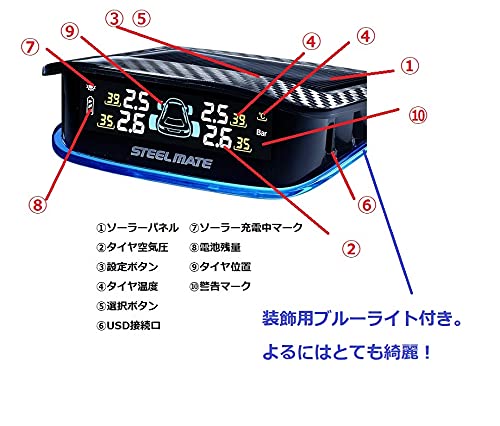
Image: Diagram of the TP-S12I display unit highlighting its components and controls.
- Solar Panel: For charging the display unit.
- Tire Pressure Display: Shows current tire pressure.
- Setting Button: Used to access and adjust settings.
- Tire Temperature Display: Shows current tire temperature.
- Selection Button: Used to navigate through menu options.
- USB Port: For alternative charging.
- Solar Charging Indicator: Lights up when solar charging is active.
- Battery Level Indicator: Shows the display unit's battery status.
- Tire Position Indicator: Displays which tire's data is shown.
- Warning Indicator: Alerts to abnormal tire conditions.
The display unit also features a decorative blue light, enhancing visibility and aesthetics, especially at night.

Image: Various views of the steelmate TP-S12I display unit, showcasing its solar panel, screen, and overall design.
2.3 Key Product Features
- Solar Charging: The LCD receiver is solar-powered, simplifying setup and reducing the need for frequent charging.
- Long-Life Sensors: High-performance batteries are built into the internal sensors, designed to last 5 years or more without replacement (actual life may vary with usage).
- Real-time Monitoring: Simultaneously monitors tire temperature and pressure for all four wheels.
- Abnormality Alerts: Notifies the driver of tire abnormalities with an audible alarm and a flashing screen.
- Clear Display: The LED screen features a three-color display setting for enhanced readability.
- Durability: Passed durability tests, offering waterproof, dustproof, and electromagnetic interference resistance.
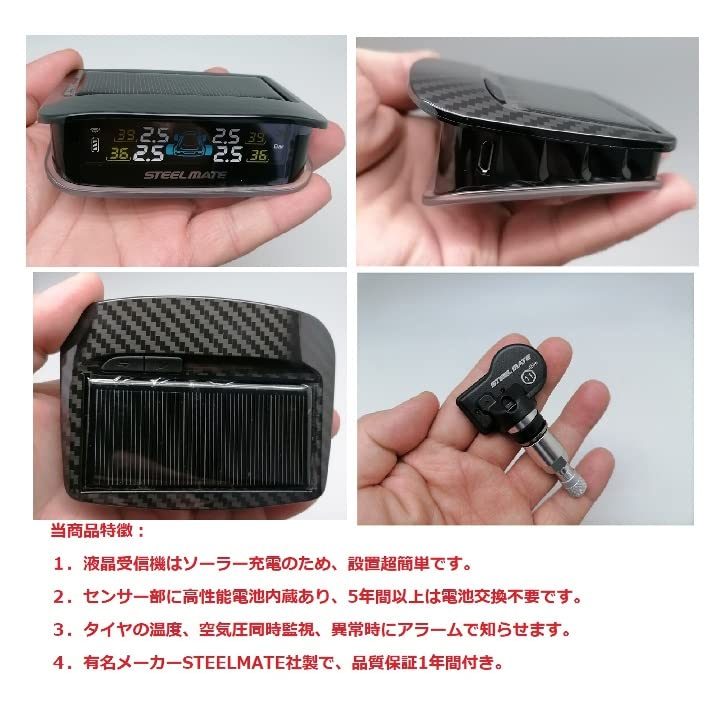
Image: Close-up view of the steelmate TP-S12I display and an internal sensor, illustrating key product features.
3. Installation
Important: Installation of the internal sensors should always be performed by a qualified specialist or professional automotive shop. Improper installation can lead to safety hazards and system malfunction.
3.1 Sensor Installation (Professional Installation Recommended)
- Remove the tire from the wheel.
- Carefully remove the original valve stem.
- Install the steelmate internal sensor in place of the original valve stem, ensuring a secure fit.
- Re-mount the tire onto the wheel.
- Inflate the tire to the recommended pressure.
- Perform wheel balancing to ensure optimal driving performance.
3.2 Display Unit Placement
- Choose a flat, clean surface on your dashboard that does not obstruct your view or interfere with airbags.
- Clean the chosen area thoroughly to ensure proper adhesion.
- Apply the provided mounting tape to the bottom of the display unit.
- Securely attach the display unit to the dashboard. Ensure the solar panel faces upwards to receive sunlight for charging.
4. Operating Instructions
4.1 Initial Power-On and Pairing
- Once the sensors are installed and the display unit is placed, the system should automatically power on when the vehicle starts moving.
- The display unit will automatically search for and pair with the installed sensors. This process may take a few minutes during the first drive.
- Ensure all four tire positions on the display show pressure and temperature readings. If any are missing, drive for a short period to allow pairing.
4.2 Monitoring Display

Image: The steelmate TP-S12I display unit mounted in a car, showing real-time tire pressure and temperature for all four wheels on its three-color screen.
- The display shows real-time pressure and temperature for each tire.
- The three-color screen provides clear visual feedback.
- The solar charging indicator will light up when the unit is charging via sunlight.
- The battery level indicator shows the display unit's power status.
4.3 Alarm Functions
The system will alert you to abnormal tire conditions with both an audible alarm and a flashing screen.
- Low Pressure Alarm: Activates if tire pressure falls below the set threshold (e.g., below 1.7 kgf/cm2).
- High Pressure Alarm: Activates if tire pressure exceeds the set threshold (e.g., above 3.3 kgf/cm2).
- High Temperature Alarm: Activates if tire temperature exceeds a safe limit.
- Rapid Leak Alarm: Activates if a sudden and significant drop in pressure is detected.
When an alarm occurs, immediately and safely pull over to inspect your tires. Do not continue driving with an active tire alarm.
4.4 Setting Parameters
Use the Setting Button (③) and Selection Button (⑤) to adjust various parameters such as pressure units (PSI, Bar, kgf/cm²), temperature units (°C, °F), and alarm thresholds. Refer to the detailed Japanese instruction manual for specific steps on navigating the settings menu.
5. Maintenance
5.1 Display Unit Maintenance
- Keep the solar panel clean and free from dust or obstructions to ensure efficient charging.
- Wipe the display unit with a soft, dry cloth. Avoid using abrasive cleaners or solvents.
- If the display unit's battery is low due to insufficient sunlight, you can charge it via the USB port (⑥) using a standard USB cable (not included).
5.2 Sensor Maintenance
- The internal sensors are designed for long life (5+ years) and do not require user-replaceable batteries.
- Regularly check for any visible damage to the valve stems during tire inspections.
- If a sensor malfunctions or its battery depletes after its expected lifespan, it will need to be replaced by a professional.
6. Troubleshooting
If you encounter issues with your steelmate TP-S12I TPMS, refer to the following common problems and solutions:
| Problem | Possible Cause | Solution |
|---|---|---|
| No display/Display off | Low battery on display unit; Unit not powered on. | Ensure solar panel is exposed to sunlight or charge via USB. Press the setting button to wake up the display. |
| No tire data displayed | Sensors not paired; Sensor battery low/faulty; Signal interference. | Drive the vehicle for a few minutes to allow pairing. If issue persists, consult a professional for sensor inspection. |
| Inaccurate readings | Incorrect unit settings; Sensor malfunction. | Check unit settings for correct pressure/temperature units. If readings are consistently off, have sensors checked by a professional. |
| Alarm sounds frequently | Tire pressure/temperature outside set thresholds; Alarm thresholds set too narrow. | Check actual tire pressure/temperature. Adjust alarm thresholds if necessary (refer to manual). |
If the problem persists after attempting these solutions, please contact customer support or a qualified technician.
7. Specifications
| Component | Specification |
|---|---|
| Display Unit Voltage | 2.6 - 3.6V |
| Display Operating Temperature | -20°C to 70°C (-4°F to 158°F) |
| Sensor Voltage | 2.0 - 3.6V |
| Sensor Operating Temperature | -30°C to 105°C (-22°F to 221°F) |
| Alarm Pressure Range | 1.7 kgf/cm² < Pressure < 3.3 kgf/cm² (Adjustable) |
| Sensor Battery Life | 5 years or more (non-replaceable) |
| Weight | 250g (approximate total package weight) |
8. Warranty and Support
8.1 Warranty Information
The steelmate TP-S12I TPMS comes with a 1-year quality warranty from the date of purchase. This warranty covers manufacturing defects under normal use. Please retain your proof of purchase for warranty claims.
The warranty does not cover damage caused by improper installation, misuse, accidents, unauthorized repairs, or natural disasters.
8.2 Customer Support
For technical assistance, troubleshooting beyond this manual, or warranty inquiries, please contact your retailer or visit the official Steelmate website for support contact information.
9. Importance of TPMS
Maintaining correct tire pressure is crucial for vehicle safety, fuel efficiency, and tire longevity. The steelmate TP-S12I TPMS helps prevent dangerous situations and promotes economical driving.
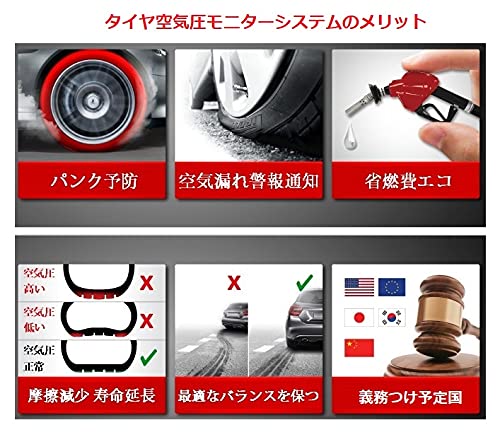
Image: Visual representation of the benefits of a TPMS, including puncture prevention, air leak alerts, improved fuel efficiency, reduced tire wear, optimal balance, and compliance with mandatory regulations in various countries.
- Puncture Prevention: Early detection of pressure loss can prevent dangerous blowouts.
- Air Leak Alarm: Immediate notification of slow or rapid air leaks.
- Fuel Efficiency: Properly inflated tires reduce rolling resistance, leading to better fuel economy.
- Extended Tire Lifespan: Reduced friction and even wear prolong tire life.
- Optimal Balance: Helps maintain ideal tire pressure for stable driving.
Driving with abnormal tire pressure can lead to severe consequences:
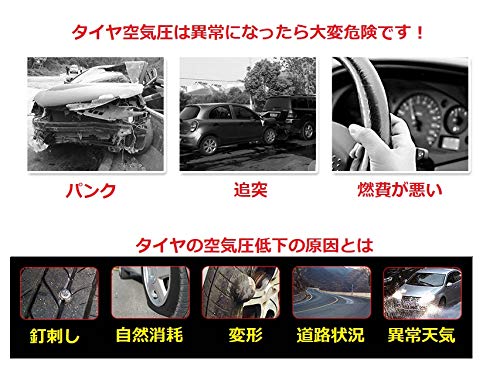
Image: Illustrates the dangers of abnormal tire pressure (puncture, collision, poor fuel economy) and common causes of tire pressure drop (nail punctures, natural wear, deformation, road conditions, abnormal weather).
- Punctures: Increased risk of tire damage and blowouts.
- Collisions: Compromised vehicle handling and braking performance.
- Poor Fuel Economy: Under-inflated tires increase fuel consumption.
Common causes of tire pressure drop include:
- Nail punctures or other foreign objects.
- Natural air diffusion over time.
- Tire deformation or damage.
- Adverse road conditions.
- Extreme weather changes.
Image: A visual emphasizing the role of the steelmate TP-S12I TPMS in protecting family safety by providing real-time, four-wheel monitoring of tire pressure and temperature with solar charging capabilities.
