
Aheaplus B0CQ1PJH58
Aheaplus Queen Size Headboard with Storage, Outlets, USB Ports, and LED Light
Brand: Aheaplus | Model: B0CQ1PJH58
Product Overview
The Aheaplus Queen Size Headboard is designed to enhance your bedroom with integrated storage, convenient charging capabilities, and ambient LED lighting. This versatile headboard features a robust construction and a thoughtful design to provide both functionality and style.
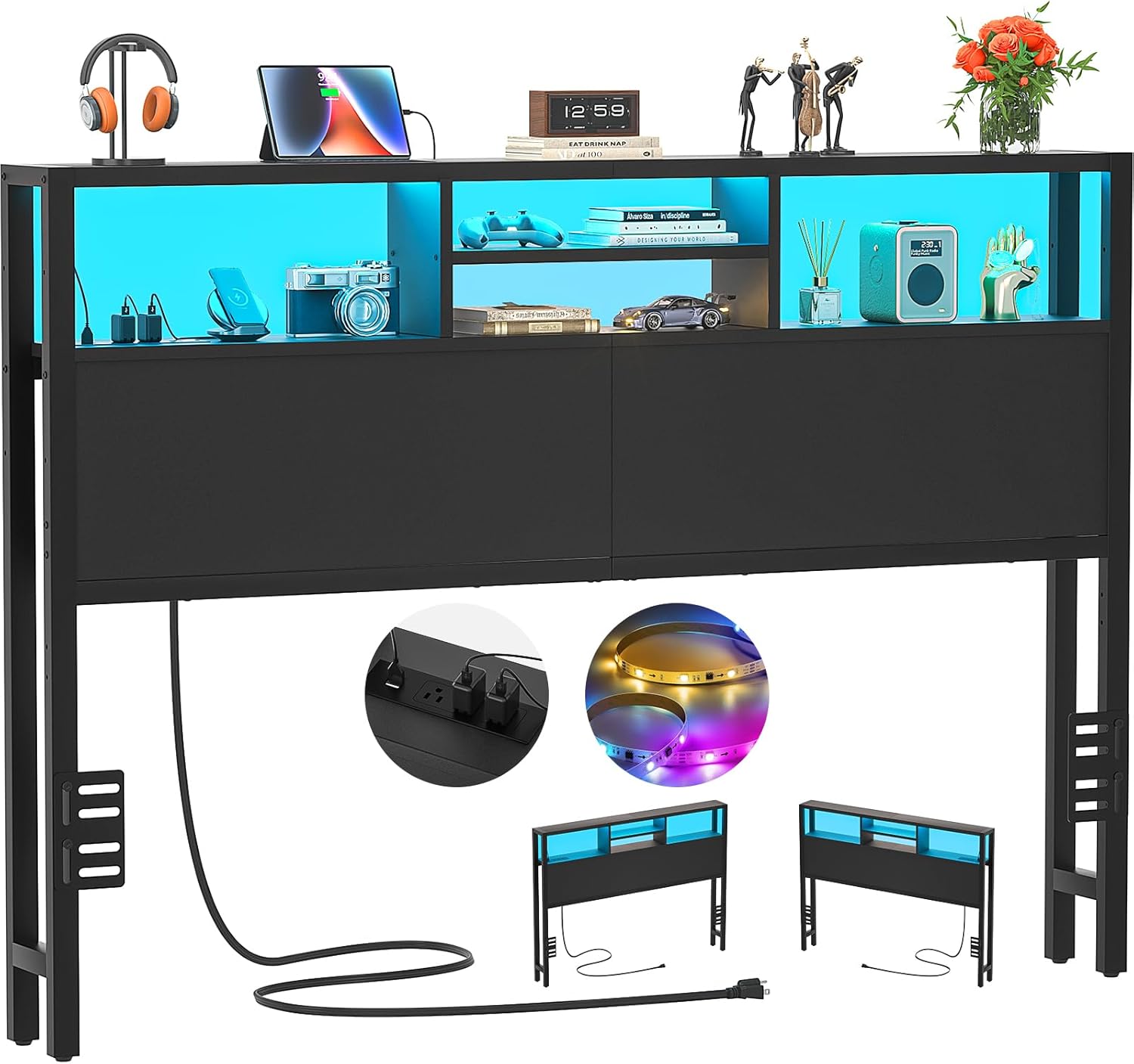
Image: Front view of the Aheaplus Queen Size Headboard, highlighting its storage shelves, integrated power outlets, USB ports, and LED light strip.
Key Features:
- Integrated Charging Station: Equipped with 3 AC outlets and 2 USB charging ports, allowing simultaneous power for up to 5 electronic devices directly from your headboard.
- Smart LED Lighting: Features over 60,000 color options and multiple flashing modes. Includes a music sync function to change light colors with audio rhythm, and app control for customization and timing.
- 3-Tier Storage Shelves: Provides ample space for books, phones, clocks, and other personal items, contributing to a tidy sleeping environment.
- Reversible Design: The charging station can be installed on either the left or right side of the headboard to suit your room layout.
- Durable Construction: Constructed from quality particleboard and a strong metal frame for stability and longevity. Includes adjustable foot pads for uneven floors and bed frame adapters for secure attachment.
- Adjustable Height: The headboard's height can be adjusted to align perfectly with various bed frames.
Setup and Assembly
This headboard is designed for straightforward assembly. All necessary hardware and tools are included, and parts are clearly labeled to simplify the process. It is recommended to assemble the headboard near its final placement.
Assembly Steps:
- Unpack and Identify Components: Carefully unpack all parts and compare them with the provided parts list in the instruction manual to ensure all components are present.
- Assemble the Frame: Follow the step-by-step instructions to connect the metal frame components. Ensure all screws are tightened securely but do not overtighten.
- Install Storage Shelves: Attach the 3-tier storage shelves to the frame as indicated in the manual.
- Mount the Charging Station: The charging station can be installed on either the left or right side of the headboard. Choose the preferred orientation and secure it in place.
- Adjust Headboard Height: The headboard features adjustable height settings. Position the backrest up or down by approximately 3.9 inches to match your bed frame height.
- Connect to Bed Frame: Use the provided bed frame adapters to securely connect the headboard to your existing bed frame. These adapters are suitable for various bed frame sizes and styles, especially those with leg holes.
- Adjust Foot Pads: Ensure the headboard is stable by adjusting the foot pads, particularly on uneven floor surfaces.

Image: Detailed view of the headboard components, including the built-in charging station, 3-tier storage shelves, and adjustable leg pads, illustrating their integration.
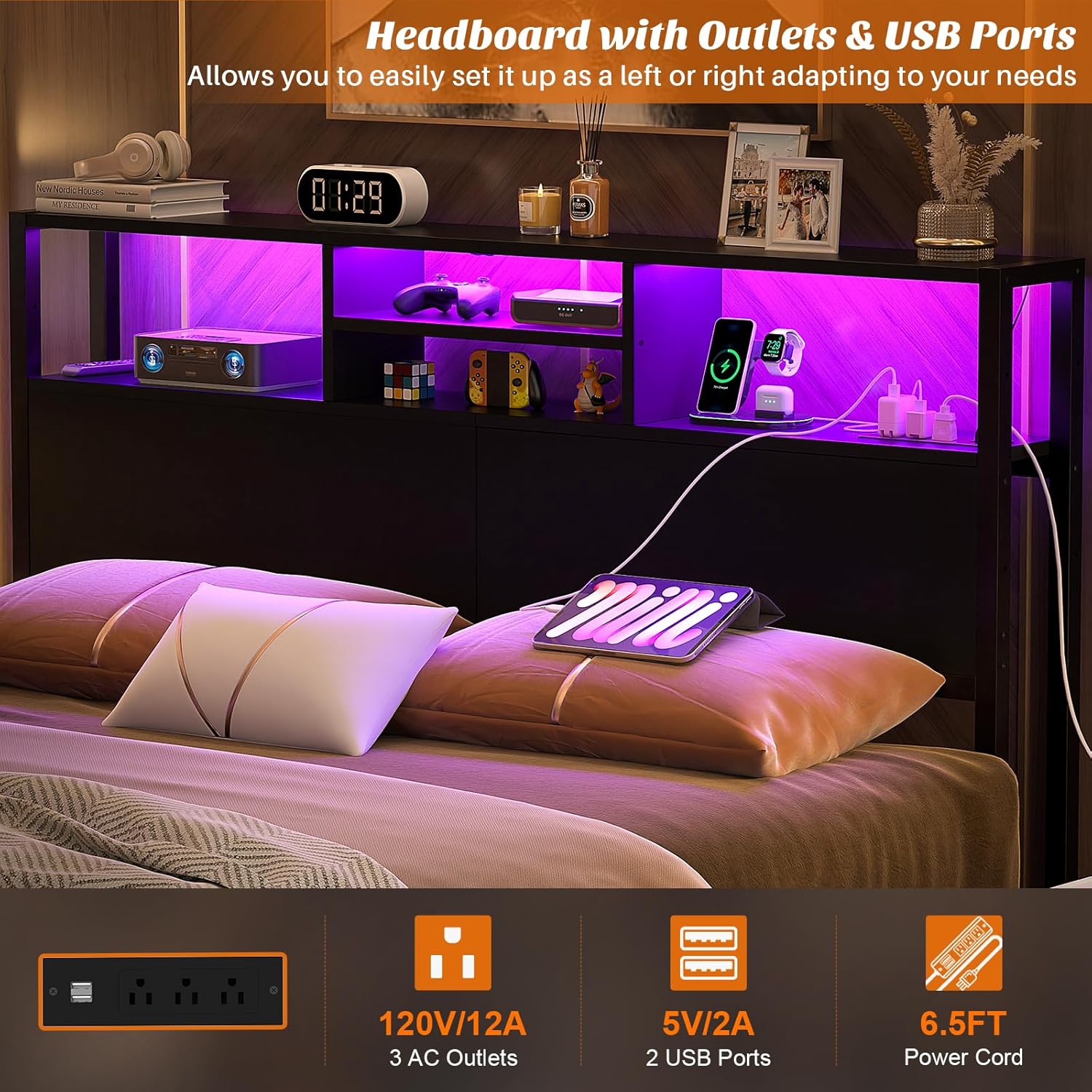
Image: Close-up of the headboard's power outlets and USB ports, demonstrating the reversible design for left or right side installation.

Image: Diagram showing the adjustable height mechanism of the headboard, allowing for vertical positioning to suit different bed frames.

Image: Illustration demonstrating the use of bed frame adapters to connect the headboard, compatible with various leg hole types.
Operating Instructions
Using the Charging Station:
The integrated charging station provides convenient access to power for your electronic devices.
- Plug the headboard's main power cord into a standard wall outlet.
- Connect your devices to the 3 AC outlets (120V/12A) or the 2 USB ports (5V/2A) located on the headboard.
- Ensure devices are compatible with the provided power specifications.
Controlling the LED Lights:
The smart LED lights offer a customizable ambiance for your room.

Image: The headboard's smart LED lights in operation, demonstrating color options and the mobile application interface for control, including music sync functionality.
- App Control: Download the designated mobile application (details typically found in a separate quick start guide or QR code on the product/packaging) to control the LED lights.
- Color Selection: Choose from over 60,000 colors to match your mood or room decor.
- Lighting Modes: Select from various flashing or static modes.
- Music Sync: Activate the music sync function to allow the lights to change color and intensity in rhythm with ambient sound or music.
- Timer Function: Set a timer for the lights to turn on or off automatically.
Utilizing Storage Shelves:
The 3-tier shelves provide convenient storage space.

Image: The headboard's spacious 3-tier storage shelves, showcasing their capacity for organizing various items and contributing to a clutter-free environment.
- Place books, mobile phones, alarm clocks, or small decorative items on the shelves for easy access.
- Avoid placing excessively heavy items on the shelves to maintain stability and prevent damage.
Maintenance
Regular maintenance will help preserve the appearance and functionality of your Aheaplus headboard.
- Cleaning: Wipe surfaces with a soft, damp cloth. Avoid using harsh chemicals or abrasive cleaners, which can damage the finish.
- Dusting: Regularly dust the shelves and frame to prevent buildup.
- Connection Check: Periodically check all screws and connections to ensure they remain tight and secure. Retighten if necessary.
- Electrical Safety: Ensure the power cord is not pinched or damaged. Do not overload the outlets or USB ports.
Troubleshooting
If you encounter any issues with your headboard, refer to the following common problems and solutions:
| Problem | Possible Cause | Solution |
|---|---|---|
| Charging station not working. | Headboard not plugged in; wall outlet issue; overloaded circuit; damaged cable. | Ensure the headboard's power cord is securely plugged into a functional wall outlet. Check if the wall outlet is working by plugging in another device. Reduce the number of devices connected to the charging station. Inspect the power cord for any visible damage. |
| LED lights not illuminating or flickering. | Power issue; app connection problem; light strip damage. | Verify the headboard is powered on. Check the mobile app connection and settings. If the issue persists, contact customer support. |
| Headboard feels wobbly or unstable. | Loose connections; uneven floor; improper bed frame attachment. | Retighten all assembly screws. Adjust the foot pads to stabilize the headboard on uneven surfaces. Ensure the headboard is properly and securely attached to the bed frame using the provided adapters. |
If you are unable to resolve an issue using the troubleshooting steps above, please contact Aheaplus customer support for further assistance.
Specifications
| Feature | Detail |
|---|---|
| Size | Queen |
| Brand | Aheaplus |
| Style | Wood |
| Special Features | Integrated Charging Station (3 AC Outlets, 2 USB Ports), Smart LED Lights (60,000+ colors, music sync, app control, timer), 3-Tier Storage Shelves, Reversible Design, Adjustable Height, Bed Frame Adapters, Adjustable Foot Pads |
| Mounting Type | Wall Mount (with bed frame attachment capability) |
| Construction Material | Quality Particleboard, Strong Metal Frame |
Warranty and Support
Aheaplus is committed to providing excellent customer service and support for your product.
- Lifetime Customer Support: We offer lifetime customer support for your Aheaplus headboard.
- Contact Us: For any inquiries, issues, or assistance, please contact our experienced customer service team. We aim to respond within 24 hours.
- Contact Information: Please refer to your purchase documentation or the Aheaplus official website for the most current contact details.
Ask a question about this manual
Ask about setup, troubleshooting, compatibility, parts, safety, or missing instructions. Manuals+ will review the question and use this page’s manual context to help answer it.