1. Introduction
This manual provides comprehensive instructions for the safe and efficient operation, installation, and maintenance of your HCALORY 5KW-8KW Diesel Air Heater. This versatile heater is designed to provide rapid and consistent warmth in various environments, including cars, trucks, boats, RVs, campers, and indoor spaces. Please read this manual thoroughly before using the product and retain it for future reference.

Image 1.1: HCALORY 5KW-8KW Diesel Air Heater highlighting key features.
2. Safety Information
Your safety is paramount. Adhere to all safety warnings and instructions to prevent injury or damage. Failure to do so may result in fire, electric shock, or serious injury.
- Ventilation: Ensure adequate ventilation when operating the heater, especially in enclosed spaces, to prevent carbon monoxide buildup.
- Fuel Handling: Use only diesel fuel. Handle fuel with care and away from open flames or ignition sources. Do not refuel while the heater is operating or hot.
- Exhaust System: Ensure the exhaust pipe is properly installed and vented to the outside, away from flammable materials and living spaces. Regularly check for leaks or blockages.
- Overheating Protection: The heater is equipped with an overheating protection system that automatically cuts off the circuit if the internal temperature becomes too high. Do not obstruct air inlets or outlets.
- Placement: Place the heater on a stable, non-flammable surface. Maintain a safe distance from walls, furniture, and other combustible materials.
- Electrical Connection: Connect the heater to a 12-volt power source as specified. Ensure all electrical connections are secure and free from damage.
- Children and Pets: Keep children and pets away from the operating heater.
- Operating Temperature: The heater is designed to operate in temperatures ranging from -40°C to +40°C.

Image 2.1: Overheating protection feature of the HCALORY Diesel Air Heater.
3. Package Contents
Verify that all components are present and undamaged upon unpacking. If any items are missing or damaged, contact customer support.
- 1 x Air Heater Host
- 1 x LCD Key Switch
- 1 x Remote Control (Battery not included)
- 2 x Intake Pipe
- 1 x Exhaust Pipe
- 6 x Oil Pipe Joint
- 1 x Oil Pump
- 1 x Instructions Manual
4. Specifications
| Feature | Specification |
|---|---|
| Brand | HCALORY |
| Model Number | AHeaters7261768 |
| Rated Power | 5KW-8KW |
| Rated Voltage | 12 Volts |
| Fuel Type | Diesel |
| Internal Fuel Tank Capacity | 5 Liters |
| Fuel Consumption | 0.1 - 0.48 Liters/Hour |
| Product Dimensions (D x W x H) | 18.5" x 12" x 15.35" (47cm x 30.5cm x 39cm) |
| Item Weight | 9.18 pounds (4.16 kg) |
| Operating Temperature Range | -40°C to +40°C |
| Maximum Altitude | 4500 meters |
| Remote Control Effective Distance | 50 meters |
| Mounting Type | Floor Mount |
| Special Features | Fast Heating, LCD Monitor, Remote Control, Overheating Protection, Timer Function |
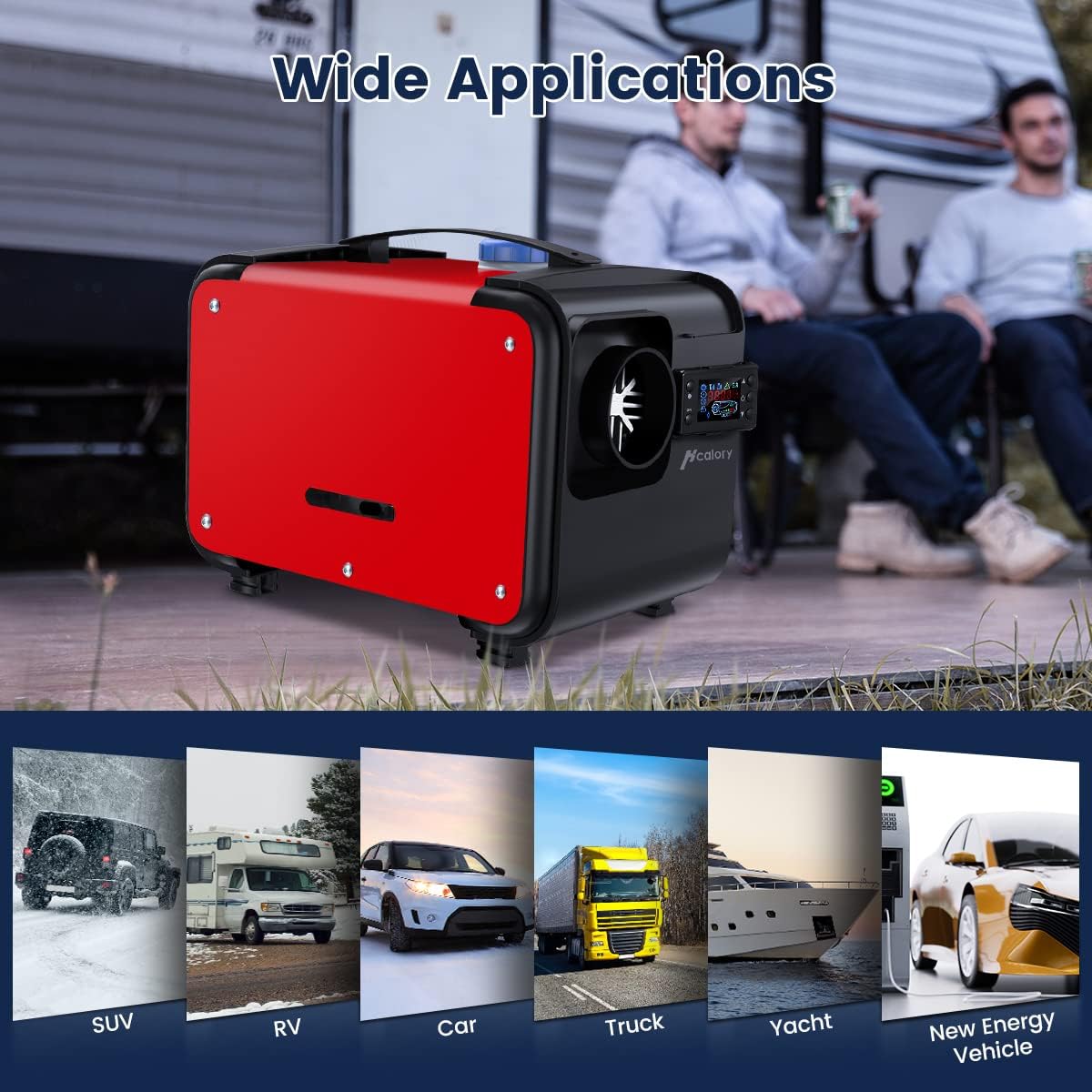
Image 4.1: Product dimensions and key specifications.
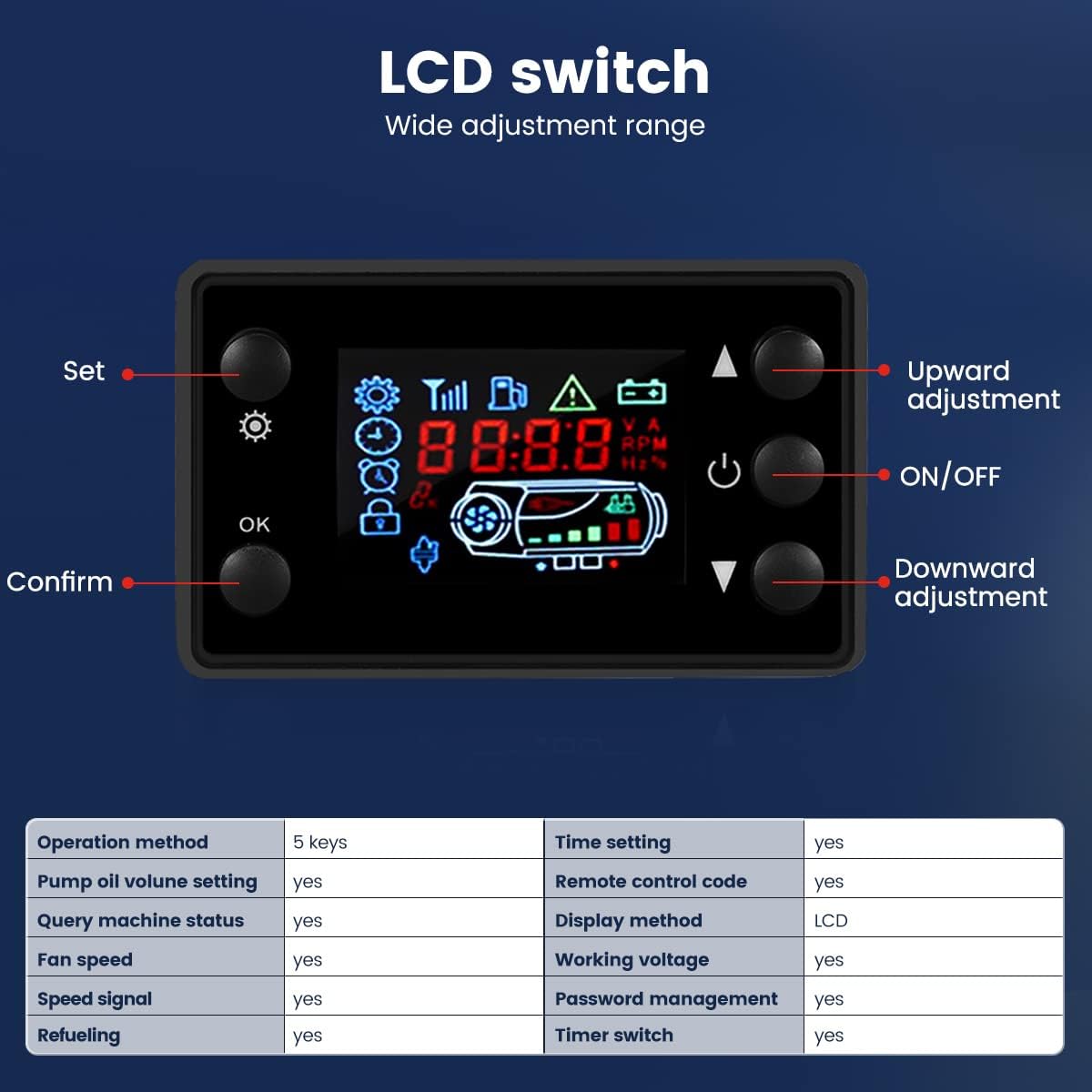
Image 4.2: Fuel Consumption Data and performance metrics.
5. Setup and Installation
The HCALORY Diesel Air Heater features an all-in-one design for simplified installation. Follow these guidelines for proper setup:
5.1 Choosing an Installation Location
The heater can be installed in various locations depending on the application. Consider the following:
- Vehicle Interior: Typically installed in the passenger compartment or baggage area.
- Vehicle Exterior: If interior installation is not feasible, the heater can be fixed underneath the vehicle. Ensure it is protected from splashing water and road debris.
- Clearance: Maintain adequate clearance around the heater for proper airflow and to prevent heat buildup near flammable surfaces.

Image 5.1: Recommended installation locations for different vehicle types.
5.2 Connecting Components
- Fuel Line: Connect the fuel pump to the heater and the fuel tank using the provided oil pipe joints. Ensure all connections are tight to prevent leaks. The oil pump should be installed at a 45-degree angle for optimal performance.
- Intake and Exhaust Pipes: Attach the intake pipe to the heater's air intake and the exhaust pipe to the exhaust outlet. Route the exhaust pipe safely to the outside, ensuring it is clear of obstructions and flammable materials.
- Electrical Connections: Connect the LCD key switch and the 12V power supply to the heater. Ensure correct polarity and secure connections.

Image 5.2: Durable oil pump installation angle.
6. Operation
The HCALORY Diesel Air Heater features an intuitive LCD control panel and a remote control for convenient operation.
6.1 LCD Control Panel
The LCD key switch allows for comprehensive control and monitoring of the heater's functions.

Image 6.1: LCD Monitor and Remote Control.

Image 6.2: Detailed view of the LCD control panel.
| Function | Description |
|---|---|
| ON/OFF Button | Powers the heater on or off. |
| Set Button | Enters settings menu for adjustments. |
| OK / Confirm Button | Confirms selections in the settings menu. |
| Upward Adjustment | Increases values or navigates up in menus. |
| Downward Adjustment | Decreases values or navigates down in menus. |
| Time Setting | Allows setting the current time and automatic switching times. |
| Timer Switch | Enables scheduled automatic start and shut down. |
| Pump Oil Volume Setting | Adjusts the fuel pump frequency for desired heat output. |
| Fan Speed | Adjusts the fan speed for air circulation. |
| Query Machine Status | Displays current operating parameters and status. |
| Remote Control Code | Used for pairing the remote control. |
| Password Management | Manages access passwords for settings. |
6.2 Basic Operation
- Power On: Press the ON/OFF button on the LCD panel or remote control. The heater will initiate a preheating sequence.
- Adjusting Heat Output: Use the Upward/Downward adjustment buttons to increase or decrease the desired heat output (KW) or fan speed.
- Setting Timer: Access the 'Time Setting' menu via the 'Set' button to program automatic start and stop times.
- Remote Control: The remote control allows for convenient operation from up to 50 meters away. Ensure batteries are installed (not included).
- Fuel Monitoring: The LCD screen displays the fuel level, allowing you to monitor the 5L fuel tank and ensure continuous warmth.
- Power Off: Press the ON/OFF button again. The heater will enter a cooling-down phase before completely shutting off. Do not disconnect power during the cooling phase.
7. Maintenance
Regular maintenance ensures the longevity and efficient operation of your HCALORY Diesel Air Heater.
- Cleaning: Periodically clean the exterior of the heater with a soft, damp cloth. Ensure air intake and outlet grilles are free from dust and debris.
- Fuel Filter: Check the fuel filter regularly and replace it if clogged to ensure a clean fuel supply to the burner.
- Exhaust System: Inspect the exhaust pipe for any blockages, damage, or leaks. Ensure it remains securely connected and properly vented.
- Electrical Connections: Verify that all electrical connections are secure and free from corrosion.
- Storage: If storing the heater for an extended period, ensure the fuel tank is empty and clean. Store in a dry, protected area.
8. Troubleshooting
If you encounter issues with your heater, refer to the following common troubleshooting steps:
- Heater Not Starting:
- Check the 12V power supply and connections.
- Ensure there is sufficient diesel fuel in the tank.
- Verify the fuel line is not blocked or kinked.
- Check for any error codes displayed on the LCD screen and consult the manual for their meaning.
- Low Heat Output:
- Adjust the heat output setting on the LCD panel.
- Ensure air intake and outlet are not obstructed.
- Check the fuel filter for clogs.
- Excessive Smoke:
- Ensure proper ventilation and exhaust pipe installation.
- Check fuel quality.
- Contact customer support if the issue persists.
- Remote Control Not Working:
- Replace batteries in the remote control.
- Ensure the remote is paired with the heater (refer to LCD control panel instructions for pairing).
For persistent issues or complex problems, please contact HCALORY customer support.
9. Warranty and Support
For information regarding warranty coverage, technical support, or replacement parts, please refer to the warranty card included with your product or visit the official HCALORY website. Keep your purchase receipt as proof of purchase.


