1. Introduction
This manual provides essential information for setting up, operating, and maintaining your BOSGAME Mini PC E2. Please read this manual thoroughly before using the device to ensure proper functionality and longevity. The BOSGAME Mini PC E2 is a compact computing solution featuring an AMD Ryzen 5 3550H processor, 16GB DDR4 RAM, and a 512GB PCIe SSD, designed for various applications including business, education, and multimedia.

Image 1.1: The BOSGAME Mini PC E2 and included accessories.
2. Package Contents
Verify that all items are present in the package:
- BOSGAME Mini PC E2 (1 unit)
- User Manual (1 unit)
- HDMI 2.0 Cable (1 unit)
- 19V 3.42A, 65W Power Adapter (1 unit)
- VESA Mount & Screws (1 set)

Image 2.1: Illustration of the DDR4 SODIMM RAM and M.2 NVMe PCIe SSD used in the Mini PC.
3. Product Overview
The BOSGAME Mini PC E2 features a compact design with various ports for connectivity. Understanding the port layout is crucial for proper setup.
3.1 Front Panel
- USB 3.2 Type-A (x2): For connecting high-speed USB devices.
- USB-C: Supports 1080P@60Hz video output and 5Gbps data transmission.
- 3.5mm Combo Jack: For audio input/output (headphone/microphone).
- Power Button: To turn the device on/off.
3.2 Rear Panel
- DC Power Input: Connect the included power adapter here.
- HDMI 2.0 (x2): For connecting displays, supports 4K@60Hz.
- USB 3.2 Type-A (x1): For connecting high-speed USB devices.
- USB 2.0 Type-A (x1): For connecting standard USB devices.
- 1000Mbps RJ45 LAN: For wired network connection.

Image 3.1: Detailed view of the front and rear interface ports on the Mini PC E2.
4. Setup Instructions
Follow these steps to set up your BOSGAME Mini PC E2:
- Connect Peripherals: Connect your monitor(s) to the HDMI ports and/or the USB-C port. Connect your keyboard and mouse to the available USB ports.
- Network Connection: For a wired connection, plug an Ethernet cable into the RJ45 LAN port. For Wi-Fi, you will configure it during the operating system setup.
- Power Connection: Connect the power adapter to the DC power input port on the rear panel, then plug the adapter into a power outlet.
- Power On: Press the power button located on the front panel. The device will boot up.
- Initial OS Setup: If Windows 11 Pro is pre-installed, follow the on-screen instructions to complete the initial setup, including language, region, and user account creation. You may choose to create a local account during this process.

Image 4.1: Front view of the BOSGAME Mini PC E2, showing its compact size.
5. Operating Instructions
5.1 Basic Operation
- Power On/Off: Press the power button to turn on. To turn off, use the operating system's shutdown function or press and hold the power button for 5 seconds.
- Restart: Use the operating system's restart function.
- Sleep Mode: Use the operating system's sleep function.
5.2 Triple Display Setup
The Mini PC E2 supports connecting up to three displays simultaneously for enhanced productivity or entertainment.
- Connect two monitors via the HDMI 2.0 ports (supports up to 4K@60Hz each).
- Connect a third display via the front USB-C port (supports up to 1080P@60Hz).
- Configure display settings within your operating system (e.g., Extend, Duplicate) to suit your needs.

Image 5.1: Example of a triple screen display setup using the Mini PC E2.
5.3 Storage Expansion
The internal 512GB M.2 2280 PCIe SSD can be expanded up to 4TB. Refer to the detailed instructions for opening the chassis and installing an additional M.2 SSD, if applicable. It is recommended to consult a professional for hardware upgrades.
6. Maintenance
Regular maintenance helps ensure optimal performance and extends the lifespan of your Mini PC.
- Cleaning: Keep the device clean and free from dust. Use a soft, dry cloth for exterior cleaning. Ensure vents are clear of obstructions to prevent overheating.
- Software Updates: Regularly update your operating system and drivers to ensure security and performance.
- Environmental Conditions: Operate the Mini PC in a well-ventilated area, away from direct sunlight, excessive heat, humidity, or extreme cold.
- Power Supply: Use only the original power adapter provided with the device.
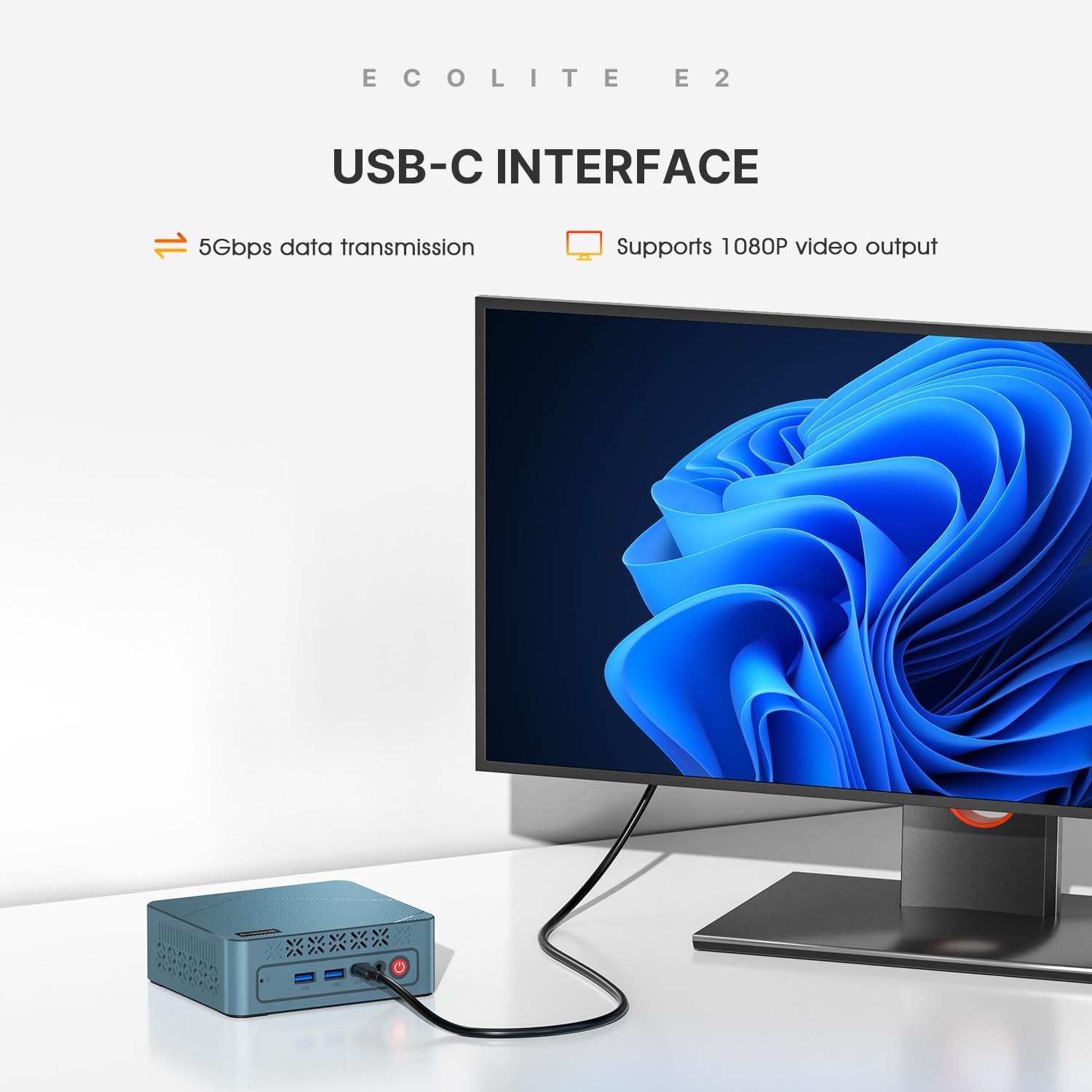
Image 6.1: Internal view highlighting the efficient heat dissipation system with cooling fan and heat conduits.
7. Troubleshooting
If you encounter issues with your Mini PC, refer to the following common problems and solutions:
- No Power:
- Ensure the power adapter is securely connected to both the Mini PC and a working power outlet.
- Verify the power outlet is functional by plugging in another device.
- No Display:
- Check that the HDMI/USB-C cables are securely connected to both the Mini PC and the monitor.
- Ensure the monitor is powered on and set to the correct input source.
- Try connecting to a different monitor or using a different cable.
- No Internet Connection:
- For wired connection, ensure the Ethernet cable is properly connected and your router is working.
- For Wi-Fi, check your Wi-Fi settings in the operating system and ensure you are connected to the correct network.
- Restart your router and the Mini PC.
- Slow Performance:
- Close unnecessary applications running in the background.
- Ensure the Mini PC's vents are not blocked and it is not overheating.
- Check for available operating system and driver updates.
- Driver Issues (e.g., Bluetooth, HDMI Audio):
- While the device comes with pre-installed drivers, if issues arise after OS reinstallation, visit the BOSGAME official website for updated drivers specific to the E2 model.
If the problem persists, please contact BOSGAME customer support for further assistance.
8. Specifications
Key technical specifications of the BOSGAME Mini PC E2:
| Feature | Specification |
|---|---|
| Model | E2 |
| Processor | AMD Ryzen 5 3550H (4 Cores, 8 Threads, up to 3.7GHz) |
| Graphics | AMD Radeon Vega 8 (Max Graphics Frequency 1200MHz) |
| RAM | 16GB DDR4 (2400MHz) |
| Storage | 512GB M.2 2280 PCIe SSD (Expandable up to 4TB) |
| Network | Wi-Fi 5, Bluetooth 5.0, 1000Mbps RJ45 LAN |
| Video Output | 2x HDMI 2.0 (4K@60Hz), 1x USB-C (1080P@60Hz) |
| USB Ports | 3x USB 3.2 Type-A, 1x USB 2.0 Type-A, 1x USB-C (data/video) |
| Audio | 1x 3.5mm Combo Jack |
| Operating System | Supports Windows 11 Pro and Linux |
| Power Adapter | 19V 3.42A, 65W |
| Dimensions | 4.96 x 4.41 x 1.61 inches (126 x 112 x 41 mm) |
| Weight | 2.14 pounds |
9. Warranty and Support
BOSGAME provides comprehensive support for its products.
- Warranty: The product comes with a 1-year professional factory support warranty.
- Certifications: All products have FCC, ROHS, and CE certifications, ensuring compliance with safety and environmental standards.
- Customer Service: 24/7 online customer service is available for any inquiries or technical assistance.
- Contact: For support, please refer to the contact information provided on the official BOSGAME website or the documentation included with your purchase.


