
1. Introduction
This manual provides detailed instructions for the safe and efficient use of your Minthouz Handheld Cordless Vacuum Cleaner, Model HHP-L011W-ZZ2-EU. This portable vacuum is designed for versatile cleaning in cars, homes, and offices, offering powerful suction and convenient features.
Key features include 17000 Pa suction power, a high-speed brushless motor, an enhanced HEPA filter system, a long-lasting rechargeable battery, and a 2-in-1 LED/SOS light function.
2. Product Components
Familiarize yourself with the components included in your package:
- 1 x Minthouz Handheld Vacuum Cleaner
- 1 x Brush Nozzle
- 1 x Long Flat Nozzle
- 1 x Inflatable Tube
- 1 x Type-C Charging Cable
- 1 x Quick Start Guide
- 1 x Storage Bag
- 2 x HEPA Filters (one pre-installed, one spare)
- 1 x Stainless Steel Filter (pre-installed)

Figure 2.1: Exploded view of the vacuum cleaner showing the dust cup, filters, main body, and various accessories including the brush nozzle, long flat nozzle, and inflatable tube. The image also highlights the power/LED button, Type-C port, and dust cup buckle.
3. Setup
3.1 Initial Charging
Before first use, fully charge the vacuum cleaner. Connect the provided Type-C cable to the charging port on the vacuum and a 5V/2A adapter (not included). The red light will flash during charging and turn blue when fully charged. A full charge typically takes approximately 4 hours.

Figure 3.1: The handheld vacuum connected to a power adapter via a Type-C cable for charging. The image indicates a 4-hour charging time for the 3*2500mAh battery, providing up to 35 minutes of runtime on low gear.

Figure 3.2: Illustration of different charging options for the vacuum cleaner, including car charger, power bank, adapter charger, and computer charger, all utilizing a Type-C cable. A 5V/2A adapter is recommended for optimal charging.
3.2 Attaching Accessories
Select the appropriate nozzle for your cleaning task and firmly attach it to the suction port of the vacuum cleaner.
- Brush Nozzle: Ideal for irregular surfaces like car air conditioners or pet hair on upholstery.
- Long Flat Nozzle: Suitable for reaching narrow gaps, corners of car seats, and other hard-to-reach areas.
- Inflatable Tube: Can be used for blowing dust out of keyboards or other delicate items.

Figure 3.3: The handheld vacuum with the long flat nozzle attachment being used to clean crumbs and debris from a car's floorboard, demonstrating its effectiveness in tight spaces.
4. Operating Instructions
4.1 Power On/Off and Suction Modes
Press the power button to turn on the vacuum. The vacuum features two suction modes: low (10KPa) and high (17KPa). Press the button once for low speed, and again for high speed. Press a third time to turn off the vacuum.

Figure 4.1: The vacuum cleaner illustrating its two-speed powerful suction. Low speed provides 10KPa for hair and dust, while high speed offers 17KPa for sand and grain, showcasing its versatility for different types of debris.
4.2 Using the LED/SOS Light
Long press the power button for about 3 seconds to activate the LED light. Press again to switch to SOS flashing mode. Press a third time to turn off the light. This feature is useful for illuminating dark areas during cleaning or as an emergency signal.
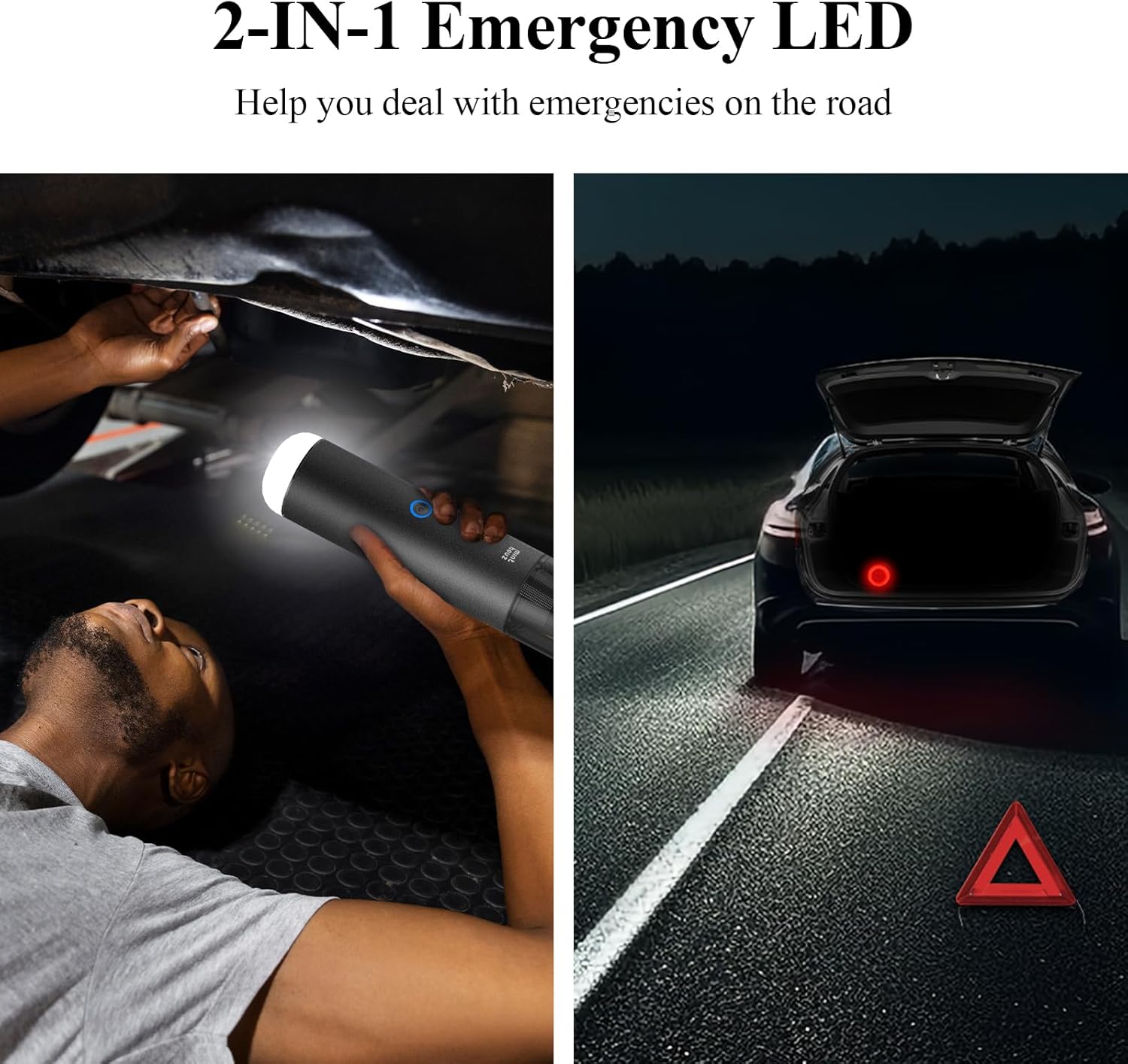
Figure 4.2: The vacuum cleaner's 2-in-1 emergency LED feature, showing it being used as a flashlight for inspecting under a car and as an SOS warning light for roadside emergencies.
4.3 Video Demonstration
Watch this video for a comprehensive demonstration of the Minthouz Handheld Vacuum Cleaner's features and usage.
Video 4.3: A detailed video showcasing the Minthouz Handheld Vacuum Cleaner, including unboxing, assembly, demonstration of suction power on various surfaces like car floors and seats, and highlighting its portability and ease of use.
5. Maintenance
5.1 Emptying the Dust Cup
To empty the 210ml dust cup, press the dust cup buckle (usually a button or latch) to release the contents directly into a trash bin. This one-click mechanism helps avoid direct contact with debris.

Figure 5.1: An illustration demonstrating the "one-click to empty" feature of the 210ml dust cup, showing how to release collected debris into a trash can without touching it.
5.2 Cleaning the Filters
The vacuum features a double-layer filter system: a stainless steel filter and an enhanced HEPA filter. Both are washable and reusable.
- Rotate the dust cup to remove it from the main body.
- Pull out the filter system (stainless steel filter and HEPA filter).
- Detach the HEPA filter from the stainless steel filter.
- Wash both filters with water. Ensure they are completely dry before reassembling and reinserting into the vacuum.

Figure 5.2: A four-step visual guide on cleaning the vacuum's filters: 1) Rotate to remove the dust cup, 2) Pull out the filter system, 3) Detach and wash the stainless steel and HEPA filters, and 4) Air dry the filters completely before reuse.
6. Troubleshooting
If you encounter issues with your Minthouz Handheld Cordless Vacuum Cleaner, refer to the following common problems and solutions:
| Problem | Possible Cause | Solution |
|---|---|---|
| Vacuum does not turn on. | Battery is low or depleted. | Charge the vacuum fully using the Type-C cable. |
| Weak suction power. | Dust cup is full; filters are clogged; suction port is blocked. | Empty the dust cup. Clean or replace the HEPA and stainless steel filters. Check and clear any blockages in the suction port or nozzles. |
| Short operating time after full charge. | Battery degradation; continuous use on high power. | Ensure the battery is fully charged. Use low power mode for lighter tasks to extend battery life. If the issue persists, contact customer support. |
| Unusual noise during operation. | Filter improperly installed; foreign object in the fan or motor. | Check that the filters are correctly installed. Turn off the vacuum and inspect for any foreign objects. If the noise continues, discontinue use and contact support. |
For further assistance, please refer to the detailed troubleshooting section in the Quick Start Guide or contact Minthouz customer service.
7. Specifications
| Feature | Detail |
|---|---|
| Brand | Minthouz |
| Model Name | L011W-2 (HHP-L011W-ZZ2-EU) |
| Special Features | Compact, Cordless, HEPA Filter, Lightweight, Portable, LED/SOS Light |
| Filter Type | HEPA Filter, Stainless Steel Filter |
| Included Components | 1 x Handheld Vacuum Cleaner, Brush Nozzle, Long Flat Nozzle, Inflatable Tube, Type-C Cable, Storage Bag |
| Is Cordless? | Yes |
| Dust Cup Capacity | 210 ml |
| Wattage | 120 watts |
| Charging Time | Approx. 4 Hours |
| Maximum Suction | 17000 Pa (High Mode) |
| Form Factor | Handheld |
| Color | Gray |
| Product Dimensions | 2.2"L x 2.2"W x 11.92"H |
| Battery Type | 3*2500mAh Lithium-Ion |
| Noise Level | <75 Decibels |
| Battery Life | 18-35 minutes (depending on mode) |
| Item Weight | 1.08 pounds (approx. 0.49 kg) |
| Connectivity Technology | USB Type-C |
8. Warranty and Customer Support
Minthouz is committed to providing high-quality products and customer satisfaction. If you encounter any problems or have questions regarding your handheld vacuum cleaner, please contact Minthouz customer service. We are dedicated to assisting you within 24 hours and offer lifelong friendly customer service.
For support, please visit the official Minthouz website or contact the seller directly through your purchase platform.


