1. Introduction and Overview
This document provides essential instructions for the Generic replacement remote control designed for use with the iDEEBO S500 Window Cleaning Robot. This remote utilizes infrared (IR) technology to communicate with your device. Please ensure that your original remote control matches the appearance of this replacement remote for proper compatibility. This replacement remote may not offer all functions identical to your original remote.
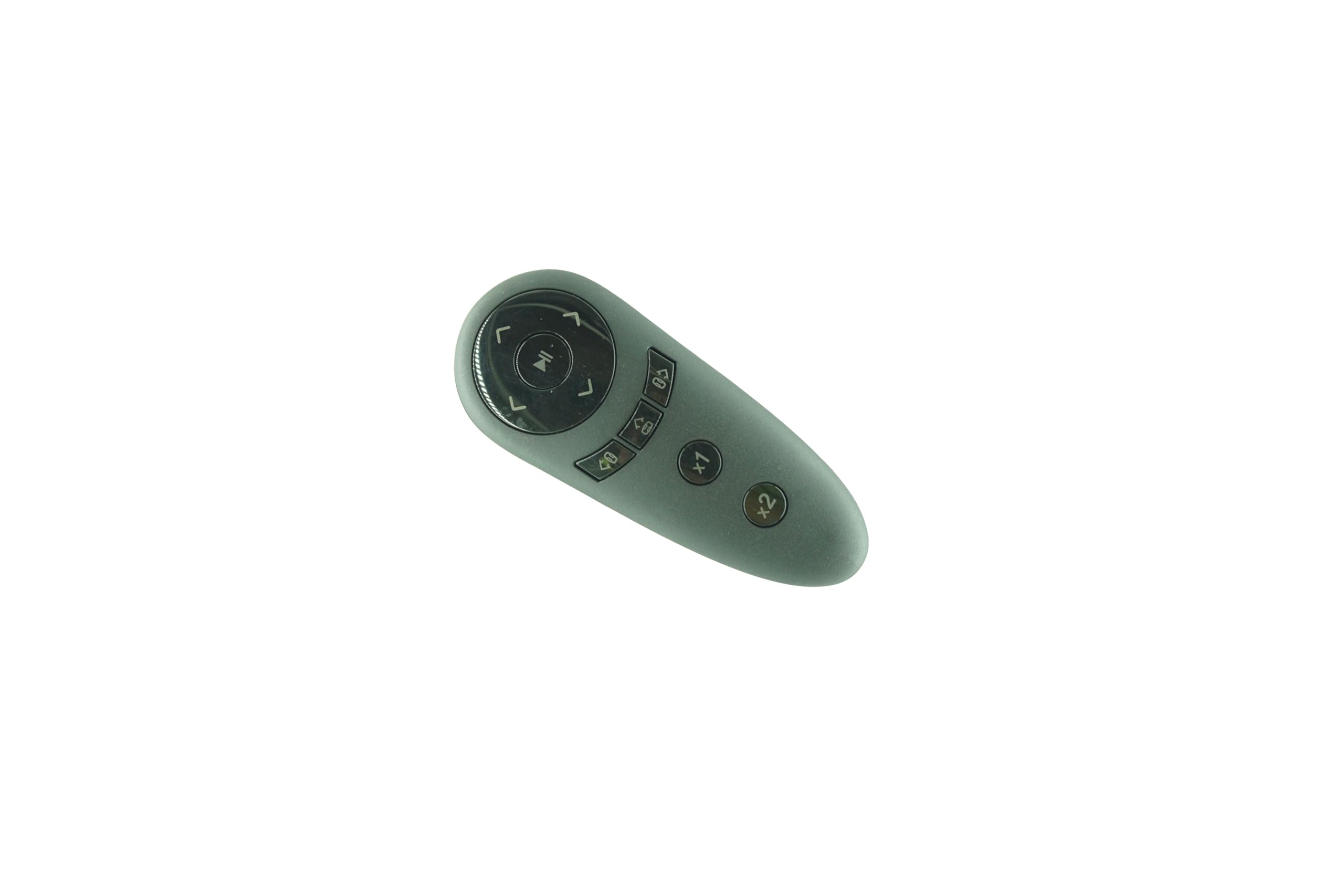
Figure 1: Generic Remote Control for iDEEBO S500 Window Cleaning Robot. This image displays the front view of the black remote control, featuring various control buttons for operation.
If your specific model number is not explicitly listed as compatible, or if you have any doubts regarding its suitability, it is recommended to contact the seller for verification before use.
2. Setup
2.1 Battery Installation
The remote control requires two (2) AAA batteries for operation. Follow these steps to install the batteries:
- Locate the battery compartment cover on the back of the remote control.
- Slide or press the latch to open the battery compartment cover.
- Insert two AAA batteries, ensuring that the positive (+) and negative (-) terminals align correctly with the markings inside the compartment.
- Close the battery compartment cover securely until it clicks into place.
Note: Always use new batteries and replace both batteries at the same time. Do not mix old and new batteries or different types of batteries.
3. Operating Instructions
This remote control operates using infrared (IR) technology. For optimal performance, ensure a clear line of sight between the remote control and the iDEEBO S500 Window Cleaning Robot. The maximum effective range is approximately 8 meters (26 feet).
3.1 Basic Operation
- Power On/Off: Press the Power button to turn the window cleaning robot on or off.
- Directional Control: Use the directional arrow buttons (Up, Down, Left, Right) to guide the robot's movement.
- Start/Pause: Press the Start/Pause button to initiate or temporarily halt the cleaning cycle.
- Mode Selection: If available, use dedicated mode buttons to switch between different cleaning patterns or functions. Refer to your iDEEBO S500 robot's manual for specific cleaning modes.
Point the remote control directly at the infrared receiver on the iDEEBO S500 robot when pressing buttons.
4. Maintenance
4.1 Cleaning the Remote Control
To maintain the remote control's appearance and functionality:
- Wipe the surface with a soft, dry cloth.
- Do not use abrasive cleaners, solvents, or alcohol, as these can damage the finish or internal components.
4.2 Battery Replacement
Replace the batteries when the remote control's response becomes sluggish or stops working. Refer to Section 2.1 for battery installation instructions.
Important: Remove batteries if the remote control will not be used for an extended period to prevent leakage and potential damage.
5. Troubleshooting
If you experience issues with your remote control, please refer to the following troubleshooting steps:
| Problem | Possible Cause | Solution |
|---|---|---|
| Remote control not responding. | Dead or incorrectly installed batteries. | Replace batteries with new AAA batteries, ensuring correct polarity. |
| Remote control has limited range or intermittent response. | Weak batteries; Obstruction between remote and robot; Remote is too far from the robot. | Replace batteries. Ensure a clear line of sight. Move closer to the robot (within 8 meters). |
| Some functions do not work. | Incompatibility with specific robot functions; Remote is a replacement and may not have all original features. | Verify compatibility with your iDEEBO S500 robot's original remote. Contact seller if critical functions are missing. |
6. Specifications
| Brand | Generic |
| Compatible Model | iDEEBO S500 Window Cleaning Robot |
| Connectivity Technology | Infrared (IR) |
| Maximum Range | 8 Meters |
| Power Source | 2 x AAA Batteries (not included) |
| Color | Black |
| Special Feature | Ergonomic, Replacement |
7. Warranty and Support
7.1 Warranty Information
This product comes with a 90-day warranty, offering hassle-free returns. Please retain your proof of purchase for any warranty claims.
7.2 Customer Support
For any questions, concerns, or technical assistance regarding this remote control, please contact the seller directly through the platform where the purchase was made. Provide your order details and a clear description of the issue for prompt support.


