
1. Introduction
Thank you for choosing the Grimtron Gun Safe. This manual provides essential information for the safe and efficient operation of your new safe. Please read it thoroughly before installation and use, and retain it for future reference.
Important Safety Information
- Always keep emergency keys in a secure location, separate from the safe.
- Do not store emergency keys inside the safe.
- Ensure the safe is installed on a stable surface or securely mounted to prevent tipping.
- Keep the keypad dry and clean for optimal performance.
2. Package Contents
Verify that all items are included in your package:
- Grimtron Gun Safe (x1)
- Emergency Keys (x2)
- Expansion Screws (x4)
- Type-C Cable (x1)
- User Manual (x1)
- Gun Organizer (x1)
- Gun Rack (x1)
- Removable Shelf (x1)

Image: Grimtron Gun Safe with all included accessories, including emergency keys, gun organizer, gun rack, expansion screws, USB cable, and user manual.
3. Product Overview
The Grimtron VT03 Gun Safe is designed for secure storage of handguns and valuables, featuring multiple access methods and robust construction.
Key Features:
- Electronic Keypad: For quick and secure access with a programmable password.
- Emergency Key Access: Provides backup access in case of battery failure or forgotten password.
- Silent Mode: Disables keypad beeps for discreet operation.
- Backlit Keypad: Enhances visibility in low-light conditions.
- Internal LED Light: Illuminates the safe interior when opened.
- Durable Construction: Made from alloy steel with anti-rust, anti-theft, and anti-pry features.
- Internal Organization: Includes a gun rack for up to 4 pistols, a removable shelf, and a door organizer for small items.

Image: Front view of the Grimtron Gun Safe with the door partially open, revealing the interior storage and the electronic keypad.
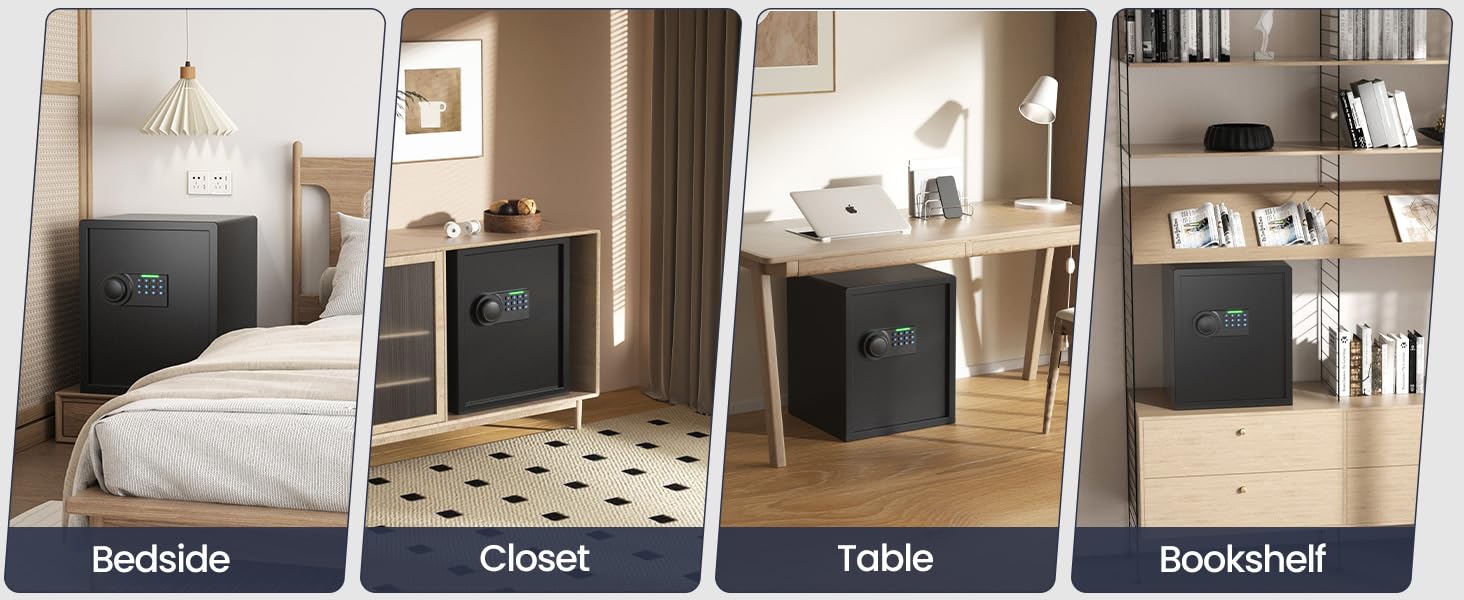
Image: Detailed view of the Grimtron Gun Safe interior, highlighting the gun rack, adjustable shelf, and door organizer for various items.
4. Setup
4.1. Inserting Batteries
- Open the safe door using the emergency key (refer to Section 5.3 if needed).
- Locate the battery compartment on the inside of the door.
- Insert 4 AAA batteries, ensuring correct polarity.
- Close the battery compartment cover.
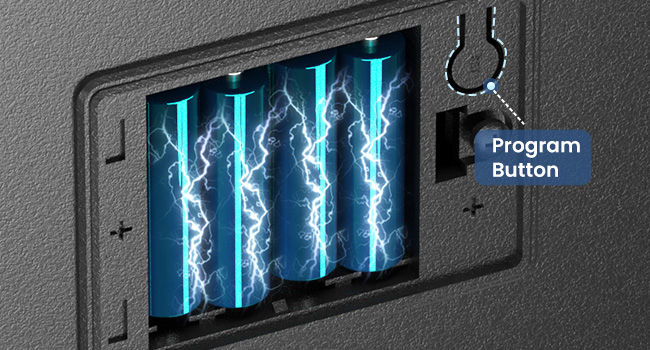
Image: Diagram illustrating the location of the battery compartment and how to insert AAA batteries.
4.2. Setting the User Code
- With the safe door open, press the red reset button located inside the battery compartment.
- The keypad will light up. Enter your desired 3-8 digit code.
- Press the '#' button to confirm. The display will show 'GOOD' if successful.
- Test the new code with the door open before closing.
4.3. Mounting Instructions
The safe can be mounted to a wall or floor for added security. Mounting hardware (expansion screws) is included.
- Choose a suitable location for mounting, ensuring it's a solid surface.
- Mark the drilling points through the pre-drilled holes inside the safe (bottom and/or back).
- Drill holes at the marked points.
- Insert the expansion screws into the drilled holes.
- Align the safe with the holes and secure it tightly using the provided screws.
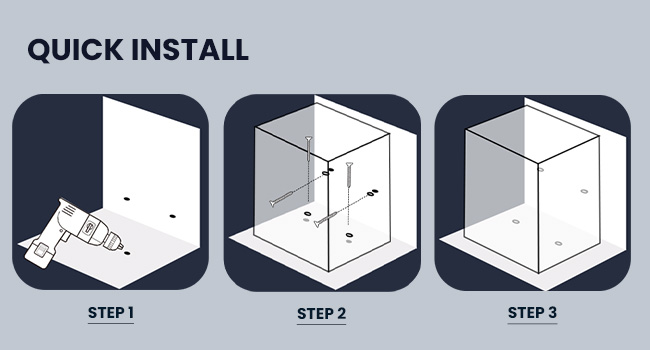
Image: Step-by-step diagram illustrating the process of mounting the safe to a wall using expansion screws.
5. Operating the Safe
5.1. Opening with Password
- Enter your 3-8 digit user code on the keypad.
- Press the '#' button to confirm.
- The display will show 'OPEN' and the handle will unlock.
- Turn the knob clockwise to open the door.

Image: Close-up of the safe's keypad, illustrating the steps for opening with a password or emergency key.
5.2. Silent Mode
To enable or disable silent mode (keypad beeps off):
- With the safe door open, press '0' then '#'.
- The display will show 'SILENT ON' or 'SILENT OFF'.
Video: Demonstration of how to activate and deactivate the silent mode on the Grimtron Gun Safe keypad.
5.3. Opening with Emergency Key
In case of forgotten password or dead batteries, use the emergency key:
- Remove the cover plate over the keyhole on the keypad.
- Insert the emergency key and turn it clockwise.
- Turn the knob clockwise to open the door.
5.4. Internal LED Light
The safe is equipped with an internal LED light that automatically illuminates when the door is opened, providing visibility in dark environments.

Image: Close-up of the Grimtron Gun Safe interior with the LED light activated, illuminating the contents.
6. Maintenance
6.1. Battery Replacement
When the batteries are low, the keypad display may show 'LO-BAT'. Replace all 4 AAA batteries promptly to ensure continuous operation. Use the emergency key to open the safe if batteries are completely drained.
6.2. Cleaning
Wipe the safe's exterior with a soft, damp cloth. Avoid abrasive cleaners or solvents that could damage the finish or electronic components.
7. Troubleshooting
- Safe will not open with password: Ensure batteries are not low. Re-enter the code carefully. If the issue persists, use the emergency key.
- Keypad not responding: Check battery installation and replace if necessary.
- Door does not close properly: Ensure no obstructions are blocking the door or bolts.
8. Specifications
| Feature | Detail |
|---|---|
| Brand | Grimtron |
| Model Number | VT03 |
| Product Dimensions | 12.99"D x 13.78"W x 19.69"H |
| Capacity | 2.03 Cubic Feet |
| Lock Type | Electronic Keypad, Key |
| Material | Alloy Steel |
| Item Weight | 35.94 Pounds |
| Special Feature | Anti-Theft, Silent Mode, Backlit Keypad, LED Light, Gun Organizer & Rack |
| Mounting Type | Tabletop, Floor Mount |
| Alarm | Anti Theft |
| Water Resistance Level | Not Water Resistant |
9. Warranty and Support
Grimtron provides a limited warranty for this product. For detailed warranty terms, registration, or technical support, please refer to the VIP Registration Card included in your package or visit the official Grimtron website.
For any inquiries or assistance, please contact Grimtron customer service.
Video: An overview of the Grimtron Gun Safe, showcasing its features including the gun rack and organizer.
Video: A demonstration of the Grimtron Gun Safe's features, including silent mode and LED light.

