
Introduction
The Claiks Electric Standing Desk is designed to enhance your workspace by allowing seamless transitions between sitting and standing positions. This flexibility can help alleviate discomfort from prolonged sitting and improve overall well-being and productivity. This manual provides essential information for the safe assembly, operation, and maintenance of your new desk.
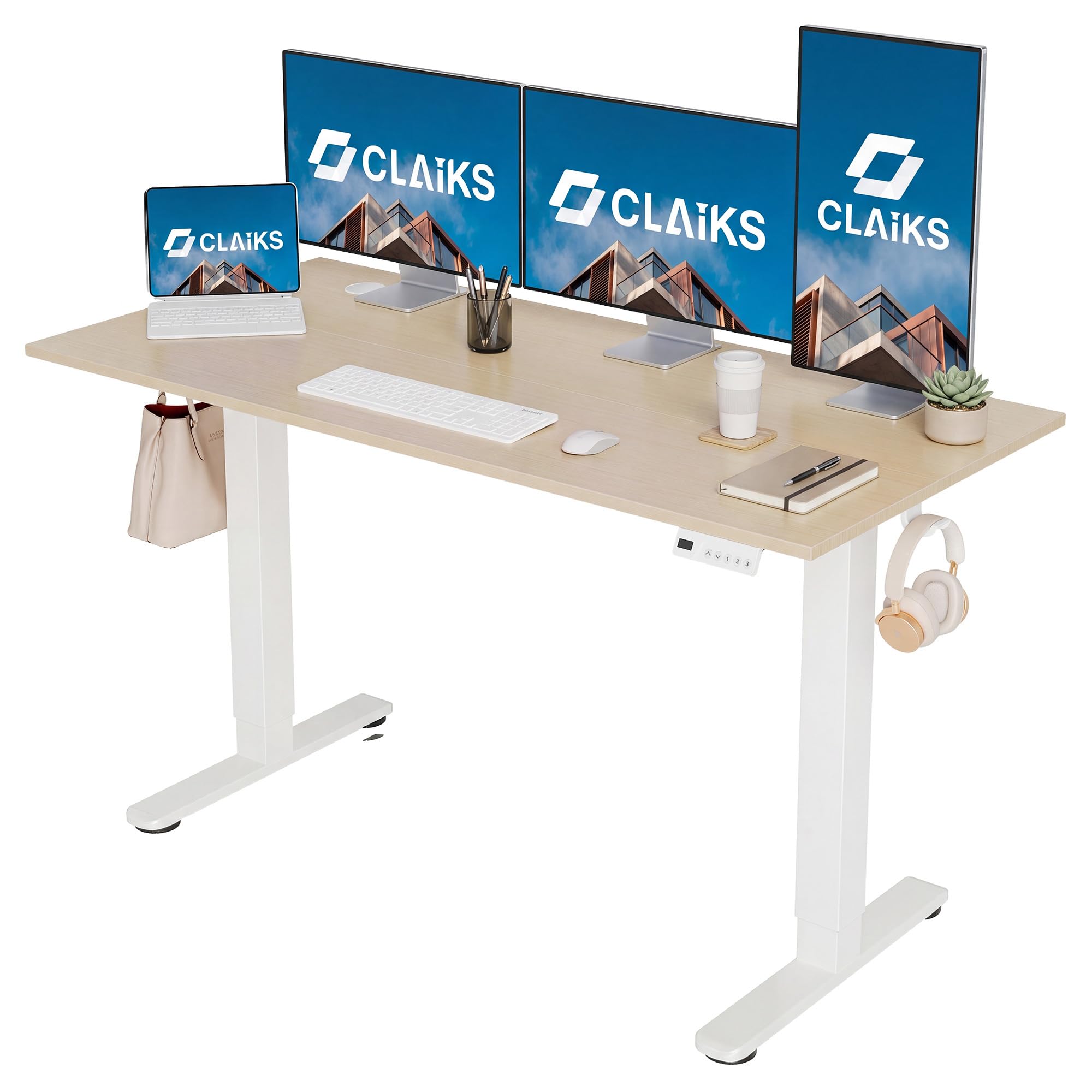
An overview of the Claiks Electric Standing Desk, featuring a natural wood-look tabletop and a white frame.
Safety Information
- Ensure all components are securely fastened before use.
- Do not exceed the maximum load capacity of 80 kg (176 lbs).
- Keep hands and objects clear of moving parts during height adjustment.
- Place the desk on a level surface to ensure stability.
- Avoid exposing the desk to excessive moisture or direct heat sources.
- Children should not operate the desk without adult supervision.
- Disconnect power before cleaning or performing any maintenance.
Package Contents
Before assembly, verify that all parts are present and undamaged. The package should contain:
- Desk tabletop (Natural, 140cm x 60cm)
- Desk frame (White, carbon steel legs)
- Control panel with LED display and memory buttons
- Power adapter and cables
- Assembly hardware (screws, bolts, etc.)
- Cable clips and storage hooks
- Adjustable foot pads
- Instruction manual

This image illustrates the desk dimensions (140cm width, 60cm depth, 72-118cm height range) and highlights integrated features like storage hooks, cable clips, and adjustable foot pads.
Assembly Instructions
Assembly typically takes approximately 30-60 minutes. It is recommended to have two people for easier assembly, especially when handling the tabletop. All necessary assembly tools are included in the package.
- Unpack all components and lay them out on a clean, soft surface to prevent scratches.
- Attach the lifting columns to the desk feet using the provided screws.
- Secure the crossbar between the two lifting columns.
- Mount the control box and power adapter to the designated areas on the frame.
- Carefully place the tabletop upside down on the soft surface.
- Align the assembled frame with the pre-drilled holes on the tabletop and secure it with screws.
- Connect all cables from the lifting columns and control panel to the control box.
- Attach the cable clips and storage hooks as desired for cable management.
- Carefully flip the desk upright. Adjust the foot pads to ensure the desk is level and stable.
- Plug the power cord into a wall outlet.

A visual guide demonstrating the assembly process for the Claiks Electric Standing Desk.
Operating Instructions
Height Adjustment
The desk's height can be adjusted electrically within a range of 72 cm to 118 cm (28.3 to 46.5 inches) at a speed of 20mm/s.
- Up/Down Buttons: Press and hold the Up (▲) or Down (▼) arrow buttons on the control panel to raise or lower the desk to your desired height. Release the button to stop movement.
- The current height is displayed on the LED screen.
Memory Presets
The desk features three memory preset buttons (1, 2, 3) to save and recall your preferred sitting and standing heights.
- Adjust the desk to your desired height using the Up/Down buttons.
- Press and hold one of the memory buttons (1, 2, or 3) until the LED display flashes or beeps, indicating the height has been saved.
- To recall a saved height, simply press the corresponding memory button (1, 2, or 3) once. The desk will automatically move to the saved position.

The control panel features an LED height display, up/down arrows for adjustment, and three memory preset buttons for saving preferred heights.

This image shows two possible control panel designs (Style A and Style B). Both styles offer identical functionality for height adjustment and memory presets.

Two desks are shown at different heights, illustrating the adjustable range from 72cm to 118cm, suitable for various uses.
Maintenance
- Cleaning: The melamine resin tabletop is resistant to water, heat, and stains. Wipe the surface with a soft, damp cloth and mild detergent. Avoid abrasive cleaners or harsh chemicals.
- Frame Care: The carbon steel frame can be cleaned with a damp cloth. Ensure no moisture enters the electrical components.
- Cable Management: Regularly check and organize cables using the provided clips and hooks to prevent tangles and damage.
- Inspection: Periodically inspect all screws and connections to ensure they remain tight.

This image emphasizes the use of environmentally conscious materials for the desk's construction, including a melamine resin tabletop.
Troubleshooting
| Problem | Possible Cause | Solution |
|---|---|---|
| Desk does not move. | Power cable disconnected; control box cable loose; overload. | Check all power and control box connections. Reduce weight on the desk. |
| Desk moves unevenly or makes unusual noise. | Uneven load; loose screws; obstruction. | Distribute weight evenly. Check and tighten all assembly screws. Remove any obstructions. |
| Memory presets not working. | Presets not saved correctly. | Re-save your desired heights by pressing and holding the memory button until confirmation. |
| Control panel display error. | Temporary electrical glitch. | Unplug the desk for 30 seconds, then plug it back in to reset. |
If you encounter issues not listed here or if solutions do not resolve the problem, please contact Claiks customer support.
Specifications
| Brand | Claiks |
| Model Number | P1.01.001.0015.JP |
| Desk Type | Electric Standing Desk |
| Tabletop Material | Melamine Resin (Environmentally friendly, water/heat/stain resistant) |
| Frame Material | Carbon Steel |
| Tabletop Color | Natural |
| Frame Color | White |
| Dimensions (W x D) | 140 cm x 60 cm (55.1 in x 23.6 in) |
| Height Adjustment Range | 72 cm - 118 cm (28.3 in - 46.5 in) |
| Lifting Speed | 20 mm/s |
| Maximum Load Capacity | 80 kg (176 lbs) |
| Noise Level (Operating) | Approx. 45 dB |
| Features | Electric height adjustment, 3 memory presets, reinforced steel legs, rounded corners. |

The desk is shown supporting a significant weight, demonstrating its maximum load capacity of 80kg.

A graphic indicating the desk operates at approximately 45dB, comparable to quiet ambient sounds, ensuring minimal disturbance.
Warranty and Support
Claiks products come with a manufacturer's warranty. During the warranty period, free repair or exchange services are provided for eligible issues. For any inquiries, assistance, or warranty claims, please contact Claiks customer support.
- Customer Support: Available in multiple languages, including Japanese and English.
- Contact Information: Refer to the contact details provided on the Claiks official website or your purchase documentation.

Claiks offers dedicated customer support, including Japanese and English language assistance, for product inquiries and warranty services.


