
1. Important Safety Instructions
Please read these instructions carefully before using your Morphy Richards Desira Coral Dry Iron and retain them for future reference. Incorrect use can lead to hazards.
- Always ensure the voltage on the rating label corresponds to your mains voltage.
- Do not immerse the iron, cord, or plug in water or any other liquid.
- Do not leave the iron unattended while it is switched on or connected to the mains supply.
- Keep the iron out of reach of children and individuals with reduced physical, sensory, or mental capabilities.
- The soleplate of the iron becomes very hot during use. Avoid direct contact with the hot soleplate.
- Always unplug the iron from the power outlet before cleaning, filling, or when not in use.
- Do not operate the iron with a damaged cord or plug, or if the iron has been dropped or damaged. Contact authorized service personnel for repair.
- Place the iron on a stable, heat-resistant surface when resting.
- Do not use the iron for purposes other than its intended use.
2. Product Overview
The Morphy Richards Desira Coral Dry Iron is designed for efficient and smooth ironing of various fabric types. It features a non-stick soleplate and a precise temperature control dial.
Key Features:
- PTFE Non-stick Coated Soleplate for smooth gliding.
- 1000 Watts power for quick heating.
- Cotton Braided Cord for durability.
- 360-degree Swivel Cord for flexible movement.
- Adjustable Thermostat Control for different fabric types.
- Compact and sleek design.
Components:
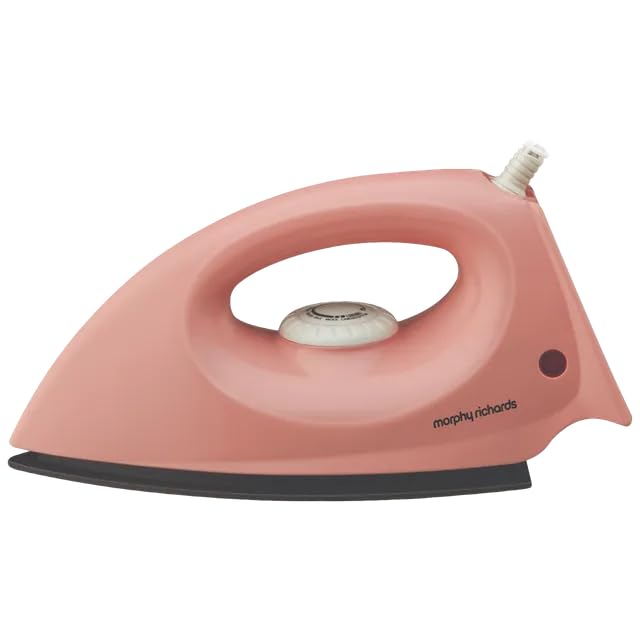
Figure 1: Overall view of the Morphy Richards Desira Coral Dry Iron.
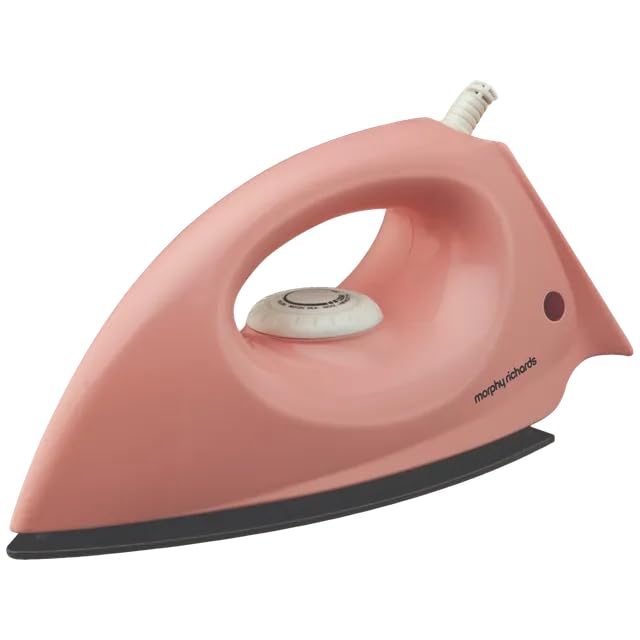
Figure 2: Side profile of the dry iron, highlighting its ergonomic handle.
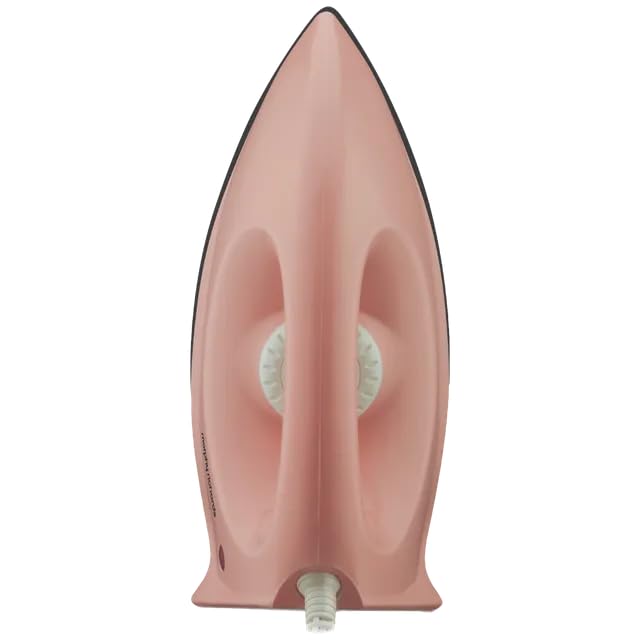
Figure 3: Top view of the iron, displaying the temperature control dial.
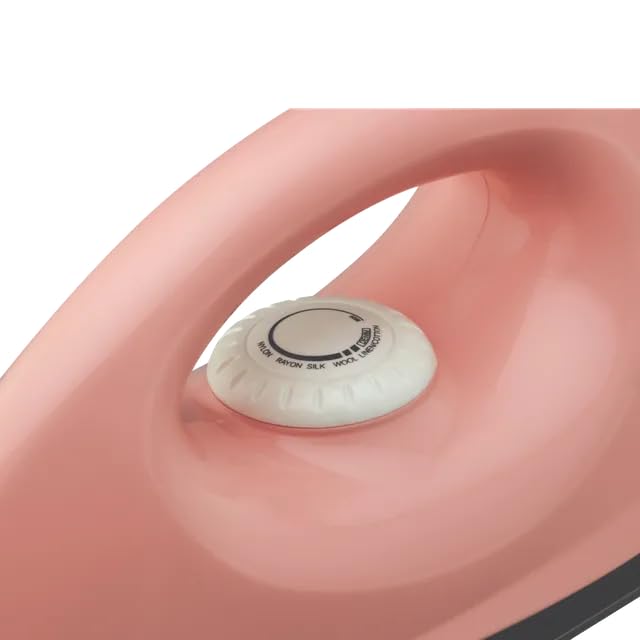
Figure 4: Detailed view of the temperature control dial with fabric settings.
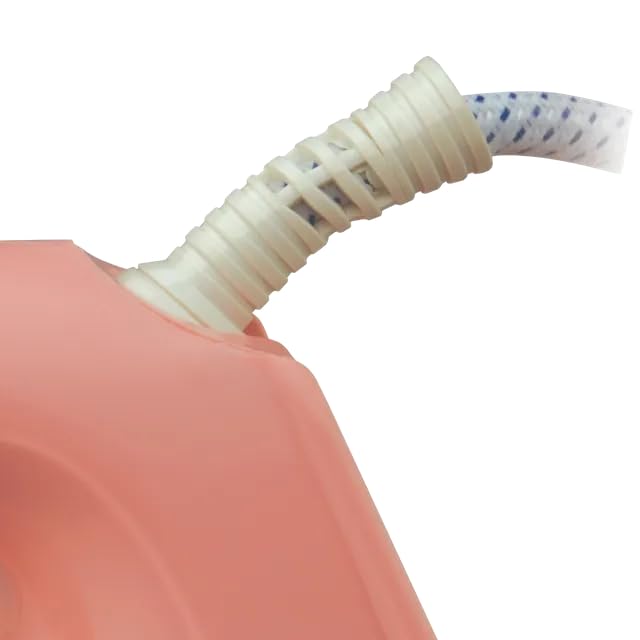
Figure 5: Close-up of the flexible cord guard at the base of the handle.
3. Setup
Unpacking:
Carefully remove the iron from its packaging. Retain the packaging for storage or future transport. Check for any visible damage. If any damage is observed, do not use the iron and contact customer support.
Before First Use:
- Wipe the soleplate with a damp cloth to remove any manufacturing residues.
- It is normal for a slight odor or smoke to be emitted during the first few minutes of use. This is due to the burning off of manufacturing oils and will dissipate quickly.
- Ensure the iron is placed on a stable, heat-resistant surface.
4. Operating Instructions
Temperature Setting:
- Sort garments according to their fabric composition (e.g., cotton, silk, synthetic).
- Plug the iron into a suitable mains power outlet.
- Turn the temperature control dial to the desired setting based on the fabric type. Start with lower temperatures for delicate fabrics and increase for heavier ones.
- The indicator light will illuminate, indicating the iron is heating. It will turn off once the set temperature is reached.
Ironing Garments:
- Once the indicator light turns off, the iron is ready for use.
- Iron the garment with smooth, even strokes.
- For best results, iron garments inside out to prevent shine on certain fabrics.
- Always place the iron on its heel rest when not actively ironing.
- After use, turn the temperature dial to the 'Min' position, unplug the iron, and allow it to cool completely before storing.
5. Maintenance and Care
Cleaning the Soleplate:
To clean the soleplate, ensure the iron is unplugged and completely cool. Wipe the soleplate with a damp cloth and a mild, non-abrasive cleaner if necessary. Do not use harsh scouring pads or metallic cleaners as these can damage the non-stick coating.
Cleaning the Body:
Wipe the exterior of the iron with a soft, damp cloth. Do not use abrasive cleaners or solvents.
Storage:
Once the iron has completely cooled down, wrap the cord neatly around the cord winder (if applicable) or secure it with a tie. Store the iron upright on its heel rest in a dry, safe place, away from moisture and direct sunlight.
6. Troubleshooting
| Problem | Possible Cause | Solution |
|---|---|---|
| Iron does not heat up. | Not plugged in correctly. Power outlet faulty. Temperature dial set to 'Min'. | Ensure plug is fully inserted. Test outlet with another appliance. Turn dial to a fabric setting. |
| Indicator light does not illuminate. | Iron not connected to power. Temperature dial set to 'Min'. Iron has reached set temperature. | Check power connection. Adjust temperature dial. This is normal; the light turns off when ready. |
| Iron sticks to fabric. | Soleplate is dirty. Temperature too high for fabric. | Clean the soleplate as per maintenance instructions. Reduce temperature setting. |
| Slight odor/smoke on first use. | Manufacturing residues burning off. | This is normal and will stop after a few minutes of use. Ensure good ventilation. |
7. Specifications
| Feature | Detail |
|---|---|
| Brand | Morphy Richards |
| Model Name | DESIRA CORAL |
| Model Number | 500074 |
| Type | Dry Iron |
| Wattage | 1000 Watts |
| Soleplate Material | PTFE Non-stick Coated |
| Cord Type | Cotton Braided, 360-degree Swivel |
| Color | Pink |
| Product Dimensions (L x W) | 28L x 11.7W Centimeters |
| Included Components | Iron, User Manual, Warranty Card |
8. Warranty and Support
Warranty:
This Morphy Richards Desira Coral Dry Iron comes with a 2-year warranty on the product from the date of purchase. Please retain your purchase receipt and warranty card for any warranty claims. The warranty covers manufacturing defects under normal household use.
Customer Support:
For any queries, service requests, or technical assistance, please refer to the contact information provided on your warranty card or visit the official Morphy Richards website for customer service details.