
Bosch WGA1420SIN
Bosch Series 8 Washing Machine User Manual
Model: WGA1420SIN
1. Introduction
This user manual provides comprehensive instructions for the safe and efficient operation, installation, maintenance, and troubleshooting of your Bosch Series 8 front loader washing machine, model WGA1420SIN. Please read this manual thoroughly before using the appliance for the first time and keep it for future reference.
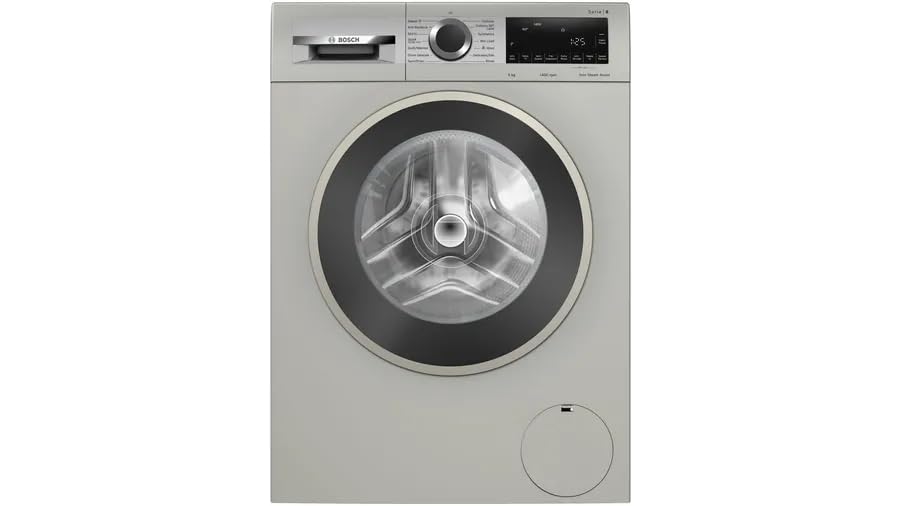
Image 1.1: Front view of the Bosch Series 8 WGA1420SIN washing machine. This image shows the overall design, including the control panel, detergent drawer, and the large front-loading door.
2. Safety Instructions
Always observe the following safety instructions to prevent accidents and damage to the appliance:
- Electrical Safety: Ensure the appliance is properly grounded. Do not use extension cords or adapters. Disconnect from power before cleaning or maintenance.
- Water Connection: Connect the inlet pipe securely to a cold water tap. Ensure all connections are tight to prevent leaks.
- Child Safety: Keep children away from the appliance during operation. Do not allow children to play with the washing machine.
- Installation: The appliance must be installed on a firm, level surface. Ensure adequate ventilation around the machine.
- Usage: Do not overload the machine. Only use detergents and additives suitable for automatic washing machines.
3. Setup and Installation
The Bosch Series 8 WGA1420SIN is a freestanding washing machine designed for easy integration into your laundry area. Proper installation is crucial for optimal performance and longevity.
3.1 Unpacking
Carefully remove all packaging materials. Check for any transport damage. Keep packaging materials out of reach of children.
3.2 Positioning and Leveling
Place the washing machine on a stable, flat surface. Use the adjustable feet to level the appliance. Proper leveling minimizes vibration and noise during operation.
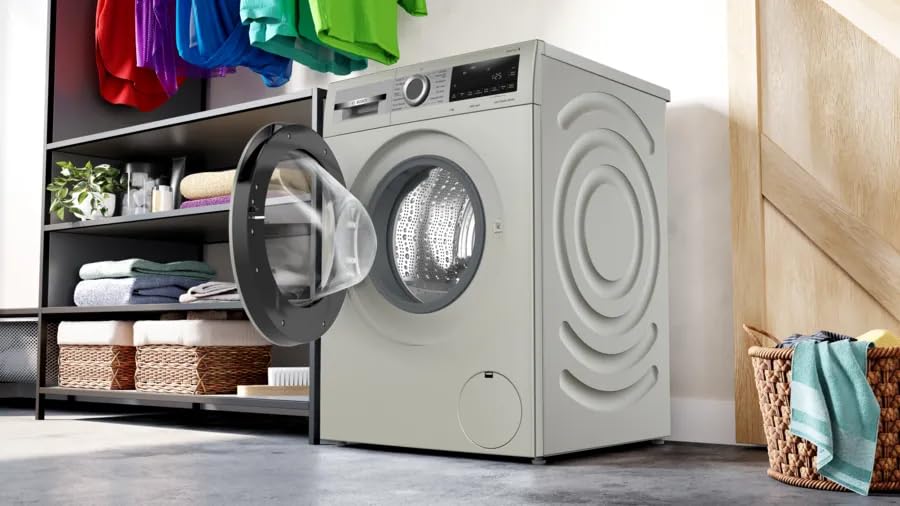
Image 3.1: The Bosch Series 8 washing machine positioned in a laundry room, demonstrating its freestanding nature and the design of its side panels which contribute to stability.
3.3 Water Connection
Connect the supplied inlet pipe to a cold water tap with a 3/4-inch thread. Ensure the connection is secure and leak-free. The appliance comes with one washing machine inlet pipe.
3.4 Electrical Connection
Connect the power cord to a properly grounded 230 Volts AC outlet. Do not use adapters or extension cords. Ensure the voltage matches the appliance's requirements.
3.5 Dimensions
Refer to the diagram below for detailed dimensions to ensure proper fit in your space.
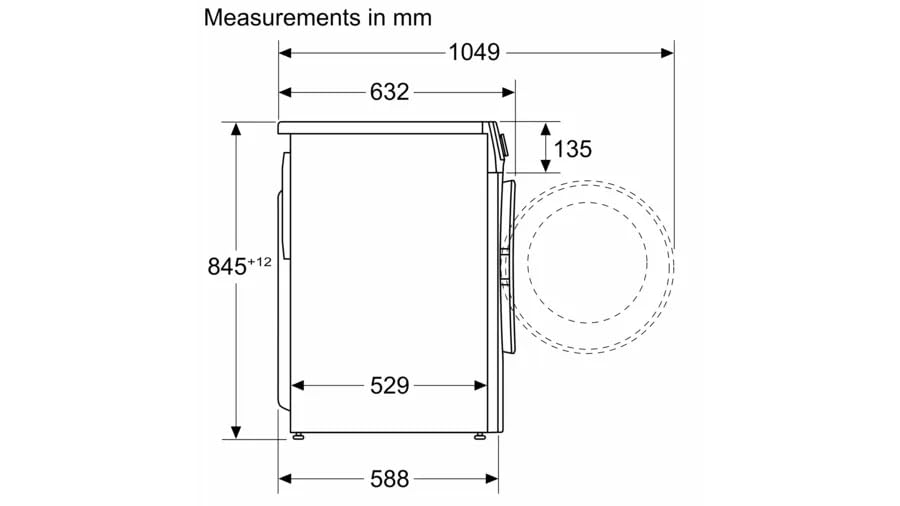
Image 3.2: Technical diagram illustrating the precise measurements of the Bosch Series 8 washing machine in millimeters, crucial for installation planning.
4. Operating Instructions
Your Bosch Series 8 washing machine is equipped with advanced features for efficient and gentle laundry care. It has a 9 kg capacity and a maximum rotational speed of 1200 RPM.
4.1 Control Panel Overview
The washing machine features a touch control console for easy program selection and setting adjustments.

Image 4.1: Detailed view of the control panel, showing the program selector dial, touch buttons for functions like SpeedPerfect and Anti Wrinkle, and the digital display.
4.2 Loading Laundry
Open the front load door and place laundry loosely into the drum. Do not overload the machine to ensure optimal washing results and prevent damage.
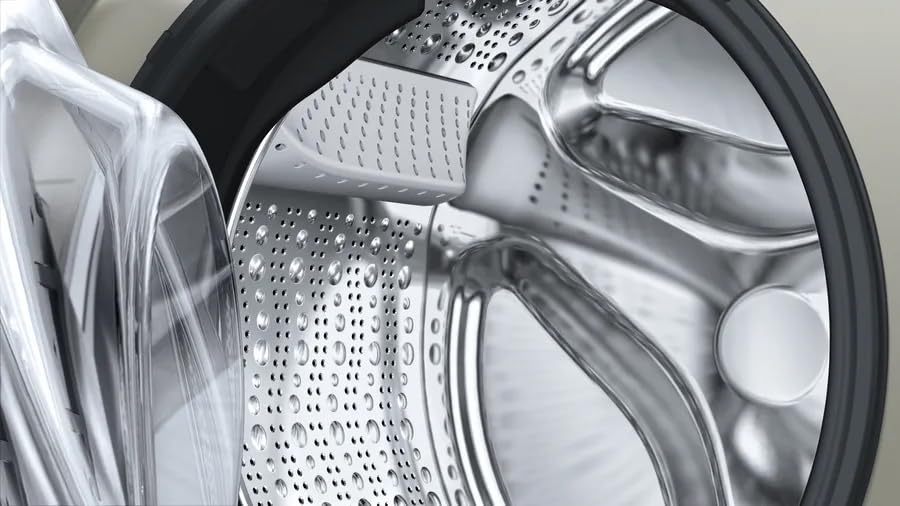
Image 4.2: Close-up of the washing machine's stainless steel drum interior, highlighting its textured design for effective and gentle washing.
4.3 Adding Detergent and Additives
Add appropriate detergent and fabric softener to the designated compartments in the detergent drawer. Refer to detergent packaging for recommended amounts.
4.4 Program Selection
Turn the program selector dial to choose the desired wash program (e.g., Cottons, Synthetics, Delicates, Wool). The digital display will show the estimated program duration.
4.5 Special Features
- 99.99% Bacterial Reduction: Specialized program for enhanced hygiene.
- Anti Wrinkle: Minimizes wrinkles in laundry by up to 50%, making ironing easier.
- Anti-Vibration Side Panels: Engineered to reduce vibrations and ensure greater stability during washing and spinning, contributing to the quiet operation of the Eco Silence Drive motor.
- SpeedPerfect: Reduces wash time significantly while maintaining excellent cleaning results.
- Eco Silence Drive: A brushless, energy-efficient motor designed for quiet operation and an exceptionally long life.
- Auto Restart: Automatically resumes the wash cycle from where it left off after a power outage.
- AntiStain System: Targets and removes common stains effectively.

Image 4.3: The AntiStain System logo, indicating the machine's capability to effectively tackle various stains.
4.6 Starting a Wash Cycle
Press the Start/Pause button to begin the selected program. The machine will automatically proceed through the wash, rinse, and spin cycles.
5. Maintenance and Care
Regular maintenance ensures the longevity and optimal performance of your washing machine.
5.1 Cleaning the Exterior
Wipe the exterior surfaces with a soft, damp cloth. Do not use abrasive cleaners or solvents.
5.2 Cleaning the Detergent Drawer
Periodically remove and clean the detergent drawer to prevent residue buildup. Rinse with warm water and reinsert.
5.3 Drum Cleaning (Drum Descale)
Run a drum cleaning cycle (often labeled "Drum Descale" on the control panel) regularly, especially if you notice odors or residue. This helps maintain hygiene and performance of the drum shown in Image 4.2.
5.4 Filter Cleaning
Check and clean the drain pump filter periodically to remove lint and small objects. Refer to the specific location of the filter on your model.
6. Troubleshooting
Before contacting customer service, try the following solutions for common issues:
| Problem | Possible Cause | Solution |
|---|---|---|
| Machine does not start | No power supply; Door not closed properly; Program not selected. | Check power connection; Ensure door is latched; Select a program and press Start. |
| Excessive vibration/noise | Machine not level; Transport bolts not removed; Uneven laundry load. | Adjust leveling feet; Remove transport bolts (if applicable); Redistribute laundry evenly. |
| Water not draining | Drain hose kinked or blocked; Drain pump filter clogged. | Check and clear drain hose; Clean drain pump filter. |
| Detergent residue in drawer | Insufficient water pressure; Detergent clumping. | Check water supply; Clean detergent drawer; Use less detergent or dissolve it first. |
7. Specifications
| Feature | Detail |
|---|---|
| Brand | Bosch |
| Model | WGA1420SIN |
| Capacity | 9 Kilograms |
| Maximum Rotational Speed | 1200 RPM |
| Installation Type | Freestanding |
| Special Features | Auto Restart, 99.99% bacterial reduction, Anti Wrinkle, Anti-Vibration Side Panels, SpeedPerfect, Eco Silence Drive, AntiStain System |
| Colour | Silver |
| Control Console | Touch |
| Access Location | Front Load |
| Voltage | 230 Volts |
| Material | Iron (likely referring to internal components or frame) |
| Included Components | Washing machine Inlet Pipe |
| Item Weight | 2 kg (Note: This seems unusually low for a washing machine, likely a data error or refers to packaging weight. User should verify actual product weight.) |
| Product Dimensions (LxWxH) | 59.8 x 59 x 84.8 Centimeters |
| Country of Origin | India |
8. Warranty and Support
Your Bosch Series 8 washing machine is covered by a manufacturer's warranty. Please refer to the warranty card included with your appliance for specific terms and conditions.
For technical support, service requests, or to inquire about extended warranty options, please visit the official Bosch website or contact their customer service. You may also find additional information on the Bosch Store on Amazon.
Protection plans are available for purchase, including an Extended warranty for 1 Year and a Total Protection Plan for 2 Year, offering additional peace of mind.
Related documentsWGA1420SIN


Ask a question about this manual
Ask about setup, troubleshooting, compatibility, parts, safety, or missing instructions. Manuals+ will review the question and use this page’s manual context to help answer it.