
1. Product Overview
The EIOTCLUB International Data Only SIM Card provides seamless 5G/4G LTE connectivity across the USA and 77 other countries, including Japan, Europe, and Mexico. This SIM card is designed for data usage only, meaning it does not come with a phone number and does not support voice calls or SMS. It offers a convenient, contract-free solution for global internet access, compatible with unlocked iPhones, Android devices, WiFi travel routers, mobile phones, tablets, and portable routers.

Image: The EIOTCLUB International Data Only SIM Card, featuring a 1GB data plan for 30 days, supporting 77 countries, with iconic global landmarks in the background.
2. Setup and Activation
2.1 Package Contents
Your EIOTCLUB SIM card package includes:
- One 3-in-1 SIM Card (Standard, Micro, Nano sizes)
- SIM Ejector Tool

Image: A visual representation of the EIOTCLUB SIM card packaging, showing the SIM card and an included SIM ejector tool.
2.2 SIM Card Sizes
The EIOTCLUB SIM card is a 3-in-1 design, providing Standard, Micro, and Nano SIM sizes. Carefully detach the correct size needed for your device.

Image: An illustration of the 3-in-1 SIM card, demonstrating how it can be broken down into Nano, Micro, and Standard sizes to fit various devices.
2.3 Device Compatibility
Ensure your device is unlocked before inserting the SIM card. This SIM card is compatible with:
- Unlocked iPhones
- Unlocked Android devices
- WiFi travel routers
- Mobile phones
- Tablets
- Portable routers

Image: A graphic displaying various devices compatible with the EIOTCLUB SIM card, including routers, hotspots, tablets, trackers, modems, and mobile phones.
2.4 Activation Steps for iPhone
- Insert the SIM card: Using the provided ejector tool, insert the EIOTCLUB SIM card into your iPhone with the correct orientation.
- Configure APN settings: Go to Settings > Cellular / Mobile Data > Cellular Data Network (or Mobile Data Network).
- Enter APN: For APN, enter america.bics or bicsapn. Leave username and password blank.
- Enable Data Roaming: Turn on Data Roaming.
- Save settings: Save the changes.
- Verify connectivity: Once activated, try browsing the web to confirm successful connection.
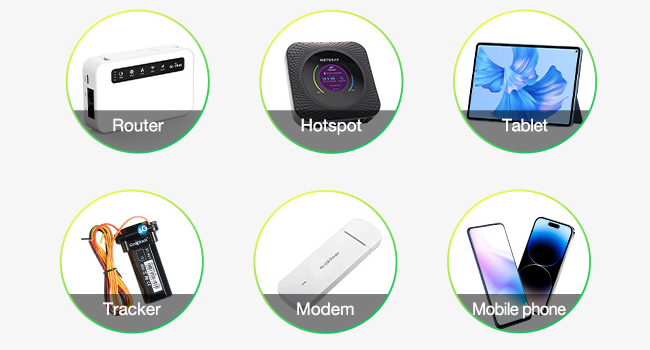
Image: A three-step visual guide demonstrating how to activate the EIOTCLUB SIM card on an iPhone, including SIM insertion, APN settings, and successful browsing.
2.5 Activation Steps for 5G/4G Portable WiFi Router
- Insert the SIM card: Insert the EIOTCLUB SIM card into your portable WiFi router with the correct orientation.
- Access device web interface: Log in to the device's web interface (usually via a web browser on a connected computer or phone).
- Find Network Settings: Navigate to the NETWORK settings.
- Manual Setup & APN: Select Manual Setup and change the APN to america.bics or bicsapn. Leave username and password blank.
- Enable Data Roaming: Enable data roaming within the router settings.
- Save settings: Save the configuration.
- Verify connectivity: Check the router's status indicators or connect a device to its WiFi to confirm internet access.
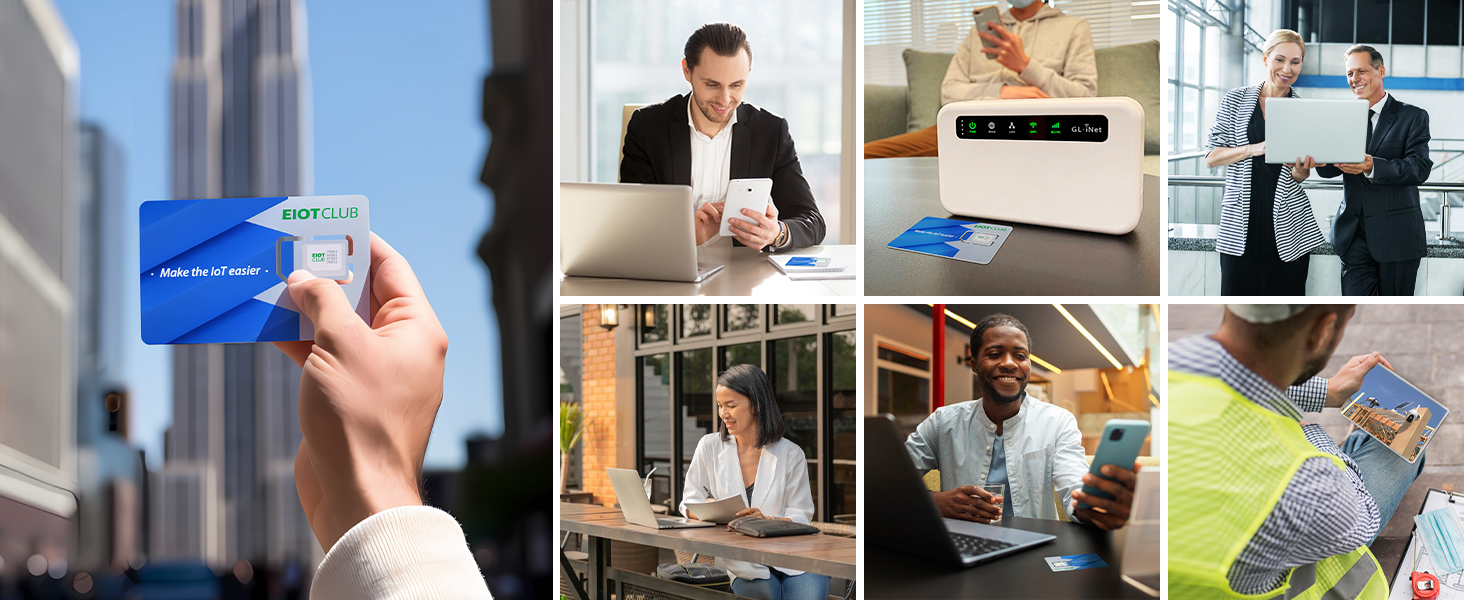
Image: A three-step visual guide demonstrating how to activate the EIOTCLUB SIM card on a 5G/4G portable WiFi router, including SIM insertion, network settings, and data roaming activation.
3. Operating Instructions
3.1 Global Coverage
The EIOTCLUB SIM card provides data connectivity in the USA and over 77 countries. This includes major regions like Japan, Europe, and Mexico. Data roaming fees are not applicable within the covered countries.
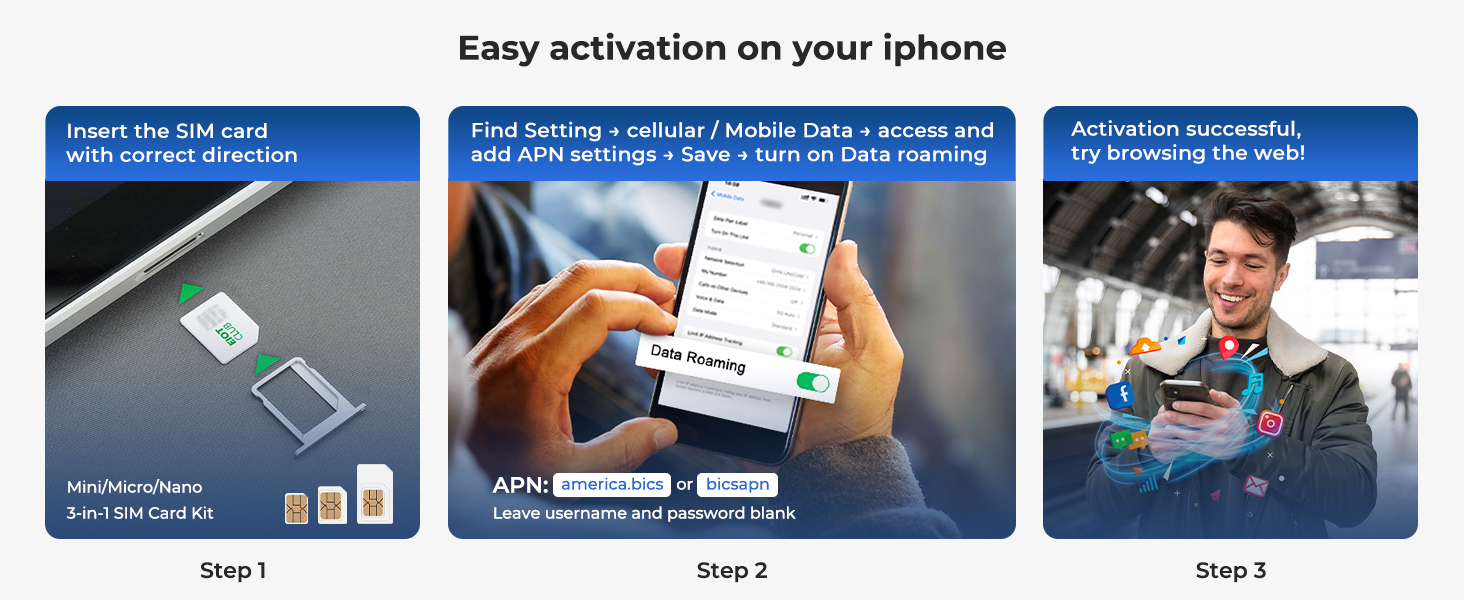
Image: A world map illustrating the extensive coverage of the EIOTCLUB SIM card, highlighting connectivity in the U.S., EU, UK, Mexico, Canada, Australia, and other regions.
3.2 Network Speed
Experience fast 5G/4G LTE speeds in supported regions. The SIM card automatically connects to the best available network (AT&T/T-Mobile in the USA) to ensure continuous global connectivity.

Image: A graphic titled 'Seamless 5G and Beyond', indicating rapid 5G speeds up to 1Gbps+ and reliable 4G/3G access.
3.3 Wi-Fi Sharing (Hotspot)
The EIOTCLUB SIM card supports Wi-Fi sharing, allowing you to create a personal hotspot from your compatible device (e.g., smartphone, portable router) to share internet access with other devices. This feature provides secure access and shared hotspot capabilities.
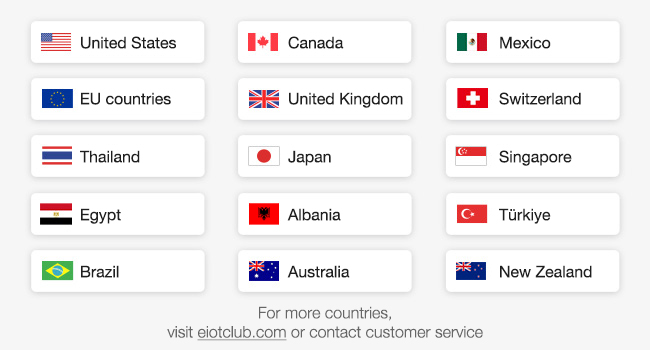
Image: An illustration showing the EIOTCLUB SIM card enabling Wi-Fi sharing, with multiple devices (laptops, phones) connected to a central hotspot.
4. Maintenance and Management
4.1 Plan Management and Refills
You can easily manage your data plan and top-up for continuous connectivity through the EIOTCLUB App or the Online Portal. Various plans are available, including local USA plans and global plans for 77+ or 200+ countries.

Image: A screenshot of the EIOTCLUB app interface, demonstrating options for easy refills and plan management, including local and global data plans.
For more details on available plans and to manage your account, visit the EIOTCLUB online portal or download the EIOTCLUB app.
5. Troubleshooting
5.1 No Internet Connectivity
- Check Device Unlocked Status: Ensure your mobile phone or router is unlocked and not tied to a specific carrier.
- Verify APN Settings: Double-check that the APN is correctly set to america.bics or bicsapn, with username and password left blank.
- Enable Data Roaming: Confirm that data roaming is enabled in your device's settings.
- Check Data Balance: Log into the EIOTCLUB App or Online Portal to ensure you have an active data plan and sufficient data balance.
- Restart Device: Sometimes, a simple restart of your device can resolve connectivity issues.
- Network Coverage: Confirm you are in a country covered by your EIOTCLUB plan. While the SIM supports 77 countries, specific regional coverage can vary.
5.2 Slow Data Speeds
- Check Network Type: Verify if your device is connected to 5G, 4G LTE, or 3G. Speeds will vary depending on the network type and local infrastructure.
- Location: Data speeds can be affected by your physical location, network congestion, and signal strength. Try moving to an area with better signal.
- Data Throttling: If you have consumed a significant amount of data, your plan might be subject to fair usage policies which could result in reduced speeds.
5.3 SIM Card Not Recognized
- Re-insert SIM: Remove and re-insert the SIM card to ensure it is properly seated in the tray.
- Check SIM Size: Confirm you are using the correct SIM size (Nano, Micro, or Standard) for your device.
- Inspect SIM Card: Check for any visible damage to the SIM card.
6. Specifications
| Item Model Number | 1GB 30DAY(77 Countries) |
| Brand | EIOTCLUB |
| Service Provider | AT&T/T-mobile (USA) |
| Cellular Technology | 5G/4G LTE |
| Data Plan | 1GB for 30 Days |
| Coverage | USA and 77 Countries (e.g., Japan, Europe, Mexico) |
| Functionality | Data Only (No phone number, no calls, no SMS) |
| SIM Type | 3-in-1 (Standard, Micro, Nano) |
| Item Weight | 0.317 ounces |
| Package Dimensions | 3.86 x 3.11 x 0.39 inches |
| UPC | 727198758024 |
7. Warranty Information
EIOTCLUB offers a 10-year commitment to safeguard your rights. If the product breaks or malfunctions due to manufacturing defects, you are eligible for a free exchange or return at any time. Please retain your proof of purchase for warranty claims.

Image: A shield icon with the number '10' and text indicating a 10-year commitment to product quality and customer rights.
8. Customer Support
For any questions, technical assistance, or support regarding your EIOTCLUB International Data Only SIM Card, 24/7 customer support is available. You can reach out through the EIOTCLUB App or the official EIOTCLUB website.
Visit: EIOTCLUB Store on Amazon