
IDEAPLAY J10 (O7-UX63-LC0V)
IDEAPLAY J10 Jump Starter User Manual
Model: J10
Introduction
This manual provides detailed instructions for the safe and effective operation, maintenance, and troubleshooting of your IDEAPLAY J10 Jump Starter. Please read this manual thoroughly before using the device to ensure proper function and safety.
The IDEAPLAY J10 is a powerful and portable 12V car battery jump starter designed for vehicles with up to 8.0L gas and 7.0L diesel engines. It also functions as a portable power bank and features an LED flashlight.
Safety Information
Always observe the following safety precautions to prevent injury or damage to the device and vehicle:
- Do not short-circuit the jump starter terminals.
- Do not expose the device to extreme temperatures or direct sunlight.
- Do not immerse the device in water.
- Keep out of reach of children.
- Ensure proper ventilation during use.
- If the intelligent jumper cables indicate an incorrect connection (buzz sound and blinking red light), disconnect immediately and re-evaluate the connection.
- Do not attempt to jump start a frozen battery.
- Always wear eye protection when working with batteries.
Package Contents
Verify that all items are present in the package:
- 1 x IDEAPLAY J10 Portable Battery Jump Starter
- 1 x Intelligent Jumper Cable Clamps
- 1 x USB-C Fast Charging Cable
- 1 x Carrying Case
- 1 x User Manual

Image: The IDEAPLAY J10 Jump Starter unit, intelligent jumper cable clamps, USB-C charging cable, and a carrying case.
Product Overview and Specifications

Image: Diagram showing the different parts of the IDEAPLAY J10 Jump Starter, including the indication display, output ports, ECS output, LED flashlight, and power button.
Key Features:
- Peak Current: 2000A
- Battery Capacity: 20000mAh
- Engine Compatibility: Up to 8.0L Gas, 7.0L Diesel (12V vehicles)
- USB Outputs: 2 x USB-A 18W Quick Charge, 1 x 30W Two-way USB-C
- Safety Certifications: UL2743 certified
- Protection Features: Short circuit, over-load, over-current, reverse polarity, etc.
- Flashlight Modes: Flashlight, SOS, Strobe
Technical Specifications:
| Specification | Value |
|---|---|
| Brand | IDEAPLAY |
| Model | J10 (O7-UX63-LC0V) |
| Product Dimensions | 3.35"D x 1.47"W x 6.5"H |
| Item Weight | 1.16 Pounds |
| Amperage | 2000 Amps |
| Peak Output Current | 2000 Amps |
| Battery Type | Lithium Ion (1 included) |
| Specification Met | UL |
Charging the Jump Starter
Before first use, fully charge the IDEAPLAY J10. It is recommended to recharge the unit every 3-6 months to maintain optimal battery health, especially if not used frequently.
- Connect the provided USB-C Fast Charging Cable to the USB-C IN/OUT port on the jump starter.
- Connect the other end of the USB-C cable to a compatible USB wall adapter (not included) or a powered USB port.
- The digital display will show the charging progress. The unit is fully charged when the display shows "100%".
The 30W two-way USB-C port provides a faster charging speed for the J10 Battery Booster Pack.
Operating Instructions: Jump Starting a Vehicle
Follow these steps carefully to jump start your vehicle:
- Preparation:
- Ensure the jump starter is sufficiently charged (at least 50% recommended).
- Turn off the vehicle's ignition and all accessories (lights, radio, AC).
- Place the vehicle in park (automatic) or neutral (manual) and engage the parking brake.
- Connect Jumper Cables to Jump Starter:
Insert the blue plug of the intelligent jumper cable clamps firmly into the ECS Output port on the jump starter. Ensure a secure connection.

Image: A hand inserting the blue plug of the jumper cables into the jump starter unit.
- Connect Clamps to Vehicle Battery:
- Connect the red (+) clamp to the positive (+) terminal of the vehicle's battery.
- Connect the black (-) clamp to the negative (-) terminal of the vehicle's battery.
If the intelligent jumper cables emit a buzz sound and a red light blinks, it indicates an incorrect connection (e.g., reverse polarity). Disconnect immediately and re-check the connections.

Image: The red and black clamps connected to a car battery, with the jump starter unit nearby.
- Start the Vehicle:
Once the clamps are correctly connected and the intelligent cable indicator is solid green (or off, depending on model), start the vehicle's engine. If the vehicle does not start on the first attempt, wait at least 30 seconds before trying again.

Image: A hand pressing the engine start button in a car.
- Disconnect Cables:
Once the vehicle has started, disconnect the black (-) clamp first, then the red (+) clamp from the vehicle battery. Finally, disconnect the jumper cables from the jump starter unit.
Using as a Portable Power Bank:
The IDEAPLAY J10 can charge various electronic devices:
- Connect your device's USB charging cable to one of the USB-A (Output 1 or Output 2) or USB-C (IN/OUT) ports on the jump starter.
- The jump starter will automatically begin charging your device.

Image: The IDEAPLAY J10 unit connected to a smartphone and a tablet for charging, demonstrating its power bank functionality.
Using the LED Flashlight:
The built-in LED flashlight has three modes:
- Press the flashlight button once for continuous light mode.
- Press again for SOS strobe mode.
- Press a third time for continuous flash mode.
- Press a fourth time to turn off the flashlight.
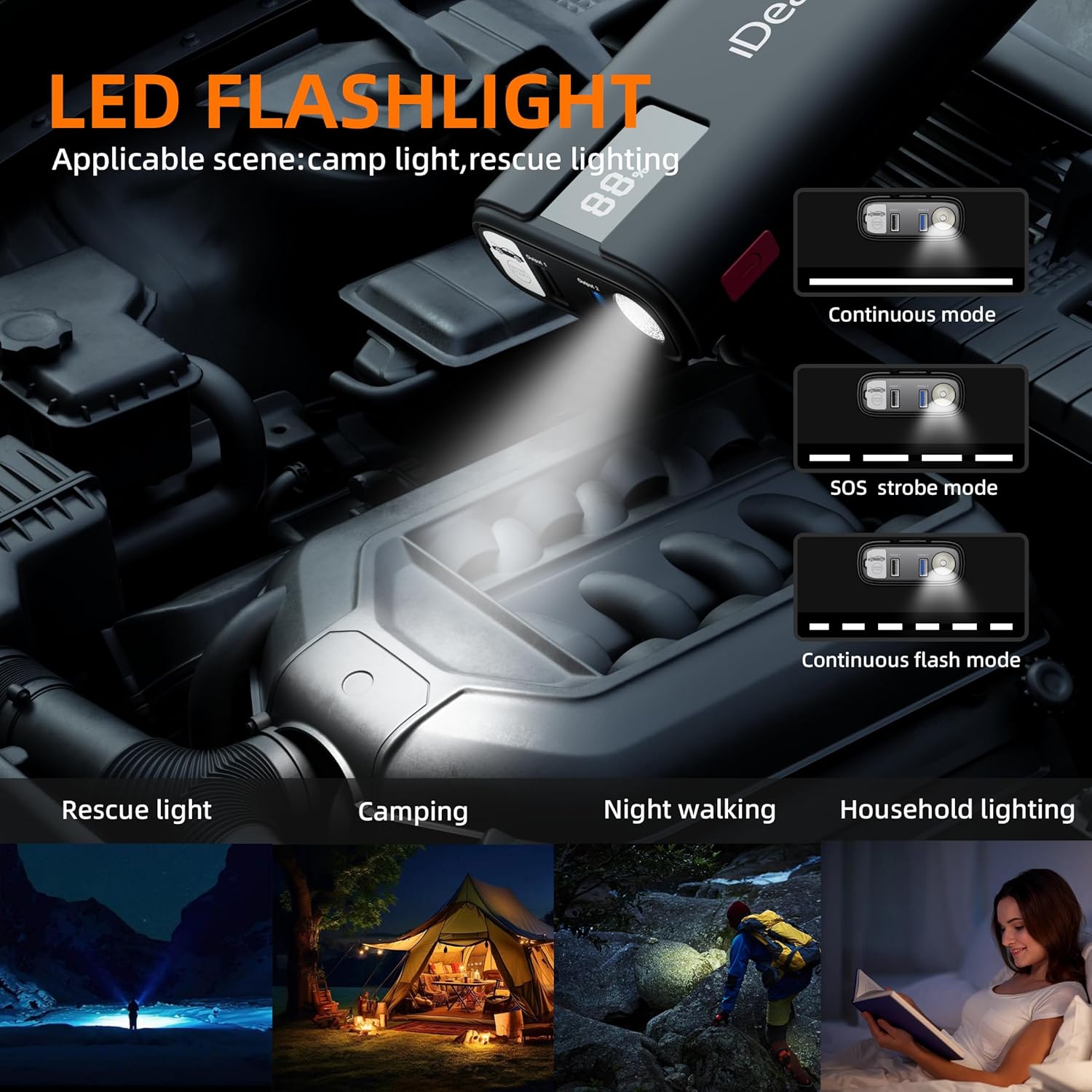
Image: The IDEAPLAY J10's LED flashlight illuminating an engine bay, with illustrations of its continuous, SOS strobe, and continuous flash modes.
Maintenance and Storage
- Clean the unit with a dry, soft cloth. Do not use abrasive cleaners or solvents.
- Store the jump starter in its carrying case in a cool, dry place, away from direct sunlight and moisture.
- Recharge the unit every 3-6 months to maintain battery health, even if not used.
- Ensure the clamps are clean and free of corrosion before and after each use.
Troubleshooting
| Problem | Possible Cause | Solution |
|---|---|---|
| Jump starter does not turn on. | Battery is completely discharged. | Charge the jump starter fully. |
| Vehicle does not start. | Incorrect clamp connection; Jump starter battery too low; Vehicle battery severely damaged; Engine too large for jump starter. | Check clamp connections (ensure correct polarity); Recharge jump starter; Consult a mechanic for vehicle battery issues; Verify engine displacement compatibility. |
| Intelligent clamps buzz/blink red. | Reverse polarity connection; Short circuit; Over-current. | Disconnect immediately and re-connect clamps to correct terminals; Check for short circuits; Ensure vehicle engine size is within limits. |
| Jump starter not charging devices. | Jump starter battery low; Incorrect cable/port used; Device not compatible. | Charge the jump starter; Ensure correct USB cable and port are used; Try another device to confirm jump starter functionality. |
Warranty and Support
The IDEAPLAY J10 Jump Starter comes with a 2-Year Protection Plan. For any issues or inquiries, please contact IDEAPLAY customer service. IDEAPLAY brand products are designed in the USA and provide 24/7 service.
You can reach IDEAPLAY customer support through their official website or the contact information provided in your product packaging.

Image: Graphic indicating 24 months of support and 7x24 customer service availability.
Related documentsJ10 (O7-UX63-LC0V)


Ask a question about this manual
Ask about setup, troubleshooting, compatibility, parts, safety, or missing instructions. Manuals+ will review the question and use this page’s manual context to help answer it.