
Teeran THT0202
Teeran CarPlay Wireless Adapter User Manual
Model: THT0202
Introduction
The Teeran CarPlay Wireless Adapter is designed to convert your factory wired CarPlay system into a wireless one, offering enhanced convenience and a seamless driving experience. This plug-and-play dongle allows you to continue using all standard CarPlay functions, such as navigation, music playback, Siri assistant, and phone calls, without the need for physical cable connections.
What's Included
Upon opening the product packaging, you will find the following items:
- Teeran CarPlay Wireless Adapter unit
- User Manual (this document)
- USB to USB-C adapter (for compatibility with modern car ports)
- Double-sided adhesive tape (for secure placement of the adapter)

Image: The Teeran CarPlay Wireless Adapter, a compact white device with a short USB cable, shown alongside its USB-C adapter and double-sided adhesive tape.
Setup Instructions
Setting up your Teeran CarPlay Wireless Adapter is a simple three-step process:
- Plug In: Connect the Teeran CarPlay Wireless Adapter to your car's USB port that supports wired CarPlay. The car's infotainment system should automatically recognize the device.
- Bluetooth Pairing: On your iPhone, go to Bluetooth settings and search for the device name (e.g., "SmartDongle-XXXX"). Select it to pair. Your phone will prompt you to confirm and allow connection to CarPlay.
- Use CarPlay: Once paired, your car's display will switch to the CarPlay interface. From this point forward, the adapter will automatically connect to your iPhone every time the car is started, eliminating the need for repeated manual connections.
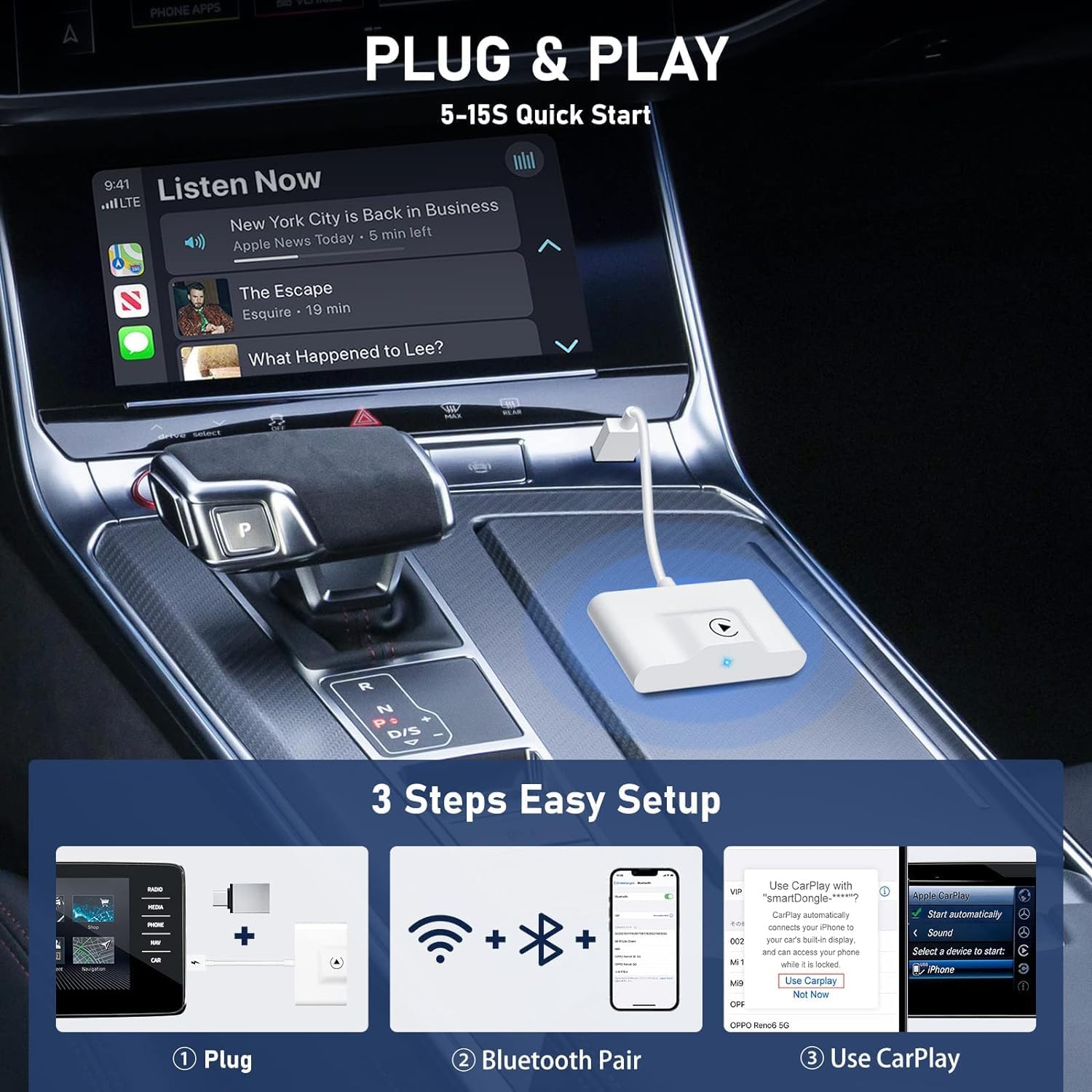
Image: A visual representation of the three-step setup process, showing the adapter being plugged in, Bluetooth pairing on an iPhone, and the CarPlay interface appearing on the car's screen.

Image: Illustrates the automatic reconnection process, where the adapter connects to the iPhone and activates CarPlay upon car startup.
Operating Instructions
The Teeran CarPlay Wireless Adapter ensures that all your familiar CarPlay functions operate seamlessly and wirelessly. You can interact with CarPlay using your car's original controls.
- Navigation: Use your preferred navigation apps (e.g., Apple Maps, Google Maps) directly on your car's display.
- Music & Audio: Stream music, podcasts, and audiobooks from your iPhone through the car's sound system.
- Siri Voice Assistant: Activate Siri for hands-free commands, calls, messages, and more.
- Phone Calls & Messaging: Make and receive calls, and manage messages directly from the CarPlay interface.
- Original Car Controls: Maintain full functionality of your car's existing controls, including touch screen, OEM knob, and steering wheel controls, for a consistent user experience.
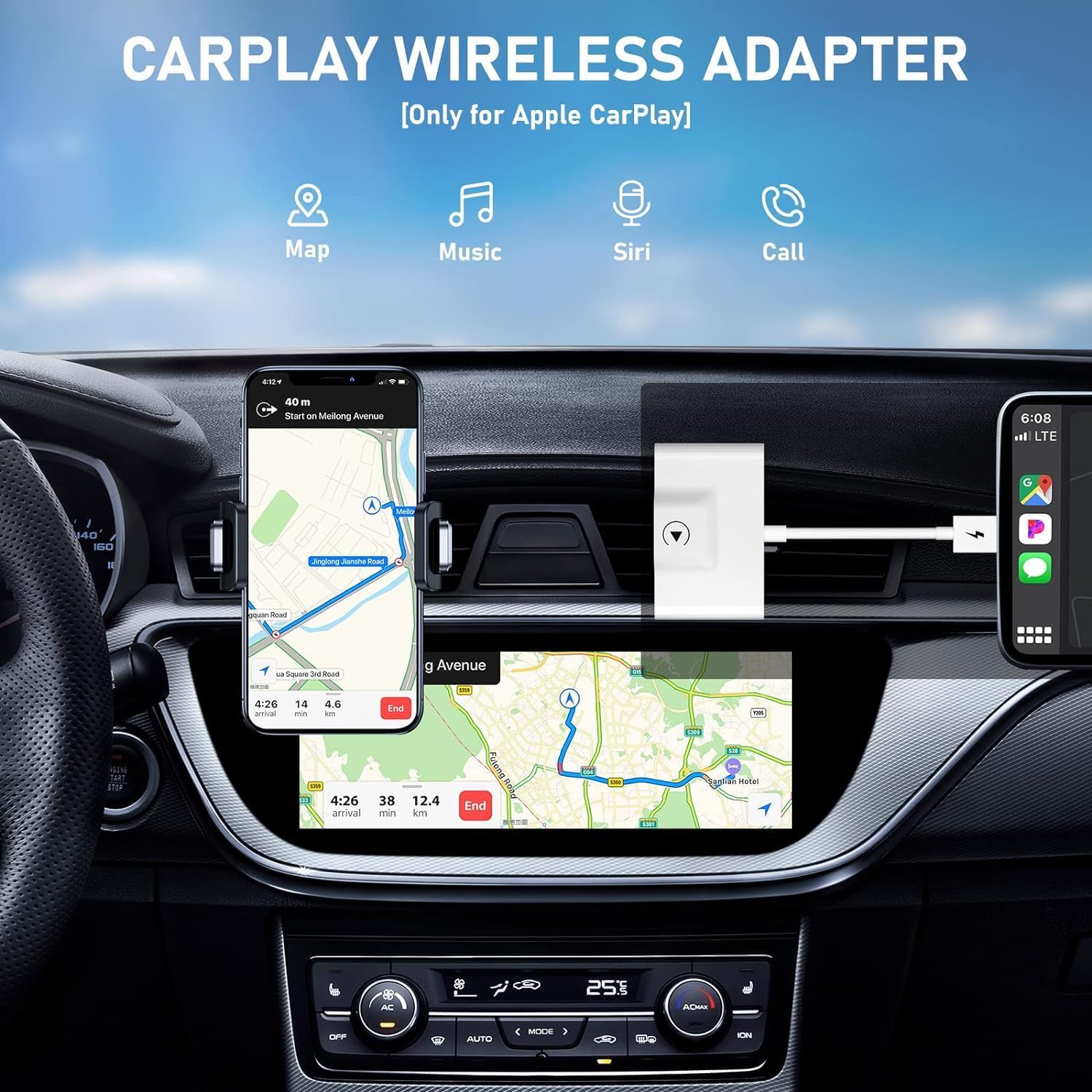
Image: The CarPlay interface displayed on a car's screen, highlighting core functions such as maps, music, Siri, and phone calls.

Image: Demonstrates how the adapter allows users to retain original car control methods, including voice commands, touchscreen interaction, knob controls, and steering wheel buttons.

Image: Highlights the stable 5G WiFi connection for seamless operation of online maps, music, and Siri without delay.
Compatibility
This CarPlay wireless dongle is designed for broad compatibility:
- Vehicles: Works with almost all car models that have factory-installed wired CarPlay (also compatible with most aftermarket versions). It is crucial that your car already supports wired Apple CarPlay. This adapter converts wired to wireless; it does not add CarPlay functionality to vehicles that lack it.
- iPhone: Compatible with iPhone 6 and above, running iOS version 10 and above.
- USB Ports: Includes a USB to USB-C adapter to support both USB and USB-C car port access.

Image: A diagram confirming compatibility requirements, emphasizing the need for existing Apple CarPlay in the vehicle and an iPhone with iOS 10 or higher.

Image: Demonstrates the adapter's flexibility with different USB port types (USB-A and USB-C) through the use of the provided USB-C adapter.
Maintenance
To ensure the longevity and optimal performance of your Teeran CarPlay Wireless Adapter, please follow these maintenance guidelines:
- Cleaning: Use a soft, dry cloth to wipe the adapter. Avoid using liquid cleaners or abrasive materials, as they may damage the device.
- Storage: When not in use for extended periods, store the adapter in a cool, dry place away from direct sunlight and extreme temperatures.
- Handling: Handle the adapter with care. Avoid dropping it or subjecting it to strong impacts, which could damage internal components.
- Cable Care: Do not bend or twist the integrated USB cable excessively. The cable is designed for durability with over 20,000 bend life, but improper handling can reduce its lifespan.

Image: Shows the compact dimensions of the adapter and highlights the durability of its integrated cable.
Troubleshooting
If you encounter any issues with your Teeran CarPlay Wireless Adapter, please refer to the following common troubleshooting steps:
- No Connection:
- Ensure your car has factory wired CarPlay. This adapter does not add CarPlay functionality.
- Verify that the adapter is securely plugged into the correct USB port in your car.
- Check your iPhone's Bluetooth settings to ensure it is discoverable and paired with the adapter.
- Restart your car's infotainment system and your iPhone.
- Intermittent Connection/Lag:
- Ensure there are no other devices interfering with the Bluetooth or Wi-Fi signal in your car.
- Check for any firmware updates for your car's infotainment system, if applicable.
- Try a different USB port in your car, if available.
- CarPlay Functions Not Working:
- Confirm that your iPhone is running iOS 10 or higher.
- Ensure all necessary permissions are granted to CarPlay on your iPhone.
- If specific apps are not working, try reinstalling them on your iPhone.
If these steps do not resolve the issue, please contact Teeran customer support for further assistance.
Specifications
| Feature | Detail |
|---|---|
| Brand | Teeran |
| Model Number | THT0202 |
| Product Dimensions | 5.3 x 2.56 x 0.47 inches |
| Item Weight | 2.08 ounces |
| Connectivity Technology | USB |
| Special Feature | Automatic Connection, USB/USB-C Compatibility, Full CarPlay Functionality, Compact Design |
| Supports Bluetooth | Bluetooth |
| Color | White |
Warranty & Support
The Teeran CarPlay Wireless Adapter comes with a 1-year warranty from the manufacturer.
For any fitting problems, usage issues, or technical support, Teeran provides lifetime technical support and replacement services. Please do not hesitate to get in touch with us for assistance.
You can typically find contact information for support on the product packaging or the official Teeran website.
Related documentsTHT0202


Ask a question about this manual
Ask about setup, troubleshooting, compatibility, parts, safety, or missing instructions. Manuals+ will review the question and use this page’s manual context to help answer it.