
ORICO M20-1TB
ORICO 1TB External SSD M20 User Manual
Model: M20-1TB
Introduction
The ORICO 1TB External SSD M20 is a portable solid-state drive designed for high-speed data transfer and reliable storage. With its compact size and robust construction, it offers an ideal solution for expanding storage on various devices, including smartphones, tablets, laptops, and PCs. This manual provides essential information on setting up, operating, maintaining, and troubleshooting your ORICO M20 External SSD to ensure optimal performance and longevity.

Image: The ORICO M20 External SSD, demonstrating its small and portable design.
What's in the Box
- ORICO M20 External SSD
- 2-in-1 USB-C Cable (USB-C to USB-C/USB-A)
Setup Guide
Follow these steps to connect and prepare your ORICO M20 External SSD for use:
- Connect the SSD: Use the included 2-in-1 USB-C cable. Connect the USB-C end to the SSD and the other end (USB-C or USB-A, depending on your device's port) to your computer, smartphone, or tablet.
- Device Recognition: Your device should automatically detect the ORICO M20 External SSD. For Windows, it will appear under 'This PC' or 'My Computer'. For macOS, it will appear on the desktop or in Finder.
- Formatting (Optional/If Needed): If the SSD is not recognized or you wish to change its file system (e.g., from exFAT to NTFS for Windows, or APFS for macOS), you may need to format it.
- Windows: Right-click on 'This PC' > 'Manage' > 'Disk Management'. Locate the SSD, right-click, and select 'Format'. Choose your desired file system (e.g., NTFS, exFAT).
- macOS: Open 'Disk Utility' (Applications > Utilities). Select the SSD from the sidebar, click 'Erase', and choose your desired format (e.g., APFS, Mac OS Extended (Journaled), exFAT).
Caution: Formatting the drive will erase all data on it. Ensure you back up any important files before proceeding.

Image: The ORICO M20 External SSD connected to a laptop, illustrating a typical setup.
Operating Instructions
The ORICO M20 SSD is designed for plug-and-play operation across various devices and systems.
Data Transfer
To transfer files, simply drag and drop them to and from the SSD's drive icon. The USB 3.2 Gen 2x2 interface allows for speeds up to 2000MB/s, enabling rapid transfer of large files such as 4K videos, high-resolution photos, and extensive project data.
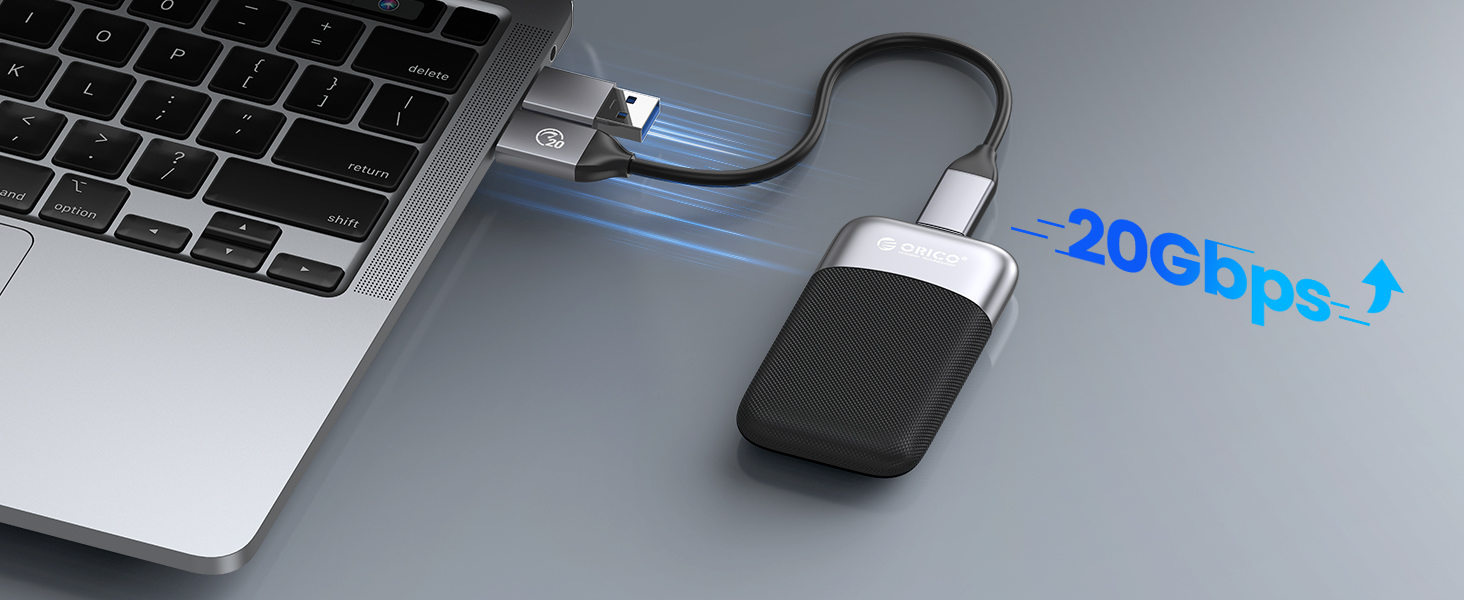
Image: Visual representation of the 20Gbps data transfer capability of the ORICO PSSD.
Multi-Device and Multi-System Compatibility
The ORICO M20 SSD is compatible with a wide range of operating systems and devices, including:
- Android smartphones and tablets
- Windows PCs and laptops
- macOS computers (MacBook, iMac, etc.)
- iOS devices (iPad Pro with USB-C)

Image: The ORICO M20 SSD demonstrating its compatibility with various operating systems and device types.
Typical Use Cases
- Professional Presentations: Easily carry and display large presentation files without lag.
- Creative Workflows: Store and edit high-resolution video footage, photos, and graphic design projects directly from the SSD.
- Mobile Data Expansion: Expand storage for your USB-C enabled smartphone or tablet, ideal for vloggers and content creators on the go.
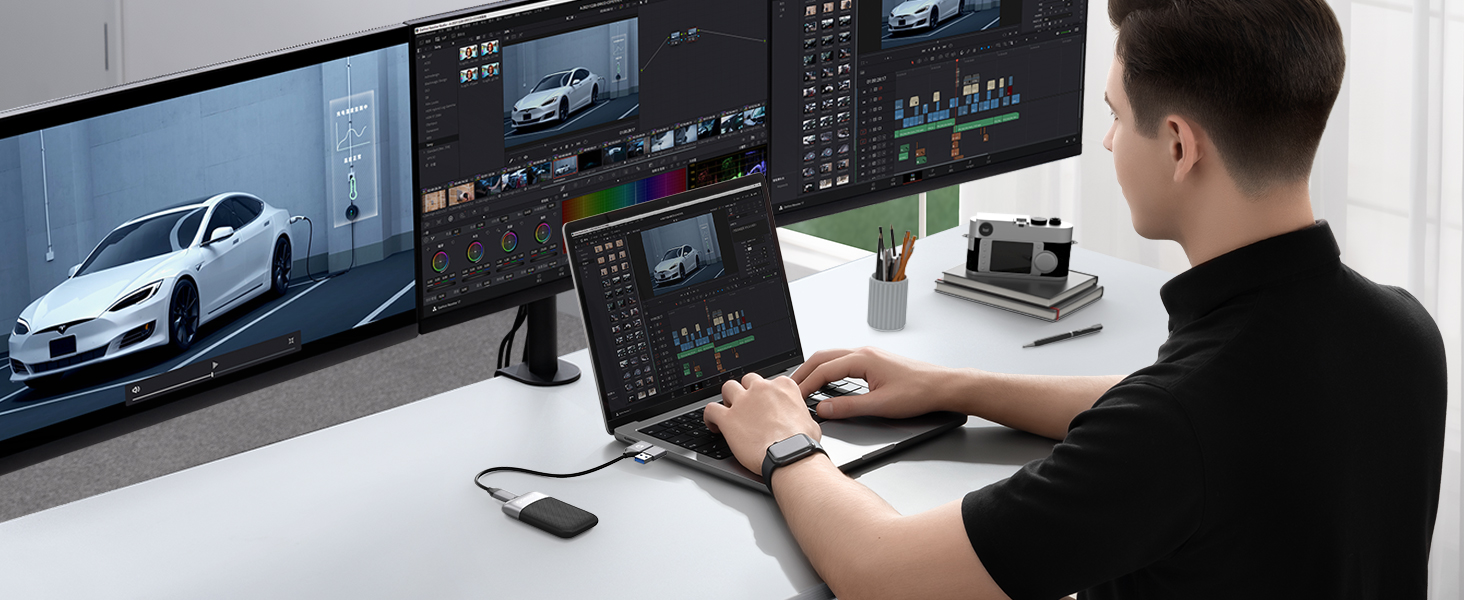
Image: A user engaged in video editing, utilizing the ORICO SSD for efficient workflow.

Image: A camera setup connected to the ORICO SSD, suitable for capturing and storing high-quality video footage.
Maximizing Performance
To achieve the maximum transfer rate of 2000MB/s with your ORICO M20 SSD, consider the following factors:
- Matching Cable: Ensure you use a cable that supports 20Gbps transfer speeds. The included 2-in-1 USB-C cable is designed for this purpose.
- Compatible Interface: Your device's USB port must be at least USB 3.2 Gen 2x2 (20Gbps). While the SSD is backward-compatible with older USB versions, the transfer speed will be limited by the slowest component in the chain.
- Receiving Device Speed: The hard drive or SSD in your computer or receiving device should also have read and write speeds capable of handling over 2000MB/s to fully utilize the ORICO M20's potential.

Image: Illustration emphasizing the need for a 20Gbps cable to achieve maximum transfer rates.
Care and Maintenance
To ensure the longevity and optimal performance of your ORICO M20 External SSD, follow these care guidelines:
- Physical Protection: The SSD features dust and drop resistance. While durable, avoid excessive force, extreme temperatures, or prolonged exposure to moisture.
- Cleaning: Use a soft, dry cloth to clean the exterior. Do not use liquid cleaners or solvents.
- Safe Ejection: Always safely eject the SSD from your device before disconnecting it to prevent data corruption.
- Storage: When not in use, store the SSD in a cool, dry place away from direct sunlight and strong magnetic fields.

Image: The ORICO M20 SSD highlighting its dust and drop resistance features.
Troubleshooting
If you encounter issues with your ORICO M20 External SSD, refer to the following common problems and solutions:
- SSD Not Detected:
- Ensure the cable is securely connected to both the SSD and your device.
- Try a different USB port on your device.
- Test the SSD with another compatible device to rule out a device-specific issue.
- Check 'Disk Management' (Windows) or 'Disk Utility' (macOS) to see if the drive is visible but unformatted or has a partition issue.
- Slow Transfer Speeds:
- Verify that your device's USB port supports USB 3.2 Gen 2x2 (20Gbps). Older USB ports will limit speed.
- Ensure you are using the original ORICO 2-in-1 USB-C cable or another high-quality 20Gbps cable.
- Check the read/write speeds of the internal drive on your computer; a slow internal drive can bottleneck transfer speeds.
- Close other applications that might be using system resources or performing background transfers.
- Frequent Disconnections:
- Ensure the cable connection is firm and not loose.
- Avoid moving the SSD or the connected device during data transfer.
- Check for updated USB drivers for your computer's chipset.
- Drive Gets Warm During Use:
- It is normal for the SSD to become warm during extended high-speed data transfers. This is due to the heat generated by the internal components. Ensure adequate airflow around the device.
Product Specifications
| Feature | Specification |
|---|---|
| Brand | ORICO |
| Model | M20-1TB |
| Digital Storage Capacity | 1 TB |
| Hard Disk Interface | USB 3.0 (Note: Actual interface is USB 3.2 Gen 2x2 for 20Gbps) |
| Connectivity Technology | USB |
| Special Feature | Portable |
| Hard Disk Form Factor | 2.5 Inches |
| Hard Disk Description | Solid State Drive |
| Compatible Devices | Laptop, Desktop, Smartphones, Tablets |
| Installation Type | External Hard Drive |
| Color | Black + Silver |
| Item Weight | 2.12 ounces |
| Product Dimensions (LxWxH) | 3.15 x 1.77 x 0.43 inches |
| Manufacturer | SHENZHEN ORICO TECHNOLOGIES CO.,LTD |
Warranty and Support
ORICO products typically come with a standard manufacturer's warranty covering defects in materials and workmanship. The specific warranty period may vary by region and product. Please retain your proof of purchase for warranty claims.
For technical support, warranty inquiries, or further assistance, please visit the official ORICO website or contact their customer service. You can find more information and contact details on the ORICO Brand Store on Amazon.
Data recovery plans are also available for purchase separately to protect against data loss. Refer to the product listing for details on these optional plans.
Related documentsM20-1TB


Ask a question about this manual
Ask about setup, troubleshooting, compatibility, parts, safety, or missing instructions. Manuals+ will review the question and use this page’s manual context to help answer it.