Introduction
This manual provides comprehensive instructions for the Mophie Universal Wireless Charge Pad, Model WRLS-PAD-15W. This device is engineered to offer convenient and efficient wireless charging for Qi-enabled smartphones and other compatible devices. Please read this manual thoroughly before use to ensure proper operation and to maximize the product's lifespan.
Package Contents
Verify that all items listed below are present in your product packaging:
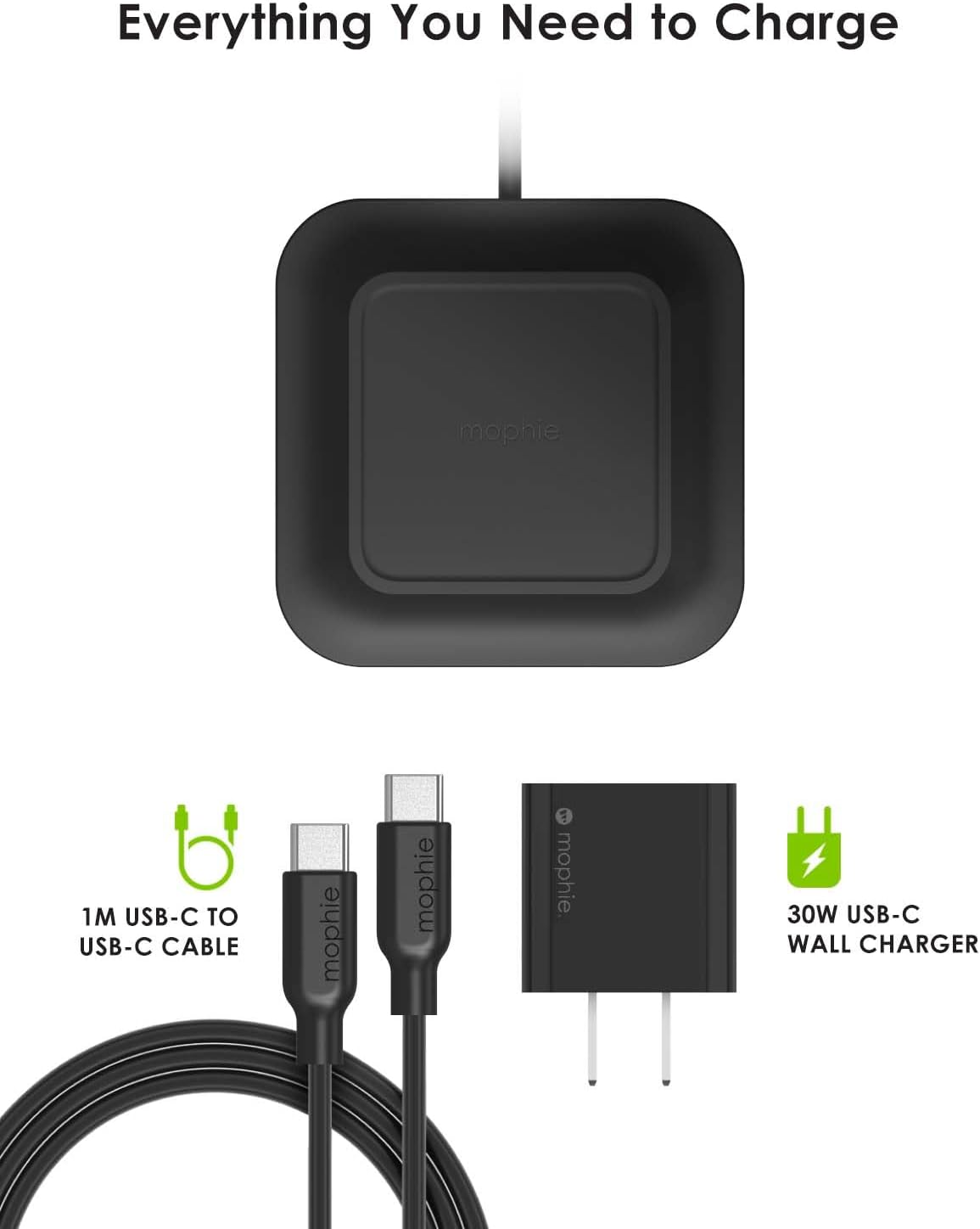
- Mophie Universal Wireless Charge Pad
- Mophie Power Adapter
- USB-C to USB-C Cable (1 meter)
Setup Instructions
Follow these steps to set up your Mophie Universal Wireless Charge Pad:
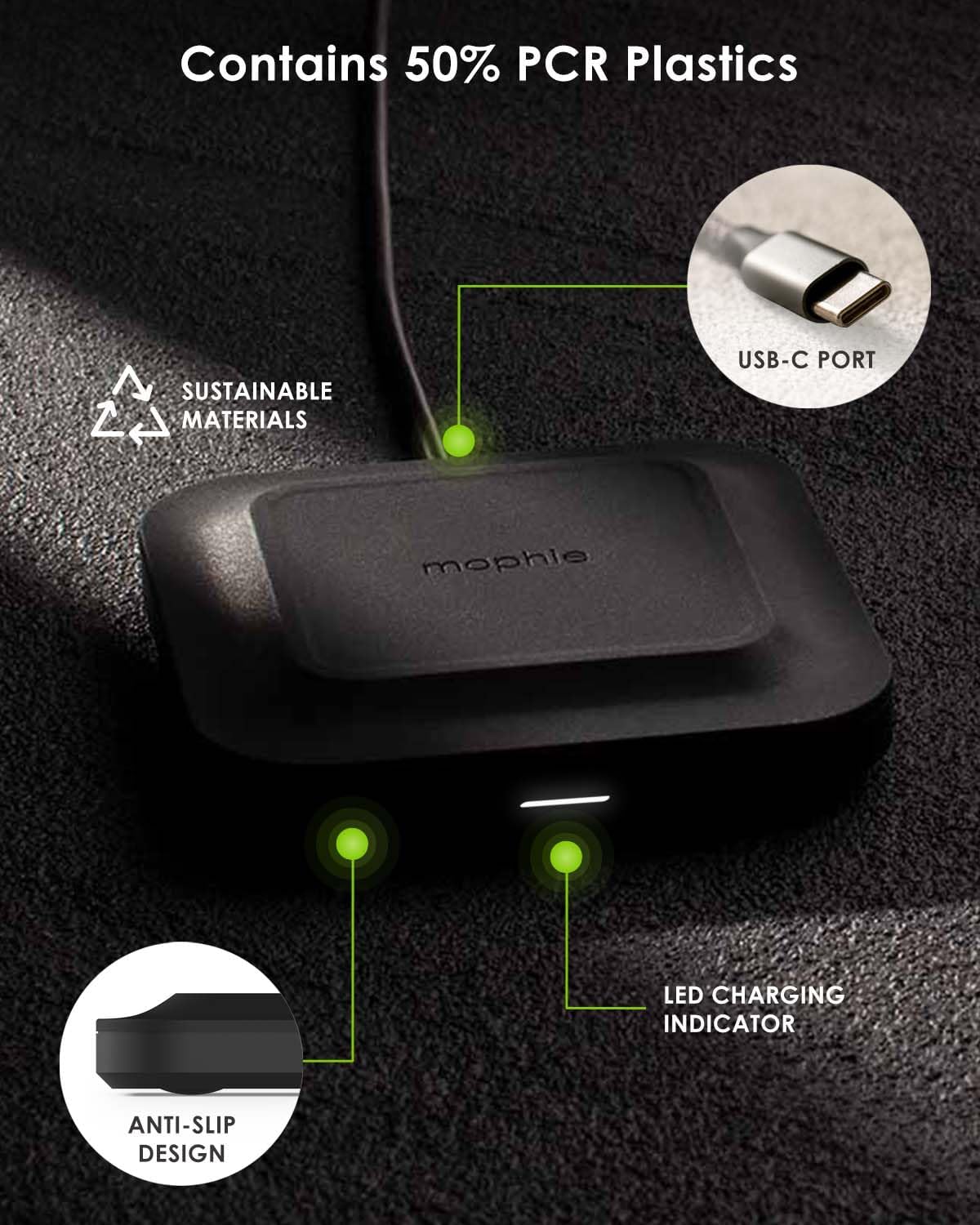
- Connect one end of the provided USB-C cable to the USB-C port located on the back of the Mophie Universal Wireless Charge Pad.
- Connect the other end of the USB-C cable to the Mophie Power Adapter.
- Plug the Mophie Power Adapter into a functional wall outlet.
- Upon successful connection, the LED charging indicator on the charge pad will briefly illuminate, signaling that the pad is powered on and ready for use.
Operating Instructions
To charge your device using the Mophie Universal Wireless Charge Pad:
- Ensure the charge pad is properly set up and connected to a power source as described in the 'Setup Instructions' section.
- Place your Qi-enabled device (e.g., smartphone, wireless earbuds) directly onto the center of the charge pad. The device should be centered over the Mophie logo for optimal charging.
- Your device should automatically begin charging. A charging animation or indicator will typically appear on your device's screen, and the LED on the charge pad may also indicate active charging.
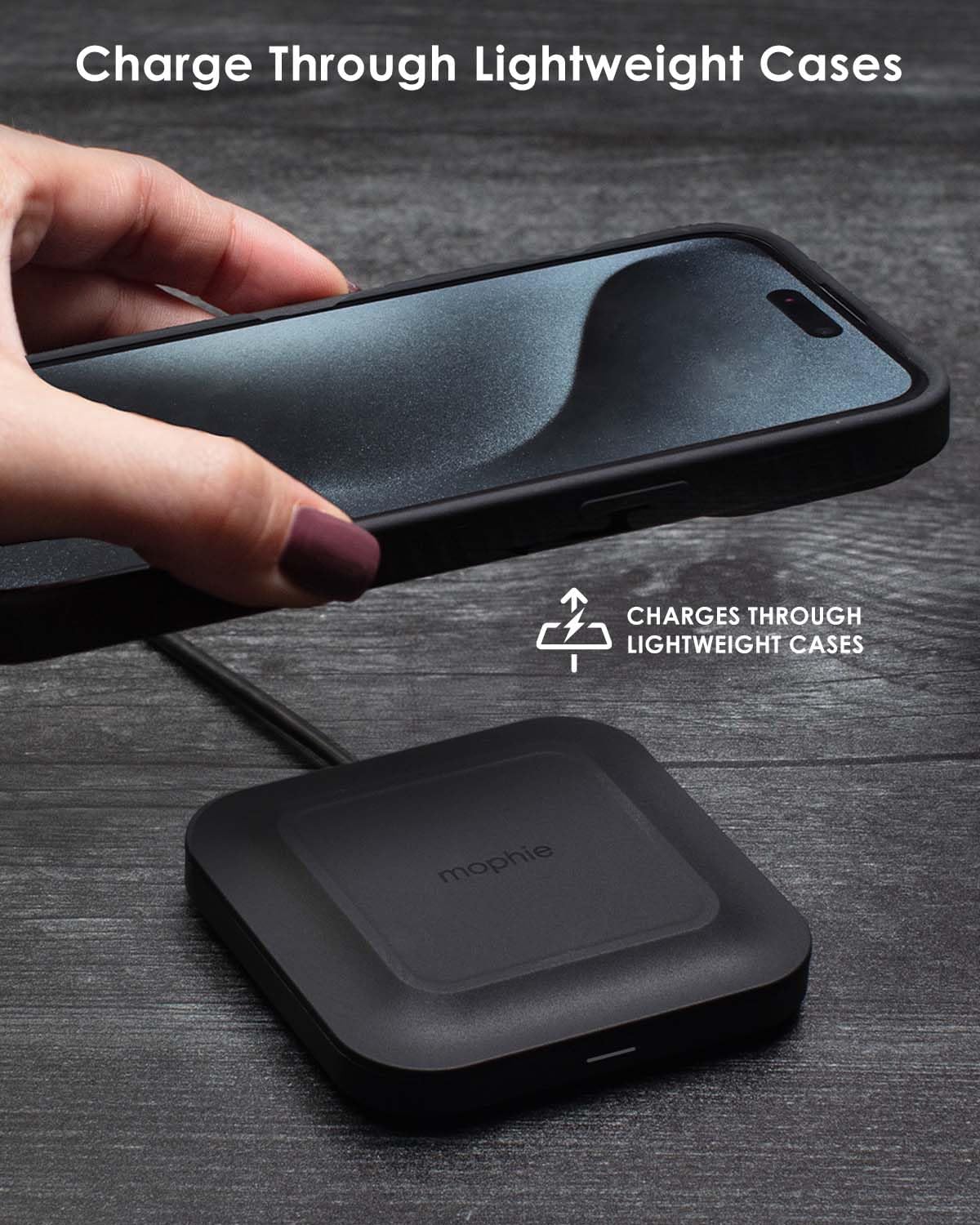
- The charge pad is designed to charge through most lightweight phone cases up to 3mm thick. For best results, ensure your case is not excessively thick or contains metallic components.
Compatibility
The Mophie Universal Wireless Charge Pad is compatible with a wide range of Qi-enabled devices. It delivers up to 15W of fast charging power, depending on the device's capabilities.
Charging Capacities by Device Type:
- Up to 15W: Compatible with devices such as iPhone 15, iPhone 14, iPhone 13 series, Samsung Galaxy S24/S23/S22 series, Google Pixel 8/7 series, and other devices supporting 15W Qi wireless charging.
- Up to 10W: Compatible with devices such as iPhone 11, iPhone XS, and other devices supporting 10W Qi wireless charging.
- 5W-7.5W: Compatible with devices such as AirPods Pro/Airpods, Pixel Buds, and other devices supporting standard Qi wireless charging.
For specific charging speeds, refer to your device's manufacturer specifications.
Specifications
| Model Number | WRLS-PAD-15W |
| Input Voltage | 12 Volts |
| Maximum Wattage Output | 15 Watts |
| Connectivity | USB Type C |
| Special Features | Charging Indicator, Fast Charging, Wireless Charging |
| Package Dimensions | 6.93 x 4.21 x 1.97 inches |
| Item Weight | 9.3 ounces |
| Materials | Contains 50% Post-Consumer Recycled (PCR) Plastics |
Troubleshooting
If you encounter issues with your Mophie Universal Wireless Charge Pad, refer to the following common problems and solutions:
Device Not Charging:
- Ensure the Mophie power adapter is securely plugged into a live wall outlet and the USB-C cable is firmly connected to both the adapter and the charge pad.
- Verify that your device is Qi-enabled and correctly positioned on the center of the charge pad. Misalignment can prevent charging.
- Remove any thick cases (over 3mm) or metallic objects (e.g., credit cards, pop sockets with metal) from your device that may interfere with wireless charging.
- Try plugging the power adapter into a different wall outlet to rule out an issue with the power source.
Slow Charging:
- Confirm that your device supports 15W wireless charging. Some devices may only support lower wireless charging speeds.
- Ensure you are using the original Mophie power adapter and USB-C cable. Third-party accessories may not provide optimal power delivery.
- Check for proper alignment of your device on the pad. Even slight misalignment can reduce charging efficiency.
LED Indicator Behavior:
- The LED indicator typically illuminates when the pad is powered on and when a device is actively charging. If the LED is off, check power connections.
- Refer to your device's manual for specific charging indicators on your phone or earbuds.
Maintenance
To ensure the longevity and optimal performance of your Mophie Universal Wireless Charge Pad:
- Keep the charge pad clean by wiping it with a soft, dry cloth. Avoid using harsh chemicals or abrasive materials.
- Do not expose the device to liquids, moisture, or extreme temperatures.
- Store the charge pad in a cool, dry place when not in use.
Safety Information
Please observe the following safety precautions:
- Do not place metallic objects, credit cards, or other foreign materials between your device and the charge pad during charging, as this can cause overheating or damage.
- Avoid dropping, puncturing, or disassembling the charge pad. Unauthorized repairs can void your warranty and pose safety risks.
- Keep the device away from heat sources, direct sunlight, and flammable materials.
- This product is not a toy. Keep out of reach of children.
- If the charge pad becomes unusually hot, disconnect it from the power source immediately.
Warranty and Support
For detailed warranty information, product registration, and customer support, please visit the official Mophie website or contact their customer service department. Keep your proof of purchase for warranty claims.


