1. Introduction
Thank you for choosing the Ocina Hot Water Dispenser. This instant kettle is designed to provide hot water quickly and efficiently for various uses, from beverages to baby formula. This manual provides essential information for safe operation, maintenance, and troubleshooting to ensure optimal performance and longevity of your appliance.
2. Safety Instructions
Please read all safety instructions carefully before using the appliance. Failure to follow these instructions may result in electric shock, fire, or serious injury.
- Always place the dispenser on a stable, flat, heat-resistant surface, away from the edge of the countertop.
- Do not immerse the appliance, power cord, or plug in water or any other liquid.
- Keep out of reach of children. This appliance features a child safety lock, but adult supervision is always recommended.
- Do not operate the appliance if the power cord or plug is damaged, or if the appliance malfunctions or has been damaged in any way.
- Always unplug the dispenser from the power outlet before cleaning, filling, or when not in use.
- Exercise extreme caution when handling hot water. Steam and hot water can cause severe burns.
- Do not fill the water tank above the maximum fill line.
- Only use cold tap water in the water tank. Do not add other liquids or additives.
- Ensure the drip tray is correctly positioned before dispensing water.
- This appliance is for household use only.
3. Product Overview
The Ocina Hot Water Dispenser is designed for convenience and efficiency. Familiarize yourself with its main components and features.
Key Features:
- 3-Liter Water Tank: Large capacity for multiple uses without frequent refilling.
- Digital Display: Intuitive interface for easy control and monitoring.
- Removable Drip Tray and Water Tank: Designed for easy cleaning and refilling.
- Child Safety Lock: Enhances safety during operation.
- Baby Milk Function: Specific temperature setting for preparing baby formula.
- Memory Function: Remembers your last used settings for quick dispensing.
- Anti-Limescale Notification: Alerts you when descaling is needed to maintain performance.
- Adjustable Volume: Dispense water in volumes from 100 ml to 500 ml.
- Adjustable Temperature: Select temperatures from 25°C to 100°C.
- Modern Design: Sleek black finish to complement any kitchen.
- Energy Efficient: 2500 Watts power for rapid heating, designed to be more efficient than traditional kettles.
Components:
- Main Unit with Dispensing Spout
- Removable Water Tank
- Removable Drip Tray
- Digital Control Panel
- Power Cord
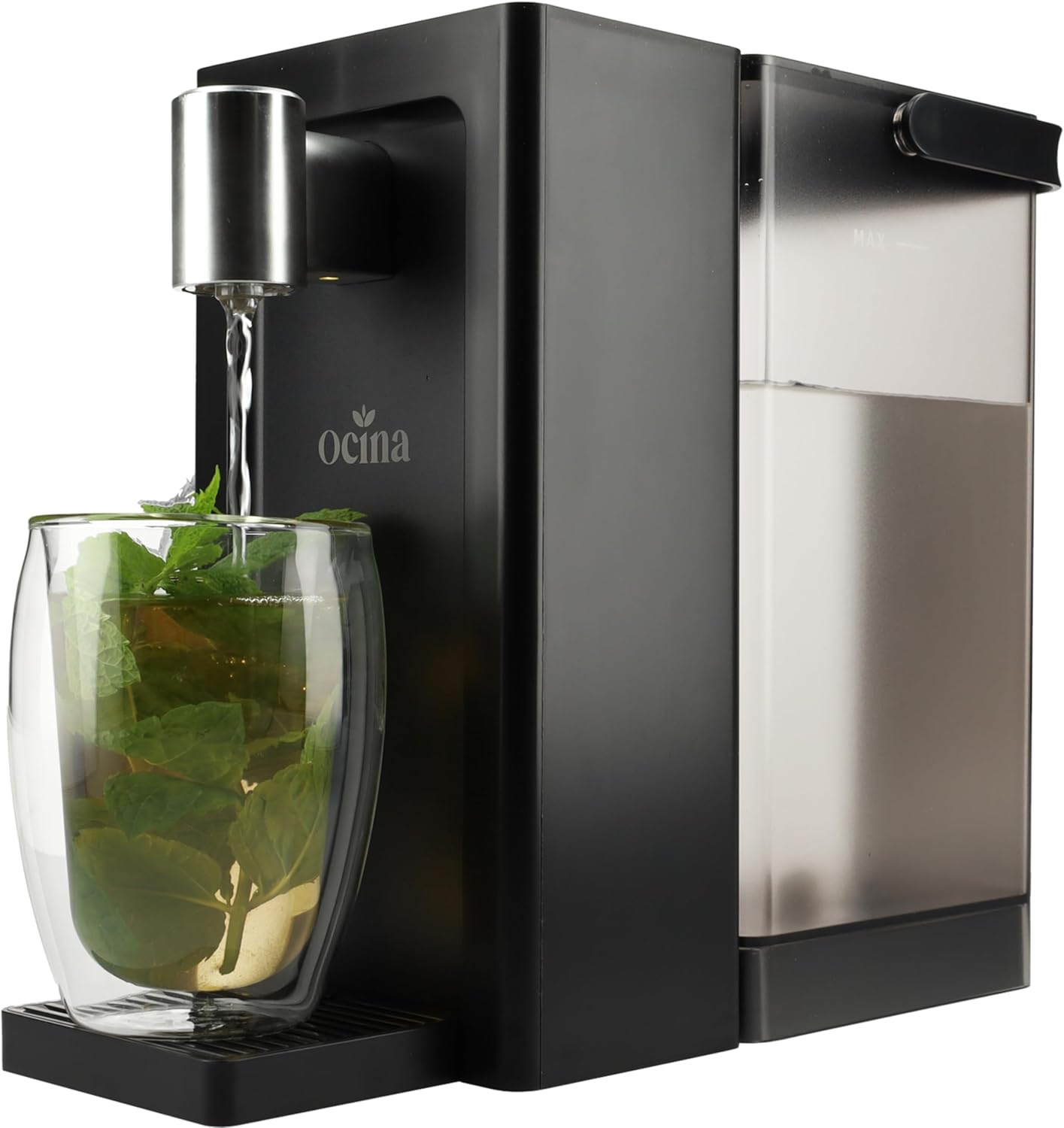
Figure 3.1: The Ocina Hot Water Dispenser in operation, showing water being dispensed into a glass of mint tea. This image highlights the sleek black design and the dispensing spout.

Figure 3.2: An overview of the Ocina Hot Water Dispenser highlighting its main features, including the 3-liter capacity, touch operation, anti-limescale notification, removable drip tray and water tank, child lock, and memory function.

Figure 3.3: The dispenser emphasizing its energy-efficient design with 2500W power, indicating it is 50% more efficient and 2 times faster than a standard kettle.
4. Setup
- Unpacking: Carefully remove the dispenser from its packaging. Retain packaging for future storage or transport.
- Placement: Place the appliance on a dry, stable, and level surface, ensuring adequate ventilation around the unit. Keep it away from walls and other appliances.
- Initial Cleaning: Before first use, remove the water tank and drip tray. Wash them with warm soapy water, rinse thoroughly, and dry. Wipe the exterior of the main unit with a damp cloth.
- Fill Water Tank: Remove the water tank from the main unit. Fill it with fresh, cold tap water up to the MAX line. Do not overfill.
- Reattach Water Tank: Securely place the filled water tank back onto the main unit. Ensure it clicks into place.
- Position Drip Tray: Place the drip tray onto the base of the dispenser.
- Power Connection: Plug the power cord into a grounded electrical outlet. The digital display will illuminate.
- First Use Cycle (Cleaning): For the first use, it is recommended to run at least two full cycles of hot water (100°C, 500ml) without consuming the water, to clean the internal components. Dispose of this water safely.

Figure 4.1: Demonstrates the ease of filling the 3-liter removable water tank. The tank can be easily detached and filled under a tap.
5. Operating Instructions
The Ocina Hot Water Dispenser features an intuitive digital display for easy operation.
General Operation:
- Power On: Ensure the dispenser is plugged in and the water tank is filled. The display will show the default settings or the last used settings (Memory Function).
- Select Temperature: Use the temperature control buttons on the digital display to select your desired water temperature (from 25°C to 100°C).
- Select Volume: Use the volume control buttons to choose the desired water volume (from 100 ml to 500 ml).
- Dispense Water: Place your cup or container on the drip tray. Press the dispense button to start heating and dispensing. The appliance will stop automatically once the selected volume is reached.
- Stop Dispensing: To stop dispensing before the selected volume is reached, press the dispense button again.
Special Functions:
- Child Safety Lock: To activate or deactivate the child safety lock, press and hold the designated lock button on the control panel for a few seconds. When activated, the dispense button will not function until unlocked.
- Baby Milk Function: This function provides water at an optimal temperature for preparing baby formula (typically around 40°C). Select this preset function from the digital display for precise preparation.
- Memory Function: The dispenser automatically saves your last used temperature and volume settings, allowing for quick and convenient dispensing without re-adjusting settings each time.

Figure 5.1: The digital display and control panel, illustrating icons for child lock, baby milk function, anti-limescale notification, volume adjustment (100ml to 500ml), and temperature control (25°C to 100°C).
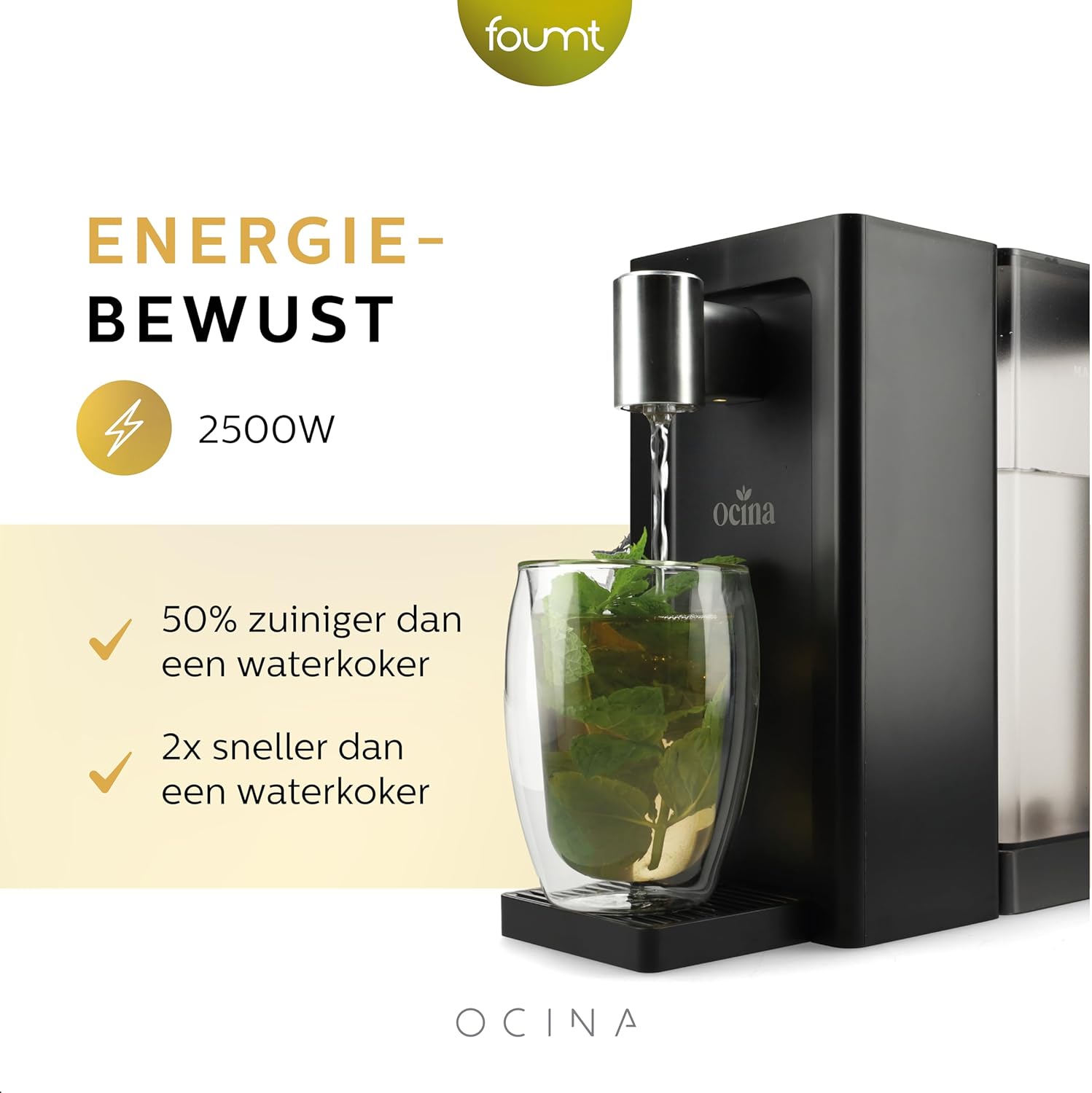
Figure 5.2: Visual representation of choosing the right volume (200ml, 320ml, 500ml) and the memory function, which recalls the last used settings.
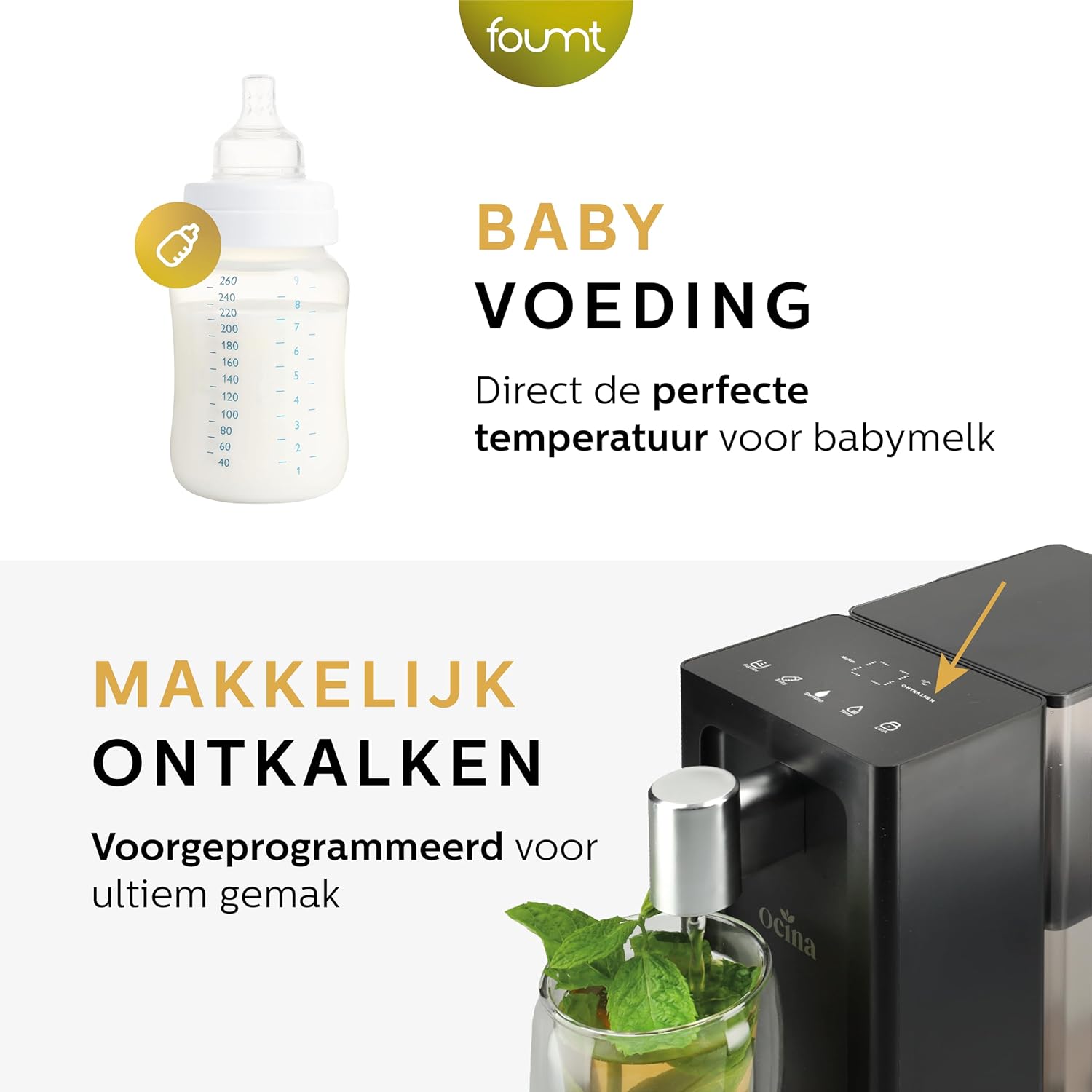
Figure 5.3: Shows the versatility of the dispenser for various uses like baby milk, noodles, tea, and coffee, along with a visual cue for easy descaling.
6. Maintenance
Regular cleaning and maintenance will ensure the longevity and optimal performance of your Ocina Hot Water Dispenser.
Daily Cleaning:
- Drip Tray: Empty and clean the drip tray regularly, especially after each use if spills occur. The drip tray is removable for easy cleaning.
- Exterior: Wipe the exterior of the appliance with a soft, damp cloth. Do not use abrasive cleaners or solvents.
Water Tank Cleaning:
- Remove the water tank from the unit.
- Wash the tank with warm soapy water and a soft brush or sponge.
- Rinse thoroughly with clean water to remove any soap residue.
- Dry completely before reattaching to the main unit. The water tank is dishwasher compatible.
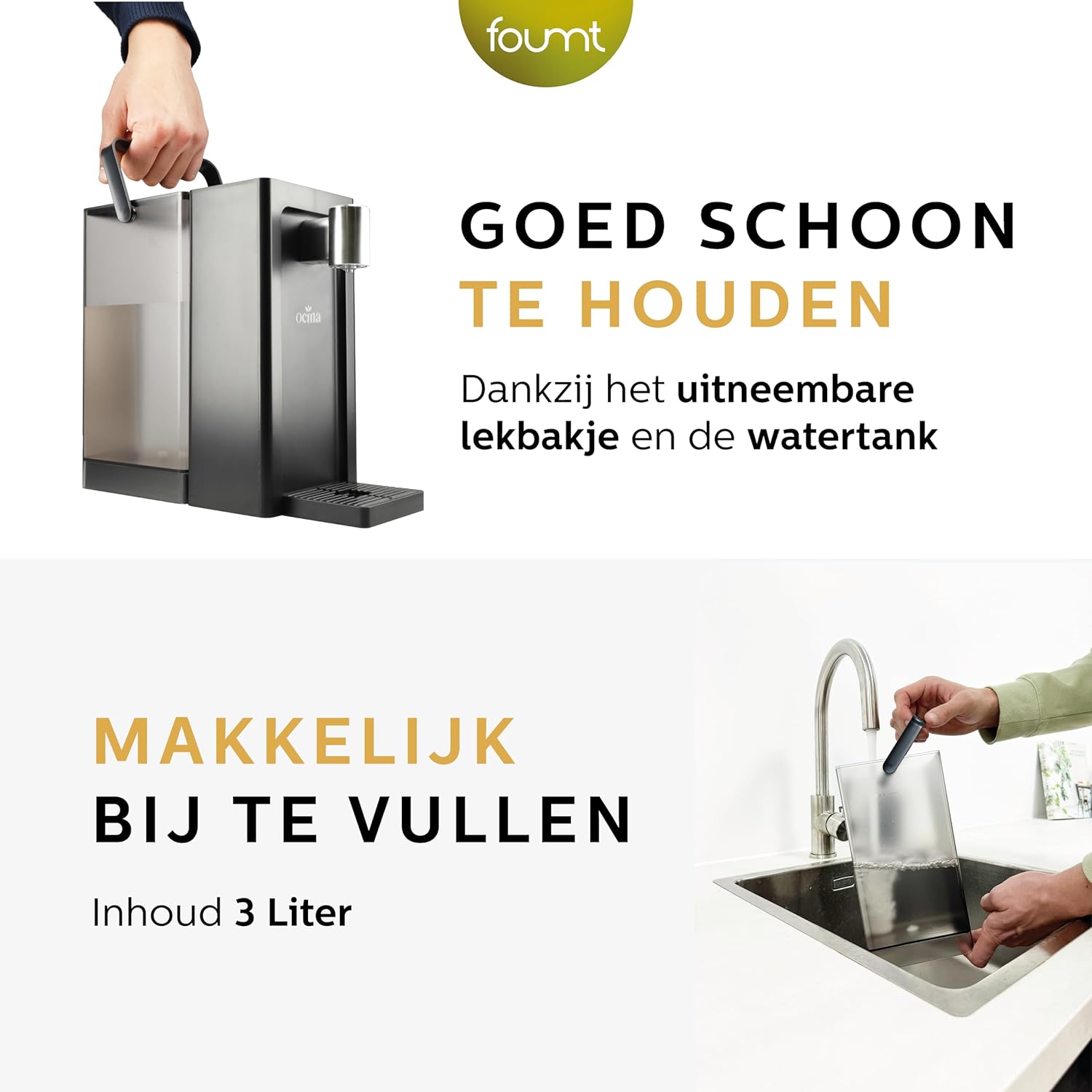
Figure 6.1: Illustrates how the removable drip tray and water tank make the dispenser easy to clean and maintain.
Descaling:
Limescale buildup can affect the performance and lifespan of your dispenser. The anti-limescale notification will alert you when descaling is necessary.
- Unplug the appliance and ensure it has cooled down.
- Empty any remaining water from the tank.
- Fill the water tank with a descaling solution suitable for kettles (e.g., white vinegar and water, or a commercial descaler) according to the descaler's instructions.
- Place a large heat-resistant container under the dispensing spout.
- Run a full dispensing cycle (100°C, 500ml) to allow the descaling solution to pass through the system.
- Repeat the process if necessary, or let the solution sit for a recommended time as per descaler instructions.
- After descaling, rinse the water tank thoroughly and run at least two full cycles with fresh, clean water to flush out any descaling residue. Dispose of this water safely.
7. Troubleshooting
If you encounter issues with your dispenser, refer to the following table for common problems and solutions.
| Problem | Possible Cause | Solution |
|---|---|---|
| Dispenser does not turn on. | Not plugged in; Power outage; Faulty outlet. | Ensure the power cord is securely plugged into a working outlet. Check your circuit breaker. |
| Water is not dispensing. | Water tank empty; Water tank not properly seated; Child safety lock activated. | Fill the water tank. Ensure the water tank is correctly installed. Deactivate the child safety lock. |
| Water is not hot enough. | Incorrect temperature setting; Limescale buildup. | Adjust the temperature setting to a higher value. Perform a descaling cycle. |
| Slow dispensing or reduced flow. | Limescale buildup; Clogged spout. | Perform a descaling cycle. Clean the dispensing spout. |
| Anti-limescale notification is on. | Appliance requires descaling. | Perform a descaling cycle as described in the Maintenance section. |
| Water leakage from the base. | Drip tray full or improperly placed; Water tank not sealed correctly. | Empty and correctly position the drip tray. Re-seat the water tank firmly. If leakage persists, contact customer support. |
8. Specifications
| Attribute | Value |
|---|---|
| Brand | Ocina |
| Model Number | QK-T22 |
| Color | Black |
| Product Dimensions (L x W x H) | 30 x 13 x 26 cm |
| Item Weight | 1.95 Kilograms |
| Capacity | 3 Liters |
| Power | 2500 Watts |
| Voltage | 250 Volts (AC) |
| Material | Acrylonitrile Butadiene Styrene (ABS) |
| Automatic Shut-off Function | Yes |
| Special Features | Digital display, Automatic cleaning cycle, Overheat protection, Dry-boil protection |
| Care Instructions | Descaling function, Dishwasher compatible water tank |
9. Warranty and Support
For warranty information, technical support, or service inquiries, please contact Ocina customer service. Keep your purchase receipt as proof of purchase.
Contact information can typically be found on the product packaging or the official Ocina website.
Note: Spare parts availability information is not provided.


