1. Introduction
The Bosch Professional 18V System Charger GAL 18V-160 is designed for rapid and efficient charging of Bosch Professional 18V lithium-ion batteries. This charger features advanced technology to optimize battery life and minimize downtime, ensuring your cordless tools are ready for use when needed. It is compatible with the Bosch Professional 18V System and the multi-brand AMPShare battery alliance.
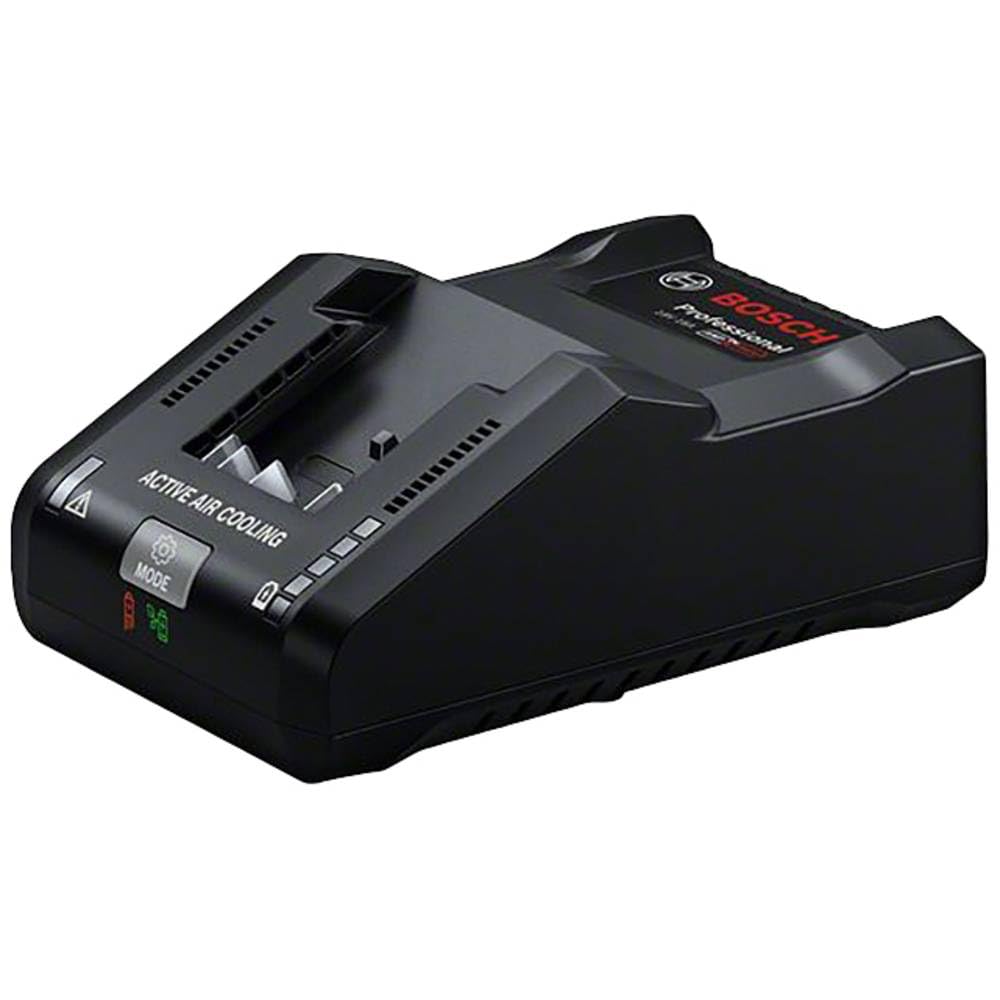
Image: Bosch Professional 18V System Charger GAL 18V-160 with a battery inserted, showing a green indicator light.
2. Safety Information
Always observe the following safety precautions when using the charger:
- Ventilation: Ensure the charger is placed in a well-ventilated area. Do not cover the charger or battery during operation, as this can lead to overheating.
- Environment: Do not expose the charger to rain or wet conditions. Keep it away from flammable materials, liquids, and gases.
- Compatibility: Only charge Bosch Professional 18V lithium-ion batteries with this charger. Attempting to charge other battery types may result in injury or damage.
- Damage: Do not use the charger if it is damaged. Inspect the charger, cable, and plug for any signs of damage before each use.
- Supervision: Do not leave charging batteries unattended.
3. Product Features
The GAL 18V-160 charger offers several features for optimal battery management:
- Ultra-fast Charging: Delivers a charging current of 16 amperes, capable of charging a ProCORE18V 8.0Ah Professional battery to 50% in approximately 15 minutes and to full capacity in about 44 minutes.
- Multiple Charging Modes: Features three distinct charging modes:
- Standard Mode: Default charging for general use.
- PowerBoost Mode: Provides the fastest possible charge to 100% capacity.
- Long Life Mode: Charges the battery to 80% capacity to extend overall battery lifespan.
- Active Air Cooling Technology: Incorporates two internal fans to cool batteries during charging, preventing overheating and ensuring efficient operation.
- AMPShare Compatibility: Fully compatible with the Bosch Professional 18V System and the multi-brand AMPShare battery alliance.
4. Setup
- Unpack: Carefully remove the charger from its packaging.
- Placement: Place the charger on a stable, flat surface in a well-ventilated area. Ensure there is adequate space around the charger for air circulation. Avoid placing it on soft surfaces that could block ventilation openings.
- Power Connection: Plug the charger's power cord into a standard 120V AC power outlet.
5. Operating Instructions
5.1. Charging a Battery
- Ensure the charger is plugged into a power source.
- Slide the Bosch Professional 18V battery into the charging slot on the charger. Ensure it clicks securely into place.
- The charger will automatically begin the charging process.
5.2. Indicator Lights
The charger features indicator lights to communicate the charging status:
- Green Light (Solid): Battery is fully charged.
- Green Light (Flashing): Battery is currently charging.
- Red Light (Solid): Battery or charger error (e.g., battery too hot/cold, defective battery).
- Red Light (Flashing): Battery is too hot or too cold to charge. The charger will wait until the battery reaches an optimal temperature before beginning to charge.
5.3. Selecting Charging Modes
The GAL 18V-160 allows you to select different charging modes via a mode button:
- Standard Mode: This is the default mode. No specific indicator light for this mode.
- PowerBoost Mode: Press the mode button once to activate PowerBoost. This mode prioritizes speed for a full charge. The indicator light for PowerBoost will illuminate (refer to charger for specific light color/pattern).
- Long Life Mode: Press the mode button again to activate Long Life mode. This mode charges the battery to approximately 80% to prolong its overall lifespan. The indicator light for Long Life will illuminate (refer to charger for specific light color/pattern).
- To cycle through modes, continue pressing the mode button.
6. Maintenance
- Cleaning: Regularly clean the charger and its contacts with a dry, soft cloth. Do not use liquids or abrasive cleaners.
- Storage: When not in use, store the charger in a dry, dust-free environment. The power cord can be wrapped around the designated area on the charger for neat storage.
- Inspection: Periodically inspect the charger for any signs of wear or damage.
7. Troubleshooting
| Problem | Possible Cause | Solution |
|---|---|---|
| Battery not charging | Charger not plugged in; battery not inserted correctly; battery too hot/cold; defective battery. | Check power connection; re-insert battery firmly; allow battery to reach optimal temperature; replace battery if defective. |
| Red indicator light (solid) | Battery error or defective battery. | Remove and re-insert battery. If error persists, the battery may be defective and require replacement. |
| Red indicator light (flashing) | Battery temperature outside optimal charging range. | Move battery and charger to an environment with moderate temperature and allow the battery to adjust. Charging will begin automatically once the temperature is suitable. |
8. Specifications
- Model Number: GAL 18V-160 (1600A02T5H)
- Brand: Bosch Professional
- Output Voltage: 18 Volts
- Charging Current: 16 Amperes
- Product Dimensions: 7.68 x 5.12 x 5.12 inches (19.5 x 13 x 13 cm)
- Item Weight: 2.09 pounds (0.95 Kilograms)
- Manufacturer: Bosch Professional
9. Warranty and Support
For warranty information, please refer to the official Bosch Professional warranty documentation included with your product or visit the Bosch Professional website. For technical support, service, or replacement parts, please contact Bosch Professional customer service directly.


