
1. Introduction
Thank you for choosing the Cozylady Smart Neon LED Strip Light. This product is designed to enhance your home lighting with vibrant RGB colors, smart control features, and music synchronization. This manual provides essential information for safe installation, operation, and maintenance of your LED strip light.
The Cozylady Smart Neon LED Strip Light features a flexible silicone design, offering 16 million colors, adjustable brightness, and various dynamic modes. It can be controlled via a dedicated mobile application, remote control, or voice commands through Alexa and Google Assistant. The strip is IP65 waterproof, making it suitable for both indoor and certain outdoor decorative applications.
2. Safety Information
- Ensure the power supply is disconnected before installation or maintenance.
- Use only the provided power adapter. Using an incompatible adapter may damage the product or pose a fire hazard.
- The LED strip itself is IP65 waterproof, but the power adapter and control box are NOT waterproof. Protect them from water exposure.
- Do not bend the LED strip sharply or fold it, as this may damage the internal circuitry.
- Install the strip on a clean, dry, and smooth surface for optimal adhesion and heat dissipation.
- Keep out of reach of children.
- Avoid direct eye exposure to the LED light for extended periods.

Image: The Cozylady Smart Neon LED Strip Light highlighting its IP65 waterproof rating. A warning indicates that the controller and power plug are not waterproof and must be protected from water.
3. Package Contents
Please check the package for the following items:
- Cozylady Smart Neon LED Strip Light (20ft/6m)
- Power Adapter
- Control Box
- Remote Control
- Mounting Clips/Accessories (if included)
- User Manual
4. Setup
4.1 Physical Installation
- Plan your design: The flexible neon strip can be bent into various shapes. Plan your desired layout before adhesion. Note that the strip is designed for flat installation; avoid wrapping the illuminated surface.
- Clean the surface: Ensure the installation surface is clean, dry, and free of dust or oil for optimal adhesion.
- Attach the strip: Use the adhesive backing or mounting clips (if provided) to secure the LED strip in place.
- Connect components: Connect the LED strip to the control box, and then connect the control box to the power adapter.
- Plug in: Plug the power adapter into a suitable power outlet.
4.2 App Connection (Bluetooth/WiFi)
- Download the App: Scan the QR code on the control box or manual, or search for the recommended app (e.g., 'Smart Life' or 'Tuya Smart') in your app store.
- Register/Log in: Create an account or log in to the app.
- Add Device: Follow the in-app instructions to add your LED strip light. This usually involves turning the light on and off a few times to enter pairing mode (the light will flash).
- Connect to WiFi (if applicable): For full smart features, connect the device to your 2.4GHz WiFi network when prompted by the app.
4.3 Voice Assistant Integration
Once connected to the app and WiFi, you can link your Cozylady LED strip to voice assistants:
- For Alexa: Open the Alexa app, go to 'Skills & Games', search for the relevant skill (e.g., 'Smart Life'), enable it, and link your account. Then, 'Discover Devices'.
- For Google Assistant: Open the Google Home app, tap 'Add' > 'Set up device' > 'Works with Google', search for the relevant service (e.g., 'Smart Life'), link your account.
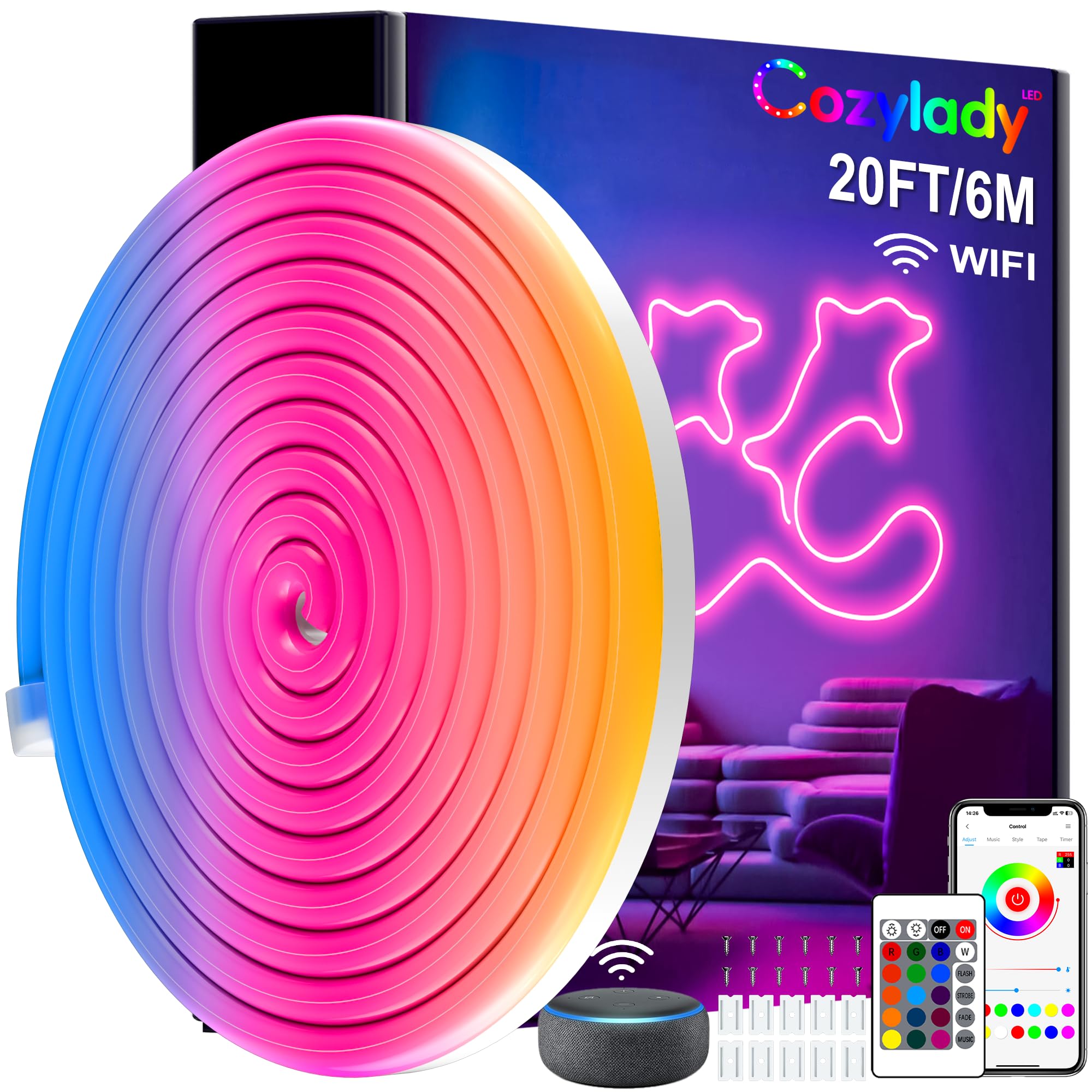
Image: A man relaxing in a living room, using voice commands with an Alexa device to control the Cozylady Smart Neon LED Strip Light, which illuminates the wall with a neon dolphin design.
5. Operating Instructions
5.1 Control Methods
Your Cozylady Smart Neon LED Strip Light can be controlled using three methods:
- Mobile App: Provides full control over colors, modes, brightness, music sync, and timer functions.
- Remote Control: Offers basic functions like On/Off, color selection, mode changes, and brightness adjustment.
- Voice Control: Use simple voice commands with Alexa or Google Assistant for basic operations.

Image: A smartphone screen displaying the control app interface for the LED strip, alongside a physical remote control, illustrating the dual control options.
5.2 Basic Functions
- Power On/Off: Use the power button on the remote, app, or voice command.
- Color Selection: Choose from 16 million colors via the app or preset colors on the remote.
- Brightness Adjustment: Adjust the light intensity using the app or remote.
- Mode Selection: Cycle through various dynamic lighting modes (e.g., jump, fade, flash) via the app or remote.
5.3 Advanced Functions
- Music Sync Mode: The built-in microphone detects ambient sounds and music, synchronizing the light effects in real-time. Activate this mode via the app.
- DIY Mode: Create custom lighting effects and color patterns using the mobile app.
- Timer Function: Set schedules for the light to turn on or off at specific times, or to change modes. This is configurable through the app.

Image: A group of people dancing in a room, with the Cozylady Smart Neon LED Strip Lights illuminating the space and synchronizing with music played from a smartphone.

Image: A smartphone screen displaying the timer settings within the control app, showing scheduled on/off times for the LED strip light in a bedroom setting.
6. Maintenance
- Cleaning: Gently wipe the LED strip with a soft, dry cloth. Do not use harsh chemicals or abrasive cleaners.
- Storage: If storing the strip, ensure it is clean and dry. Roll it loosely to avoid damage to the internal wiring. Store in a cool, dry place.
- Inspection: Periodically check the strip and connections for any signs of damage or wear.
7. Troubleshooting
| Problem | Possible Cause | Solution |
|---|---|---|
| Light strip does not turn on. | No power, loose connection, faulty adapter. | Check power outlet, ensure all connections are secure, try a different outlet. |
| Remote control not working. | Battery depleted, remote out of range, obstruction. | Replace battery, ensure clear line of sight to control box, operate within range. |
| App cannot connect to the light strip. | Incorrect pairing mode, WiFi issues, Bluetooth off. | Ensure light is in pairing mode (flashing), check WiFi connection (2.4GHz), enable Bluetooth on your phone. Restart app and device. |
| Music Sync mode not responding. | Microphone obstructed, low volume, app setting. | Ensure control box microphone is not covered, increase music volume, check music sync settings in the app. |
| Voice control not working. | Incorrect voice commands, Alexa/Google Assistant not linked, network issue. | Use correct commands, verify Alexa/Google Assistant is linked to the app, check internet connection. |
8. Specifications
| Feature | Detail |
|---|---|
| Brand | Cozylady |
| Model Number | HBW241075U |
| Light Source Type | LED |
| Length | 20 feet / 6 meters |
| Voltage | 24V |
| Wattage | 24W |
| Waterproof Rating | IP65 (LED strip only; adapter and control box are not waterproof) |
| Control Methods | Mobile App (Bluetooth/WiFi), Remote Control, Voice Control (Alexa, Google Assistant) |
| Connectivity Technology | Bluetooth, WiFi (2.4GHz) |
| Special Features | Color changing, Dimmable, Adjustable, Energy Efficient, Timer, Music Sync, DIY Design |
| Material | Silicone |
| Included Components | Remote Control |
| UPC | 850084580253 |
9. Warranty and Support
Cozylady products are manufactured to high-quality standards. For warranty information, technical support, or customer service inquiries, please refer to the contact details provided with your purchase or visit the official Cozylady website. Please retain your proof of purchase for warranty claims.
10. Usage Examples
The Cozylady Smart Neon LED Strip Light is versatile and can be used in various settings to create different atmospheres:

- Kitchen: Add accent lighting under cabinets or along countertops.
- Living Room: Create ambient backlighting for TVs or decorative wall features.
- Bedroom: Install along bed frames or ceilings for a relaxing or vibrant mood.
- Balcony/Porch: Enhance outdoor living spaces with colorful, waterproof lighting (ensure non-waterproof components are protected).
- Parties & Events: Use music sync mode to create dynamic lighting for celebrations.