
Yoshino B4000 SST
Yoshino Solid-State Portable Power Station B4000 SST User Manual
Model: B4000 SST
Introduction
The Yoshino B4000 SST is a state-of-the-art portable power station featuring industry-leading Li-NCM solid-state battery technology. Designed for reliability and efficiency, it provides a massive 2611Wh capacity and a powerful 4000W AC output, suitable for a wide range of applications from RVs and camping to emergency backup power. Its compact and lightweight design, combined with advanced safety features and smart app control, makes it an ideal solution for portable energy needs.
What's Included
Upon unboxing your Yoshino B4000 SST, please verify that all components are present:
- 1x Yoshino B4000 SST Solid-State Portable Power Station
- 1x AC Recharge Cable
- 1x Cigarette Car Charging Cable
- 1x DC5521 to Cigarette Car Female Output Cable
- 1x Solar Charging Cable MC4 to XT60
- 1x User Manual (this document)
Key Features
The Yoshino B4000 SST incorporates several advanced features for superior performance and user experience:
- Solid-State Battery Technology: Utilizes Li-NCM solid-state batteries for 2.5x higher energy density, enhanced safety, and a lifespan of over 4000 cycles. Operates reliably in extreme temperatures from -0.4°F to 140°F.
- High Power Output: Delivers a massive 4000W AC output, capable of powering most household appliances and heavy-duty tools. Features a lightning-fast 20ms UPS switching for uninterrupted power during outages.
- Versatile Charging Options: Supports 1800W AC input, 600W solar charging, and 120W car charging. Achieves 80% charge in just 90 minutes via AC.
- Compact and Portable: Weighs only 53.6 lbs and measures 21.4 x 10.2 x 9.4 inches, making it easy to transport for various outdoor and emergency scenarios.
- Smart App Control: Connects via Wi-Fi or Bluetooth to the Yoshino App, allowing remote monitoring of charge levels, runtime, and status, along with customizable charging modes (Fast, Smart, Eco).
- Advanced Battery Management System (BMS): Ensures top-tier safety by precisely regulating voltage and temperature, providing peace of mind.
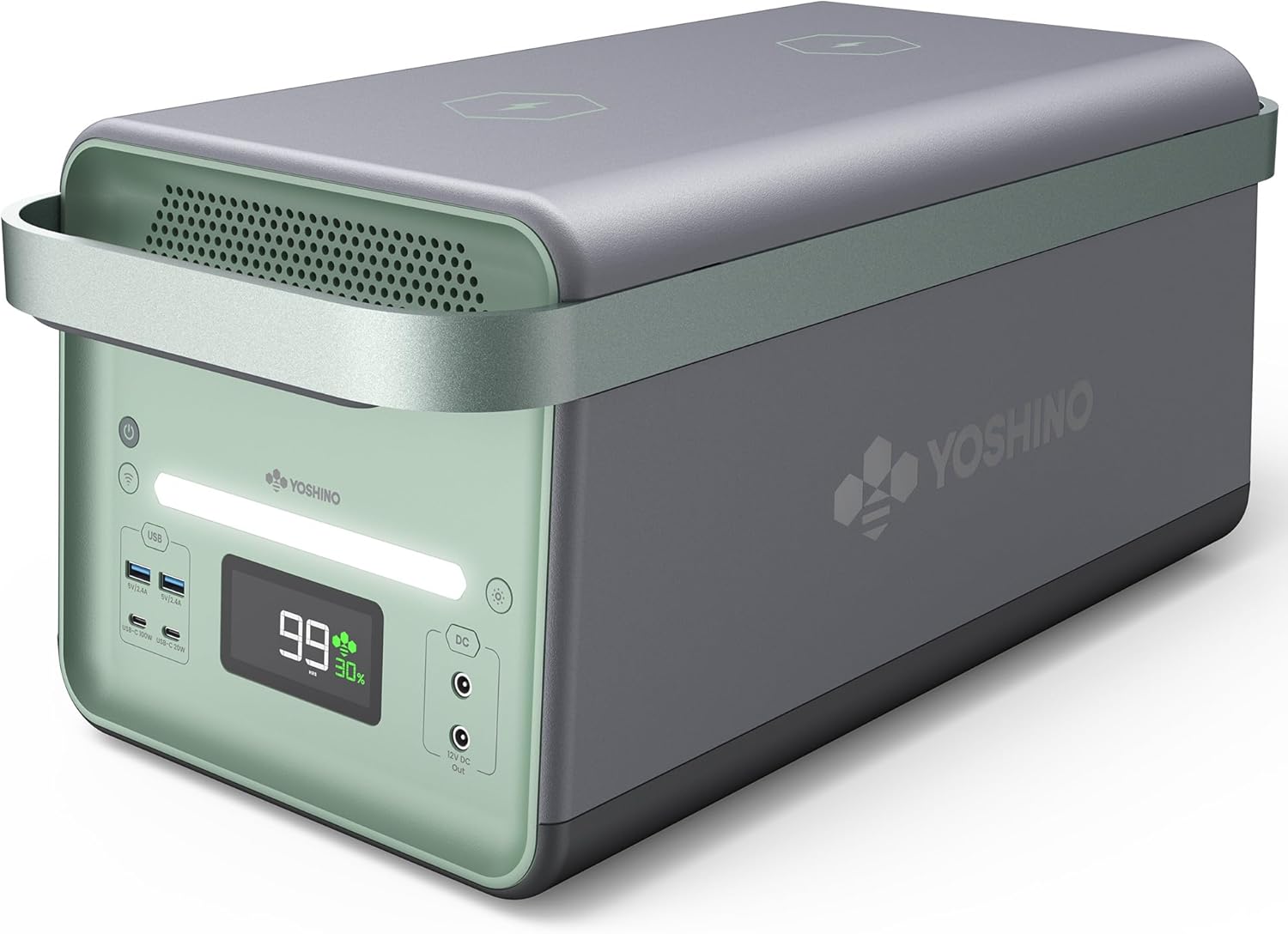
The Yoshino B4000 SST Portable Power Station, showcasing its sleek design and integrated handle.

Illustration of the B4000 SST powering common household appliances like an electric drill, refrigerator, griddle, and hair dryer.

The B4000 SST shown in a snowy, cold environment, highlighting its ability to operate at -0.4°F.
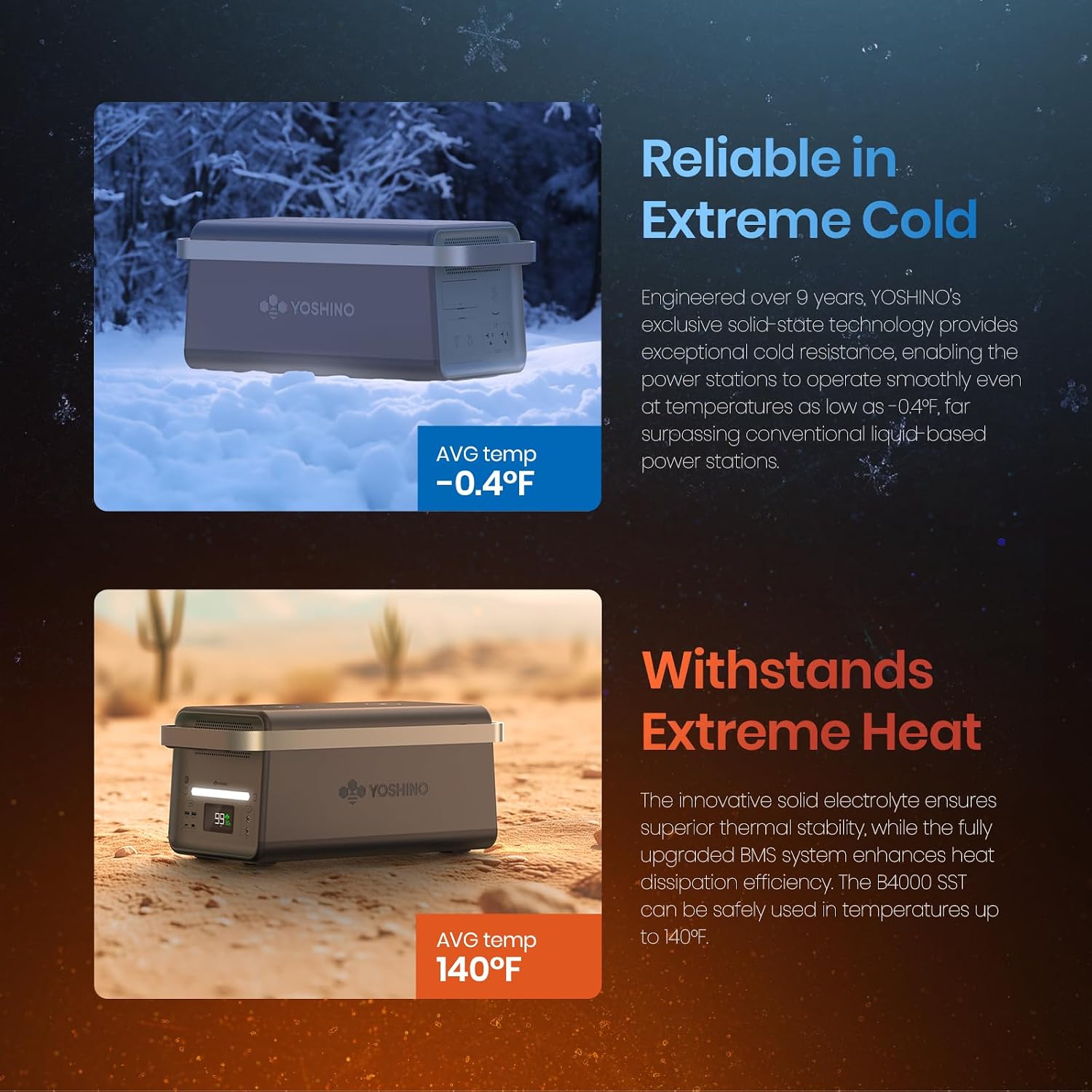
The B4000 SST depicted in a desert, hot environment, demonstrating its capability to withstand temperatures up to 140°F.
Official Product Video
This video provides an overview of the Yoshino B4000 SST Solid-State Portable Power Station, showcasing its design and key functionalities.
Setup Guide
Before using your Yoshino B4000 SST, please follow these setup steps:
- Initial Charge: It is recommended to fully charge the power station before first use. Connect the provided AC Recharge Cable to the AC input port on the unit and plug it into a standard wall outlet. The display will show charging progress.
- Alternative Charging: For solar charging, connect compatible solar panels (sold separately) to the XT60 input using the provided Solar Charging Cable. For car charging, use the Cigarette Car Charging Cable.
- Power On: Press and hold the main power button until the display illuminates.
- App Connection (Optional): Download the Yoshino App from your device's app store. Enable Bluetooth and Wi-Fi on your mobile device and follow the in-app instructions to connect to your B4000 SST for remote control and monitoring.
Operating Instructions
The Yoshino B4000 SST offers multiple output options for various devices:
- AC Output: To use the AC outlets, ensure the AC output button is pressed and illuminated. Plug your devices into the 120V AC outlets. The unit provides 4000W continuous power.
- DC Output: For DC devices, press the DC output button. Connect your 12V DC devices to the DC output ports.
- USB Output: The unit features multiple USB-A and USB-C ports. Simply plug your USB-compatible devices into the appropriate port. USB-C ports support Power Delivery (PD) for fast charging compatible devices.
- Wireless Charging: Place compatible devices on the wireless charging pads located on top of the unit. Ensure the device is properly aligned for optimal charging.
- UPS Function: When connected to an AC power source, the B4000 SST can function as an Uninterruptible Power Supply (UPS). In case of a power outage, it will automatically switch to battery power within 20ms, protecting connected sensitive electronics.
Maintenance
Proper maintenance ensures the longevity and optimal performance of your Yoshino B4000 SST:
- Storage: Store the unit in a cool, dry place away from direct sunlight and extreme temperatures. If storing for extended periods, charge the unit to approximately 50-80% every 3-6 months to preserve battery health.
- Cleaning: Use a soft, dry cloth to clean the exterior of the unit. Do not use abrasive cleaners or immerse the unit in water.
- Battery Health: The solid-state battery is designed for over 4000 life cycles. Avoid consistently draining the battery to 0% or charging to 100% if not necessary for immediate use, as this can extend overall battery life.
- Ventilation: Ensure the ventilation grilles are clear of obstructions to prevent overheating.
Troubleshooting
If you encounter issues with your Yoshino B4000 SST, refer to the following common troubleshooting steps:
| Problem | Possible Cause | Solution |
|---|---|---|
| Unit not turning on | Low battery; Power button not pressed correctly | Charge the unit; Press and hold the power button for 3 seconds. |
| AC output not working | AC output not enabled; Overload; Circuit breaker tripped | Press the AC output button; Reduce connected load; Reset the circuit breaker on the back of the unit. |
| Slow charging | Incorrect charging mode; Low input power | Check Yoshino App for charging mode settings (e.g., ensure Fast Mode is selected); Verify input power source. |
| App connection issues | Bluetooth/Wi-Fi off; Unit too far from device | Ensure Bluetooth/Wi-Fi is enabled; Move device closer to the unit; Restart app and unit. |
If the problem persists after attempting these solutions, please contact Yoshino customer support.
Specifications
| Feature | Detail |
|---|---|
| Brand | Yoshino |
| Model Name | B4000 SST |
| Battery Type | Li-NCM Solid-State |
| Capacity | 2611Wh |
| AC Output Power | 4000W (Pure Sine Wave) |
| Peak AC Output | 6000W (Surge) |
| AC Input (Charging) | 1800W Max |
| Solar Input (Charging) | 600W Max |
| Car Input (Charging) | 120W Max |
| Cycle Lifespan | 4000+ cycles (to 80% capacity) |
| Operating Temperature | -0.4°F to 140°F (-18°C to 60°C) |
| Dimensions (L x W x H) | 21.4" x 10.2" x 9.4" |
| Weight | 53.6 lbs |
| Total Power Outlets | 11 |
| Certifications | ETL certified to UL2743 standards |
Warranty and Support
Yoshino stands behind the quality of its products. For detailed warranty information, please refer to the official warranty policy provided with your purchase or visit the Yoshino website. For technical support, troubleshooting assistance, or any inquiries regarding your B4000 SST, please contact Yoshino customer service through the contact information provided in your product packaging or on the official Yoshino website.
Additional protection plans may be available for purchase to extend coverage beyond the standard warranty period. Please check with your retailer or the Yoshino website for more details.
Related documentsB4000 SST


Ask a question about this manual
Ask about setup, troubleshooting, compatibility, parts, safety, or missing instructions. Manuals+ will review the question and use this page’s manual context to help answer it.