
EconoHome MW-PITD-TH928H-BLK
EconoHome Digital Plug-in Thermostat User Manual
Model: MW-PITD-TH928H-BLK
1. Introduction
Thank you for choosing the EconoHome Digital Plug-in Thermostat. This device is designed to provide precise temperature control for various heating and cooling appliances, helping you maintain a comfortable environment and optimize energy consumption. This manual provides essential information for the safe and efficient use of your thermostat.
2. Product Features
- Versatile Temperature Control: Easily adjust your portable, electric, and plug-in heating systems, as well as cooling systems like air coolers and greenhouse fans.
- Wide Temperature Range: Set your desired room temperature from 41-86°F (5-30°C).
- Clear LCD Screen: Features an intuitive LCD screen for easy temperature monitoring and setting adjustments.
- User-Friendly Buttons: Simple push-button interface for quick operation.
- Energy Efficiency: Helps reduce utility bills by precisely controlling energy output and maintaining optimal room temperature.
- Easy Installation: Simply plug into a standard 3-prong electrical socket.
- Optimal Accuracy: Equipped with a highly accurate NTC thermistor and a high-performance control circuit.
3. Safety Information
Please read all safety instructions before using this product. Failure to follow these instructions may result in electric shock, fire, or other hazards.
- For indoor use only.
- Do not exceed the maximum electrical rating of the device.
- Ensure the thermostat is securely plugged into a grounded outlet.
- Do not immerse the device in water or expose it to excessive moisture.
- Keep out of reach of children.
- Do not disassemble or attempt to repair the device. Contact customer support if service is required.
- Unplug the thermostat from the outlet before cleaning.
4. Setup
Setting up your EconoHome Digital Plug-in Thermostat is quick and easy.
- Unpack the Thermostat: Carefully remove the thermostat from its packaging.
- Plug into an Outlet: Insert the 3-prong plug of the thermostat into a standard wall outlet. Ensure it is firmly seated.


Setup Video Guide
Video: This video demonstrates how to set up and use the EconoHome Thermostatic Outlet, showing the plugging-in process and basic function overview.
5. Operation
The EconoHome Digital Plug-in Thermostat features an LCD screen and easy-to-press buttons for straightforward temperature management.
- Connect Appliance: Plug your heating or cooling appliance (e.g., space heater, air cooler, greenhouse fan) into the outlet on the front of the thermostat.
- Power On/Off: Press the POWER ON/OFF button to turn the thermostat and connected appliance on or off.
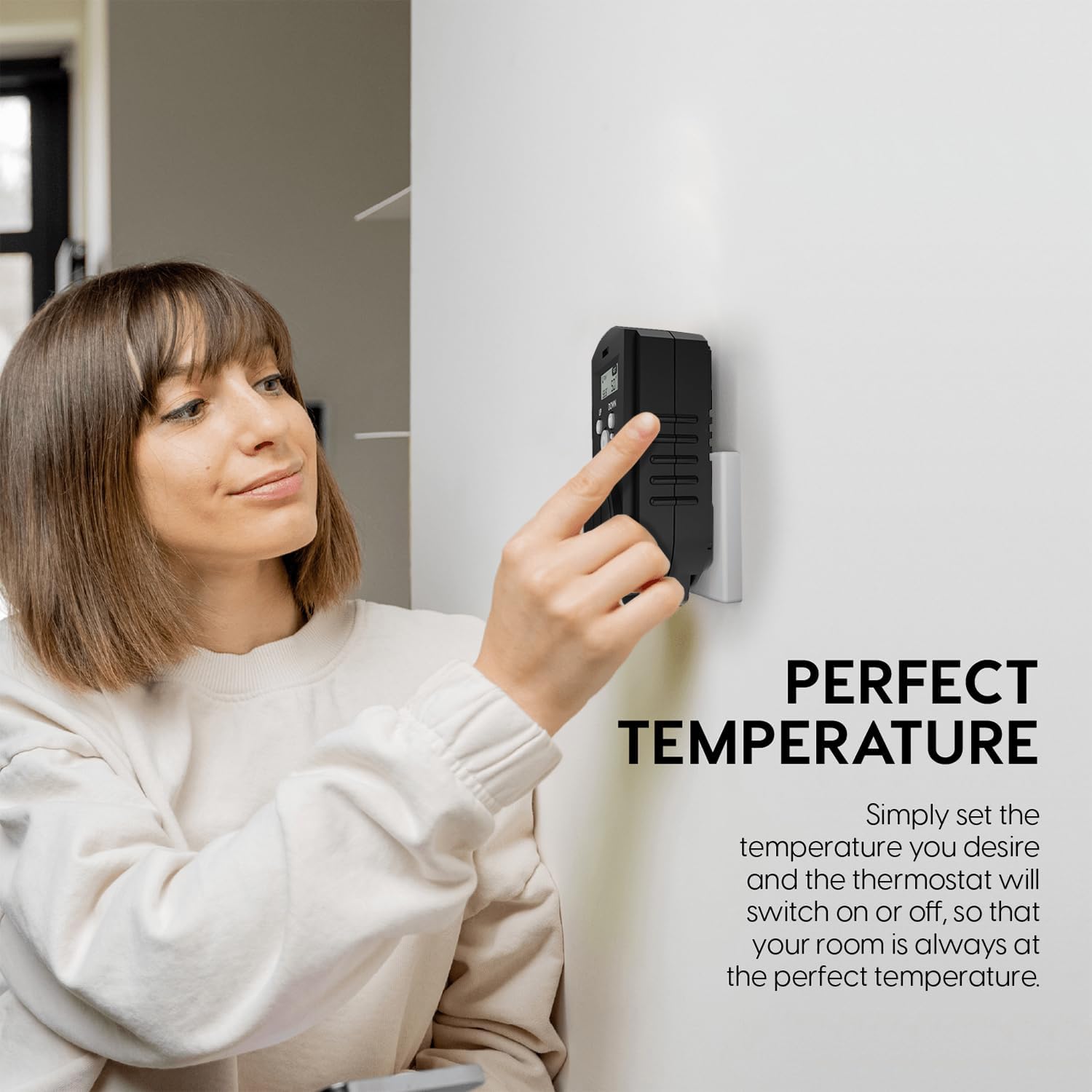
- Set Desired Temperature: Use the UP and DOWN buttons to adjust the target temperature. The LCD will display both the current room temperature (RM) and your set temperature (SET).
- Automatic Control: The thermostat will automatically activate or deactivate the connected appliance to maintain the set temperature.
- Reset: Press the Reset button (small pinhole) to restore factory settings if needed.

Operation Video Guides
Video: A basic summary of the features and functions of the EconoHome Digital Plug-in Thermostat.
Video: An overview highlighting the adjustable features of the EconoHome Thermostat.
6. Maintenance
To ensure the longevity and optimal performance of your EconoHome Digital Plug-in Thermostat, follow these simple maintenance guidelines:
- Cleaning: Disconnect the thermostat from the power outlet before cleaning. Use a soft, dry cloth to wipe the surface. Do not use abrasive cleaners, solvents, or immerse in water.
- Storage: If storing the thermostat for an extended period, unplug it and keep it in a cool, dry place away from direct sunlight and extreme temperatures.
- Inspection: Periodically check the plug and cord for any signs of damage. If any damage is found, discontinue use and contact customer support.
7. Troubleshooting
If you encounter issues with your EconoHome Digital Plug-in Thermostat, please refer to the following common solutions:
| Problem | Possible Cause | Solution |
|---|---|---|
| Thermostat not powering on. | Not properly plugged in; power outage; faulty outlet. | Ensure the thermostat is fully plugged into a working outlet. Check your home's circuit breaker. |
| Appliance not turning on/off as expected. | Incorrect temperature setting; appliance not plugged into thermostat; appliance power switch off. | Verify the set temperature is appropriate. Ensure the appliance is plugged into the thermostat and its own power switch is on. |
| Inaccurate temperature reading. | Thermostat sensor blocked or exposed to direct heat/cold source. | Relocate the thermostat away from direct drafts, sunlight, or heat sources. Ensure the sensor is not obstructed. |
| Buttons unresponsive. | Temporary software glitch. | Unplug the thermostat for 30 seconds, then plug it back in. If the issue persists, use the reset button. |
If these steps do not resolve the issue, please contact EconoHome customer support for further assistance.
8. Specifications
| Feature | Detail |
|---|---|
| Brand | EconoHome |
| Model Number | MW-PITD-TH928H-BLK |
| UPC | 810088312403 |
| Controller Type | Push Button |
| Special Feature | Temperature Display |
| Color | Black |
| Specific Uses | Home Heating, Home Cooling, Office Heating, Office Cooling |
| Temperature Control Type | Digital |
| Connectivity Technology | IR |
| Power Source | Corded Electric (125 V AC/60 Hz) |
| Display Type | LCD |
| Control Method | Remote (via buttons) |
| Mounting Type | Wall Mount (plug-in) |
| Material Type | Plastic, Metal |
| Dimensions | Approximately 5 x 2.5 x 2.5 inches |

9. Warranty and Support
EconoHome products are designed for reliability and performance. For warranty information, technical support, or any questions regarding your Digital Plug-in Thermostat, please visit the official EconoHome store or contact their customer service directly.
EconoHome Store: Visit EconoHome on Amazon
Ask a question about this manual
Ask about setup, troubleshooting, compatibility, parts, safety, or missing instructions. Manuals+ will review the question and use this page’s manual context to help answer it.