
1. Introduction
This manual provides detailed instructions for the setup, operation, and maintenance of your FULLJA 10.1-inch WiFi Digital Picture Frame. Please read this manual thoroughly before using the device to ensure proper functionality and longevity.

Image: The FULLJA 10.1-inch WiFi Digital Picture Frame showcasing a family picture, illustrating its primary function.
2. Product Overview
The FULLJA 10.1-inch WiFi Digital Picture Frame is designed to display photos and videos with ease. Key features include:
- 10.1-inch IPS Touch Screen: Provides a clear 1280x800 resolution display with wide viewing angles.
- 32GB Internal Memory: Stores thousands of photos and videos directly on the device.
- Wi-Fi Connectivity: Enables remote sharing of media via the VPhoto app and email.
- Light Sensor: Automatically adjusts screen brightness based on ambient light.
- Auto-Rotate Function: Adjusts image orientation for both portrait and landscape display.
- Expandable Storage: Supports TF cards and USB drives for additional memory.
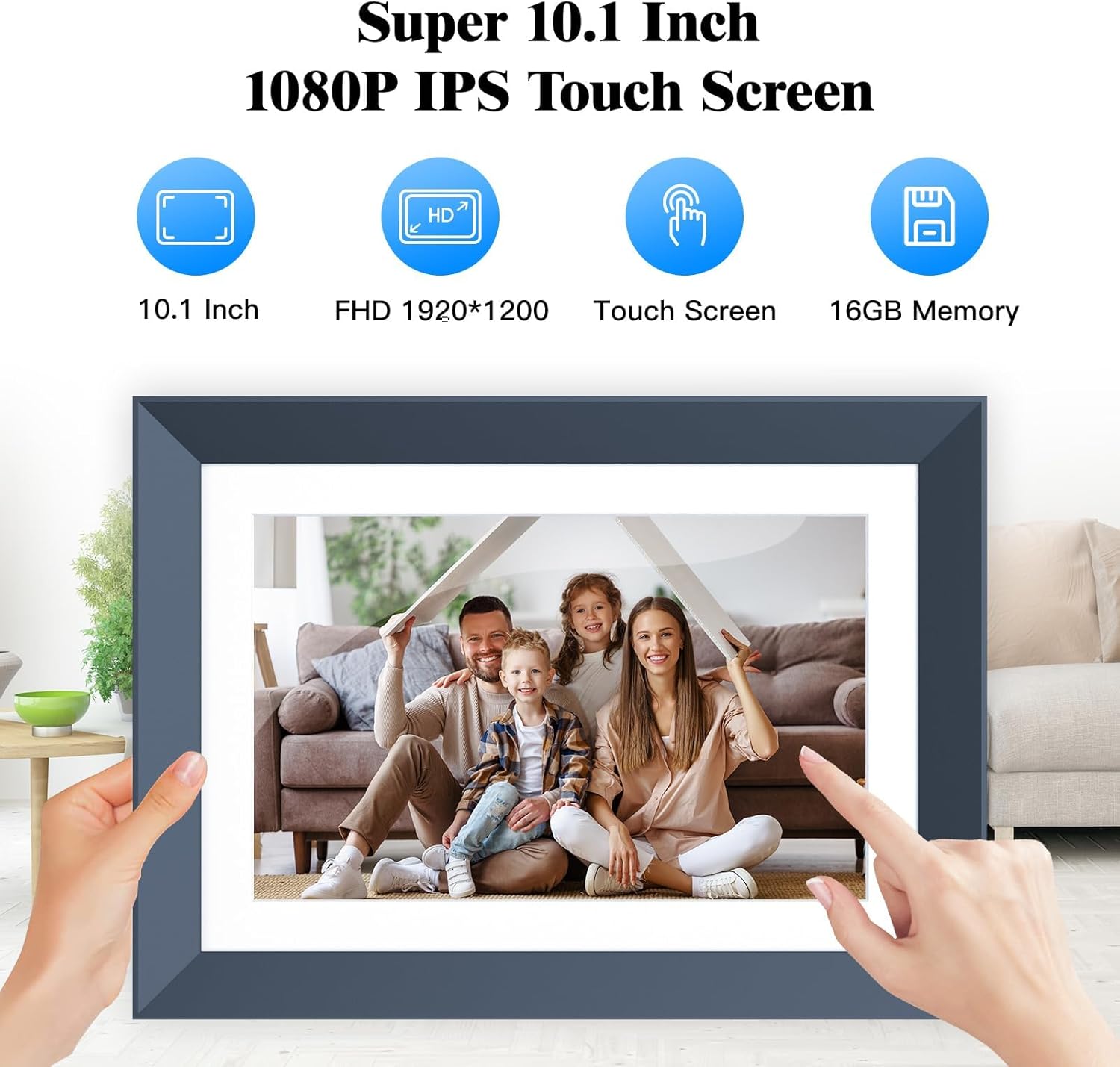
Image: An illustration of the digital picture frame emphasizing its 10.1-inch screen, Full HD resolution, touch screen capability, and 16GB memory (note: product has 32GB, image may vary).
3. Package Contents
Verify that all items are present in the package:
- 1 x FULLJA 10.1-inch WiFi Digital Picture Frame
- 1 x User Manual
- 1 x Power Adapter
- 1 x Stand/Bracket

Image: A visual representation of the product packaging, indicating the included digital frame, user manual, power adapter, and stand/bracket.
4. Setup
- Power On: Connect the power adapter to the frame and a power outlet. The frame will automatically power on.
- Initial Configuration: Follow the on-screen prompts to select your language, time zone, and connect to a Wi-Fi network.
- App Download: Download the "VPhoto" app from your mobile device's app store (iOS or Android).
- Frame Pairing: Open the VPhoto app and follow the instructions to pair your mobile device with the digital picture frame. This typically involves scanning a QR code displayed on the frame.
5. Operation
5.1 Basic Navigation
- Touch Screen: Navigate menus and interact with content directly on the 10.1-inch touch screen.
- Home Screen: Access various functions such as Photo, Video, Music, Calendar, Weather, and Settings.
- Gestures: Swipe left/right to browse photos, tap to view options, pinch to zoom (if supported by software).
5.2 Displaying Photos and Videos
- Slideshows: The frame automatically plays a slideshow of uploaded photos and videos. You can customize slideshow intervals and transition effects in the settings.
- Manual Browsing: Tap the screen to pause the slideshow and manually browse through your media.
- Auto-Rotate: The frame automatically adjusts the display orientation (portrait or landscape) based on its physical placement.

Image: A collage demonstrating the versatility of the digital frame, showing it in both landscape and portrait orientations, on a table, mounted on a wall, and being interacted with via its touch screen.
6. Sharing Photos and Videos
The FULLJA digital picture frame supports easy media sharing:
6.1 Using the VPhoto App
- Ensure your frame is connected to Wi-Fi and paired with the VPhoto app on your smartphone.
- Open the VPhoto app and select the photos or videos you wish to send.
- Choose your connected frame as the recipient. The media will be sent and displayed on the frame within seconds.
- Up to 30 members can be invited to share photos and videos to a single frame.

Image: The digital picture frame displaying a photo, with a smartphone nearby illustrating the VPhoto app's interface for sharing content.
6.2 Email Sharing
- Each frame has a unique email address. You can find this in the frame's settings.
- Send photos and short videos (up to 15 seconds) as attachments to this email address.
- The media will automatically appear on the frame.
7. Storage
The frame offers flexible storage options:
- Internal Memory: 32GB built-in memory is available for storing media.
- TF Card Slot: Insert a TF (microSD) card to expand storage capacity.
- USB Port: Connect a USB flash drive to view or transfer media.

Image: The digital picture frame with icons representing TF card, USB drive, and an external display, highlighting its various storage and connectivity options.
8. Additional Functions
Beyond displaying photos and videos, the frame includes:
- Music Playback: Play background music during slideshows.
- Weather Display: View current weather information.
- Calendar: Access a digital calendar.
- Alarms: Set alarms for reminders.
- Customizable Power Settings: Schedule on/off times to conserve energy.

Image: The digital picture frame displaying a photo, with music notes indicating its audio playback capabilities.
9. Maintenance
- Cleaning: Use a soft, dry cloth to clean the screen and frame. Avoid abrasive cleaners or solvents.
- Placement: Place the frame on a stable surface or mount it securely on a wall. Avoid direct sunlight or extreme temperatures.
- Software Updates: Periodically check for and install software updates via the settings menu to ensure optimal performance.
10. Troubleshooting
| Issue | Possible Solution |
|---|---|
| Frame does not power on. | Ensure the power adapter is securely connected to both the frame and a working power outlet. Try a different outlet. |
| Cannot connect to Wi-Fi. | Verify your Wi-Fi password. Ensure the frame is within range of your router. Restart the frame and your router. |
| Photos/Videos not appearing. | Check your internet connection. Ensure media was sent successfully via the VPhoto app or email. Verify file formats are supported. |
| Screen is unresponsive. | Restart the frame by unplugging and re-plugging the power adapter. If the issue persists, perform a factory reset (refer to settings). |
11. Specifications
| Feature | Detail |
|---|---|
| Brand | FULLJA |
| Model | 10.1-Inch WiFi Digital Picture Frame |
| Screen Size | 10.1 Inches |
| Resolution | 1280x800 (WXGA) |
| Display Type | IPS Touch Screen |
| Internal Memory | 32GB |
| Connectivity | Wi-Fi, USB |
| Power Source | Corded Electric |
| Aspect Ratio | 16:10 |
| Frame Material | Plastic |
| Item Weight | 1.3 Pounds |
| UPC | 658370892093, 658370892062, 658370892086 |
12. Official Product Video
Video: An official product video titled "10.1 inch digital frame" by Good Sourcing-Direct, demonstrating the features and usage of the FULLJA digital picture frame. This video highlights the ease of sending videos via the mobile app and instant display of new records.
13. Warranty and Support
This FULLJA Digital Picture Frame comes with a 1 Year Manufacturer Warranty. For any technical assistance, troubleshooting, or warranty claims, please contact FULLJA customer service. Refer to the contact information provided with your product packaging or visit the official FULLJA website for support details.