1. Introduction
Thank you for choosing the BAKAJI Spinning Bike. This manual provides essential information for the safe assembly, operation, and maintenance of your exercise bike. Please read it thoroughly before first use and keep it for future reference.
This spinning bike is designed for effective indoor cardio workouts, targeting legs, core, and hips. It helps improve cardiovascular health, endurance, and lung capacity.
2. Safety Information
- Consult a physician before starting any new exercise program.
- Keep children and pets away from the equipment during use.
- Place the bike on a flat, stable surface. Ensure adequate space around the bike.
- Wear appropriate exercise clothing and footwear.
- Inspect the bike for loose or damaged parts before each use. Do not use if any parts are damaged.
- The maximum user weight capacity is 120 kg.
- Stop exercising immediately if you feel faint, dizzy, or experience pain.
3. Assembly Instructions
Assembly is required for this spinning bike. Please follow the detailed assembly diagram and instructions provided in the separate assembly guide included with your product. Ensure all bolts, nuts, and components are securely fastened before using the bike.

Image: Main view of the BAKAJI Spinning Bike, illustrating its overall structure and components.
4. Operating Instructions
4.1. Adjusting the Seat
The seat can be adjusted both vertically and horizontally to ensure a comfortable and efficient riding position. Proper seat adjustment helps prevent injury and maximizes workout effectiveness.
- Vertical Adjustment: Loosen the vertical adjustment knob located on the seat post. Raise or lower the seat to the desired height. Tighten the knob securely.
- Horizontal Adjustment: Loosen the horizontal adjustment knob beneath the seat. Slide the seat forward or backward. Tighten the knob securely.
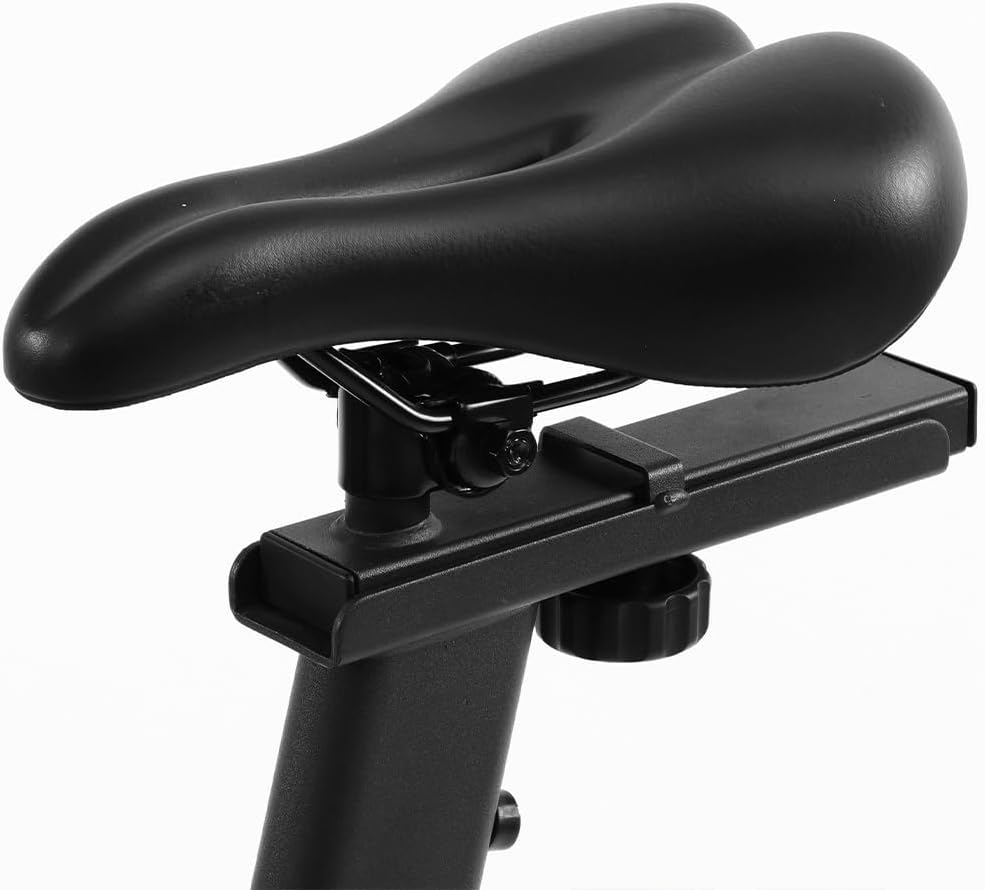
Image: Detail of the adjustable seat, showing the mechanism for height and horizontal positioning.
4.2. Adjusting Resistance
The spinning bike features a manual friction resistance system. You can easily adjust the intensity of your workout.
- Increase Resistance: Turn the red resistance knob clockwise.
- Decrease Resistance: Turn the red resistance knob counter-clockwise.
- Emergency Stop: Press down firmly on the red resistance knob to quickly stop the flywheel.
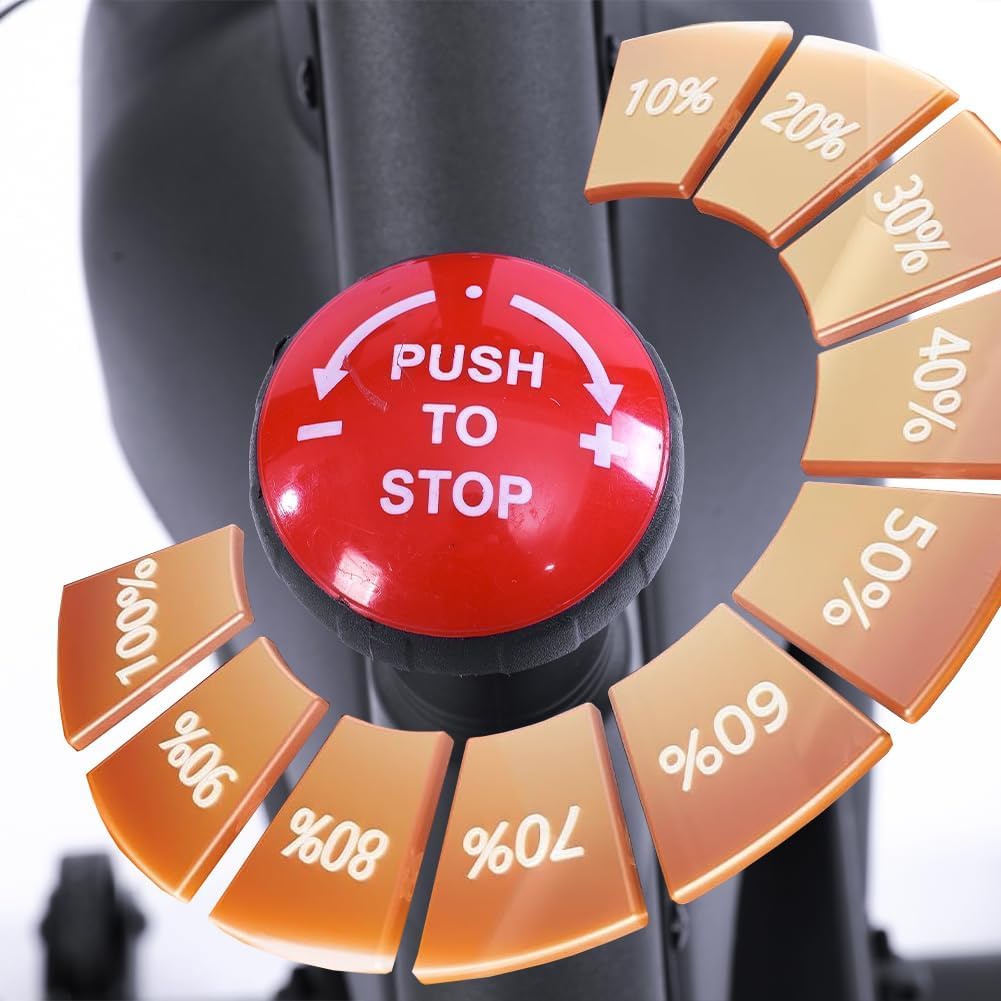
Image: Detail of the red resistance knob, indicating how to increase, decrease, and stop the flywheel.
4.3. Using the LCD Display and App Connectivity
The integrated LCD display provides real-time workout data. You can also connect your bike to popular fitness applications via Bluetooth.
- Display Functions: The LCD screen measures time, distance, calories burned, and pulse. Use the 'MODE' button to cycle through display modes and 'RESET' to clear data.
- Bluetooth Connectivity: The bike supports connection to fitness apps such as Kinomap and Zwift Cycling. Enable Bluetooth on your smartphone or tablet and follow the app's instructions to pair with your spinning bike. This allows access to online courses and scenic ride simulations.

Image: Detail of the LCD display console, showing workout metrics and control buttons.

Image: The spinning bike highlighting its Bluetooth connectivity and compatibility with fitness applications like Kinomap and Zwift.
5. Maintenance
Regular maintenance ensures the longevity and safe operation of your BAKAJI Spinning Bike.
- Cleaning: Wipe down the bike with a damp cloth after each use to remove sweat and dust. Avoid abrasive cleaners.
- Inspection: Periodically check all bolts, nuts, and moving parts for tightness. Tighten any loose fasteners.
- Lubrication: Apply a small amount of silicone-based lubricant to the friction pad and flywheel contact area if squeaking occurs. Do not over-lubricate.
- Storage: Store the bike in a dry, cool place away from direct sunlight and moisture.
6. Troubleshooting
| Problem | Possible Cause | Solution |
|---|---|---|
| LCD display not working | Low or dead batteries; Loose connection | Replace batteries; Check cable connections to the display. |
| Unusual noise during operation | Loose parts; Dry friction pad; Unbalanced bike | Check and tighten all bolts; Apply lubricant to friction pad; Ensure bike is on a level surface. |
| Difficulty adjusting resistance | Resistance knob mechanism stuck or worn | Inspect the resistance mechanism for obstructions or damage. Contact support if issue persists. |
| Bluetooth connection issues | Bluetooth off on device; App not updated; Interference | Ensure Bluetooth is enabled; Update fitness app; Move closer to the bike; Restart device. |
7. Specifications
- Brand: BAKAJI
- Model Number: 8054143033342
- Dimensions (L x W x H): 52 x 114 x 120 cm
- Product Weight: 25 Kilograms
- Maximum User Weight: 120 Kilograms
- Material: Alloy Steel
- Resistance Mechanism: Friction
- Flywheel Weight: 6 kg
- Special Features: LCD Display, Bluetooth App Connectivity (Kinomap, Zwift Cycling)
- Color: Black
8. Warranty and Support
For warranty information and customer support, please refer to the warranty card included with your product or contact BAKAJI customer service directly. Keep your purchase receipt as proof of purchase.


