
MOES WM-105-M-MS
MOES WiFi Smart Relay Dimmable Instruction Manual
Brand: MOES | Model: WM-105-M-MS
Product Overview
The MOES WiFi Smart Relay Dimmable module is designed to transform traditional appliances, such as light switches, into smart, controllable devices. Operating on 2.4GHz WiFi, it offers seamless integration with popular voice assistants like Google Assistant and Alexa. This module provides dimmable control for compatible lighting, eliminating the need for a separate dimmer switch. Its compact design allows for easy installation within standard switch boxes, and it supports multi-control association for flexible lighting setups.
- Universal Smart Switch Solution: Converts traditional appliances into smart devices with 2.4GHz WiFi, supporting up to 16A, and integrates with Google Assistant and Alexa.
- Dimmable Control: Enables adjustable brightness for lights without an additional dimmer switch, transforming existing switches into dimmers.
- Wireless Functionality: Provides remote access, voice control, and timer functions via the MOES or Tuya APP.
- Compact Design: Features a slim 0.7-inch thickness for easy fitting into standard switch boxes.
- Simple Installation: Designed for quick and effortless setup following provided instructions.
- 3-Way Control Support: Allows control of the same light from two separate switches.
Package Contents
Upon opening the package, please verify that all components are present:
- MOES WiFi Smart Relay Dimmable Module
- Screws
- Nuts
- Installation Manual
Setup and Installation
Before beginning installation, ensure the main power supply to the circuit is turned off at the circuit breaker to prevent electrical shock. This device requires a neutral wire for proper operation.
Pre-Installation Considerations:
A metal junction box may impact WiFi signals. For optimal performance, it is recommended to place the Smart Relay in a room with a strong wireless router (AP) signal.
Installation Methods:
- Method One: Hidden Switch Box Installation
The compact design of the MOES Smart Dimmer Module allows it to be installed directly within a standard switch box. Ensure sufficient space is available behind your existing switch. The module measures 40mm x 40mm x 18mm (1.57in x 1.57in x 0.71in).

Image: The MOES Smart Dimmer Module shown fitting into various standard switch box sizes (3.5x3.5in, 3.15x3.15in, 3.75x3.98in), highlighting its compact dimensions.

Image: A diagram illustrating the installation of the smart module inside a hidden switch box, indicating a successful fit.
- Method Two: DIN Rail Installation
Alternatively, the module can be installed on a DIN rail, which is common in electrical panels. This method is suitable for centralized control setups.

Image: A diagram depicting the smart module being installed onto a DIN rail, showing its compatibility with this mounting type.
Wiring Diagram:
Refer to the detailed wiring diagram provided in the physical installation manual for specific connections. Ensure all connections are secure and comply with local electrical codes.

Image: The MOES Smart Dimmer Module, highlighting its wiring terminals (L, S, N, L1, L2) for connection to power and light switches.
Operating Instructions
App Control:
Download the MOES or Tuya Smart Life app from your device's app store. Follow the in-app instructions to add and configure your Smart Dimmer Module. The app allows for remote control, scheduling, and advanced settings.

Image: A user interacting with a smartphone app to remotely control a light connected to the MOES Smart Dimmer Module.
Voice Control:
Once integrated with Google Assistant or Amazon Alexa, you can control your lights using voice commands. For example, say "Alexa, turn on the living room light" or "Hey Google, dim the bedroom light to 50%."
Image: A person relaxing on a couch, using voice commands to control a light connected to the smart module via a smart speaker.
Dimmable Functionality:
The module supports 1%-100% dimming gradient. When connected to a compatible dimmable light fixture, you can adjust brightness via the app or voice commands. This functionality is applicable to Rocker & Self-Reset Switches.

Image: An illustration demonstrating the 1%-100% dimming capability of the module, compatible with both self-reset and rocker light switches.
Timer Function:
Utilize the timer function within the app to set schedules, countdowns, or random on/off times for your connected lights or appliances. This feature enhances energy efficiency and convenience.
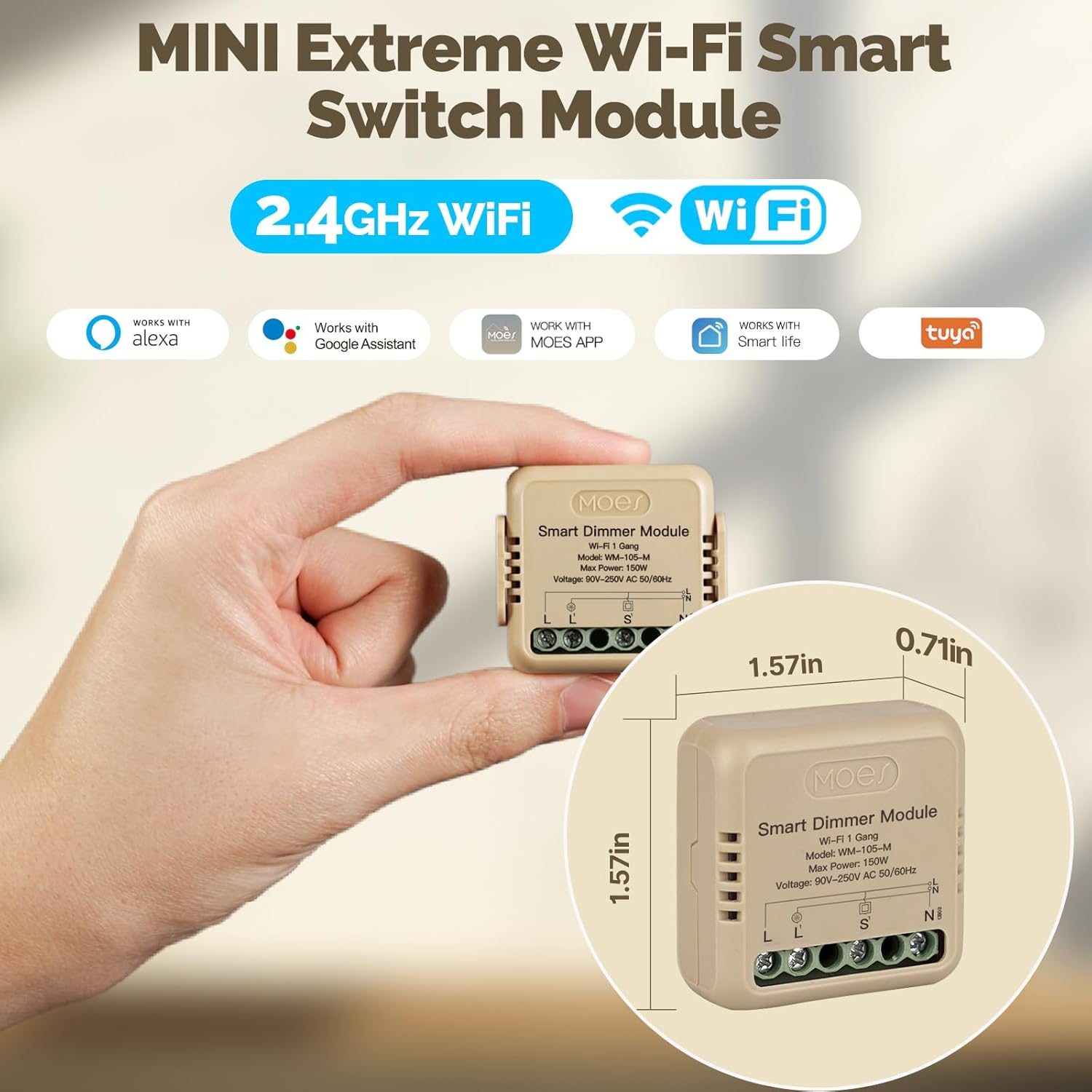
Image: Visual examples of the timer functions available, including countdowns, scheduled operations, and random on/off cycles for various devices.
Multi-Control Association:
The module supports multi-control association, allowing you to control a single light from multiple physical switch locations or smart devices. This is ideal for hallways or large rooms.

Image: A diagram illustrating how the smart module enables multi-control association, allowing a single light fixture to be controlled from different switch locations.
Maintenance
The MOES WiFi Smart Relay Dimmable module is designed for low maintenance. Ensure the device is kept in a dry environment and away from extreme temperatures. Periodically check wiring connections for security. For cleaning, gently wipe the exterior with a dry, soft cloth. Do not use liquid cleaners or abrasive materials.
Troubleshooting
| Problem | Possible Cause | Solution |
|---|---|---|
| Device frequently goes offline or loses WiFi connection. | Weak WiFi signal; interference from metal junction box; router issues. |
|
| Lights flicker or flutter when turned on/off. | Incompatible light bulbs (non-dimmable LEDs); faulty wiring; module issue. |
|
| Cannot pair the device with the app. | Incorrect pairing mode; 2.4GHz vs 5GHz WiFi band issue; incorrect network password. |
|
Specifications
| Feature | Detail |
|---|---|
| Model Number | WM-105-M-MS |
| Package Dimensions | 4.06 x 2.17 x 1.26 inches; 2.08 ounces |
| Operation Mode | Automatic |
| Current Rating | 10 Amps |
| Contact Type | Normally Open |
| Connector Type | Auxiliary |
| Brand | MOES |
| Mounting Type | Wall Mount |
| Contact Material | Tungsten |
| Upper Temperature Rating | 40 Degrees Celsius |
| Control Method | App, Remote, Voice |
| Wattage | 75 watts |
Warranty and Support
For warranty information and technical support, please refer to the contact details provided in the physical installation manual or visit the official MOES website. Keep your purchase receipt for warranty claims.
For further assistance, you may also contact the seller directly through the platform where the product was purchased.