
Grimtron VT02
Grimtron Biometric Gun Safe Instruction Manual
Model: VT02
Brand: Grimtron
Introduction
This manual provides essential information for the safe and effective use of your Grimtron Biometric Gun Safe. Designed for secure storage of firearms, important documents, and valuables, this safe offers multiple access methods including biometric fingerprint recognition, a backlit keypad, and emergency keys. Its robust construction and thoughtful internal organization ensure both security and convenience.
Important Safety Information
- Always store firearms unloaded and separate from ammunition.
- Keep emergency keys in a secure location away from the safe and out of reach of unauthorized individuals.
- Do not store the emergency keys inside the safe.
- Ensure the safe is securely mounted to prevent unauthorized removal.
- Regularly check battery levels to ensure proper operation of electronic locking mechanisms.
- This safe is not water resistant. Protect it from moisture.
Package Contents
- Grimtron Biometric Gun Safe
- Door Organizer x 1
- Expansion Screw x 4
- Emergency Key x 2
- Storage Rack x 1
- User Manual x 1
- USB Cable x 1
- Removable Shelf x 2
Product Specifications
| Feature | Detail |
|---|---|
| Brand | Grimtron |
| Product Dimensions | 13.78"D x 16.93"W x 25.59"H |
| Lock Type | Biometric, Electronic Keyboard, Key |
| Color | Black |
| Capacity | 3.46 Cubic Feet |
| Material | Alloy Steel |
| Special Feature | Include Storage Rack & Door Organizer |
| Mounting Type | Tabletop, Floor Mount |
| Control Type | Fingerprint, Electronic Keyboard, Key |
| Item Weight | 43.87 Pounds |
| Alarm | Anti Theft |
| Water Resistance Level | Not Water Resistant |
| Chamber Depth | 4 Inches |
| Model Number | VT02 |
| Batteries Required? | Yes (Not included) |
Setup and Installation
Unpacking
Carefully remove the safe from its packaging. Inspect for any damage.
Battery Installation
The safe requires batteries for the electronic keypad and biometric scanner. Locate the battery compartment, typically behind the door organizer. Insert the required batteries (not included).

Battery slot is conveniently located behind the door organizer for easy access.
Securing the Safe
For maximum security, it is highly recommended to secure the safe to a floor, wall, or both using the provided expansion screws.
- Choose a suitable location (e.g., wardrobe, bedside, closet corner).
- Mark the drilling points through the pre-drilled holes at the back or bottom of the safe.
- Drill pilot holes in the chosen surface.
- Align the safe and insert the expansion screws, tightening them securely.

Visual guide for securing the safe to a wall using expansion screws.

The safe can be placed discreetly next to a bed for quick access.

Ideal for placement within a wardrobe or cabinet.
Operating Instructions
Initial Setup (First Use)
Before first use, you must set up your master password and register fingerprints. Refer to the quick start guide included with your safe for detailed steps on initial programming.
Access Methods
Your Grimtron Biometric Gun Safe offers four convenient ways to access your valuables:
- Password Entry: Enter your 3-8 digit password followed by the "#" key. The safe will unlock, and the knob can be turned clockwise to open the door.
- Biometric Fingerprint Scan: Place your registered finger on the biometric sensor. The sensor will illuminate, and upon successful recognition, the safe will unlock. Turn the knob clockwise to open.
- Emergency Key: In case of battery failure or forgotten password/fingerprint, slide the keyhole cover to the right, insert the emergency key, and turn it clockwise while turning the knob to open the safe.
- External Power (USB-C) with Password/Fingerprint: If batteries are completely depleted, connect a USB-C cable to the external power port. Then, use either your password or registered fingerprint to unlock the safe.

Visual representation of the four quick access methods.
Setting Up Fingerprints
The biometric sensor can store up to 30 fingerprints.
The biometric sensor provides quick and secure access.
Setting Up Passwords
The electronic keypad allows for a 3 to 8 digit password.
The backlit keypad ensures visibility in low-light conditions.
Silent Mode
The safe features a silent mode for discreet operation. Consult the user manual for instructions on how to activate and deactivate silent mode.
Internal Organization
The safe includes a gun rack for up to four handguns and a door organizer for smaller items like magazines, keys, and documents. Removable shelves allow for flexible storage configurations.

The spacious interior with a gun rack and door organizer for efficient storage.
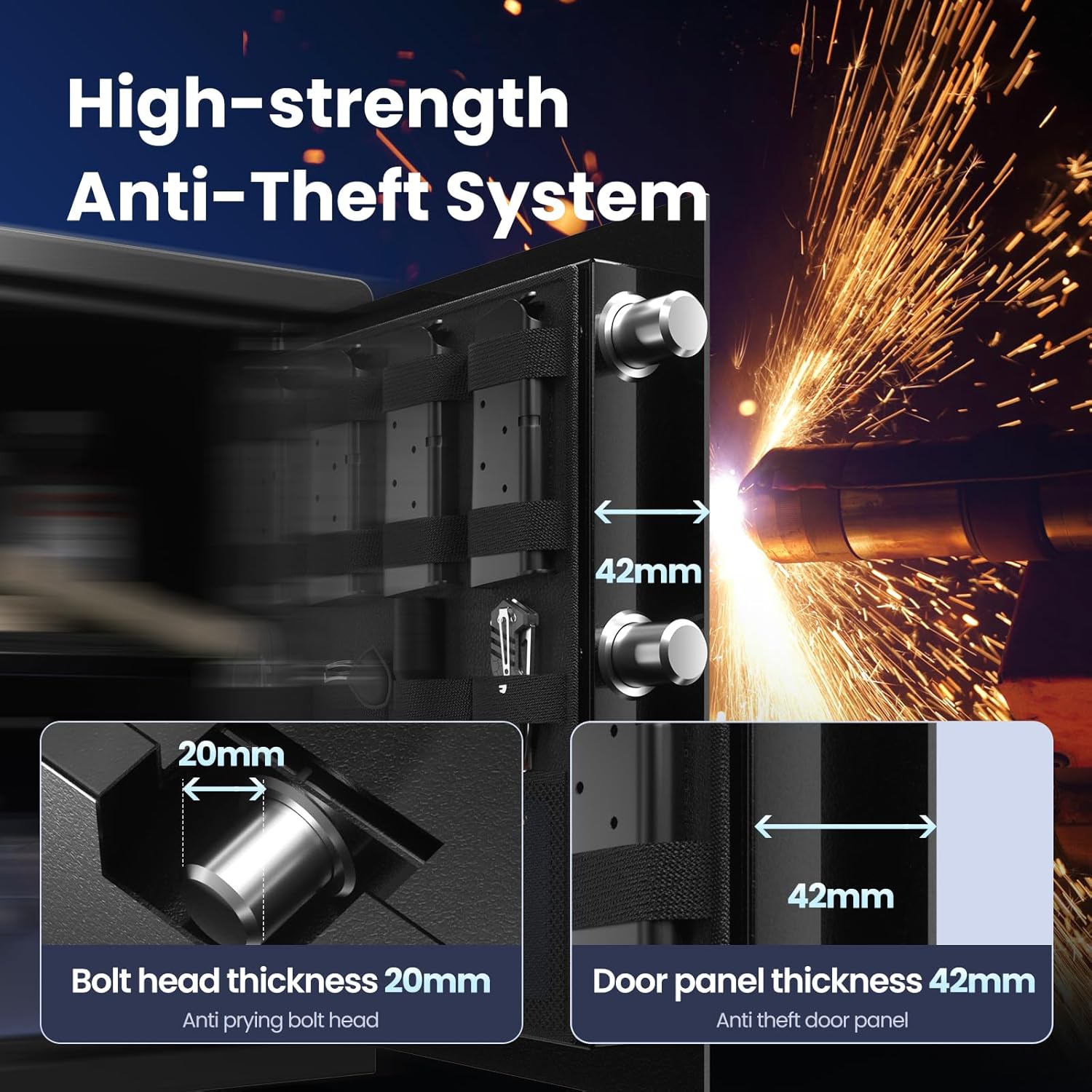
The door organizer provides dedicated pockets for magazines, keys, flashlights, and documents.
Maintenance
- Keep the safe clean and dry. Wipe exterior surfaces with a soft, damp cloth.
- Avoid using abrasive cleaners or solvents.
- Regularly check the battery level and replace batteries when low to prevent lockout.
- Ensure the biometric sensor and keypad are free from dirt or debris for optimal performance.
Troubleshooting
| Problem | Possible Cause | Solution |
|---|---|---|
| Safe does not open with password/fingerprint | Low batteries, incorrect entry, unregistered fingerprint | Replace batteries, re-enter password carefully, re-register fingerprint, use emergency key |
| Keypad not lighting up | Dead batteries | Replace batteries, use external USB-C power |
| Alarm sounds unexpectedly | Multiple incorrect entries | Enter correct password/fingerprint to disarm. Review security settings. |
| Safe door is stiff | Dust or debris in hinges/locking mechanism | Clean hinges and locking bolts. Apply a small amount of lubricant if necessary. |
Warranty and Support
Grimtron products are designed for durability and reliability. For warranty information, technical support, or assistance with your safe, please contact Grimtron customer service. Keep your purchase receipt and model number (VT02) handy for faster service.
You can visit the official Grimtron Store for more information: Grimtron Store
Related documentsVT02

Ask a question about this manual
Ask about setup, troubleshooting, compatibility, parts, safety, or missing instructions. Manuals+ will review the question and use this page’s manual context to help answer it.