
Introduction
This manual provides essential information for the safe and efficient use of your iPhanmis XS15Pro 3G Mini Smartphone. Please read this manual thoroughly before operating the device and retain it for future reference.

Image: Overview of the iPhanmis XS15Pro Mini Smartphone, highlighting its compact size and key features like HD screen, Android system, memory, and 3G connectivity.
Package Contents
Verify that all items are present in the package:
- iPhanmis XS15Pro 3G Mini Smartphone
- Charging Cable (Type-C)
- User Manual
- SIM Ejector Tool (if applicable)
Setup
1. Inserting SIM Cards and SD Card
The XS15Pro supports dual SIM cards for flexible network usage. It also supports an SD card for expanded storage.
- Locate the SIM card tray on the side of the device.
- Insert the SIM ejector tool into the small hole next to the tray to open it.
- Place your Nano-SIM cards (up to two) and/or a microSD card into the designated slots on the tray. Ensure they are correctly oriented.
- Gently push the tray back into the phone until it clicks into place.

Image: Illustration of the dual SIM card tray and how to insert SIM cards into the iPhanmis XS15Pro smartphone.
2. Charging the Device
Before first use, fully charge your smartphone.
- Connect the Type-C charging cable to the charging port at the bottom of the phone.
- Connect the other end of the cable to a compatible USB power adapter (not included) and plug it into a power outlet.
- The battery indicator on the screen will show charging status.

Image: The iPhanmis XS15Pro smartphone connected to a Type-C charging cable, illustrating the charging process.
3. Powering On/Off
- To power on: Press and hold the Power button until the screen lights up.
- To power off: Press and hold the Power button, then select "Power off" from the options on the screen.
Operating Instructions
1. Navigating the Android 9.0 System
Your XS15Pro runs on Android 9.0, offering a user-friendly interface.
- Touchscreen Gestures: Tap to select, swipe to scroll, pinch to zoom.
- Home Screen: Access your apps, widgets, and notifications.
- Notifications Panel: Swipe down from the top of the screen to view notifications and quick settings.
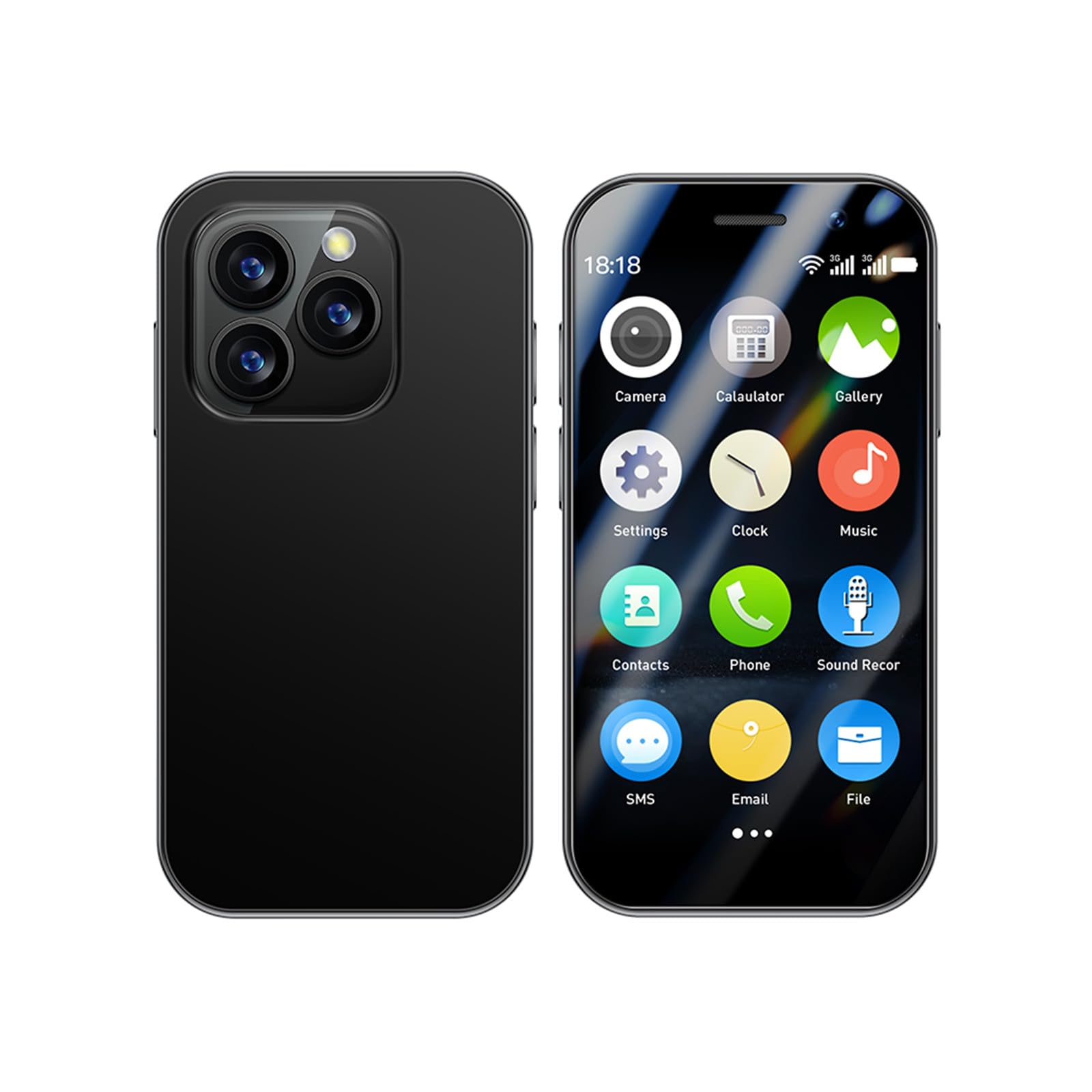
Image: The iPhanmis XS15Pro smartphone displaying its Android 9.0 home screen with various application icons.
2. Connecting to Wi-Fi
- Go to Settings > Network & Internet > Wi-Fi.
- Toggle Wi-Fi on.
- Select your desired network from the list and enter the password if prompted.
3. Making Calls and Sending Messages
- Open the Phone app to dial numbers or select contacts.
- Open the Messages app to send and receive SMS/MMS.
4. Using the Camera
The smartphone features front and rear cameras for photos and videos.
- Open the Camera app.
- Tap the shutter button to take a photo.
- Switch between front and rear cameras using the icon on the screen.

Image: Close-up of the iPhanmis XS15Pro's rear camera module, highlighting its multi-lens design for photography.
5. Managing Storage and Apps
The device comes with 2GB RAM and 16GB ROM, expandable via microSD card.
- To install apps: Use the Google Play Store.
- To manage storage: Go to Settings > Storage.
- To manage apps: Go to Settings > Apps & notifications.

Image: A visual representation of the iPhanmis XS15Pro's internal components, emphasizing its 2GB RAM and 16GB storage capacity.
Maintenance
- Cleaning: Use a soft, dry cloth to clean the screen and body. Avoid harsh chemicals.
- Software Updates: Regularly check for and install system updates to ensure optimal performance and security. Go to Settings > System > Advanced > System update.
- Battery Care: Avoid extreme temperatures. Do not let the battery fully discharge frequently.
- Data Backup: Regularly back up important data to a computer or cloud service to prevent loss.
Troubleshooting
| Problem | Solution |
|---|---|
| Device does not power on. | Ensure the battery is charged. Connect to a charger for at least 30 minutes, then try powering on again. |
| Cannot connect to Wi-Fi. | Check if Wi-Fi is enabled in settings. Restart your router and the phone. Verify the Wi-Fi password. |
| SIM card not detected. | Ensure the SIM card is correctly inserted in the tray. Restart the phone. Check if the SIM card is active with your carrier. |
| Apps are slow or crashing. | Close background apps. Clear app cache (Settings > Apps & notifications > select app > Storage & cache > Clear cache). Restart the phone. |
| Battery drains quickly. | Reduce screen brightness. Disable unused features like GPS, Bluetooth, and Wi-Fi. Close background apps. Check battery usage in Settings > Battery. |
Specifications
| Feature | Detail |
|---|---|
| Model Number | XS14pro (also known as XS15Pro) |
| Operating System | Android 9.0 |
| Display Size | 3.0 Inches |
| Resolution | 1280 x 720 |
| RAM | 2GB |
| ROM (Internal Storage) | 16GB |
| Expandable Storage | Yes, via MicroSD card |
| Cellular Technology | 3G |
| Wireless Connectivity | Wi-Fi, Bluetooth |
| GPS | True |
| SIM Card Slot Count | Dual SIM |
| Audio Jack | 3.5 mm |
| Battery Capacity | 1000 Milliamp Hours |
| Product Dimensions | 1.87 x 0.49 x 3.7 inches |
Warranty and Support
For warranty information and technical support, please refer to the documentation included with your purchase or contact the retailer/manufacturer directly. Keep your proof of purchase for warranty claims.
Manufacturer: Soyes
Brand: iPhanmis